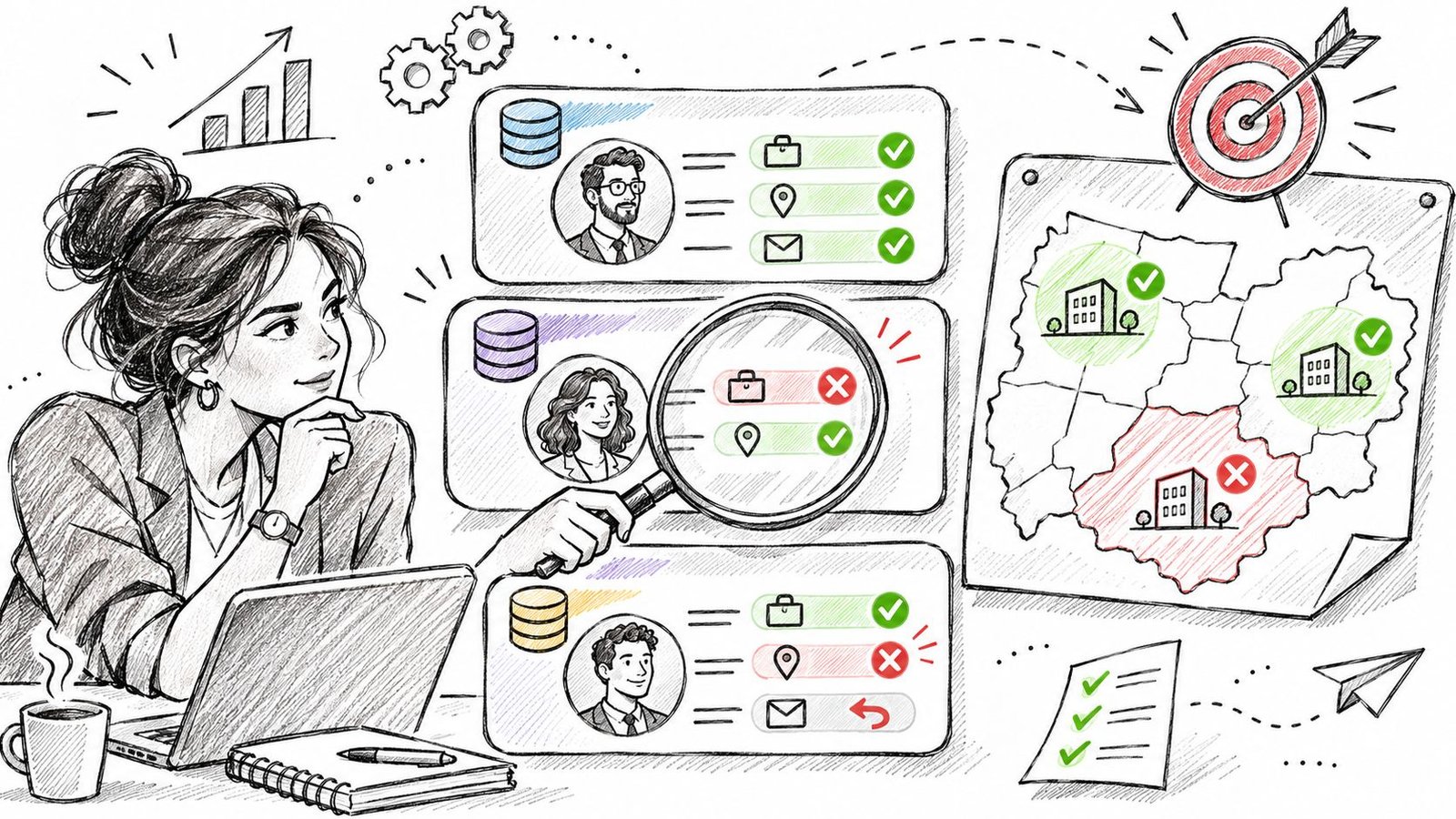
The list looked immaculate. Two thousand contacts, every title matched the persona document, every company sat inside the target revenue band, and the export landed in the CRM without a single error. Then the first campaign went out. Hard bounces came back in waves, the phone numbers that did connect routed to a switchboard, and a chunk of the accounts turned out to be subsidiaries of companies already sitting in the pipeline.
Nothing was wrong with the tool. Everything was wrong with the assumption that data providers are interchangeable.
They aren't. One platform is built to give a rep a searchable prospecting workspace. Another exists to hand a developer a clean JSON response inside a product. A third is really a company-research library that happens to include contact records. Judge all of them against the same scorecard and you get a shortlist that reads well and performs badly, because what you're buying is a fit between a dataset and a job.
That gap shows up in the numbers. A 2026 survey of more than 600 mid-market and enterprise revenue leaders found that 74.5% named data quality as their biggest challenge with sales-intelligence tools, according to B2B data intelligence industry statistics.
The eleven providers below are matched to the jobs they do well, with the limitations each one carries and a test you can run before you commit budget.
Table of Contents
- 1. Fetchin, Live Profile and Company Data Through an API
- 2. ZoomInfo, Broad Coverage for Established Sales Teams
- 3. Apollo.io, Prospecting and Outreach Under One Subscription
- 4. Cognism, European Coverage and Verified Mobiles
- 5. Lusha, Credit-Based Access for Individual Reps
- 6. UpLead, Budgeting by the Record
- 7. People Data Labs, Data Feeds for Engineering Teams
- 8. D&B Hoovers, Account Research With a Paper Trail
- 9. Crunchbase, Research on Private Companies and Startups
- 10. Lead411, Signals on a Smaller Budget
- 11. SalesIntel, When You Want a Human on the Record
- How the leading B2B data providers compare on pricing model, free access, and best-fit use
- Turning a Shortlist Into a Data Provider You Can Trust
1. Fetchin, Live Profile and Company Data Through an API

Most providers sell you a copy of a record. Fetchin sells you a lookup against the live page.
The difference compounds over time. Scheduled crawls store what a page said on the day it was indexed, and between that crawl and your query, people change roles, companies rebrand, and a job title that was right in spring is wrong by autumn. Fetchin's real-time B2B data API inverts the model. You send a professional profile URL or a company URL, it retrieves the current page state, and it returns structured JSON. Median response time runs near one second, with P95 around 1.5 seconds under production load.
That design choice decides where it belongs in your stack.
What the endpoints return
- Profile endpoint: more than 100 attributes covering positions, education, skills, locations, and contact fields.
- Company endpoint: firmographics including industry, headcount, headquarters, founding year, and verified domain.
- Engagement endpoints: posts, comments, and reactions, which is the layer most providers don't expose at all through an API.
Responses are synchronous by default, with optional asynchronous delivery for workflows that can't sit inside a request cycle. Rate limits start at 5 requests per second on self-serve and scale to 100 requests per second on dedicated capacity, provisioned in two to five business days. Failed requests don't consume credits, so a bad URL costs a retry rather than money.
When it's the right choice, and when it isn't
Fetchin was built in 2023 for an internal product and hardened on production traffic, which is why the schema holds its shape across endpoints instead of shifting between calls. Pricing runs from a free tier of 1,000 credits through monthly plans, pay-as-you-go, and enterprise terms.
The honest limitation is scope. This is infrastructure for teams building enrichment, contact matching, or engagement analytics into software. If your requirement is a rep logging in on Monday to build a 500-account list from filters, you're shopping in the wrong category.
The test that matters: send the same 50 URLs a week apart and diff the JSON. A live-fetch provider shows you what changed. A cached one shows you what it remembered.
2. ZoomInfo, Broad Coverage for Established Sales Teams
ZoomInfo is the vendor most enterprise buyers compare everything else against, and the comparison usually lands on budget rather than capability. The product pairs company and contact data with a full go-to-market suite: prospecting, marketing, operations, and talent software on the same account model. Companies running separate SDR, marketing ops, and recruiting functions off one contract gain significant benefits from that consolidation. There's also a ZoomInfo Lite community edition, which is a sensible way to inspect the record format before you sit through a demo at zoominfo.com.
The trade-offs are mostly commercial.
- Pricing is quote-based: the final number moves with seats, bundled products, and usage, so two teams of identical size can sign very different contracts.
- The feature surface is enormous: if you need a filtered contact list and a CSV export, you're paying for a platform you won't fully configure.
- Coverage varies by region and role: test the countries and job families you sell into, not the ones in the demo.
ZoomInfo fits organizations with complex prospecting needs and someone who owns the tool day to day. Small teams typically find it heavier than the job requires.
3. Apollo.io, Prospecting and Outreach Under One Subscription
Apollo is the platform small teams try first, and the reason is structural. The database, the sequences, browser extensions, and enough CRM capability to hold the workflow together sit behind one login at apollo.io. A free plan lets you test the filters before you spend anything, and paid tiers begin with Basic at $49 per seat per month when billed annually. Check current limits, because credits, not seats, drive the actual cost of phone and email data.
The part of Apollo's story buyers underestimate is signals. Gartner's 2023 Technology Marketing Benchmarks Survey, as reported in Apollo's intent data overview, found that 93% of technology marketers at organizations with at least $100 million in annual revenue used third-party intent data for at least one use case. The same source reports that 73% of B2B buyers actively avoid suppliers that send irrelevant outreach.
That sets the bar the underlying records get held to. Volume means little if the account is wrong, and irrelevance now costs you the buyer outright.
Two practical cautions. Coverage thins outside your core industry, roles, and geography, so test match quality against accounts you know before buying seats. And plan limits interact with credits in ways that make the entry price a poor predictor of the annual bill.
4. Cognism, European Coverage and Verified Mobiles
If your pipeline sits in Europe, Cognism is the name that keeps resurfacing, and rarely because of database size. Two things drive the recommendation: phone-verified mobile numbers, including on-demand verification, and a data-governance posture built for European selling.
The product covers contact and company search with firmographic filters, CRM enrichment, and delivery through API or bulk files depending on the package. Intent data appears in certain tiers rather than all of them.
That packaging structure is where buying gets complicated.
- Pricing is quote-based: expect the quote to move with data volume, add-ons, and delivery method rather than seat count alone.
- Allowances vary by package: the feature you saw in the demo may sit two tiers above the one you can afford.
- Mobile verification is the value, so test it on mobiles: ask for a sample of direct dials in your target countries and call twenty of them yourself.
Request the sample in the countries you sell into, not the ones the vendor presents best. Regional depth is uneven everywhere, and a strong UK file says nothing about your German or Nordics coverage.
Cognism belongs in any regional comparison where connect rate on cold calls is the metric that matters, at cognism.com.
5. Lusha, Credit-Based Access for Individual Reps
Lusha is the easiest provider on this list to explain to a rep on their first day. Revealing an email costs one credit, revealing a phone number costs five, and the browser extension surfaces both inside LinkedIn and your CRM without a separate tab.
The free plan gives you 40 credits per month, enough to judge coverage against a handful of real target accounts. Paid pricing lists Starter at $37.45 per month billed yearly at lusha.com. That published structure makes Lusha simpler to evaluate than any quote-only vendor, which is a genuine advantage when you're comparing four options in a week.
The credit ratio tells you what Lusha is optimised for. Email-first outreach is cheap, phone-heavy prospecting is not, so a team running 200 dials a week will burn through allowances faster than the monthly price suggests.
Two more details worth knowing before you commit. Unused credits on annual plans reset at the end of the annual cycle rather than rolling forward, and features and integrations vary by plan. Lusha works best as a rep-level lookup tool that sits alongside your sequencing platform, not as the system of record for outbound.
6. UpLead, Budgeting by the Record
UpLead's model is one credit, one contact, downloaded or pushed to the CRM. That's a cleaner way to forecast spend than most, because the unit you buy and the unit you use are the same thing.
The data-quality case for that discipline is well documented. A 2025 study cited in an analysis of B2B marketing data quality found outdated contact information was the most frequently cited problem at 32%, followed by evolving regulations at 25% and incomplete profiles at 23%. The same analysis notes that nearly 75% of marketers estimate at least 10% of their lead data is inaccurate, outdated, or non-compliant.
Plans include verified email and mobile direct dials, with higher tiers adding technographic search and enrichment. Self-serve monthly billing means an individual can start without a procurement cycle.
Practical rule: measure cost per usable record, not cost per credit. A cheaper credit that bounces twice has already lost to the expensive one that connects.
Limits to weigh. The free trial runs five credits over seven days, which tests the interface more than the coverage. Team features and full API access sit behind a custom-priced Professional plan, so evaluate UpLead at uplead.com knowing the self-serve tiers are individual tools first.
7. People Data Labs, Data Feeds for Engineering Teams
People Data Labs sells data to systems, not to sales floors. The core is person and company search plus enrichment APIs, with batch enrichment for uploaded CSV files and delivery through warehouses such as Snowflake and Databricks. Pricing includes usage-based charges for successful matches, which aligns the bill with records you resolve.
If you're weighing an API-led approach against building your own collection layer, this comparison of web scraping APIs for AI pipelines covers the trade-offs between buying structured data and assembling it.
Three things to know before a pilot:
- It's technical by design: this is a pipeline component that RevOps or a data engineer wires into a product, not a prospecting interface.
- The free tier excludes contact information: you can test schemas and match logic, but contact fields require a paid plan.
- Batch mode is the shortcut: if you have one large list to enrich and no appetite for API work, the CSV route gets you a result without engineering time.
Start at peopledatalabs.com. Choose it when the deliverable is data inside your own application or warehouse, and choose a prospecting tool when the deliverable is a list a rep will call.
8. D&B Hoovers, Account Research With a Paper Trail
The business-data industry didn't begin with marketing software. In 1841 Lewis Tappan founded the Mercantile Agency in New York to collect information about merchants' financial responsibility, John Bradstreet opened a competing agency in Cincinnati in 1849, and the two merged in 1933 to form Dun & Bradstreet, as Dun & Bradstreet's corporate history records. The D-U-N-S Number followed in 1962, giving businesses a numerical identifier designed for computer-based processing.
That lineage matters for one specific job: knowing which legal entity you're dealing with.
D&B Hoovers combines company and contact list building with filters, more than 130 of them according to the product page, and connects back to the D&B Data Cloud. Essentials plans are published monthly and annually, which gives smaller buyers a self-serve entry point at dnb.com.
Read the plan allowances carefully. Essentials is credit-limited, so high-volume list pulls will hit the ceiling quickly, and automatic-renewal terms plus renewal pricing deserve a close read before signature. Pick Hoovers when account research, corporate hierarchy, and consistent company identity matter as much as a contact's email address.
9. Crunchbase, Research on Private Companies and Startups
Crunchbase solves a different problem from the rest of this list. It tells you which private companies exist, who funds them, how recently they raised, and what's changed in their headcount or leadership, which is often the trigger that makes an account worth calling this quarter.
Free access covers basic company discovery. Paid individual and team plans add saved searches, lists, alerts, and exports, and there's an API for broader workflows at crunchbase.com. For a founder-led sales motion or an investment team screening categories, that's the fastest way to build a prioritised account list before you need a single phone number.
Be clear about what it isn't. Crunchbase is company intelligence, not a direct-dial database, so plans differ on export limits and feature access. Budget for a second tool that supplies contacts, or accept that your reps will find people themselves on LinkedIn.
10. Lead411, Signals on a Smaller Budget
Lead411 bundles verified emails and direct phone numbers with company search built around hiring activity and technology-stack signals. For teams that want a reason to call beyond a title match, that combination is the practical part of the product.
Plans exist for individuals and teams, with higher tiers adding API access, buyer-intent data, and wider export allowances. Published entry-level pricing and a seven-day free trial lower the cost of finding out whether the coverage holds at lead411.com.
Confirm the exact plan and term directly before you buy. Feature access, exports, and intent data vary by tier, and pricing presentation shifts between plans, so the number on the page and the number on the invoice aren't always the same shape.
11. SalesIntel, When You Want a Human on the Record
SalesIntel is the option to shortlist when your complaint about databases is that nobody stands behind the records. ProspectIntel handles contact-data search, and Research on Demand lets you request investigation or verification of specific records, so a person looks at the entry rather than a model.
That service model suits teams with a narrow, high-value account list where a missing or wrong contact costs a quarter of pipeline. It also suits organizations that want enrichment support rather than another dashboard to configure. Data and enrichment options extend across sales, marketing, and RevOps use cases at salesintel.io.
Pricing isn't published publicly, so expect a quote conversation. Treat vendor-supplied performance claims as claims to test rather than facts to plan around, and confirm seat counts, usage allowances, and support terms in writing. The right way to evaluate SalesIntel is a pilot on your ten hardest accounts, comparing what comes back against what your reps already know.
How the leading B2B data providers compare on pricing model, free access, and best-fit use
| Item | Pricing Model | Free Option | Best For |
|---|---|---|---|
| Fetchin | Credits, pay-as-you-go, or enterprise terms | 1,000 free credits | Developers needing real-time profile, company, and engagement data via API |
| ZoomInfo | Quote-based paid packages | Lite community edition | Larger teams needing broad prospecting and revenue workflows |
| Apollo.io | Free and paid per-seat plans | Free plan | Startups and small teams combining prospecting with outreach |
| Cognism | Quote-based packages | No free option specified | Teams selling in Europe or prioritizing verified mobile data |
| Lusha | Credit-based plans | 40 credits per month | Teams seeking convenient contact lookup and enrichment |
| UpLead | Per-contact credits | Five-credit, seven-day trial | Buyers budgeting prospecting by contact record |
| People Data Labs | Usage-based pricing for successful matches | Free tier; excludes contact information | Developers and data teams building API or batch-enrichment workflows |
| D&B Hoovers | Monthly or annual subscription | No free option specified | Buyers combining account research with contact discovery |
| Crunchbase | Free and paid individual or team plans | Free access | Researchers tracking startups, private companies, and funding |
| Lead411 | Subscription plans | Seven-day free trial | Teams using contact data and growth signals to prioritize accounts |
| SalesIntel | Quote-based | No free option specified | Teams seeking contact data with human-assisted research |
Turning a Shortlist Into a Data Provider You Can Trust
Start with the job, not the vendor. Four jobs cover most B2B data purchases: building prospect lists, enriching records already in the CRM, researching accounts before outreach, and feeding records into a product or pipeline. Each fails differently. A list-building tool fails on coverage and credits. An enrichment tool fails on match rate and duplicate creation. A pipeline tool fails on latency and schema drift.
Write the job down in one sentence before you take another demo. "We need 400 verified contacts a month across DACH mid-market manufacturers" is a brief a vendor can answer. "We need better data" is not.
Run the sample against accounts you already know
Ask for a matched sample against 200 to 500 accounts from your own CRM before anyone quotes a price. You already know which of those accounts are real, which contacts still work there, and which numbers reach a person. That's the only benchmark that survives a polished presentation.
Score precision and recall separately. Precision is how many returned records were correct. Recall is how many of your known contacts the provider found at all. A vendor can look strong on one and weak on the other, and that difference decides whether you're buying coverage or accuracy. Then rerun the test after 30 to 90 days with the same list, because freshness is a behaviour rather than a specification.
Segment the results by country and company size. Aggregate match rates hide the regions where a provider is thin, and those are exactly the accounts your reps will complain about in month two.
Price the usable record
Divide the annual contract by the number of records that survived your test and produced a working email or a connected call. That figure is what you're paying, and it rarely resembles the advertised credit price once duplicates, bounces, and re-pulls are counted.
Add the labour. Someone has to clean the import, map the fields, and chase records that broke the CRM sync. If the provider can't deduplicate against existing accounts or preserve field history, that someone is your RevOps team, every month, forever.
Get renewal and usage terms in writing
Auto-renewal dates, credit expiry, seat minimums, and data-usage restrictions belong in the contract, not in a sales call. Ask what happens to your credit balance at renewal, and whether you can export the enriched records if you leave. Both questions sort serious vendors from persuasive ones.
Then keep the sample results on file. When renewal arrives, the only argument that lands is the one backed by your own numbers.
Pick the single job you need done this quarter. Shortlist two providers that fit it, book the 200-account sample for this week, and let precision, connect rate, and cost per usable record make the decision before you take another demo. If neither clears your bar, the honest answer is that you need a narrower brief, not a bigger database.