Introduction
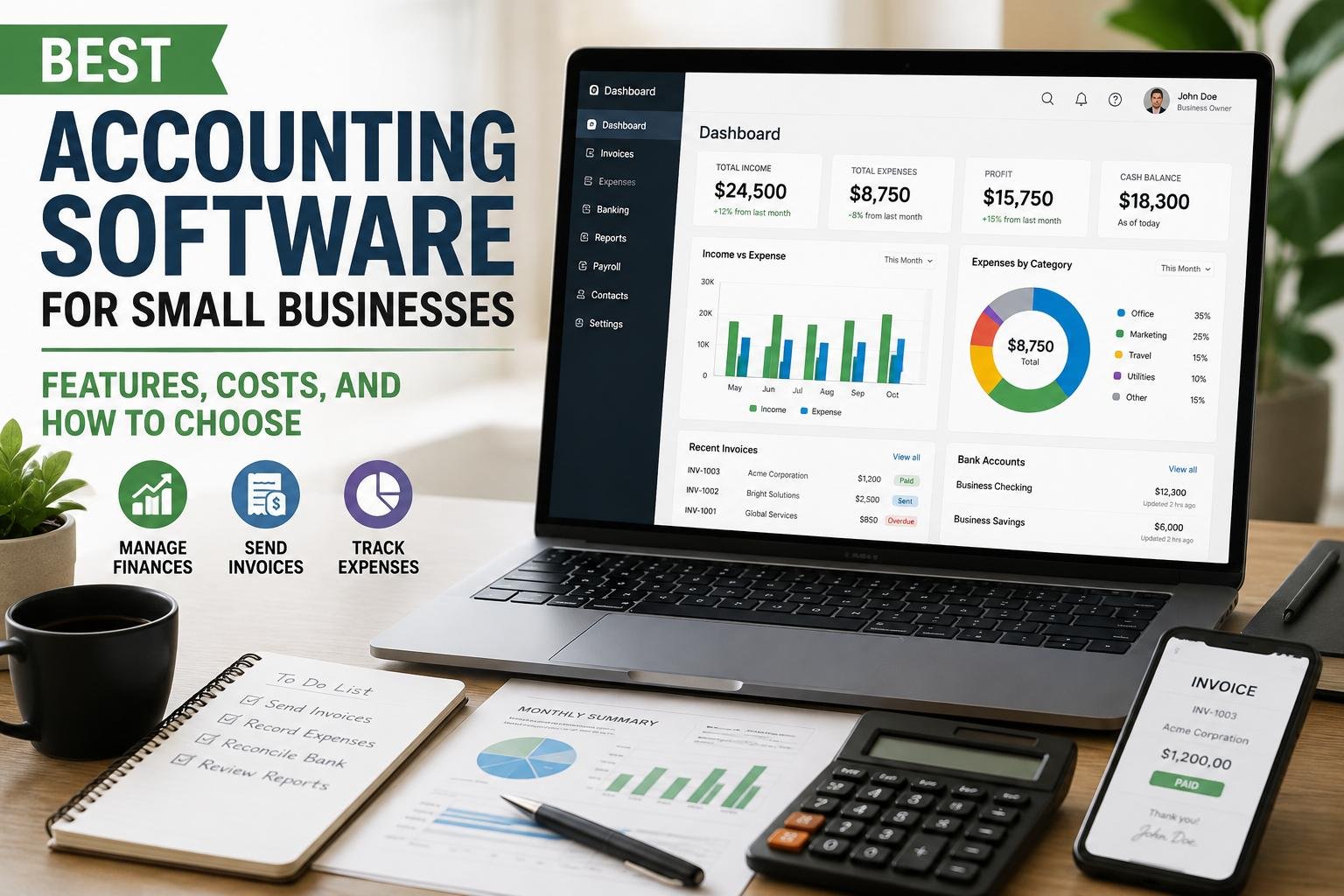
The accounting system can significantly affect a small business’s financial management efficiency. With modern accounting software, lots of tasks that previously could be done in the spreadsheets, on papers or by hand can be automated. Whether or not it’s creating customer invoices, keeping expenses, reconciling bank transactions, or generating financial reports, accounting software provides business owners with a better grasp of their financial standing. But it isn’t always the software that has the most features that is the best. Each small business will have varying needs based on the type of business, transactions, employees, budgets and accounting knowledge. Business owners should therefore compare the features that are most important for their business before subscribing to such software and also see how useful it will be to the growth of the business.
Accounting Software: What is it and why does a Small Business Need it?
Accounting software is a computer-based application that enables a company to capture, manage, process and report financial transactions. Rather than having to keep individual records on multiple spreadsheets for sales and expenses, customers and suppliers, payroll, bank transactions, and other activities, a company can have many of these on the same platform. This can streamline repetitive data entry, and provide easier access to financial information for decision making purposes. It is even more crucial for a small business owner to have a reliable record of financial transactions since cash flow can fluctuate rapidly, and there may be limited room for error that could be expensive. An accounting system can assist in keeping track of income, expenses, outstanding invoices, unusual transactions, making a report, and giving information that can be utilized for budgeting and tax. It can even simplify for the accountant and/or bookkeeper the process of checking the company’s books without attempting to piece together transactions from a variety of paperwork.
Important Features to Consider when Choosing Small Business Accounting Software
Invoices and Accounts Receivable
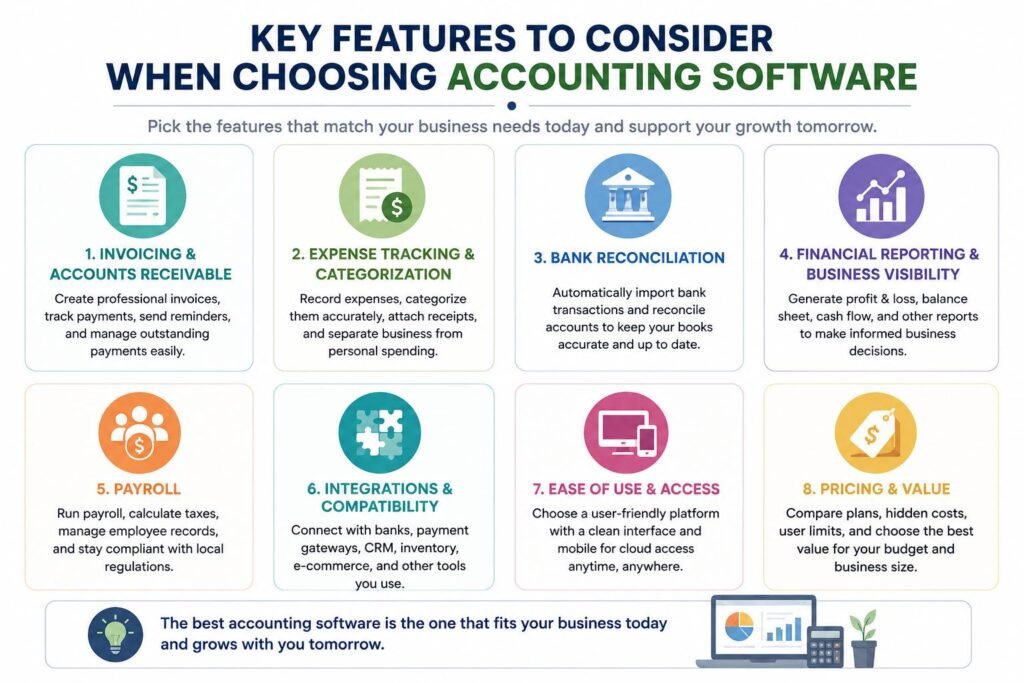
The first feature that a small business should look at is invoicing as it has an impact on cash flow. A good accounting software should enable the user to generate professional invoices in no time, customize the basic information and payment terms in the invoice, and track the invoices that have been paid, partially paid or outstanding. There are also platforms that offer recurring invoices, automatic payment reminders, online payment procedure, and customer statements. These are features that may be helpful for those companies which bill clients on a recurring basis, such as consultants, freelancers, agencies, contractors and service providers. When evaluating software, don’t just focus on creating an invoice and consider how the software handles the whole receivables process. Being able to spot overdue accounts and limit the amount of manual follow-up required can offer significantly more value than making pretty-looking invoices.
Expense Tracking and Categorization
Expense management is another crucial feature as it’s as important to know where the money is going as it is to know what income the business is generating. You should be able to easily enter purchases, classify expenses, link receipts, and easily separate business and personal expenses with the accounting software. Some systems enable you to take a receipt and upload it via a cell phone or directly from connected bank or credit card accounts. While automatic categorization can help save time, it is important to review transactions on a regular basis to ensure that the transactions are assigned to the proper accounts. A robust expense tracking system also simplifies the process of determining what unnecessary expenses are being incurred, and what the true cost of operating the business is. If you’re looking at alternatives, you should check whether the software can accommodate your business’s expense categories, accept multiple payment methods and easily retrieve the supporting documentation if your financial records need to be reviewed.
Bank Reconciliation
Bank reconciliation is one crucial function that can’t be ignored while selecting accounting software. It is a process of comparing the transactions that have been entered in the accounting system with the transactions that have been seen on the business’s bank statement to find any differences, missing transactions, duplicate transactions or mistakes. The software can be integrated with banks and can automatically import transactions, which allows the reconciliation process to be quicker. But the review isn’t going to be eliminated due to automation as sometimes imported transactions are classified wrong or have some information that needs to be clarified. The finest systems allow you to easily associate recorded transactions with bank activity and determine what’s still left to take care of. The regular reconciliation process also enables businesses to keep their finances in check, and gives the owners a better sense of the realism of the reported cash-balance. Businesses dealing in a lot of transactions can save a lot of administrative time throughout the year, with the help of reliable bank feeds and easy bank reconciliation tools.
Financial Reporting and Business Visibility
A small business owner shouldn’t have to make a guess to understand if the business is doing well. The financial reporting features provide data to help make decisions on pricing, spending, cash management and growth. The accounting software must be capable of generating basic reports like profit and loss, balance sheet, cash flow, accounts receivable, accounts payable and expense summaries, at a minimum. Comparative reports, business-performance indicators, budgeting tools and customizable dashboards are features that might be available on more advanced platforms. Rather than the number of reports a platform provides, the key is whether or not they are easy to understand and meaningful to the business. If the owner just desires simple monthly reporting, a sophisticated system may not be needed, but a company that is expanding with multiple revenue streams might require more detailed reporting. Find programs that will enable you to produce reports for varying time durations and export or share them with your accountant as required.
Payroll: Does Your Business Need It?
Consider a feature also, especially for businesses that have people working for them: Payroll. The payroll functionality can assist with working out wages, keeping track of deductions, creating payslips, keeping records of employees, and reporting payroll. However, payroll services are not always included in standard accounting packages, and can differ greatly depending on country and software vendor. Businesses should thus need to understand if a payroll system offers the correct employment, tax, pension and statutory requirements for their area or if a product they’re persuaded is payroll is suitable for each area. For a small business that doesn’t have any staff, they might not need any of the advanced payroll features, while a business with multiple employees may require an integrated solution that integrates payroll with the general ledger and financial reports. If payroll is a key aspect to your business, look at both the functionality and extra costs before you decide.
Integrations and Compatibility
The best accounting software should work as part of a larger overall business technology system, and not as an isolated system. Integrations enable accounting software to share data with other apps, meaning that there is less data to be entered manually in two or more locations. Useful Integrations can vary based on the business payment processors, e-commerce platforms, point-of-sale systems, customer relationship management tools, inventory systems, payroll applications, expense-management platforms and banking services are all great examples. For a retail store, for instance, accounting software that is compatible with their sales and inventory systems would be crucial, and for a consultant, payment processing and time tracking would be more significant. Prior to selecting a platform, compile a list of current applications the business is using and see if they will work. Also, you should think about whether integrations come as a part of the standard subscription, or you will have to pay for a costlier subscription or utilize a third party for this service.
Easy to use and Access.
A robust accounting system doesn’t have to be a good system if your staff members and business owners can’t use it. It should not therefore be expected that it will be a feature which can be dispensed with. Common activities like creating invoices, recording expenses, transaction reviews, reports etc should be somewhat quick and easy to perform on the user interface. For owners who want to keep track of their finances when they’re on the go, mobile access can also be beneficial, and if you have to record an expense right after you make a purchase, it can be helpful. Cloud-based software can offer more flexibility as the software can generally be accessed from multiple devices and locations, depending on the software provider. Utilize free trials or demos, if available, before signing up. Do you think that someone who doesn’t know much about accounting would be able to do daily tasks without having to be constantly supervised? Concurrently, be sure that the platform provides adequate controls and reporting capabilities for the accountant or bookkeeper who may be tasked with more complex bookkeeping duties.
Understanding the Prices of Accounting Software Program
While price is certainly a factor, a month-to-month subscription price isn’t the only metric used to measure value with accounting software. Providers may provide multiple pricing levels, such as basic plans that restrict the users, invoices, transactions, integrations, reports, automation, etc. Providers may have several pricing tiers, with lower pricing tiers limiting the number of users, invoices, transactions, integrations, reports, automation, etc. Other services such as payroll, payment processing, extra users, premium support and others can also add additional costs. Some of the providers have a free plan for very small business, but this plan may come with a lot of limitations that can be problematic as you expand the business. Prior to buying, make an estimate of the potential total price of the features that the business needs. Think about the payments made (monthly or yearly), if there is an introductory price followed by a higher price, and if there will be more users or services that will be needed. Sometimes a little more money will be better worth if it allows for a few hours of administrative saving per month.
How to Compare the Best Options
No one accounting software solution is ideal for all small businesses. Business owners should build up a short list of platforms that meets their needs, rather than selecting one that is popular. First, you should determine what the most critical functions of the software are, including invoicing, expense tracking, bank reconciliation, payroll, inventory or financial reporting. Then, identify the number of users who will require access and approximate the number of transactions that will occur per month. Think about the current bank accounts, payment methods, payroll processes, and more that could need to be synced with the accounting system. It should then be compared with the features that are provided at each price point, not just the base subscription price. Last but not least, try out the shortlisted platforms, when possible. A short trial will quickly show if the interface is intuitive and easy to use, if the reports contain useful information or if standard bookkeeping tasks can be carried out without needless complications.
Questions to Ask Before Buying Accounting Software
Business owners should ask a number of practical questions before they sign up for a subscription. Does it have all the important functionalities that are needed today with the software? Will it allow for more customers, employees, transactions or locations as the business grows? Is it safe to connect to a bank and how often are the transactions imported? Will the system generate the necessary financial statements generated by the business and its accountant? Is it compatible with existing payment, sales, inventory, payroll or e-commerce software? Do they come with customer support and training or do you need to pay extra for that? It’s also important for business owners to consider data export when they may eventually want to switch providers. In some instances, changing the accounting system may be a time-consuming process, so anticipating data portability when signing up can help avoid potential issues. Security should also be taken into account such as user permissions, authentication methods, backing up and protecting financial data.
Choosing Software that can grow your Business
Don’t choose accounting software for the present, only because of the present times. A business with one owner and a few monthly invoices could grow to employ staff, introduce other products, embrace more payment options and branches. The owner may eventually need to transfer financial information to a different system if the software he or she has selected fails to meet that increase. However, purchasing an unnecessarily high-tech system up front can lead to unnecessary expenses on features that are never utilized. The aim is to deliver a system that can be expanded safely and effectively while not being too complex or costly. Identify where the business is going in the next 2-3 years and choose software that will be able to carry you there. Thus, scaling shouldn’t be viewed as a standalone concern, and affordability should be considered at the same time.
Conclusion
The ideal accounting software for small businesses is the one that offers a blend of features, affordability, simplicity, and future growth potential. Common features like invoicing, expense management, bank reconciliation, financial reporting, and integrations can streamline financial management, and payroll and other advanced features can be beneficial for companies with more complex workflows. Price should always be judged on what it includes for the actual features of the subscription, and not only on the price. Above all, business owners need to know what their financial-management requirements are prior to comparing financial-management software providers. A freelancer might choose an invoicing and expense tracking solution, while a larger organization could need to incorporate more integrations, multiple users and detailed reporting. Developing a list of requirements, analyzing the overall costs, evaluating shortlisted platforms, and thinking about future expansion can help small business owners select an accounting system that meets their needs without the added complexity of unnecessary costs.
Get more well researched information about Best accounting software for small businesses here.