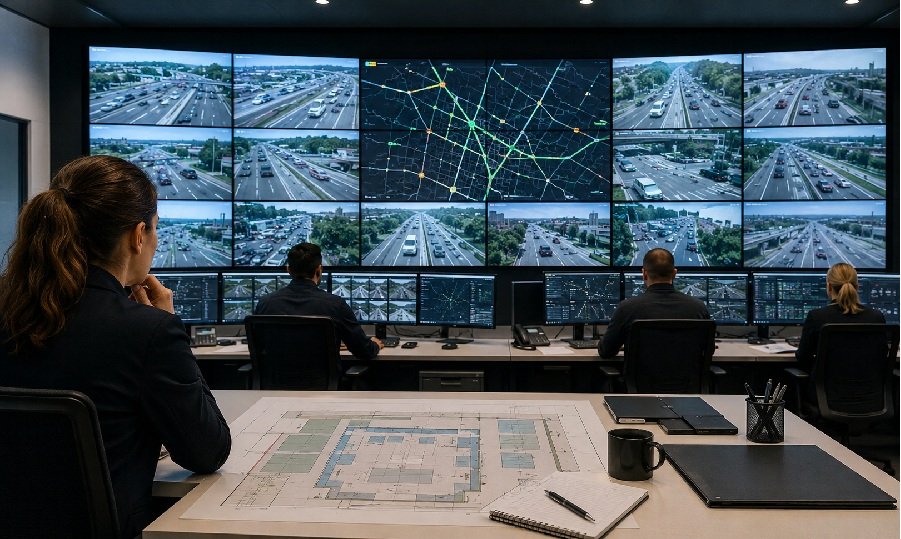
Traffic control rooms can be tempting places to overspend. More cameras, more dashboards, more pixels, more wall space. Yet a larger or denser video wall does not automatically make a traffic team faster. The wall has to match the decisions the room makes every day.
The best plan starts with traffic operations, not display ambition.
Define the Daily Monitoring Pattern
A traffic room may monitor roadway cameras, incident alerts, transit maps, weather, public information feeds, and coordination messages. Some content needs constant visibility. Other content only matters during an incident.
Start by separating content into three groups:
- Always visible: feeds or dashboards used all shift
- Event-driven: feeds that expand during incidents
- Reference content: maps, schedules, reports, or public messages
This prevents the wall from becoming a crowded collage. It also helps decide which sources deserve the biggest zones.
Choose Resolution Around Readability
Traffic rooms often show detailed maps and small labels. Pixel pitch matters when operators sit close enough to read text from the wall. Pixel pitch is the spacing between LED pixels; a smaller pitch can support sharper close-view detail, but it should be chosen by viewing distance and content size.
A camera grid may not need the same sharpness as a map full of route numbers. The wall should support the most critical details without forcing every source into maximum resolution.
Leave Room for Incident Mode
Normal monitoring and incident response are different. In normal mode, the wall may show a balanced mix of cameras, dashboards, and maps. During an accident, a severe weather event, or a service interruption, one feed or map may need to dominate the room.
This is where a flexible video canvas helps. AVNetwork has described multiview capability as important for real-time operations centers because teams can control how small or large individual windows need to be. A traffic room should plan these layouts before the system is installed.
Connect the Wall to Public Information Needs
Traffic control is not only internal monitoring. Airports, train stations, metro terminals, bus hubs, highways, and public information spaces also rely on clear visual communication. Esdlumen’s Transportation page describes use cases such as real-time flight information, wayfinding maps, emergency alerts, schedules, route maps, safety announcements, and high-visibility public updates. That makes transportation LED display solutions a relevant next step when a traffic or transit project includes both operations-room awareness and passenger-facing information.
Avoid Overbuilding by Asking Better Questions
A traffic control wall should be sized around the room’s real bottlenecks. Ask these questions before approving the design:
Can operators identify incidents faster? Can the team compare camera feeds and map data without switching screens constantly? Can supervisors brief others from the shared wall? Can the system adapt when new feeds are added?
If the answer is yes, the wall is doing its job. If the design mainly adds pixels, feeds, or size without improving decisions, the project may be overbuilt.
A good traffic video wall is not the largest possible screen. It is the clearest shared operating surface for the people responsible for keeping movement safe and organized.