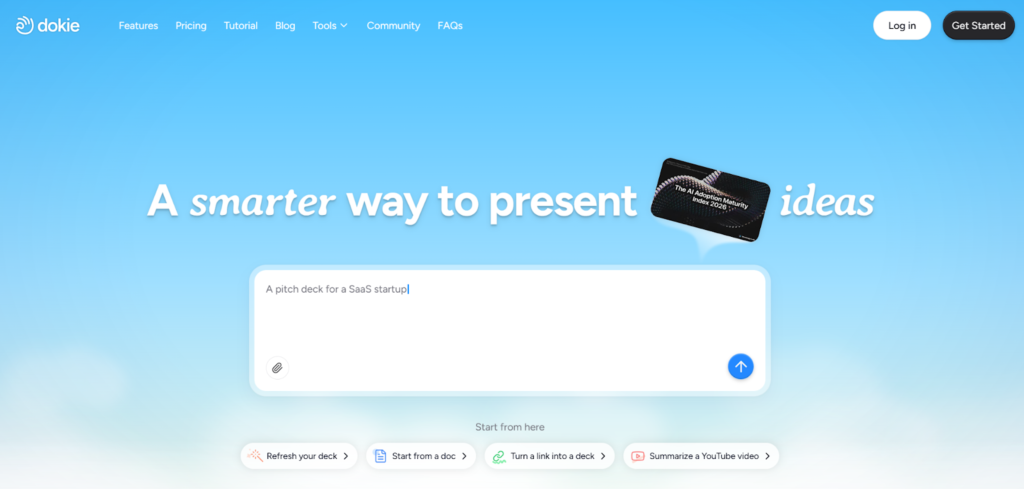
Creating slides takes time, and most AI tools don’t really fix that. This review looks at whether Dokie AI can help you build real business presentations faster with less effort.
What Is Dokie AI?
Dokie AI is an AI presentation maker designed to turn your ideas into full slide decks. Instead of starting from scratch, you can input a topic, paste your notes, or upload a document. The tool then generates a complete presentation for you.
It works as an AI PPT maker, an AI slides generator, and a practical tool for daily business use. The goal is not just to create slides quickly, but to create slides that are actually usable in meetings, reports, and client presentations.
This is an important difference. Many tools can generate slides, but very few generate slides that you can directly use without spending a lot of time editing.
The Real Problem With Most AI Presentation Makers
Before looking at Dokie AI in detail, it is important to understand why many AI presentation tools fail in real-world use.
Most tools focus too much on design. They create slides that look modern and visually appealing, but when you read the content, it often feels weak. The structure is unclear, the logic does not flow well, and the slides do not tell a clear story.
As a result, users often end up doing the same thing:
They generate slides with AI, and then spend hours fixing them.
This defeats the purpose of using an AI PPT maker.
For business presentations, what matters most is not design. It is structure. A good presentation needs to guide the audience step by step, from the problem to the solution, and then to the conclusion.
Dokie AI focuses on this part first.
How Dokie AI Works in Practice
Using Dokie AI is simple, but the impact comes from how it organizes information.
You start by entering your content. This can be a simple topic, a list of bullet points, or even a full document such as a report or proposal. The tool does not require you to format anything in advance.
Once you input your content, Dokie AI builds a structure for your presentation. It creates a logical flow, including an introduction, key sections, supporting points, and a conclusion. This step is where Dokie AI is different from many other AI slides generators.
After building the structure, it generates the slides. Each slide includes a clear title and short bullet points. The content is easy to read and follows a natural order.
Finally, you can edit the slides and export them as a PowerPoint file. This makes it easy to integrate into your existing workflow.
What Makes Dokie AI Different
The main difference is simple: Dokie AI focuses on structure instead of just design.
Most AI presentation makers try to impress users with visual styles. Dokie AI tries to reduce the amount of work you need to do after generation.
This means:
- You spend less time reorganizing slides
- You do less rewriting
- You get a clearer presentation from the start
In real work scenarios, this is more valuable than having better colors or animations.
Key Features of Dokie AI
Structured Slide Generation
Dokie AI builds a clear outline before creating slides. This helps ensure that the final presentation has a logical flow. Instead of random slides, you get a connected story.
This is especially useful for business decks, where structure is more important than visuals.
Multiple Content Inputs
You are not limited to typing prompts. Dokie AI allows you to upload different types of content, including PDF files, Word documents, and text. It can convert these into slides automatically.
This feature is useful for people who already have reports or data and want to turn them into presentations quickly.
Business-Friendly Output
The slides generated by Dokie AI are simple and clear. They use short bullet points and direct language, which makes them easy to present.
This is different from many AI PPT makers that create overly complex or decorative slides.
Fast Slide Creation
Speed is another strong point. You can generate a full presentation in minutes. This is helpful when you need to prepare slides quickly for meetings or deadlines.
Easy Editing
After generating slides, you can still edit everything. You can change text, reorder slides, and add new content. The layout remains stable, so you do not have to fix formatting issues.
Real Use Cases
Dokie AI works best in situations where you need to create presentations often.
For example, marketing teams can use it to turn campaign data into reports. Consultants can use it to build client presentations from notes. Founders can create pitch decks quickly. Teams can also use it for weekly updates and internal reports.
In all these cases, the main benefit is saving time while keeping a clear structure.
Dokie AI vs Other AI Presentation Tools
When compared to tools like Gamma, Dokie AI offers better structure but slightly less speed.
Compared to Canva, Dokie AI is less focused on design but more focused on usability.
Compared to Beautiful AI, Dokie AI provides stronger content generation but fewer design controls.
This makes Dokie AI a better choice for users who care more about function than appearance.
Pros and Cons
Dokie AI has several clear advantages. It is easy to use, generates well-structured slides, and saves time in real workflows. It is especially strong for business presentations.
However, it is not perfect. The content can sometimes feel generic, and you still need to review and edit the slides. It is also not the best choice for highly creative or design-heavy presentations.
Is Dokie AI the Best AI PPT Maker?
For business use, Dokie AI is one of the best AI presentation makers available right now.
It does not try to replace your thinking. Instead, it helps you organize your ideas and turn them into a usable presentation quickly.
This is what most users actually need.
If your goal is to create better slides faster, Dokie AI is a strong option.
FAQs
What is an AI slides generator?
An AI slides generator is a tool that creates presentations from text, notes, or files. It helps users save time by automating slide creation.
Is Dokie AI good for business presentations?
Yes. It is designed for business use and focuses on clear structure and simple content, which makes it suitable for reports, meetings, and client decks.
Can Dokie AI replace PowerPoint?
No. It works as a tool to generate slides, but you still need PowerPoint or similar software to edit and present them.
Is Dokie AI easy to use?
Yes. The interface is simple, and most users can create a full presentation in a few minutes without any special skills.
Conclusion
Dokie AI focuses on what really matters: clear structure and usable slides. If you want to save time and build better business presentations, it is one of the best AI presentation makers to consider.