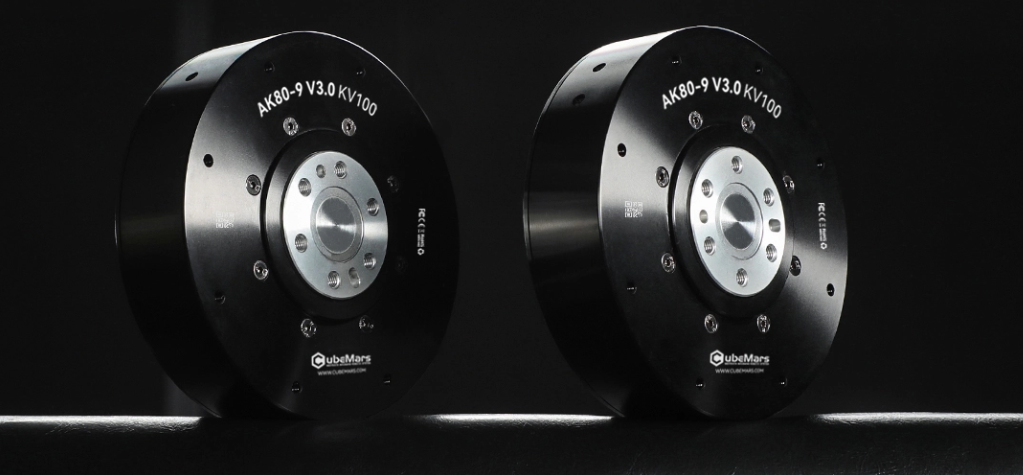
Wearable robots are designed to move with the human body, not around it. This makes their actuator design very different from those used in fixed machines or mobile robots. In a wearable system, every joint module is connected to a person’s movement, posture, balance, and physical comfort.
For this reason, actuator design is not only about power. It also affects how natural the robot feels, how safely it assists movement, and how long a user can wear the device without discomfort.
A well-designed joint actuator can help a wearable robot support walking, lifting, rehabilitation, or industrial assistance while staying smooth, responsive, and predictable.
Why Joint Actuator Design Matters in Wearable Robots
Wearable robots work close to the human body. The actuator is often placed near the hip, knee, ankle, shoulder, elbow, or waist. These are areas where movement must feel natural and controlled.
Engineers developing powered exoskeletons, rehabilitation devices, or assistive wearable robots often compare exoskeleton actuators based on torque output, weight, size, response speed, control accuracy, and integration requirements.
Unlike a traditional machine, a wearable robot must follow human motion while adding useful assistance. If the actuator is too bulky, too heavy, or not responsive enough, the user experience can be affected. If it is smooth, compact, and well-controlled, the device can feel more natural and easier to use.
The key design goal is simple: provide enough assistance without making the user feel restricted.
How Actuator Weight Affects Wearable Robot Comfort
Weight is one of the most important comfort factors in wearable robotics. Since the device is attached to the human body, every added component affects how the user moves.
A joint actuator should provide enough torque while keeping the wearable structure as light as possible. This is especially important for systems used during walking, lifting, or rehabilitation training.
| Design Factor | Why It Matters for Comfort |
| Actuator Weight | Affects user fatigue and movement effort |
| Weight Position | Influences balance and body posture |
| Joint Size | Affects fit, range of motion, and wearability |
| Structural Integration | Helps the device feel more natural on the body |
| Cable Routing | Reduces interference with movement |
Weight placement is just as important as total weight. For example, an actuator placed near the body’s center may feel easier to manage than one placed farther along the limb. This is why engineers often pay close attention to how actuator mass is distributed across the wearable frame.
Why Joint Alignment Is Critical for User Safety
Human joints do not move like simple mechanical hinges. The knee, hip, shoulder, and ankle each have complex movement patterns. If a wearable robot’s actuator does not align well with the user’s natural joint movement, the device may feel uncomfortable or difficult to control.
Good joint alignment helps the actuator support movement instead of resisting it.
Important alignment considerations include:
- Matching the actuator axis with the human joint as closely as possible
- Allowing natural range of motion
- Reducing unwanted pressure on the body
- Supporting smooth transitions between movements
- Maintaining stable assistance during repeated motion
For wearable robots, safety is closely connected to mechanical fit. A device that moves naturally with the user can provide assistance in a more predictable and controlled way.
How Torque Control Supports Natural Human Movement
Torque control is a major part of wearable robot performance. The actuator must deliver assistance at the right time and with the right force. Too much assistance can feel unnatural, while too little assistance may not support the intended task.
In wearable robotics, torque control is often used to help with:
- Walking assistance
- Sit-to-stand support
- Load carrying
- Rehabilitation training
- Arm lifting
- Joint stabilization
Smooth torque output helps the device feel more like an extension of the body. This is especially important in rehabilitation and assistive applications, where users may have different strength levels, movement patterns, or recovery needs.
The actuator should not simply move the joint. It should support the user’s motion in a controlled and comfortable way.
Why Response Speed Matters for Safety
Wearable robots need to respond quickly to human movement. When a person starts walking, changes direction, stops, or shifts weight, the actuator must react in a timely and predictable way.
Fast and stable response helps the system provide assistance without interrupting natural motion.
| User Movement | Actuator Response Needed |
| Starting a Step | Smooth assistance at the right moment |
| Standing Up | Controlled support through the joint |
| Carrying Load | Stable torque during movement |
| Changing Direction | Quick adjustment to body motion |
| Losing Balance | Timely response for posture support |
Response speed is not only about moving quickly. It is about matching the timing of the human body. In wearable robots, timing can be just as important as output force.
How Compact Design Improves Wearability
A wearable robot must fit around the human body. This means the actuator should be compact enough to integrate into the device without limiting movement.
Compact actuator design can improve:
- Fit around joints
- Ease of wearing and removing the device
- Freedom of movement
- Mechanical balance
- Overall user acceptance
A smaller joint module also gives engineers more flexibility when designing frames, straps, supports, and protective covers. This is important because wearable robots must work with different body sizes and usage scenarios.
Compact design does not mean reducing performance. It means delivering the required motion assistance in a form that works well with the human body.
What Engineers Should Consider When Selecting Joint Actuators
When choosing actuators for wearable robots, engineers should look beyond basic motor specifications. The actuator must fit the full system design and support safe human interaction.
A practical selection checklist includes:
- Required torque for the target joint
- Actuator weight and weight distribution
- Joint alignment with human anatomy
- Response speed and control accuracy
- Smooth torque output
- Size and mounting structure
- Feedback accuracy
- Thermal behavior during repeated use
- Compatibility with the control system
- Comfort during long-duration wear
The right actuator choice depends on the application. A rehabilitation robot, industrial support device, and a mobility assistance system may all require different design priorities.
Final Thoughts: Comfort and Safety Start at the Joint
In wearable robotics, actuator design directly affects how the device feels and how safely it supports the user. A joint actuator must provide power, but it must also be lightweight, compact, responsive, and well aligned with human movement.
Comfort and safety are not separate from engineering performance. They are part of the same design challenge.
As wearable robots become more common in rehabilitation, industrial assistance, mobility support, and human augmentation, joint actuator design will remain one of the most important factors behind real-world usability. Better actuators can help wearable robots move with the body, support natural motion, and provide assistance that feels controlled, stable, and comfortable.