Face swap tools used to feel like a party trick. Someone would upload two photos, laugh at the result, send it to a group chat, and forget about it five minutes later.
That version of the technology still exists, but it is no longer the whole story. AI face swap generators have moved into a more practical part of the creator stack: testing visual ideas, building campaign drafts, making character concepts, preparing harmless parody content, and helping small teams explore a shot before they spend time on a full production.
The change is not that face swapping became less strange. It is still a technology that needs boundaries. The change is that creators and marketers have started using an AI face swap generator with a workflow instead of treating it as a one-click joke.
That workflow matters. Used badly, face swap technology can mislead people, violate consent, or damage trust. Used carefully, with permission and clear context, it can help teams move faster through visual planning and lightweight content production.
Why Face Swap Moved Beyond Novelty
Creators are under constant pressure to make more visual content with less time. A single campaign may need thumbnails, short-form clips, behind-the-scenes posts, ad variants, blog visuals, concept boards, and social teasers. Small teams rarely have the budget to reshoot every idea.
That is where face swap tools started to become useful. They let a team test whether a certain pose, expression, costume, or scene works with a particular person before committing to the final production. A creator can see whether an idea is worth filming. A brand can test a concept internally. A design team can build a mood board that feels closer to the final plan.
This is different from pretending something happened. The strongest use cases are clearly part of pre-production, creative drafting, or approved entertainment content. The viewer should not be tricked. The subject should know how their likeness is being used.
In that sense, the tool is less about deception and more about iteration. It gives teams a quick way to answer a simple question: does this visual direction make sense?
What an AI Face Swap Generator Actually Does
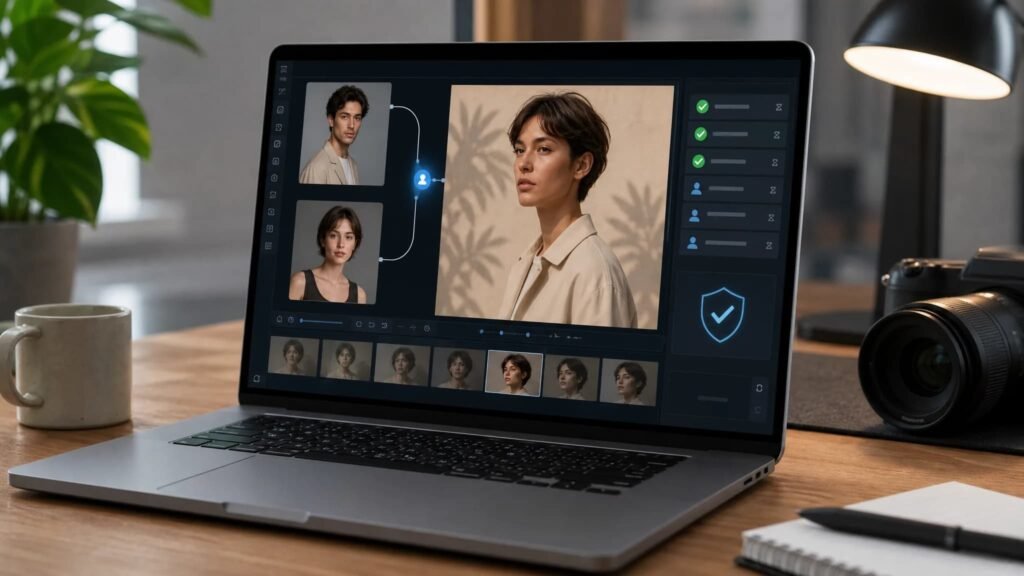
An AI face swap generator takes one face and blends it into another image. A simple version matches placement. A better version also tries to preserve expression, lighting, head angle, and surrounding context so the result does not look pasted on.
A practical example is this AI face swap generator. Its page describes a photo-based workflow: upload two images and blend a source face into a target photo while preserving expressions, lighting, and context where possible.
Those last two words matter: where possible. Face swapping depends heavily on source quality. A clear front-facing portrait will usually work better than a blurry, side-lit selfie. Matching angle and lighting helps. So does using images with similar facial orientation. If the target image has hair, hands, glasses, shadows, or motion blur crossing the face, the result becomes harder to clean up.
Good creators treat the output as a draft, not a final truth. They check the face edges, eyes, teeth, shadows, skin texture, and neck area. If the result looks uncanny or changes the subject in an unflattering way, it should be discarded.
Consent Is the Real Workflow
The technical workflow is simple. The ethical workflow is more important.
Anyone using face swap technology for public content should have permission from the person whose face is being used. That permission should be specific enough to cover the intended use. Internal concept tests are different from public ads. A funny private mockup is different from a sponsored campaign. A creator using their own face is different from using a client, employee, actor, or customer.
This is where teams need rules before they need tools. Who can approve a face swap? Where can the output be used? How long can the file be stored? Can it appear in paid ads? Does it need a label? What happens if someone changes their mind?
The best answer is usually the least dramatic one: use your own face, licensed model assets, internal team members who have approved the project, or talent who signed for that use. Do not use strangers, celebrities, customers, or employees without clear approval.
That may sound strict, but it makes the workflow easier. When the rights are clean, the creative team can focus on quality instead of worrying about whether the asset should exist at all.
Where Creators Use Face Swap Tools
The most harmless use case is concept testing. A creator may want to see whether a historical outfit, fantasy character, professional portrait style, or cinematic lighting setup fits their personal brand. A face swap draft can help them choose which idea deserves a real shoot.
Another use case is thumbnail planning. Thumbnails often depend on expression and framing. Rather than staging every possibility, a creator can test a few layouts and then recreate the winning version properly.
There is also room for parody and entertainment, as long as the context is clear and the people involved consent. Friends making a private joke, creators using their own image, or teams making obvious fictional content have a very different risk profile from deceptive impersonation.
For brands, face swapping is usually most useful before production. It can help an art director show the intended shot, help a client understand a casting idea, or help a small team test campaign visuals before booking talent and locations.
When Photo Swaps Become Video Workflows
Once a still image works, creators often ask the next question: can this work in motion?
Video is more demanding because the model has to track movement from frame to frame. A face that looks good in one still can fail when the head turns, the lighting changes, or the subject moves quickly. That is why video head swapping belongs in a stricter review process.
For creators who need motion tests, iMideo Video Head Swap is the related workflow. Its page describes replacing heads in videos frame by frame with AI, using a face photo and a video clip while tracking movement and matching lighting automatically. It also lists 480p and 720p output options.
The use case is not “make anything believable at any cost.” It is better framed as controlled creative testing. Can a character idea work in motion? Does the head angle match the shot? Would this concept need a real shoot, a different reference image, or a simpler still asset instead?

Quality Checks Before Anything Goes Public
Face swap content should go through a review pass before it leaves the team.
Start with likeness. Does the output still look like the approved person, or has the model created a strange hybrid? If the result changes facial features too much, it may not be useful even if it looks technically clean.
Check lighting next. A face lit from the left will look wrong on a body lit from the right. Mismatched lighting is one of the fastest ways to make an image feel fake.
Then check edges. Hairlines, jawlines, ears, glasses, hands, and collars often reveal whether the swap worked. Teeth and eyes deserve extra attention because small distortions there are easy to notice.
Finally, check context. Would a viewer understand that this is a creative image, concept, parody, or approved edit? If the asset could be mistaken for a real event, endorsement, or statement, the team should slow down and decide whether labeling or a different approach is needed.
Where Face Swap Should Not Be Used
Some uses should stay off the table.
Do not use face swap tools to create fake endorsements, fake evidence, fake news, non-consensual intimate content, impersonation, or content designed to embarrass someone. Do not use a person’s face in ads without explicit permission. Do not make employees, customers, or creators appear to say or do things they did not approve.
Even when the law is unclear, trust is not. If the subject would feel misled, exploited, or surprised by the use, the workflow is already broken.
The best teams write these limits down. A short internal policy can save a lot of trouble: approved subjects only, no public use without sign-off, no deceptive claims, and no sensitive or adult contexts unless the entire project has clear legal and ethical approval.
The Everyday Value Is Faster Creative Testing
The reason AI face swap generators are becoming part of everyday creator workflows is not that they make perfect images. They often do not. The reason is that they make early visual decisions faster.
A creator can test a costume idea before buying props. A marketer can compare campaign directions before hiring talent. A small business can see whether a visual concept makes sense before asking a designer to polish it. A video team can decide whether a head-swap idea is worth building or should stay as a still image.
That is a practical role. It keeps the technology in the drafting and review stage, where mistakes are easier to catch and consent can be confirmed before anything becomes public.
Face swap technology will always need boundaries because faces carry identity. But with clear consent, modest expectations, and a real review process, an AI face swap generator can be more than a novelty. It can become one more tool creators use to test ideas before the camera rolls.