GPS navigation app features offer drivers much more than simple directions. New navigation systems provide traffic information, voice directions, maps that can be used offline, lane assistance, speed-limit information, alternate routing, fuel-stop suggestions, and smartphone connectivity. But there are different drivers who require different features. A daily commuter might be more interested in traffic updates and quick routes, whereas someone road-tripping might want to know more about offline maps and fuel stops. Once these features are understood, it will be easier for you to select an app based on what you need it to do rather than on popularity.
The navigation app should also work well when road conditions are altered. Roads may be closed, fuel might be required during a trip, or traffic may build up unexpectedly. These situations can be easier to manage with the right combination of features and less phone interaction. Thus, drivers can evaluate navigation applications by the usefulness they provide for their driving.
GPS Navigation App Features to Compare
Real-time traffic information is among the most crucial navigation functions, as roads can change in an instant. A good initial route could get backed up due to an accident, construction work on the road, or congestion. If you’re using a navigation app that provides real-time traffic updates, it will be able to recognize these changes, calculate new arrival times, and suggest alternate routes. This can be particularly helpful for commuters who are commuting during rush hours and want to check if their usual commute is still feasible.
The ability to clearly display traffic information on an app is another consideration for drivers. Congestion is displayed in some applications using different colors on maps, while others give warnings and automatically propose an alternative route. This information should be provided in a useful app without having to keep swiping around on the screen all of the time. The quicker and more accurate it is in dealing with significant delays, the more useful it will be for everyday city driving.
Voice Directions and Hands-Free Guidance
Voice directions enable drivers to get directions without having to keep their eyes on a cell phone. Clear spoken instructions should make clear in advance any upcoming turns, exits, and major road changes so that the driver can respond comfortably. This is particularly helpful when traveling through unfamiliar areas. Drivers should determine if the application has clear directions and if the directions are effective using the vehicle’s speakers.
Voice guidance is even more crucial on complex roads. Basically, a simple turn instruction could suffice on a quiet street, but detailed information might be necessary at large intersections or highway interchanges. Drivers should therefore seek out navigation apps that provide both practical spoken directions and a visual display as well. Music and other audio compatibility can also enhance the overall experience.
Offline Maps
Offline maps are useful when you’re in a location where you don’t have access to the internet. Cities outside of the coverage area, rural roads, and international travel could be places with little mobile coverage, and maps downloaded beforehand are a very useful backup. Drivers should verify that the app enables the download of certain regions and if offline navigation is still available for basic turn-by-turn navigation.
However, there are some drawbacks to offline maps. Real-time data such as live traffic, temporary road closures, etc., can’t be displayed without an internet connection. It’s therefore important for drivers to plan a long trip with maps in advance and ensure the area they need is available offline. This is a great feature for road trips if there’s no internet access.
Lane Guidance
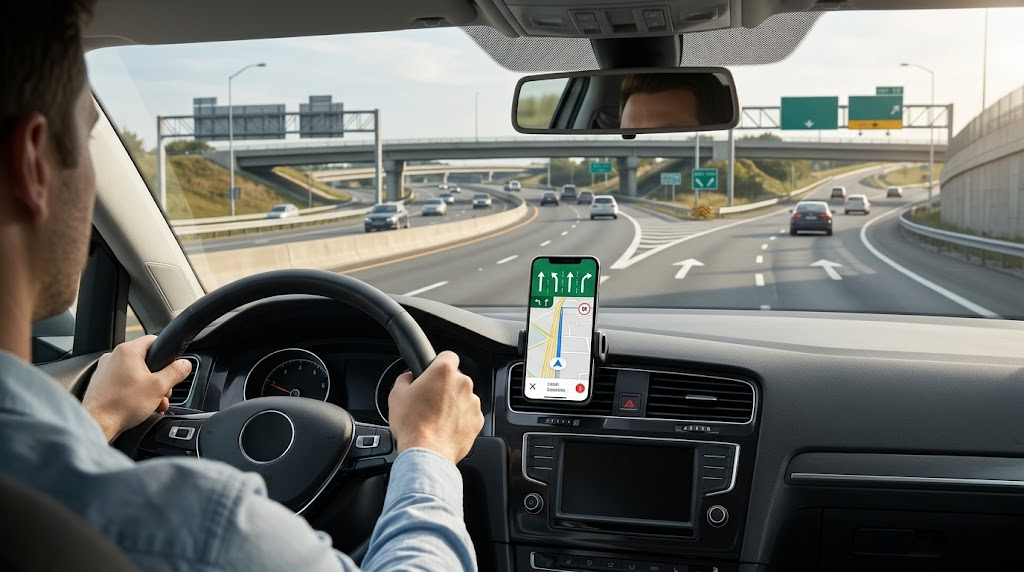
Lane guidance is particularly useful on multilane highways, large intersections, roundabouts, and complicated interchanges. A navigation app could also let a driver know which lane to take in order to perform a maneuver. This can help to avoid confusion if you’re driving through a city you’re not familiar with or if you’re approaching a busy highway exit.
But lane guidance can only be as helpful as the map data that fuels it. Drivers should determine if the application frequently changes the configuration of the roads and if lane guidance is reliable on the roads that they drive on. It can be very useful to those drivers who drive primarily on simple local roads, but quite important for the person driving more often on city or highway roads.
Speed-Limit Alerts and Road Awareness
Information on the posted speed limit can be useful for drivers to keep them informed of the existing speed limits, particularly when driving through unknown areas or roads with varying speed limits. Some navigation apps will show the current speed limit, and others will give an alert if the driver’s speed is thought to be too high for the speed limit shown. When comparing this feature, you should see how well the information is displayed and the accuracy of the data in your region. This speed-limit alerts guide provides more information about this feature.
Speed-limit information must be used in addition to the road signs it’s designed to complement, not in place of them. Changes that are temporary, such as construction zones, school zones, or others, might not be visible in an app right away. Traffic signs and conditions are always to be obeyed by drivers. A great navigation app is there to assist awareness, not to replace good driving.
Route Alternatives and Rerouting
Route alternatives provide drivers with more choice in how they travel. An application can offer several paths, each with varying distances, duration, tolls, and/or highway usage. This enables drivers to select a choice that suits their priorities. Some people, for instance, might like the quickest route, and another may prefer to stay out of tolls or complicated streets.
Another critical feature is automatic rerouting if a driver takes a wrong turn or if they come across unexpected traffic. A good application should automatically reroute the driver to then pick up on a new path without having to start navigation again. But too much rerouting can get confusing, though. The best applications react to meaningful changes but do not switch routes too often due to small changes in estimated travel time.
Fuel-Stop Recommendations
Fuel stops are particularly helpful on long trips. A navigation app can locate fuel stations on and near the route that the driver plans and help them make a stop without rebuilding the route. This is more convenient than using the manual method of searching for a station and then going back to the original route.
Fuel planning also comes in handy when you’re in a new area or one that’s not very populated. When a driver senses the possibility of a stopping place before their fuel gauge dips into the “low” range, they have the opportunity to refuel. Information, however, about where a particular station is can change, so drivers shouldn’t rely on an app to always be current in terms of availability or opening status. The feature must be used as a guide rather than a rule.
Smartphone and Car Integration
Smartphone integration has an impact on the usability of a navigation system in a car. Check for compatibility with different infotainment and smartphone systems in the vehicle. Drivers can use the application more easily without having to repeatedly touch the phone in their hand because of the navigation displayed on the vehicle’s display and the voice directions heard through the speakers.
Make sure to also take into account the battery and data consumption. Navigation can drain a lot of battery life, particularly if GPS, mobile data, and a bright screen are used all the time. The application should work smoothly with the driver’s current mobile phone and car system. Compatibility is as significant as the number of features that an app has.
Selecting the Right App for Various Driving Requirements
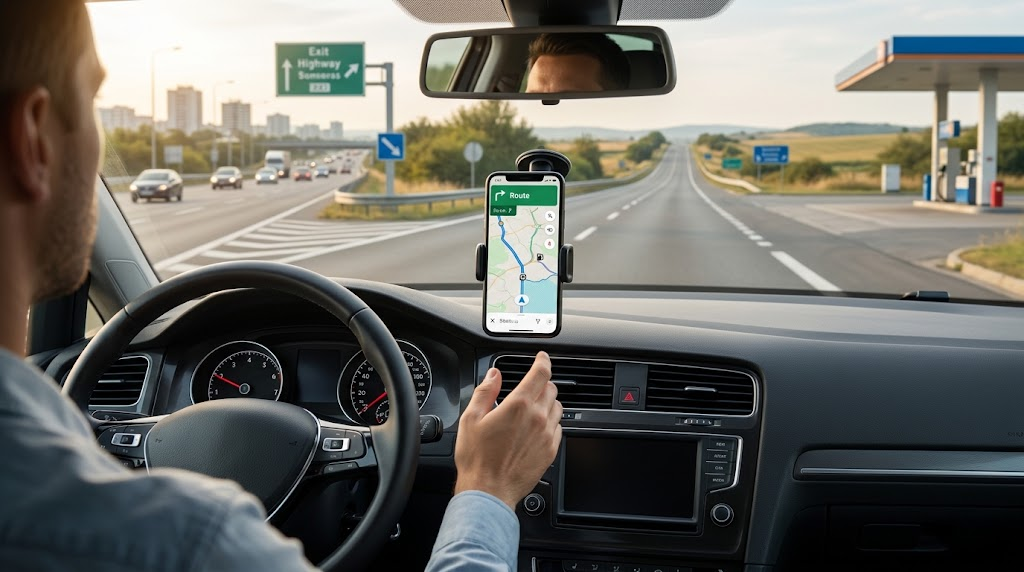
These are typically the most useful features for people who commute every day: real-time traffic information, automatic rerouting when conditions change, voice directions, and lane guidance. Riding in commuter traffic can be stressful due to congestion, accidents, and road construction; an app that responds rapidly to changing traffic can help make the everyday commute more predictable. Speed-limit information can be helpful if you need to be aware of it, and offline maps will be helpful if you need to use them as a backup.
Offline maps, fuel-stop suggestions, alternate routes, and accurate voice directions—these things might be more significant for road trips and long-distance journeys. Maps for use in remote areas without an internet connection can be useful to drivers, and planning a fuel stop for a long trip can make it easier to manage. City drivers might, however, focus more on traffic messages and lane assistance. So, there’s no single navigation app that is ideal for all drivers.
Practical Comparison Checklist
Before picking a navigation application, it is important for every driver to take a look at the most critical features of the navigation application. Review the accuracy of real-time traffic information, voice directions, offline maps, lane guidance, speed-limit and map information, route alternatives, fuel-stop suggestions, and integration with smartphone devices. Battery power, data limits, map coverage, update frequency, and user-friendliness are also factors to consider.
Not all applications with more features are necessarily the best. The important thing is: do the features help the driver in his/her “normal” driving trips? A person who drives regularly through a heavy-traffic urban area might require top-of-the-line traffic and lane direction, while a person who drives often on road trips would probably favor offline maps and fuel planning. Matching up the app with real-life driving makes the decision so much easier.
Conclusion
The ideal GPS navigation app will vary by driver and their usual driving pattern. Getting real-time traffic information can help commuters navigate their way around, voice control can eliminate distractions, and lane guidance can help with tricky roads. Offline maps offer valuable protection against connectivity issues, while route alternatives and automatic rerouting help in responding to changes. The benefit of fuel-stop suggestions is useful when traveling long distances, and integration with the smartphone can improve navigation within the vehicle.
Drivers should determine the features that are most important to them before selecting a popular app. The needs of a commuter, city driver, and long-distance user can be vastly different. Drivers can assess the efficiency of navigation applications, how well they guide them, whether they are available offline, if they can alter routes, fuel-planning features, and how they integrate, to determine which app can be useful to them for routine trips.