Introduction
Payroll is one of the most crucial administrative tasks for small businesses. Staffs want to be paid correctly and in a timely manner, business owners need to keep up with tax, deductions, benefits, working hours, records and new compliance regulations. As the company expands, the management of these functions becomes more complex, and is often cumbersome to perform using spreadsheet or simple accounting software. This is where payroll software can make a significant difference. Payroll software streamlines a number of repetitive payroll duties, allowing businesses to make employee pay calculations, control deductions, generate reports and keep well-organized records with considerably lower manual labor. The correct answer can minimize mistakes, save administrative time and provide a boost of confidence for business owners that their payroll is being processed the same way.
When it comes to small business payroll software, it’s not just a matter of picking the lowest-cost subscription. The platform should have the capacity to match the size of the company, employees, budget, payment options, reporting needs and future growth plans. Payroll solutions vary in their offerings of employee payment methods, tax calculations, direct deposits, benefits administration, time tracking, compliance support, and third-party integrations. Some are developed for businesses that have a few staff, and others provide more sophisticated features to developing companies. Owners should thus carefully review the features that they will actually require, the complete cost of the service and the ease with which the computer software will integrate into their financial and administrative systems.
What is Payroll Software?
Payroll software is a computerized system used to calculate, process, record and manage employee wages. A payroll platform can integrate vital payroll tasks into a single place, eliminating the need for manual calculations, spreadsheets, paper records, or separate systems. The software can compute wages and deductions, produce payslips, handle employee data, finalize payments, work with tax computations, create payroll reports and keep payroll history, among various other functions. In the case of small business, automation proves highly beneficial as human errors in payroll can be time-consuming to discover and rectify. A structured software system can also help to establish a more consistent process, ensuring that business owners or administrators can handle payroll on a consistent basis, following a defined schedule.
When a company has employees who have varying salaries, hours worked, overtime schedules, deductions, benefits and payment schedules, the benefit of payroll software becomes even more apparent. It can be error prone to manually work out payroll calculations for each employee, and may lead to errors and mismatching. Payroll software can also be programmed to make calculations automatically with data inputted into the system, thereby lessening the amount of repetitive work for business owners. But automation won’t eliminate the need for supervision. Employers must still submit accurate data for their employees, check payroll prior to processing, and make sure that the software they use is compatible with the laws and payroll requirements of their area.
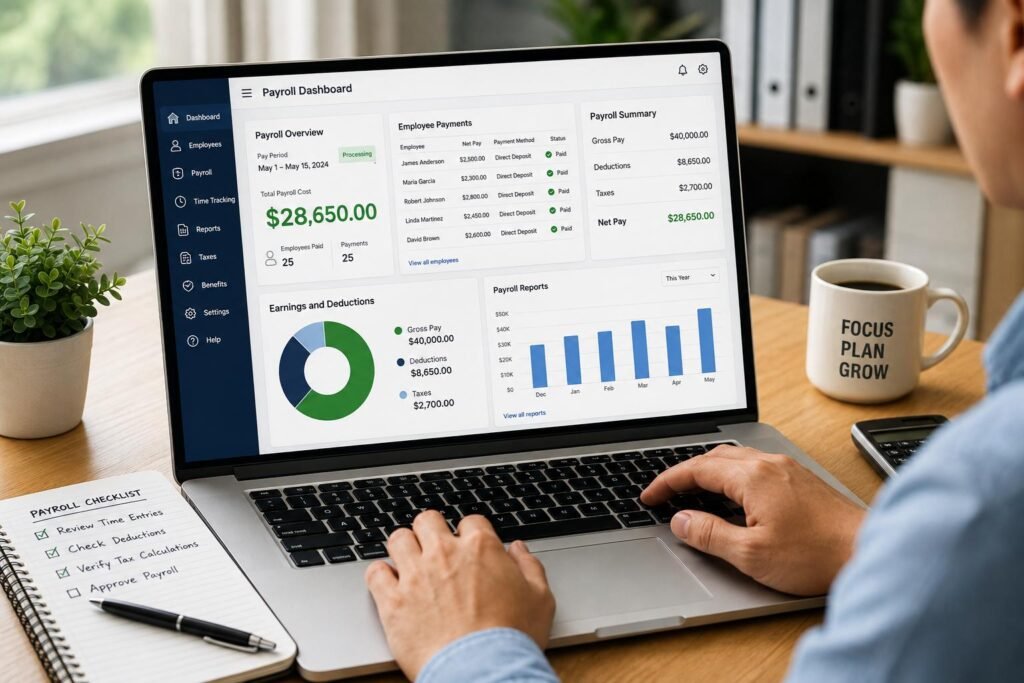
Main Features to Search for in a Payroll Software
1. Employee Payment Processing
One of the initial features a small business should consider as it explores payroll platforms is employee payment processing. The software should enable easy computation of wages along with payment processing based on the staff member’s payroll schedule. Payment is accepted through direct deposit or bank transfer or other payment methods available on the platform and in a country. It should also allow for various employee compensation structures, such as salary, overtime, commissions, bonuses, applicable deductions, and hourly employees. Payroll records are also important as they need to be clear and employees and managers might require seeing the payroll information even after payroll has been run. Companies should thus seek software which integrates precise calculations with an easy approval and payment procedure.
2. Calculation of Taxes and their Deductions
There can be a lot of subtlety with payroll taxes, depending on the taxes that need to be reported, employee deductions, employer contribution amounts, etc. Deductions and rules can be set up in payroll software, eliminating some of the manual calculations that are necessary when processing employee payroll. This can be especially helpful if there are multiple employees at a business or if overtime, bonuses, allowances, or other adjustments occur often. If you’re looking at different solutions, you need to understand exactly what tax-related features they offer and not take anything for granted that all payroll platforms manage the same. They need to also determine if the provider keeps the system up to date if there are any pertinent laws that change. While automated calculations might help save administrative pressure, companies are still accountable for supplying accurate details and ensuring that the software program is suitable for their jurisdiction.
3. Payroll Reporting
Payroll reports are beneficial for the fiscal management and record-keeping. A good payroll system should enable the owner or authorized personnel to produce reports that display information like gross pay, deductions, employer costs, payroll totals and payment history. These reports can be valuable to businesses in understanding their labor costs, as well as for accounting, budgeting, financial forecasting, and audits. As businesses start to expand, payroll details can become tricky to manage from a variety of spreadsheets and record books, which is where reporting features come in handy. When deciding on software, companies should look for customization, export, filter by staff member or period and accounting system integration. Payroll software with robust reporting features can transform payroll into a valuable financial tool.
4. Direct Deposits and Payment Convenience
Employers can find payroll easier to manage by making wages transferred electronically via direct deposit rather than paying them out manually. Having a payroll system that enables direct deposit can help ensure that payments are repeatable and minimize some of the administrative tasks involved with making employee payments. But not every provider offers direct deposits and not all have the same functionality, so businesses should check how they work before signing up. Owners need to consider processing time, transaction fees, employee preparation, approval process and financial institutions accepted. Knowing what to do should the payroll information need to be corrected prior to or after payment is taken would also be useful. Payment should be reliable, transparent and easily managed for the administrator.
5. Benefits Administration
For businesses offering employee benefits, it’s useful to have software that can link payroll with deductions and records for benefits. Various features of benefits may include health coverage, retirement contributions, allowances or other employee programs, depending on the provider. Having all these details linked with payroll can help to minimize the entry of the same data into different systems. This can also help payroll managers to determine the overall expense of each employee. But not every payroll system offers comprehensive payroll benefits administration, so small businesses should not take that for granted. However, before choosing the solution, they should identify the benefits they are currently providing, what they might require in the future and if the software can connect to external benefits providers where required.
6. Time Tracking
Implementing time tracking software is particularly crucial for companies that compensate staff members based on the number of hours they spend. An integrated time tracking feature in the payroll software can enable your employees or managers to log their hours, overtime, leave, and other attendance details before it gets entered into payroll. This can help to save the time required to manually enter time tracking information into a payroll spreadsheet. Integration with time tracking and payroll could also assist managers to uncover odd entries prior to payroll closing. This is a great feature for businesses that have hourly staff members, field staff, shift workers, or variable shifts. Owners should be aware whether time tracking is provided as part of the base package or as an optional service, as this could impact the software’s cost-effectiveness.
Compliance and Security Features
Security and compliance are crucial factors to consider when choosing a payroll software, as it handles sensitive employee information and financial data. Companies need to search for platforms which have the proper security measures, limit access by employee role, and offer solid documentation of payroll activity. Compliance features can also aid firms fulfill their payroll needs, offering pertinent computations, reports, reminders, or updates. Payroll legislation and tax requirements can alter, so it’s good to pick a provider that works to keep their payroll system up to date. However, adherence shouldn’t be considered as something that software can fully do on the company’s behalf. Owners must know their duties and make sure the platform is suitable for the requirements that are relevant to their business.
Payroll Software Integrations
Payroll can be a much more useful tool if integrated with other business systems. A small business already has some accounting software in use, expense-management software, and employee scheduling software, time-tracking software, human resources software, or banking software. A flow of data from one system to another is possible if the employees’ payroll information can be transferred mechanically, saving them from having to enter the same information in multiple systems. This can also minimize the accounting and payroll record differences. Owners need to be thinking about which applications they are already using, and if any direct integrations exist, when they are looking at providers. They should also check if the integration is offered as a part of the subscription or as an extra charge. A good payroll solution that integrates with the company’s existing technology will be worth more than a lower-cost platform that is largely independent.
Costs of Payroll Software
Payroll software pricing can range from low to high based on various factors including the payroll software provider, size of the team, features, payment services and the subscription model. Some charge a monthly base fee plus an employer fee, and others provide a variety of pricing packages or a separate payroll package, benefits package, time tracking package, and human resources package. Some extra fees may be charged if you wish to pay the payment provider, pay taxes, receive year-end reports, integrate the payment provider into your site, or need premium support. Small businesses should thus provide a sum total for the cost and not just compare the advertised starting price. The effects of increasing labor force should also be taken into account when looking at price changes. What may seem like a cheap solution for 5 employees can suddenly be a much more costly one for 20, 50 or more employees.
Comparing Top Payroll Software Options
In comparing payroll software, it’s important for small businesses to remember that they have the options of larger payroll software packages and software tailored to smaller companies. Some will offer just payroll, while some will include payroll, accounting, human resources, benefits, expenses and time management. The best option is not a rank of any kind, it depends on the situation of the company. For instance, a small business that has a simple payroll requirement may focus more on cost-effectiveness
and ease of use, while an expanding business might value automation, integrations, reporting, and benefits administration. It is important for businesses to narrow down their options by selecting a shortlist of providers and evaluate their prices, features, customer support, payment options, security measures, and local compliance ability before deciding on which provider to go with.
How to Choose the Best Payroll Software for Your Small Business
Your business’ payroll software shouldn’t arrive with a ton of features you will never use, but instead address the issues you are having with payroll. First, determine the number of employees, the frequency of their payroll, their type of pay (salaried or hourly), the type of deductions and benefits you have to process, and any accounting or financial systems that you already have in place. Then, decide the key features you need – such as tax calculation, direct deposit, payroll reporting, time tracking, or automated payments. Examine the overall expense of each feasible site and whether this cost will be affordable as you grow your workforce. Also, if you can, consider running a demo or trial a system that might sound great in theory could have usability problems with your team.
Conclusion
A small business can use payroll software to get rid of the tedious manual processes and build a more streamlined, repeatable payroll system. The right platform can streamline employee payment processing, automate payroll calculations, facilitate reporting, provide direct deposit options, seamlessly link time records to payroll, keep track of employee benefits data and synchronize payroll information with other business applications. But the lowest price is not always the optimum choice. Before choosing the software, business owners need to consider its total cost, usability, security, compliance assistance, scalability, integrations, and customer service. Small businesses can select a dependable solution that cuts down on unnecessary mistakes, manual paperwork, and administrative burdens while offering a better base for handling payroll when they concentrate on the features that directly impact their payroll requirements.
Get more well researched information about Best Payroll Software for Small Businesses here.