Introduction
Financial records are vital to every business because they enable the owners to know how well the business is doing, how to manage its costs, how to pay taxes and how to ensure that they make informed decisions. There are many accounting tasks that are repetitive however, such as invoicing, bank reconciliation, Bank transaction matching, expense recording, Payroll processing, payment reminders, and reporting. They can be time consuming, and prone to errors, when done manually. Accounting automation relies on software and integrated digital systems to take care of numerous of these mundane tasks with minimal human involvement. Technology is the answer to business automation, consistency and better time to spend on analysis and planning, as well as financial decision making.
What is Accounting Automation?
Accounting automation involves using software, rules, integrations and digital workflows to overcome repetitive manual accounting tasks. An automated platform can ensure that data is entered once, applied to a set of rules, updated to multiple systems, and initiate a process, rather than an employee having to enter the same information into multiple systems and follow the same set of rules. For instance, if a customer gets an e-invoice and settles it, an accounting system could enter the invoice, track the invoice due date, compare the payment to the invoice, and adjust the customer’s account balance. Automation doesn’t mean that people are being taken out of accounting. Instead, it is transforming the accounting role by enabling technology to manage routine transactions and freeing up time for the accounting team to review exceptions, investigate unusual transactions, keep controls and understand financial information.
How Does Accounting Automation Work?
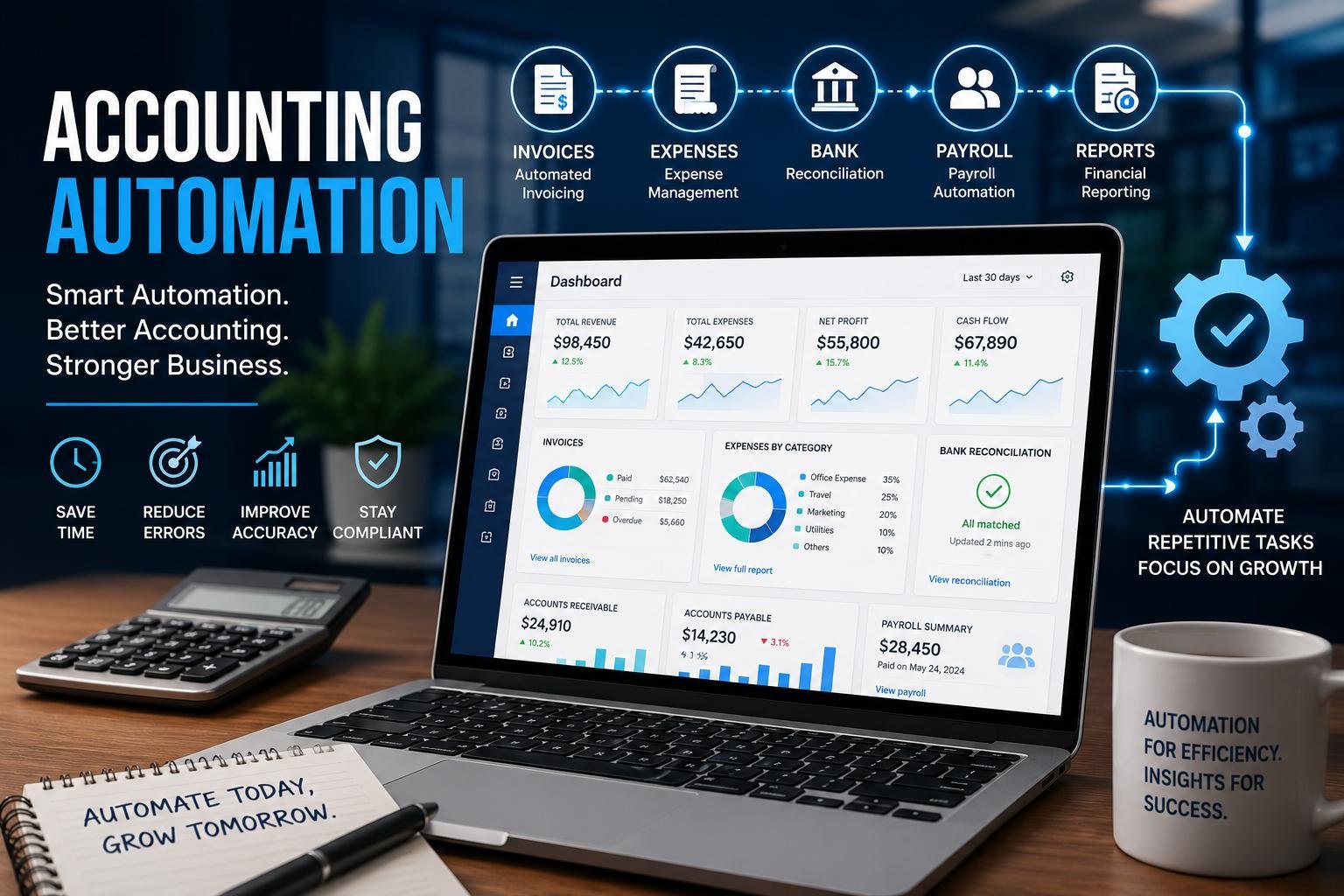
The principle behind accounting automation is that financial data is linked with software rules and processes. It typically starts with data coming into a system via an invoice, receipt, bank feed, payroll record, sales platform, expense application or any of the other connected sources. The software then collects and structures the data, which can also be done by optical character recognition or other data extraction methods to minimize manual data entry. Rules can specify how to categorize a transaction, which account(s) to include/exclude, who to approve a transaction, and when an action should be performed. Integrations enable the transfer of information from accounting software, banks, payment processor, payroll, and customer relationship systems, to other business applications. After a workflow is set up, any regular transactions can be handled in a uniform manner and workers can be alerted when their review and/or approval is needed.

Automating Invoicing and Accounts Receivable
One of the most efficient ways of automating accounting is via invoicing, as businesses are likely to send similar invoices many times. Machine to machine invoicing tools can generate the invoices on the basis of sales or service data, enter the customer details and payment terms, sum up the items and send the invoice via email or web, and book the receivable in the accounting system. Recurring invoices can also be set up for subscriptions, retainers, rent, maintenance or any other periodic services provided by businesses. Payment reminders can be set up beforehand and after an invoice is due to help remind customers to pay on time, instead of having to check with each customer to remind them. Payment information may also be returned to the accounting system when a customer makes an online payment, assisting to keep up to date outstanding balances. This can lead to enhanced cash-flow transparency and minimize invoices being forgotten or cash-flows not being followed up.
Automating Expense Management
Another routine task that can be greatly improved with expense management automation is the time and effort it takes to write checks. Supplies, business travel, software subscription or other costs that must be documented and classified as expenses for the company are allowable expenses. Businesses can opt for expense apps which can capture receipts via picture or upload them digitally, in place of paper receipts and manually inputting each and every transaction. It can capture data like the date, merchant and amount and then recommend an accounting category, based on rules you’ve set up. Approval workflows can be used to route expenses to the right manager, while policy checks can flag transactions that go over spending limits, or that are missing documentation. When approved, any expenses may be booked to the accounting records. This enhances the traceability of your expenses and simplifies the process of collecting, verifying and documenting employee expenses.
Automate payment reminders and Accounts Payable.
Money in and out can be managed by businesses and accounts payable is another effective area that can be automated. The software will be used to scan supplier invoices, prioritize them, send for approval, and process them based on company policies. Automated reminders can alert employees to an invoice that still needs to be worked on, so that it doesn’t get late and cause any unwanted penalties. For some systems, it is also possible to implement approval limits, which means that normal purchases go through a simple process and larger, or unusual purchases, have to be approved in a different manner. Automated reminders can help customers pay their overdue amounts, without a staff member having to send each one out. In conjunction, these workflows can enhance payment discipline, boost visibility into obligations, and enable businesses to enhance cash flow management.
Automating Bank Reconciliation
Bank reconciliation is a procedure that typically involves having an employee check the bank’s reconciliation and statements for discrepancies. Reconciliation is important control but with automation much of the matching work can be minimized. If an accounting system is linked to a bank feed, it’s possible to import transactions regularly, rather than entering them individually. Matching can be done for bank transactions, with invoices, bills, payments, transfers, and other bank entries. Those that qualify based on criteria can be matched automatically, and those that don’t are passed to an accountant for review. This can speed up the reconciliation process as well as allow for the earlier identification of missing entries, duplicate records, unexpected charges or other discrepancies. Human review is still valuable, since not all transactions that are automatically matched are necessarily accurate, but automated match can give accountants the opportunity to focus their efforts on those transactions that truly require investigation.
Automating Payroll
Another area where payroll automation can help cut down on administrative tasks is that of regular calculations and deadlines. Employee information can be stored, working hours can be approved and logged, deductions can be calculated, rules can be applied to salary/wages and payroll records can be prepared according to a defined schedule. It can also include support of tax calculations, statutory deduction calculation, payslip and payroll reporting depending on system and local requirements. Automating these calculations can help save time from having to do the same calculations every pay period, as well as ensuring that necessary actions are taken on time. But payroll shouldn’t be a process that can go without supervision. There are some exceptions that can be resolved by humans, such as employee changes, unusual payments, leave adjustments, tax rules, and more. To ensure the security of payroll data and to minimize errors, it is crucial to have proper authorization, access controls, and conducting regular audits.
Automating Financial Reporting
Transaction data can be recorded in a consistent manner throughout the accounting cycle to make financial reporting more efficient. An accounting system that is automated can keep ledgers updated as transactions are processed, rather than waiting until the end of a reporting period to compile information from reports on several spreadsheets. It will simplify the creation of reports like income statements, balance sheet, cash-flow reports, accounts receivable summaries and expense reports. Recurring reports can be set up to be sent to managers, accountants or anyone else approved by the business to save the time of having to prepare the same reports over and over again. Similarly, financial data can be displayed in a more digestible manner via automated dashboards, which can help decision makers track income, costs, receivables, payables and other metrics. The quality of these reports will still rely on the quality of the data used, and automation requires good accounting policies and regular reviews.
Advantages of Accounting Automation
The primary advantage of accounting automation is the less repetition of manual tasks. When a computer is used to enter, match, run calculations, remind and produce reports, employees are able to focus on activities that demand judgment. Automation can also help to improve consistency, as the same rules are applied to similar transactions. By minimizing manual entry, there are fewer chances for common data entry errors to occur like entering the wrong amount for a transaction or the wrong account. Quick processing can allow for easier access to up-to-date financial data, allowing business owners to make informed decisions with confidence. Automation can also enhance audit trails and track transactions, approvals, and other changes that occur in the system. These advantages can be more significant in the case of fast-growing businesses, as the number of transactions can outpace the capacity of the manual accounting team.
Some of the Challenges/Risks that need to be Addressed
While there are many benefits to accounting automation, it cannot replace good accounting practices or professional judgment. An incorrectly defined automation can make a lot of mistakes in a short amount of time and a rule that makes a mistake can impact a lot of transactions before anyone realizes. Data security, user permissions, software reliability, integration failures and compliance issues are also key items that must be taken into account by businesses. Financial data must be secured by means of proper access-control and security measures. Staff needs to be aware of processes that are automated, what the system can do, and when it requires human approval. Also, businesses should test workflows prior to going live, and audit automated rules regularly with the changes in price, tax, business policy, and organizational structure. Hence, a successful automation strategy involves technology and internal controls, employee training, monitoring, and accountability.
Several ways Businesses can Implement Accounting Automation
The first step is for businesses to pinpoint accounting processes that are repetitive, time-consuming, high volume and follow clear rules. Often these are good places to start with invoicing, expense processing, bank reconciliation, payment reminders, payroll administration and recurring reports. Next, it’s important to document how the process is currently done and find out where there are manual steps, redundant data entry, approval delays, and common areas where mistakes are made. The business can then select software that meets the needs of the business and can be interfaced with existing systems. The adoption of automation should be done incrementally and test and provide explicit duties to review exceptions. Employees should be trained on how to perform the new workflow and what to do if they encounter a situation that is not covered by the workflow rule(s). These can then be measured based on such things as processing time, errors, overdue bills, the time it takes to reconcile, saved administrative hours, and so on.
Conclusion
Accounting automation is revolutionizing the way businesses deal with mundane financial tasks by shifting repetitive tasks from manual to digital, structured workflows. Vendors can automate many business processes from billing to expenses, to bank reconciliation to payroll and financial reports, to make information flow faster and more consistently, in addition to reducing unnecessary mistakes. The best thing about it, however, is not just to do something faster. Automation can save accounting professionals and business owners time in repetitive administration, and get them to concentrate on more precise financial analysis, controls, planning and strategic decisions. With careful consideration of the automation process, robust internal controls and ongoing employee engagement in oversight, companies can utilize technology to enhance their accounting operations as their businesses expand into more efficient and reliable accounting systems.
Get more well researched information about Accounting Automation here.