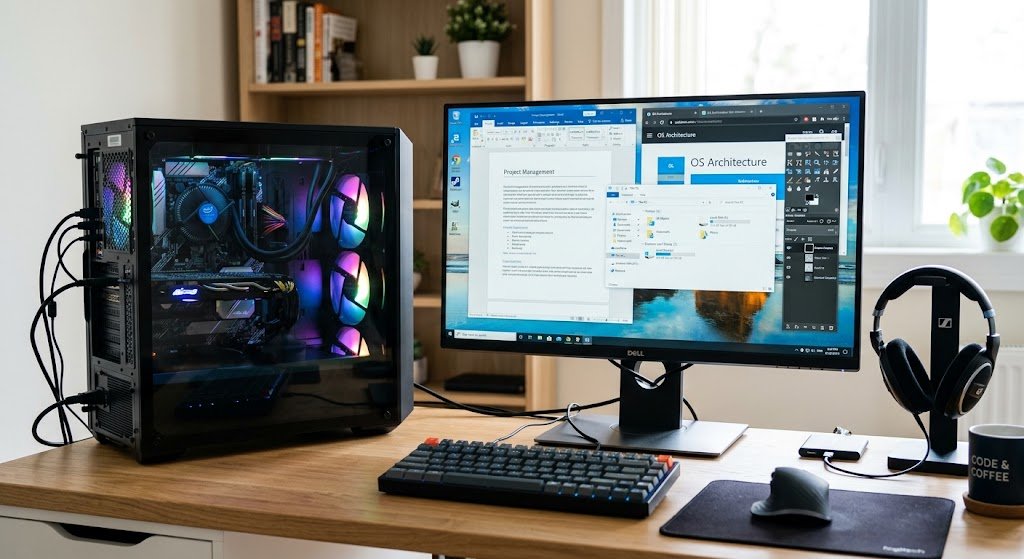
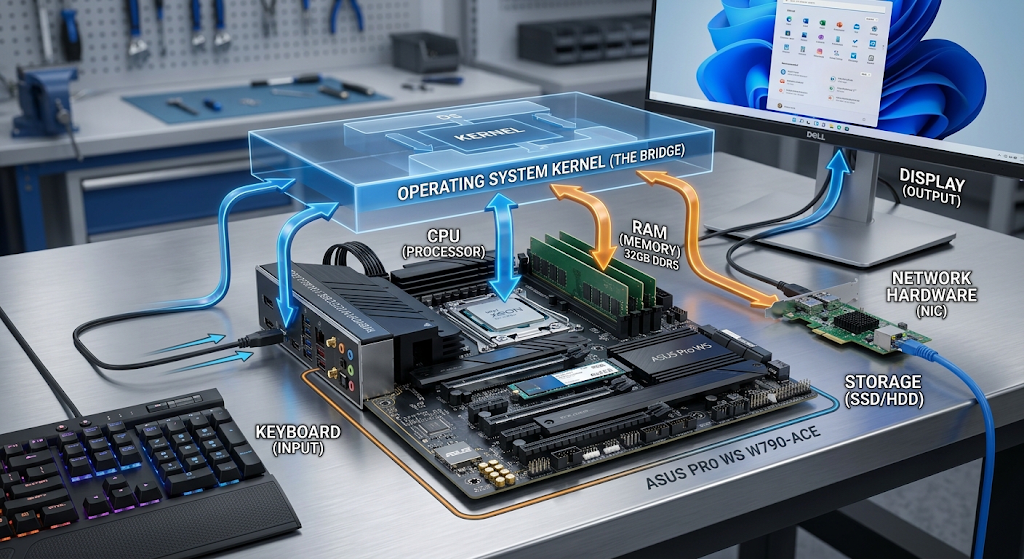
An operating system is among the most significant software programs on a computer, smartphone, tablet, or other computing device. While users use applications like word processors, games, media players, and web browsers, the typical applications don’t communicate directly with the computer’s hardware. Rather, the OS layer exists to bridge between the application and the physical components (processor, memory, storage drives, keyboard, display, network adapter, camera, and others).
It manages resources, controls how programs are run, organizes files, ensures communication between software and hardware, and gives an interface for users to interact with the device. If it was not for an operating system, it would be a lot harder to use modern computing hardware because each application would have to grasp the particulars of each piece of hardware. Operating Systems are designed to address this issue by offering common services and controlling and organizing the management of resources.
What is an Operating System?
System software that controls a computer’s hardware and makes various services available to applications that use them is called an operating system, or OS. The most widely used ones are Windows, macOS, Linux, Android, and iOS (iPhone and iPad), all of which have different designs, features and target devices. The OS assists in loading applications into memory, provides access to the processor, manages the interaction with storage devices and controls communication with devices when a user opens an application. The OS also blocks applications from interfering with each other or system protected zones. This ensures the reliability and security of computing. The operating system can be thought of as a manager between hardware and software. Applications can request for resources and services without having to know all of the technical details of the operation of the processor, memory, storage or connected devices.
Several things are running in the background at the same time which the user might not be aware of. For instance, when a user opens a web browser, the operating system could allocate memory to the browser, schedule processor time for the browser processes, grant access to network hardware, read files from the storage medium, display information on the screen or respond to keys pressed on the keyboard (or touchscreen). These tasks are performed continuously and other applications can also be running. Therefore, the OS needs to deal with conflicting requests for scarce resources. Many applications and background operations may be running simultaneously on a modern computer, although at any given time the processor can perform only a few instructions. The operating system provides an organized environment where applications can run without accessing the entire computer through various mechanisms, including process scheduling, memory management, device management, and system calls.
The Kernel Part of the Operating System.
The kernel is the main part of an operating system. It runs at a very high privilege level and manages critical hardware resources and provides basic services to software. Though users do not typically work with a kernel directly, many actions will rely on it through graphical interfaces or command line programs. The kernel has many responsibilities to manage resources such as processor, memory, processes, devices and basic system functions. Also helps set boundaries for applications and protected system resources. The separation is relevant since a misbehaving application should not be allowed to overwrite the memory of other applications, nor should it be able to alter the critical memory setting of the hardware itself. The kernel would coordinate communication between software and hardware, and there are multiple architectures and designs for the kernel, depending on the operating system.
If an application needs to use a service that has privilege access, it’s not possible to just call the operation. Rather, the application asks the operating system to do so via the proper mechanism. The kernel then validates the request, executes the required task and returns the result to the application. For instance, an application might require access to data from a file, spawn another version of the application, allocate memory or send/receive data over a network link. These operations are operating system managed resources. The OS sits between applications and hardware, allowing for rules to be defined on how the resources are accessed, and applications to request services in a standardized manner. This design is one of the reasons that many applications are able to run on one computer running several different operating systems without each application having to deal with the hardware separately.
System calls are the regulated means for applications to ask the operating system for services. Typical applications execute under moderate privileges and the kernel has access to privileged system resources. If an application requires a service from the operating system, it can call a function in the operating system that will be executed under control of the operating system. The kernel receives the request and then provides information or a status result back to the application. There are various types of system calls such as file, process, memory, network, and device operations. The actual system-call interfaces vary from operating system to operating system, which means that software that works on one OS might require adaptation or compatibility layers for it to function on another OS.
Imagine a basic application that requires it to access a file that is on a computer. Normally, the application does not need to be concerned with what physical sectors of a storage device the file occupies. It can, instead, ask the OS to open the file via an operating-system interface. The OS verifies permissions, interacts with the file system, fetches the information it needs and works with the storage medium. The application is not aware of the specific hardware being used for the data’s storage, so it could be on a hard drive or on a CD. As a result system calls are an important abstraction. They enable the application developer to program using concepts like a file, process and network connection instead of having to provide a separate hardware management program for each type of hardware configuration.
Device Management
There are various hardware devices in computers such as printers, speakers, network adapters, USB hardware, cameras, microphones, storage drives, displays and keyboards, and mice. The characteristics and communication needs of each type of hardware may vary. The operating system takes care of coordinating these hardware devices and providing them to software in a managed fashion. The OS utilizes device drivers and other components of the system to interact with the hardware. A driver is a software module that is capable of communicating with a specific type of device. Applications are then able to make use of the higher level operating-system interfaces, rather than having to know all the electrical or communications specifics of the hardware.
When multiple applications are using the same hardware, managing the devices becomes a significant concern. For instance, several applications may require audio output, to control a camera, or network communication. These requests can be coordinated by the operating system and the ways in which it shares resources. It can also react to device plug-ins and plugs out. Connecting a USB storage device to a computer, for example, allows the operating system to recognize the device, install or choose the appropriate software support, determine the storage structure and expose the device to applications. This coordination ensures that users can have a uniform experience on the different computers. Application developers can also write entirely new programs for each different usage of a keyboard, printer, storage device or other hardware component.
Memory Management
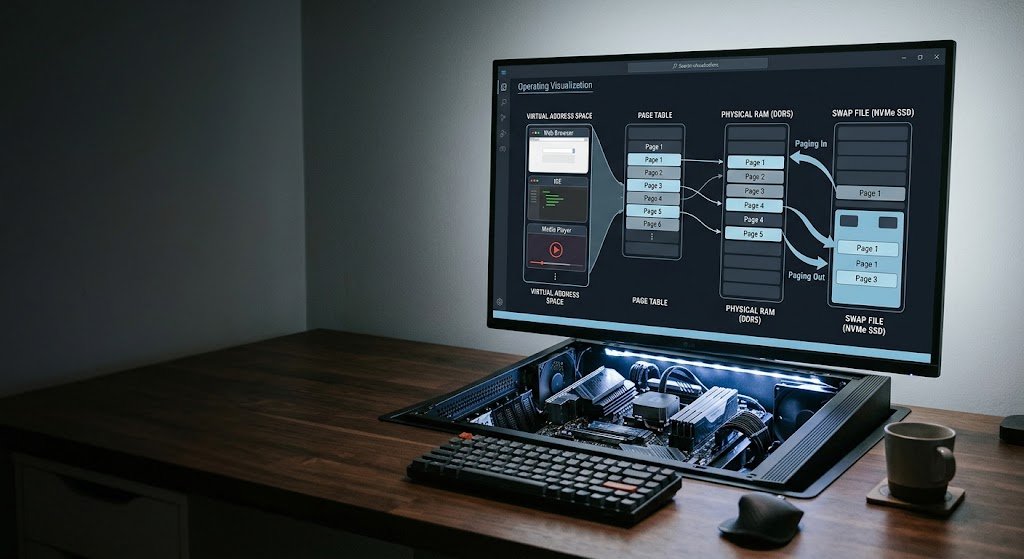
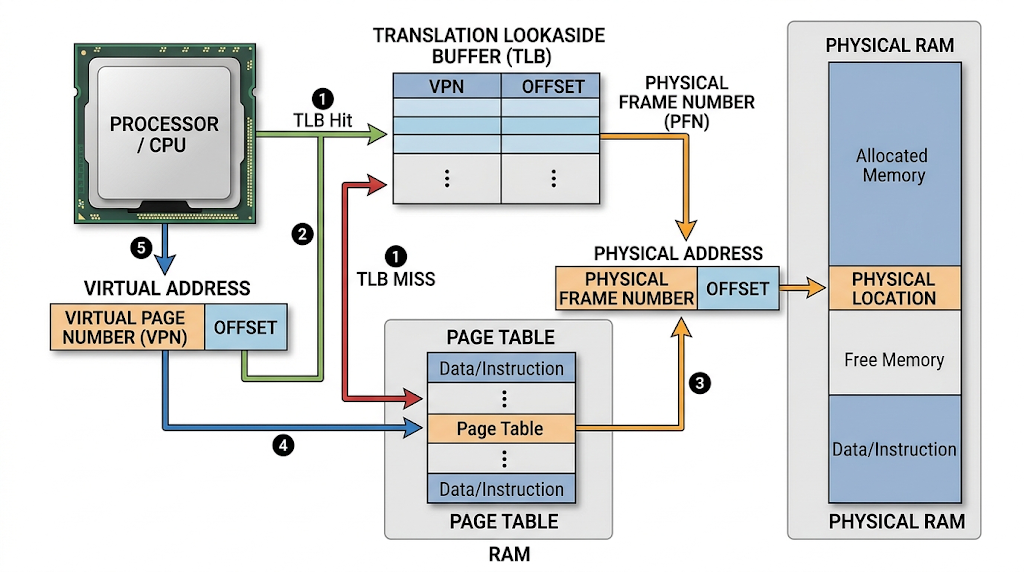
Another essential role of an operating system is memory management. During the running of a program, working memory is required, and the operating system dictates what amount of memory is available for each program. In modern computers, virtual memory is used to make each process think it is using its own memory space, with the operating system and hardware managing the physical memory. This will isolate applications from each other and optimize the use of memory resources. This resource provides an overview of memory management for a wider introduction to the topic. The operating system monitors the utilization of memory, its ownership by processes and the way memory needs to be protected. This will isolate normal applications from memory allocated to the operating system and other applications.
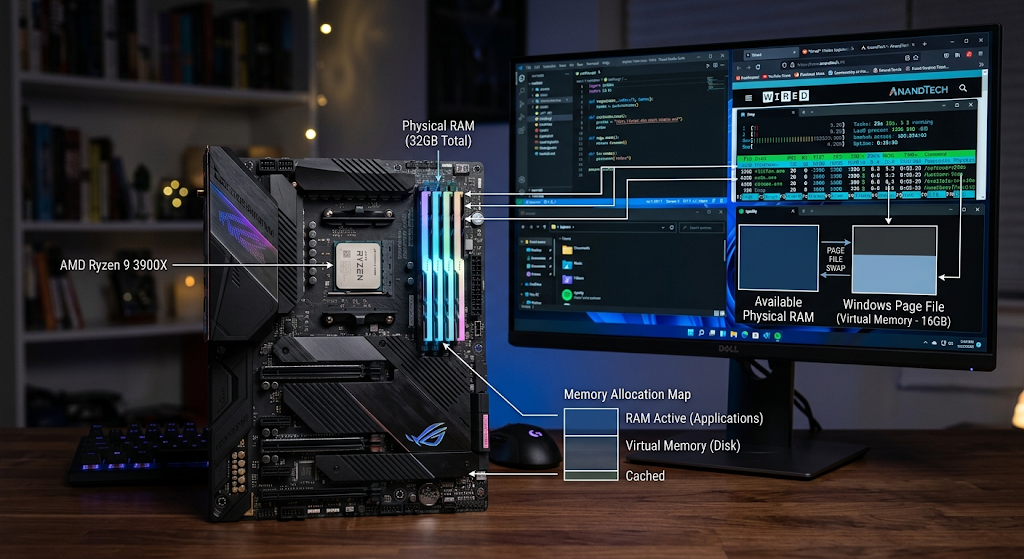
Memory management is also important when request amounts of memory outstrips immediately available physical memory. OSes can utilize storage as part of a virtual memory system, transferring some data to and from storage if needed. While the speed of storage is slower than RAM, it’s meant to serve as a way to run workloads that require more memory than the physical RAM can provide. The OS has to balance the performance, protection and efficient use of resources when managing these operations. Once an application is done using the memory, the OS can release memory used by that process. The management of memory resources allocated to processes may also differ in different programming environments, due to other memory-management mechanisms, such as garbage collection, or explicit allocation and deallocation, but the operating system remains responsible for the management of memory resources.
Process Management and Multitasking
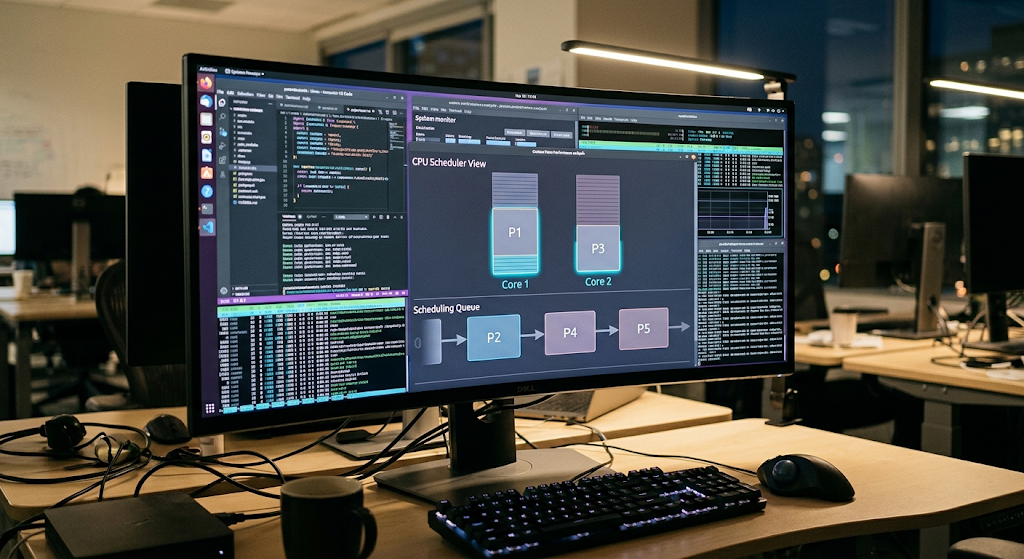
A process is an executing program and the operating system is responsible for the creation, control, scheduling and termination of processes. The operating system loads the information required to run an application and sets up all the structures required by the application when the user initiates the application. The OS assigns resources to the process and keeps track of its current state. A process could be executing, waiting to acquire a resource, temporarily paused or terminated. Today, multiple processes or threads can be used to execute multiple tasks. These activities must be managed by the operating system, in keeping track of what programs are running and what resources they’re consuming.
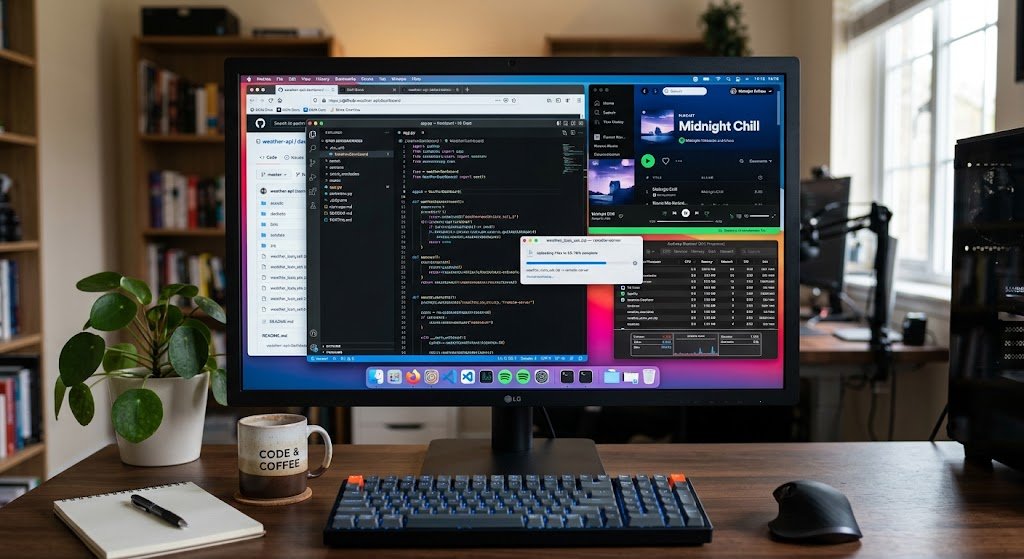
Multitasking lets users execute multiple applications seemingly concurrently. For instance, while surfing the Internet and working on a document, a person may listen to music. The processor can quickly switch between tasks, or it can allocate tasks to several processor cores. The scheduler is responsible for deciding which of the processes or threads that are ready for execution are able to get the processor time by the operating system. Considerations for scheduling can be made based on priority, responsiveness, fairness and system requirements. The processor does not need to be idle when waiting for data from storage or network. This coordination makes the computers responsive and many activities can take place at the same time. This means process management is a critical factor in determining the effectiveness of a computer in managing multiple workloads.
File Systems and Storage Management
A file system is an approach that an operating system uses to organize and manage information stored on a storage device. File systems offer familiar concepts to users such as files, folders, names, permissions, and metadata instead of having to deal with raw storage locations. There are a variety of file-system technologies used by different operating systems such as NTFS, APFS, ext4, FAT based, and others. The operating system acts with the file system to identify the location of information and how it can be accessed. For instance, when a user saves a document, the OS assists in converting that instruction into actions that write the document’s data to a storage device and mark the information that is required to find the document.
File systems also aid in managing access to stored data. Files and directories can be given permissions to allow a user or program to have the proper access. A user might be permitted to read, but not to edit or delete a document. In multi-user systems, these protections are particularly significant due to the need for multiple accounts to have access to different resources. File systems may also keep details like file size, times, ownership and attributes. This information is used by the operating system when applications are accessing files or directories. This allows the user to perform simple operations on the storage media, including opening, saving, renaming, copying and deletion of files, without having to worry about the technical details.
User Interfaces
User interface: The interface between the user and the computer. There are two types of interfaces, namely graphical user interfaces and command line interfaces. A graphical user interface (GUI) is based on a set of objects like windows, icons, menus, buttons, and pointers. Examples of operating systems with graphical environments are Windows and macOS, while Android and iOS offer interfaces that are mostly geared toward touch-based mobile devices. A command-line interface (CLI) is a way of communicating to the computer by typing text commands. Most of the Linux systems and other operating systems come with command-line tools and graphical tools. These interfaces are similar in function but appear to be distinct from one another; they rely on the same services provided by the underlying operating system.
The interface is not just about making the computer “visible” to users. It offers users options to start apps, work with files, adjust settings, link devices, keep track of system activity, and more. For instance, clicking on an application icon will initiate an interface message to the operating system to start the appropriate program. The operating system does the work of moving a file to a folder with the background of the file system. Because gestures and touch events need to be interpreted by the operating system before they can be acted upon by the applications, touchscreens are another level of interaction. These examples illustrate that the entire user interface is simply the tip of a much bigger iceberg that links human activities with operating-system services and hardware operations.
How Different Parts Work Together
Some of the components of an operating system are interdependent and do not operate as completely separate systems. Assume that the user has launched a video app, then played a video stored in the app. The user interface sends the user’s command to start the program. The operating system establishes a process for the application, and allocates memory for the application’s code and data. The application asks the video file to be accessed via operating system services, while the file system aids in the retrieval of the stored data. Access to storage devices is achieved via the proper device management mechanisms. When the video data is ready, the application processes that data and sends the resulting data to the system for display. During all of this, the operating system manages the processor time, memory, storage space, screen hardware, and other resources.
It’s the same with many everyday computing activities. Opening a website entails processes, memory, networking, device management and user-interface elements. There are camera hardware, device drivers or system services, memory, storage, file system and application components that are involved in taking a photo with a smartphone. When a document is sent to a printer, the printer software, the printer hardware, and the operating system and application are communicating in some way. These examples illustrate that an operating system isn’t just an application launcher. A set of synchronized mechanisms that enable software & hardware to function together. The operating system provides an environment for computer systems to be useful to both developers and users by controlling resources and obscuring irrelevant hardware details.
Importance of Operating Systems
Operating systems are important because they serve as the foundation for many resources that need to be shared, protected and coordinated for modern computing devices. If there was no operating system, each application would need to know the specifics of each processor, memory, storage, display, keyboard, network etc. This would make software development much harder and make it hard to have a number of applications running safely simultaneously. The operating system offers common abstractions and services to the developers so that they can write applications based upon useful concepts rather than hardware details. It also contains means of providing security, resource management, error handling, and communication between software components. These are the duties that are necessary to provide a computing environment in which many different programs and users can interact.
The value of the operating systems really become evident when things go wrong. When an application crashes, the operating system can normally stop that application without using all of the computer. The OS can check to see if there is enough memory to run the program, and can decide how to allocate it. The scheduler can manage the execution of several applications if they require processor time. When a device is plugged in, the system can identify and set it up. Security mechanisms may prevent access to a protected resource if a user tries to use it. The features enable the operating system to control the whole computing environment while individual applications carry out their tasks.
Conclusion
The operating system is the foundation that enables modern computers and mobile devices to function and execute applications and communicate with hardware. It is responsible for controlling the processor and processes, allocating memory, organizing files, controlling the devices, handling system calls, enforcing bounds on resources, and providing user interfaces. Many of these are performed through a central kernel; system calls provide controlled access to services of the operating system. Preventing conflicts between software and hardware is achieved by device management, coordinating the use of RAM and virtual memory is achieved by memory management, organizing the information contained in memory is achieved by file systems, and process management is used to allow multiple programs to run efficiently.
User interfaces then provide people with useful means to manage the system. These are the elements one has to understand if one is a new user trying to understand what happens when he/she opens an application, saves a file, connects to the Internet, or interacts with a smart phone. These seemingly magic activities are not truly magic, but instead rely on a logically structured sequence of operating-system services that link software and hardware together and with users.