Introduction
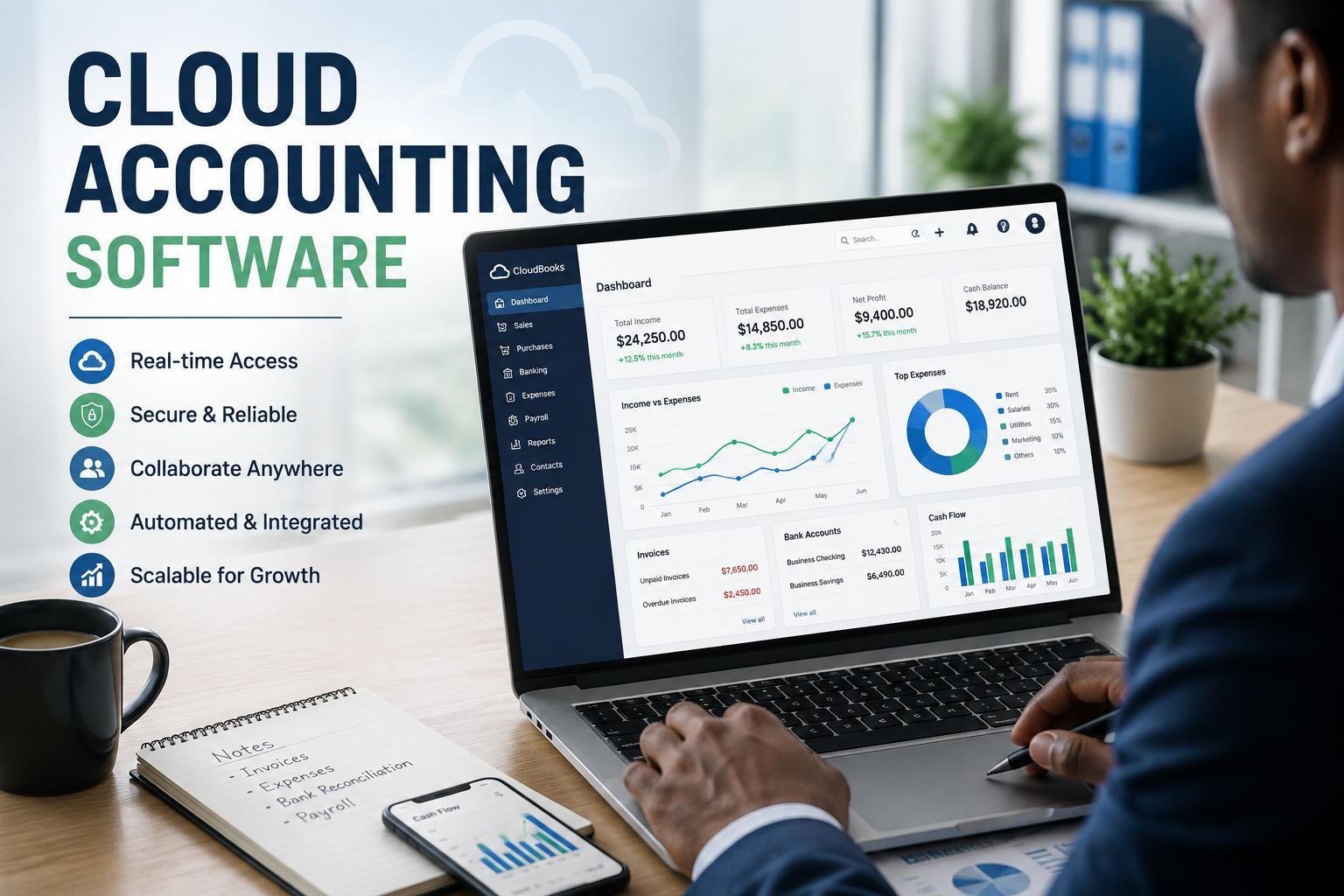
Cloud accounting software has revolutionized the way that businesses operate their financial data, taking accounting functions away from the desktop programs on their computers and transferring them to a secure online platform. Rather than keeping accounting information on a single computer or on an office computer, businesses may be able to view financial information online with their approved computers, tablet devices or mobile devices. Cloud accounting software means that a business can undertake activities like bookkeeping, invoicing, tracking expenses, financial reporting and account reconciliation while it does not need to be restricted to a specific physical location. This has become a more popular way to work, as the business becomes remote, digital, automated, and connected. Business owners and accounting teams don’t have to wait until the end of a reporting period to look at financial data; they can review these data all day long. The end effect is more flexible financial management process that can drive quicker decision making and streamlined day-to-day operations.
Desktop accounting software programs can be used effectively by some businesses, particularly those who prefer to operate in a controlled and on-premises local area network or who don’t always have access to the internet. But, collaboration can be more complex in desktop systems, and they may need more manual upkeep. They might have to work from the same workstation, exchange files between workstations, or install individual software updates. Cloud accounting can overcome much of these drawbacks by enabling the application and financial data to be managed in an online service. Businesses usually subscribe to the software, usually on a monthly basis, instead of buying the software outright and the supplier does a lot of the technical work. This model can help small businesses make accounting more accessible since they don’t have dedicated IT departments. It also provides expanding businesses with a chance to extend accounting features without having to immediately invest in extra servers, intricate setups or a comprehensive technical help team. If you are considering cloud accounting for your business, it’s important to understand its benefits, cost and how it works so that you can decide if it is the right way to run your finances.
What is Cloud Accounting Software?
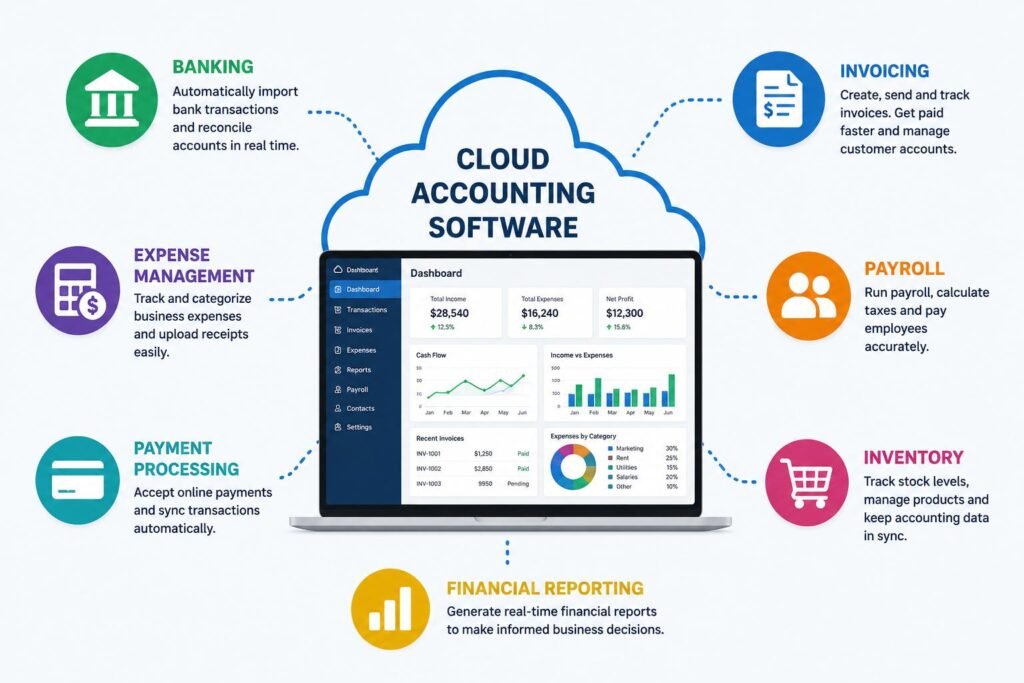
Cloud accounting software is an online financial management application, where all of the software and accounting data is stored on cloud servers operated by a computer service provider. Typically, users log on to the system via a web browser or mobile application connected to the internet, and with user-specific logon credentials. Rather than setting up the whole system of accounting on each and every single computer, the business works with a platform that’s managed at a central level. Users can record transactions, generate invoices, manage bills, reconcile bank accounts, monitor expenses, process payroll, keep track of cash flow and more, depending on the product. The changes that are made by the authorized users are usually synchronized with that of the online account, so that other authorized users can see the changes. This is a big difference from the older desktop accounting programs that financial data might have been kept on a specific computer or network.
The cloud model also alters the manner in which the accounting software is maintained. In the case of a traditional desktop application, the business could be liable to install updates, ensure compatibility with the hardware they’re using, maintain backups, and troubleshoot some technical issues. Typically, the cloud accounting service provider manages all of the servers, software upgrades, system maintenance and infrastructure. This is not a reason for businesses to not have any responsibility for security or data protection. Good passwords, access control permission, safe devices and financial information protection procedures are still needed by the users. But numerous technical duties are out to the software supplier. This can help small businesses without in-house tech teams to alleviate admin overheads of operating accounting software. It also allows the business to focus more on utilizing the information of money rather than on keeping up the technology that stores and processes the data.
Advantages of Cloud Accounting
Real-time access to financial information
A great benefit of cloud accounting is the ability to view financial details from various places. A business owner can view reports on the go, an accountant can perform accounting task reconciliation from the comfort of their own home, and a manager can access an invoice without having to log in to the computer the accounting application was installed on. It can be particularly useful for companies that have several offices or staff that work remotely. Authorized users may not have to wait for files to be transferred or manually consolidated either, which can also enhance financial visibility when it comes to real time or near-real-time access. If all three systems – banking, invoicing, payment and expense – are set up properly, transactions can be more effectively transmitted to the accounting system. This streamlines management to keep track of finances, track outstanding invoices, track expenses, etc., and make decisions on how to operate based on a clear picture of the company’s finances.
Better Co-worker and Remote Working Interactions.
Cloud accounting is also created to make it easy to collaborate between individuals that are not in the same place. With the software and subscription, multiple authorized users can use a same accounting environment and be granted access to the necessary permissions given to their role. For instance, any business owner might have access to a wide range of data, a financial adviser might handle the finances, and a staff member may be allowed to submit expenses without having access to sensitive financial data. This will save you from having to email accounting files back and forth or have multiple copies of the same file. It can also provide easier co-operation with outside agents, such as accountants and consultants, as access may be made to the outside parties without having to move the complete accounting data base. With remote and hybrid work taking over businesses, a centralized online financial system can help accounting activities move forward, even if employees are based in different cities or countries.
Automatic Backups and Software Maintenance
Cloud accounting is also a key concern for businesses in the realm of data protection. A good cloud provider will have managed infrastructure on its own and ensure that their systems have backup and recovery processes in place to safeguard their customers’ data from hardware failures and other interruptions. This may be more convenient than having a single employee always remember to make a backup of the desktop accounting database to an external storage device or other local computing device. Software can also be installed to cloud platforms, which eliminates the need for each employee to download and install software updates. These features can help to save time and alleviate some of the technical duties of conventional bookkeeping software. While that is true, however, businesses need not take it upon themselves that all the cloud services are equal. Companies need to research providers to understand its security measures, back-up protocols, authentication capabilities, data recovery policies, privacy commitments and how it handles service disruptions prior to choosing a provider. While cloud accounting makes things easier, this doesn’t mean it isn’t important to evaluate the cloud vendor carefully.
Productivity Integration with other Business Systems
One of the big advantages of cloud accounting is its integration capabilities with other business applications. Integrations can help cut down on the amount of information staff must manually enter and can’t stand alone from sales, banking, payroll, inventory, e-commerce and payment processing. For instance, a bank can import transactions to be reconciled, and an invoicing application can provide invoice data into the accounting application. A sales or payment app can push sales and payment records to a financial application, an expense-management application can push employee expense records to an accounting application. Similarly, payroll integrations can be used to facilitate the movement of wage and other financial data. Good systems integration means that companies can eliminate data redundancy and ensure that data is consistent across their business and accounting systems. Integrations should be carefully considered, though, as they can lead to duplicate transactions, incorrect classifications or synchronization issues if they are not set up properly. It is crucial that the business’s accounting software of choice will be compatible with the applications the business currently uses or anticipates using.
Easily Expandable for Growing Businesses
Cloud accounting can also help a company expand without having to completely change its financial management procedures. A small company may start with the fundamental business functions of bookkeeping, invoicing, expense tracking and then expand to other users, reporting, payroll, inventory or integrations. There are various levels of subscription with many cloud service providers so businesses can upgrade to a higher tier of subscription when they find their needs are growing. This is especially valuable for small businesses that are growing and don’t have a clear idea as to what they will need several years down the road. Not every cloud accounting system is appropriate for every big organization, though. The term “scalability” doesn’t necessarily imply that all these cloud accounting systems are suitable for all big companies, however. For businesses that have more complex multi-national operations, industry-specific needs, a high volume of transactions, or intricate financial management, an enterprise-level platform may be necessary at some point. The key is to make sure that the software can expand easily without adding too much complexity and/or requiring a lot of migrations.
Pricing for Cloud Accounting
Cloud accounting generally adopts a subscription pricing model, in contrast to traditional accounting software that usually requires a large initial purchase of a license. The monthly or annual fee depends on the business’s needs, including the number of users, the amount of features, the number of transactions, the need for payroll, integrations, amount of storage, and amount of reporting. Subscription pricing may help the business to decide on a more cost-effective adoption in the beginning, as the business doesn’t necessarily have to make a huge upfront software investment. Furthermore, it offers greater predictability of technology expenses with a stable subscription. But companies should consider the overall cost, not just the monthly cost. Depending on the extra user licenses, payroll services, payment processing, premium integrations, implementation support, training or advanced reporting, actual cost could be higher. It is also important to businesses to think about cost of changes after installation of the systems, such as employee training and data migration. You don’t always get the most value for money when the platform doesn’t provide the necessary functions.
Cloud Accounting vs. Traditional Desktop Accounting
Each organization will need to decide the difference between using cloud computing and desktop accounting based on their needs and situation. For companies that require local control over financial information, those that have unreliable connections to the internet, and those that prefer a traditional workflow without the internet, a desktop solution may have benefits. Other companies might have what they’ve long used and have a process that requires switching to a cloud platform. Cloud accounting, in contrast, is typically more flexible, collaborative, updated automatically, more widely accessible over the web, and allows for more integration with other online business systems. This should not be a matter of newer technology, but rather a question of the type of technology and why it’s the best choice. Companies need to look at how work is done now, when they need to share financial information, what they need to be integrated and what is expected of their internal technical support and security. The right system is the one that can offer a reliable financial management in line with the operational, technical and financial needs of the organization.
Is Cloud Accounting the Best Answer for Your Business?
Cloud accounting is a good choice for businesses requiring flexibility in accessing financial data, remote or distributed workers, external accountants, or to integrate accounting with other digital solutions. For small businesses and startups looking to streamline their accounting setup without the hassle of accounting servers and complicated software installs, it can be very beneficial. It could additionally be appropriate for expanding corporations that anticipate their bookkeeping needs will grow with time. But, businesses must take into account the reliability of their internet, regulatory requirements, data security, budget, industry needs and technology into account before deciding. Reputation, customer support, data protection, export options, integration options and contract terms are also important to assess, Popular does not necessarily mean suitable. Businesses should not be deciding to use cloud accounting just because it is popular. The platform should address real financial administration issues and deliver sufficient features to make their recurring subscription well worth it.
Conclusion
Cloud accounting software is a modern solution for financial management, making accounting software accessible and connected with the capabilities of cloud technology. The leading benefits are that it allows for greater remote access, better collaboration, automatic software maintenance, managed backups, integrations, scalability, and subscription-based pricing. Such functions can minimize manual work and bring financial information to the people who require it, which will assist organizations react swiftly to changing conditions. Meanwhile, cloud accounting is not necessarily the best option for all companies. Before you choose a platform, businesses should evaluate service providers based on features, security, pricing, integrations, support, scalability, and data-management policies. The decision to switch from a desktop application to an appropriate cloud accounting solution can be a crucial one for companies seeking flexibility and interconnected processes.
Get more well researched information about Cloud accounting software here.