Most people think of online tracking in terms of cookies — the small files websites store on your device to recognise you when you come back. Block the cookies, clear your history, use a private browsing window, and you’ve handled the problem.
That’s partly true. But there’s a layer of tracking that has nothing to do with cookies, doesn’t require you to log into anything, and can’t be cleared by deleting your browser history. It works at the network level, using information your device broadcasts automatically every time it connects to a website. And most people have never heard of it.
What Your Device Reveals Before You Do Anything
Every time you visit a website, your device sends a request to that site’s server. That request contains more information than most people realise.
Your IP address travels with every request. This is unavoidable — the server needs to know where to send the response. But an IP address reveals more than just a routing number. It identifies your internet service provider, your approximate location (often accurate to city level or closer), and the type of connection you’re using. It also stays consistent across your browsing session, which means a website can link all your activity within a visit — and across visits, if your IP doesn’t change.
Alongside the IP address, your browser sends what’s called a user agent string: a line of text that identifies your browser type, version, and operating system. Add to that your screen resolution, timezone, installed fonts, and the way your browser handles certain rendering tasks, and you have a surprisingly specific fingerprint — one that can identify your device even across different browsing sessions, even if you’ve cleared your cookies.
This combination of network and browser data is what security researchers call passive fingerprinting. It’s passive because it doesn’t require anything from you. No login, no cookie consent, no tracking pixel. The information is simply part of how your device communicates with the internet.
How Specific Does It Get?
The honest answer is: more specific than you’d expect.
A 2010 study by the Electronic Frontier Foundation found that the majority of browsers tested had a unique fingerprint — meaning they could be distinguished from all other browsers in the dataset based on network and browser characteristics alone. Browser diversity has increased since then, but fingerprinting techniques have kept pace. More recent research by academic and security teams has consistently confirmed that the underlying principle holds: the combination of variables your device broadcasts is often specific enough to identify it reliably.
IP address alone is a blunter instrument. Millions of people share the same ISP, and many consumer ISPs rotate IP addresses periodically. On its own, an IP narrows the field but rarely identifies an individual. Combined with browser fingerprint data, however, the picture changes significantly — an approximate location plus a specific browser configuration narrows the field considerably, and the combination is often enough to identify a returning visitor even without cookies.
Advertising networks use exactly this combination. When you visit a site that loads third-party ad scripts — which is most commercial websites — those scripts can observe your IP address and browser fingerprint, link it to a profile built across other sites they’ve seen the same fingerprint on, and serve you targeted ads based on inferred interests. No cookie required. No login needed. You’re recognised from the fingerprint alone.
What Changes When a VPN Is Active
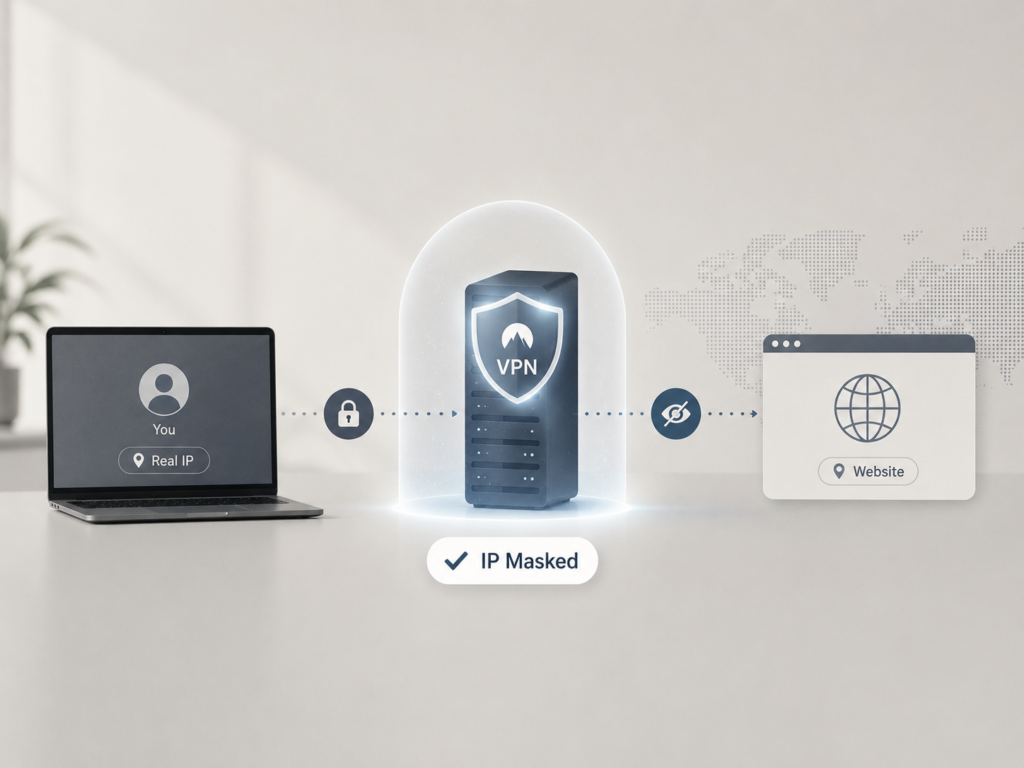
A VPN addresses the IP address component of this picture directly. When you connect through a VPN, every website you visit sees the VPN server’s IP address instead of yours. Your real location, your ISP, and the continuity of your IP address across sessions are all replaced by the server’s details.
This is what IP address lookup tools demonstrate in practice. Run one before connecting to a VPN, and you’ll see your real IP, location, and ISP. Run one after, and you’ll see the server’s. The change is immediate and complete for the IP component.
The network-level disruption this creates for passive fingerprinting is meaningful. Ad networks and trackers that rely on IP continuity to build profiles lose that thread. Geo-targeted content and pricing that depends on your apparent location shifts to the server’s location. The accumulated history tied to your IP address becomes less useful for identifying you on a new session.
The mechanism that makes this possible — how your data is wrapped in encryption and routed through the VPN server — is what VPN tunneling explained covers in detail, for readers who want to understand the technical routing rather than just the outcome.
What a VPN Doesn’t Fix
It’s worth being honest about the limits here, because the browser fingerprint component of passive tracking is a separate problem that IP masking alone doesn’t solve.
Your browser’s fingerprint — the combination of screen resolution, fonts, timezone, and rendering characteristics — doesn’t change when you connect to a VPN. An advertiser or tracker that identifies you by fingerprint rather than IP address will still recognise your device after you’ve connected. The VPN removes one thread; the fingerprint remains another.
This doesn’t make a VPN less valuable for network-level privacy — IP address masking is a genuine and significant disruption to the tracking ecosystem. It means that people who want to address passive fingerprinting more comprehensively need additional tools: browsers designed to standardise fingerprint outputs (Firefox with resistFingerprinting, Tor Browser), extensions that block third-party scripts, or both.
Put simply: a VPN is a strong first layer. It handles the most pervasive network-level identifier — the IP address — and raises the effort required to track you across sessions. Combined with a privacy-focused browser and thoughtful script-blocking, it becomes part of a genuinely robust setup.
Seeing It for Yourself
The most direct way to understand what your network currently reveals is to check it. An IP address lookup shows exactly what information is publicly associated with your current connection — your IP, approximate location, and ISP — in about ten seconds. Running it before and after connecting to a VPN makes the change concrete rather than abstract.
Understanding the gap between what’s visible and what you’d prefer to be visible is a useful starting point regardless of why you’re paying attention to this. A VPN handles the IP layer. A privacy browser handles the fingerprint layer. Knowing which tool does what means you can build a setup that actually matches the exposure you’re trying to reduce — rather than assuming one tool covers everything.