The user experience (UX design) has emerged as an essential part of digital product development. In the modern world of intense competition, the development of intuitive and user-friendly interfaces is not only a desire, but also a a requirement. Involved in the design of a website, a mobile app, software platform, the proper tools and techniques can create a smooth experience or a frustrating one. The article is presented to the beginners who might be introduced to the necessary software and methodology that can be adopted in the UX design and how each part of it can facilitate the process of designing.
Understanding UX Design
Before getting into an in-depth discussion of tools, one must know what UX design is. The UX design practice refers to the art of designing products that offer valuable and pertinent experience to the user. This comprises usability, accessibility and interaction design. Designers also target their attention to the user, hence designing interfaces that are user-friendly, attractive, and effective.
To beginner who might wish to wade deeper into the field UX design is a rich source of information not only in its underlying concepts but also in case studies that show how things could work out.
Essential Tools of a UX Designer
The tool kit of a UX designer consists of both software and methodologies to aid in a range of design process phases- ideation through to testing. This can be grouped into three broad categories, which include prototyping software, user testing platforms, and collaboration tools.
Prototyping Software
The UX design relies on prototyping software. These tools enable designers to design interactive mockups of their products and this may be tested and refined before full scale development. Besides saving resources and time, prototyping will also ensure that the design is in line with the expectations of the users.
Figma
Figma is a collaborative design tool that is cloud-based. It enables the involvement of several designers on a project at the same time making it best suited to a team-based workflow. The major characteristics are the editing of vectors, prototyping and integration of feedback. The intuitive interface and large range of templates and plugins are helpful to beginners and make it easier to design.
Adobe XD
Another useful tool used by UX designers is Adobe XD. It allows the designers to produce wireframes, interactive prototypes and high fidelity designs. It is easy to use together with other tools such as Photoshop, and Illustrator due to its integration with Adobe creative cloud ecosystem. Repeating grids, component libraries, etc. enable designs to be completed more quickly and make screens similar.
Sketch
Sketch is not new to the UX design as it has been used by Mac users over the years. It provides powerful editing features on vectors and plug-in compatibility that can be used to augment the application. Sketch is a tool used by the designers to create a responsive design and reusable elements that can simplify the process of designing large projects.
The value of prototyping: Prototyping allows the designer to visualize how users will interact with their device, and to discover usability problems before devoting development time to them. The prototypes serve as a transition between the initial design and the actual product and it minimises the chances of making expensive mistakes.
User Testing Platforms
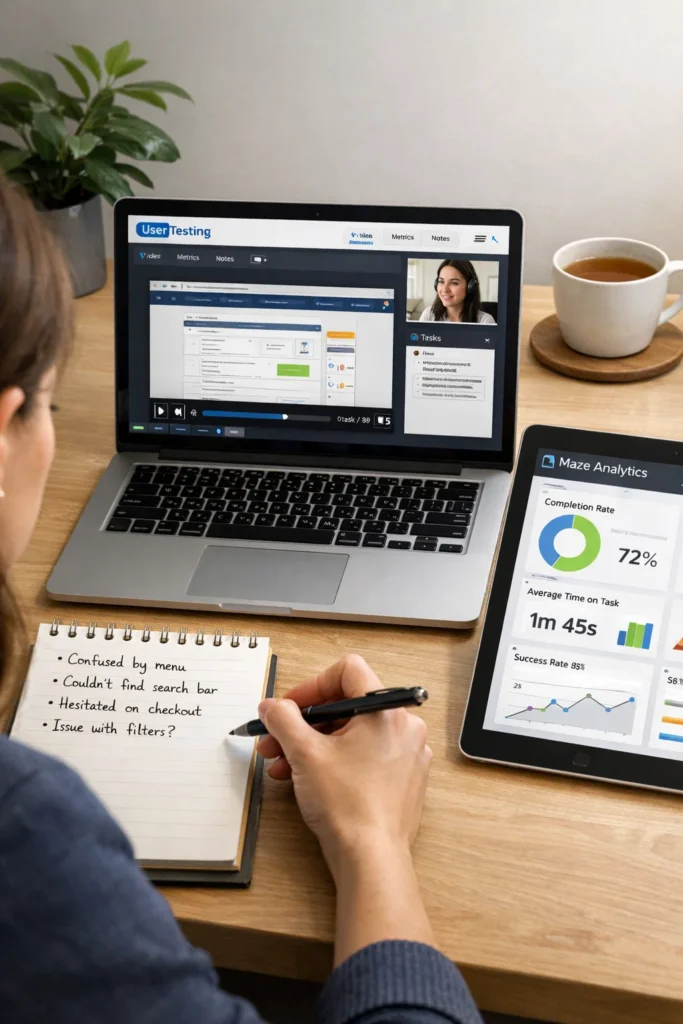
An important part of the UX design is user testing. Even the most thought-over design may fail when it cannot correspond to the expectations of the users. On user testing platforms, the designers are able to gather feedback on the actual users, examine behavior and make evidence-based improvements.
UserTesting
UserTesting is a popular platform that offers a service of testers on demand with a broad range of testers. User recordings can be logged and designers can monitor navigation patterns and learn qualitative information. This is a tool which comes in quite handy in validating the design choices and also reveal the areas of pain which otherwise would have not been noticed in the internal reviews.
Lookback
Lookback provides live and recorded video, audio and screen captured user testing. It allows the designer to interview and do usability tests remotely, which is particularly useful in cases when a team would be located in various places. The possibility to comment sessions and emphasize the important observations assists in simplifying the feedback process.
Maze
Maze is a fast testing platform that enables designers to convert prototypes of their tools such as Figma, Sketch, or Adobe XD into tests that become actionable. Maze offers quantitative data on user interactions with the help of analytics dashboards and heatmaps. Such a combination of speed and insights enables teams to repeat designing very fast and always with confidence.
Effects of user testing: UX professionals can use the experience of observing users use a design to determine which areas of the design are confusing, less effective, or poorly conveyed. These lessons can be used in designing iterations, so that the product that is created is user-friendly and efficient.
Collaboration Tools
Teamwork is an important factor in UX design. The design projects of modern design projects are usually cross-functional and they might consist of product managers, marketers and the developers. With the collaboration tools, communication and version control systems and tasks are managed to keep everyone on track.
Miro
Miro is an online whiteboard application that allows teams to brainstorm, mapping user journeys, and planning workflows together. Designers are able to produce wireframes, flowcharts and mood boards in real time. To begin with, Miro is a great tool to visualize ideas, organize thoughts and develop creative collaboration without being bound to a physical space.
Slack
Slack is a popular tool in UX and product teams and is a messaging platform. It enables structured dialogues with channels, direct messaging as well as integration with design and project management systems. Slack allows smooth communication and it will be easier to exchange feedback, monitor developments and work asynchronously.
Trello & Asana
Only project management systems, such as Trello and Asana, allow UX teams to organize their work, monitor their progress, and keep the deadlines under control. Trello applies the board-and-card application whereas Asana is more specific in project planning. Both tools are designed to keep design undertakings in schedule and make sure that team members are able to prioritize tasks in an efficient manner.
Advantages of collaboration tools: Collaboration tools can help minimize misunderstandings and eliminate duplication of efforts and enhancing a sense of transparency because communication and project progress are centralized. The teams are able to concentrate more on creative problem-solving and not as much on administration.
Design Techniques that Improve UX Design
Coupled with software, there are techniques that are inherent to effective UX design. These techniques create sanity, direction and make the design process user oriented.
Wireframing
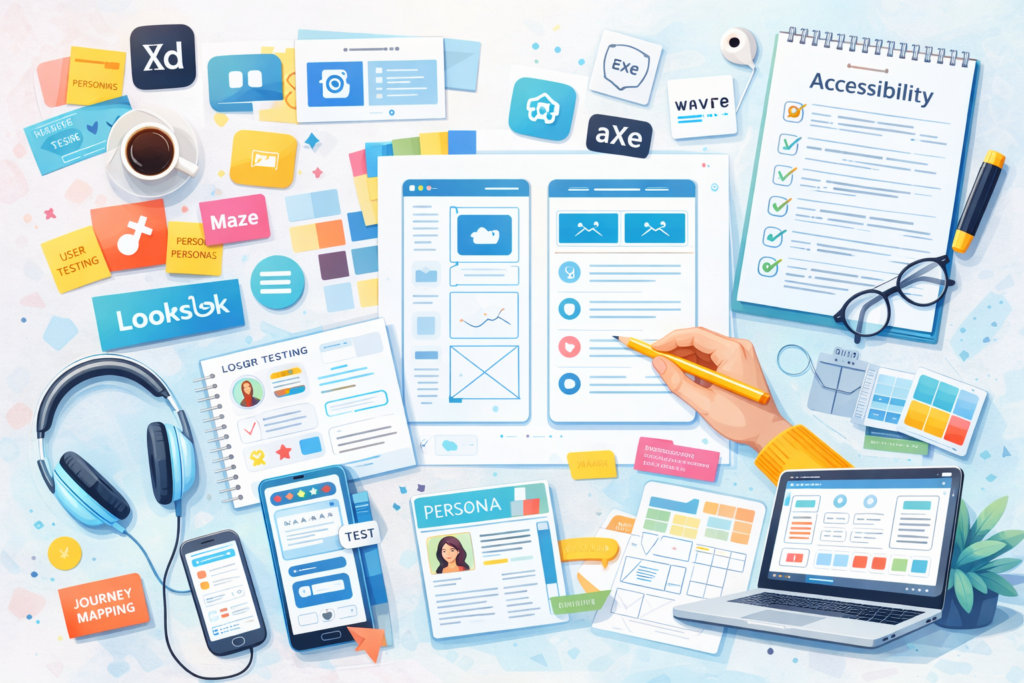
The wireframing is the design of product low-fidelity layouts representing the structure and functionality of a product. Wireframes assist the designers to see the content positioning, navigation and the user flow without distracting on colors, fonts or visual elements. Such tools as Figma, Sketch, or Balsamiq ease the process of wireframing and provide the ability to do momentary iterations.
Why it is important: Wireframes are the plan of the project. Their ability to enable teams to share ideas, find out the possible areas of usability that might arise and get the stakeholders in agreement on the core design enables them to spend time on high-fidelity prototypes.
User Personas
User personas are imaginary figures of the target users. They are developed through research, interviews, and analytics to emphasize on the important behaviors, goals, and pain points. Personas inform the design choices made in that the solutions are shaped to suit the requirements of actual users not assumptions.
Developing personas: Start with demographic information, followed by psychographic information and motivations and problems. Personas assist in the teams to ensure that they empathize with users and keep a human approach in the process of designing.
Journey Mapping
Customer journey maps are used to show the process used by customers in using a product or a service. Tracking the experience enables the designers to find areas of friction, streamline touchpoints, and establish flawless experiences. Such tools as Miro or Lucidchart facilitate journey mapping with interactive tools.
Influence on UX: Journey mapping enables designers to have a wider perspective of the interactions with users. It also makes sure that designs are not only in-screen but cover the entire experience leading to increased user satisfaction and engagement.
Usability Testing
In usability testing, actual users are observed using a product and they are completing tasks. This procedure unravels the problems that might not be revealed during internal audits. The early and frequent usability testing will help designers to refine interfaces and enhance functionality.
Methodology: Usability testing may be done either on-site or outside. The important metrics are the rates of task completion, time on task, the rate of errors, and the satisfaction of the users. Applications such as UserTesting, Maze and Lookback give us well-organized patterns and guidelines to facilitate this process.
Accessibility Checks
Accessibility will make digital products usable by individuals with different abilities. The UX process should be enhanced with accessibility checks to enhance inclusivity and increase the range of possible users. Designs can be analyzed in terms of color contrast, keyboard navigation, and compatibility with a screen reader with the use of such tools as Axe, WAVE, or Stark.
The importance of accessibility: In addition to ensuring compliance with the law, accessible design increases the general usability. The clear navigation, readability, and inclusiveness of the product are beneficial to all users and make the product more efficient and user-friendly.
Combining Tools and Techniques of Smooth UX Design
The real strength of the tools and techniques used by a UX designer is the combination of the tools and techniques. An example is that one may begin with wireframes in Figma, create an interactive prototype, perform usability testing with Maze and keep improving based on feedback. Team coordination tools such as Miro and Slack ensure that the team is always focused, and personas and journey maps inform design decisions during design.
With an appropriate set of tools and methodologies, UX designers can:
• Minimise development time: The early prototyping and testing of the system will eliminate expensive rewrites during the code development.
• Increase user satisfaction: The iterations created on the basis of feedback will help to make the designs responsive, based on the actual user requirements.
• Enhance team productivity: Collaboration tools consolidate the communication and monitor the progress.
• Ensure consistency: Design systems and component libraries ensure consistency between products.
• Support accessibility and inclusivity: Inbuilt checks and testing platforms of designs guarantee that the designs are accessible to all persons.
Conclusion
To the novices who are entering the sphere of UX design, it is crucial to know and use appropriate tools and techniques. Based on prototyping tools such as Figma, Adobe XD, and Sketch, user testing tools such as UserTesting and Maze, and collaboration tools such as Miro and Slack, no single element can be ignored when it comes to an efficient, user-focused design process. Together with other tools such as wireframing, journey mapping, persona creation and accessibility checks these tools can enable designers to produce products that not only satisfy users but also meet business objectives.
By adopting a more systematic, tool-based methodology, the UX designers can accelerate their iterations, work together and finally create the experience that appeals to the users. No matter which is the first app you design or a complicated platform you are developing, these basics are the first few steps to becoming a capable UX practitioner.