In today’s digital world, video is everywhere. We watch movies on our laptops, share clips on social media, and record memories on our phones. However, sometimes we run into a common problem: your video file won’t play. You might have a file in MP4 format, but your device—perhaps an older car media player, a specific DVD player, or a professional editing suite—insists on an AVI file.
If you are looking for a way to fix this without spending money or downloading risky software, you are in the right place. Our MP4 to AVI Converter Online is designed to be fast, safe, and incredibly easy to use.
What are MP4 and AVI? (A Simple Explanation)
Before we dive into the “how,” let’s look at the “what.” Think of a video format like a box that holds your video and audio together.
The MP4 Box
MP4 is like a modern, slim suitcase. It is very popular because it keeps file sizes small while maintaining good quality. Almost every smartphone and website (like YouTube or Instagram) loves MP4.
The AVI Box
AVI is like a heavy-duty wooden crate. It was created by Microsoft a long time ago. While the files are often larger than MP4s, they are very “sturdy.” Many older electronic devices and professional video editing programs prefer AVI because it stores data in a way that is easy for them to read.
Why Should You Convert MP4 to AVI?
You might wonder, “If MP4 is so popular, why change it?” There are several practical reasons why users choose to convert their files to AVI:
- Old School Compatibility: Older televisions, DVD players, and car dashboard screens were often built before MP4 became the standard. They speak the “AVI language” fluently.
- Professional Editing: Some video editors find AVI files easier to work with because they don’t compress the data as much as MP4 does. This can make the editing process smoother.
- No Quality Loss: While MP4 is great for saving space, AVI is great for keeping every single detail of the original recording intact.
- Windows Integration: Since AVI was built by Microsoft, it works perfectly with older Windows Media Player versions and various Windows-based applications.
Why Our Online Converter is the Best Choice
There are many tools on the internet, but not all are created equal. Here is why our tool MP4 to AVI Converter stands out for users who want a “real human” experience without the tech headache:
1. No Installation Required
Most people hate downloading software. It takes up space and can sometimes bring viruses. Our tool works entirely in your web browser. Whether you are on a PC, Mac, or a phone, you just open the site and start.
2. 100% Free of Charge
We believe that basic video tools should be accessible to everyone. You don’t need a credit card, and there are no hidden “pro” versions that you have to pay for later.
3. High-Speed Conversion
Our servers are optimized to handle video data quickly. You won’t have to wait for hours just to change a 5-minute clip. We value your time.
4. Simple for Everyone
We designed this tool so that a 4th-grade student could use it. The buttons are clear, the instructions are simple, and there is no confusing “tech-speak.”
How to Convert MP4 to AVI Online (Step-by-Step)
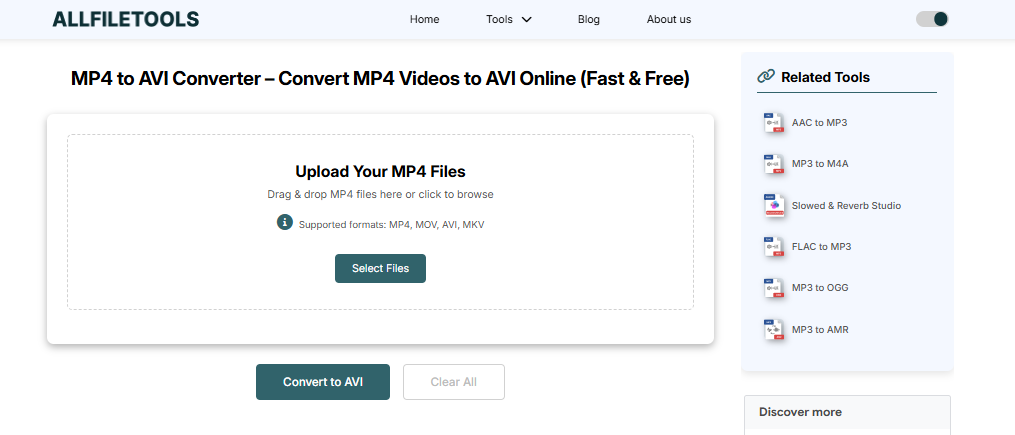
Follow these easy steps to get your video ready in seconds:
Step 1: Open your browser and go to a trusted site like AllFileTools.com. And use this tool MP4 to AVI Converter
Step 2: Click “Select Files” or “Upload” to choose your MP4 video from your device.
Step 3: Select “AVI” as your output format from the settings menu.
Step 4: Click the “Convert” button and wait a few seconds for the process to finish.
Step 5: Click “Download” to save your new AVI video file to your computer or phone.
Is My Data Safe? Your Privacy Matters
A big concern for internet users is privacy. “What happens to my video after I upload it?”
We take your security very seriously. Our system is programmed to delete all uploaded files automatically after a short period. We do not watch your videos, we do not store them for the long term, and we certainly do not share them with anyone else. Your business is your business.
Tips for the Best Video Quality
To make sure your new AVI file looks as good as the original MP4, keep these tips in mind:
- Start with a Good Source: If the original MP4 is blurry or pixelated, the AVI file will be too. Always try to use the highest quality version of your video.
- Stable Internet: Since this is an online tool, a steady internet connection ensures that your file uploads and downloads without any “hiccups” or errors.
- Check File Size: AVI files can be bigger than MP4s. Make sure you have enough storage space on your device before you click download!
Common Questions (FAQs)
Can I convert videos on my Android or iPhone?
Yes! Our website is mobile-friendly. You can use it on any smartphone through your web browser like Chrome or Safari.
Does converting to AVI make the video better?
Converting won’t magically make a low-quality video look like a 4K movie, but it will preserve the quality while making it compatible with older devices.
How many files can I convert in a day?
There is no limit. You can use our tool as many times as you need, for free.
What if my file is very large?
Larger files simply take a bit longer to upload and process. Just keep the browser window open until the download button appears.
Conclusion: Make Your Videos Work for You
Technology should make our lives easier, not harder. If you have a video that won’t play because it’s in the wrong format, don’t get frustrated. Use our MP4 to AVI Converter to bridge the gap between your files and your devices.
It is fast, it is free, and it is built for real people who just want their videos to work. Try it today and see how simple video conversion can really be!
🔹 Explore more powerful file conversion and online utilities at AllFileTools –
🔹 For technical support, digital solutions, and expert services, visit LetDigitalFly IT Services –
🔹 Discover additional career and productivity resources at Resume Slip Builder –