Website speed has become one of the most important factors in modern web development. Faster websites not only provide a better user experience but also perform better in search engine rankings. One of the simplest ways to improve website performance is by optimizing images.
Images often make up the largest portion of a webpage’s size. If they are not optimized, they can significantly slow down loading times. This is where the WebP image format becomes extremely useful.
In this guide, you will learn how to convert PNG to WebP for faster websites, why WebP images are better for performance, and which tools you can use to convert your images quickly and efficiently.
What is WebP?
WebP is a modern image format developed by Google that provides better compression than traditional formats like PNG and JPEG.
The biggest advantage of WebP is that it allows you to maintain high image quality while dramatically reducing file size. Smaller images load faster, which helps improve page speed and overall website performance.
For example, a typical PNG image can often be 25% to 35% larger than the same image saved in WebP format.
This difference can significantly impact how quickly a website loads, especially when multiple images are used on a page.
Why Converting PNG to WebP Improves Website Speed
Many designers and developers still use PNG images because they support transparency and high-quality graphics. However, PNG files are usually much larger compared to modern image formats.
Converting PNG images into WebP can help in several ways.
Faster Page Loading
Smaller image files mean faster downloads for visitors. This reduces loading time and improves the browsing experience.
Better SEO Performance
Search engines consider page speed as a ranking factor. Websites with optimized images tend to perform better in search results.
Reduced Bandwidth Usage
Smaller images use less server bandwidth, which can reduce hosting costs and improve scalability.
Improved Mobile Experience
Mobile users often rely on slower connections. Smaller images ensure that pages load quickly, even on limited networks.
When Should You Convert PNG to WebP?
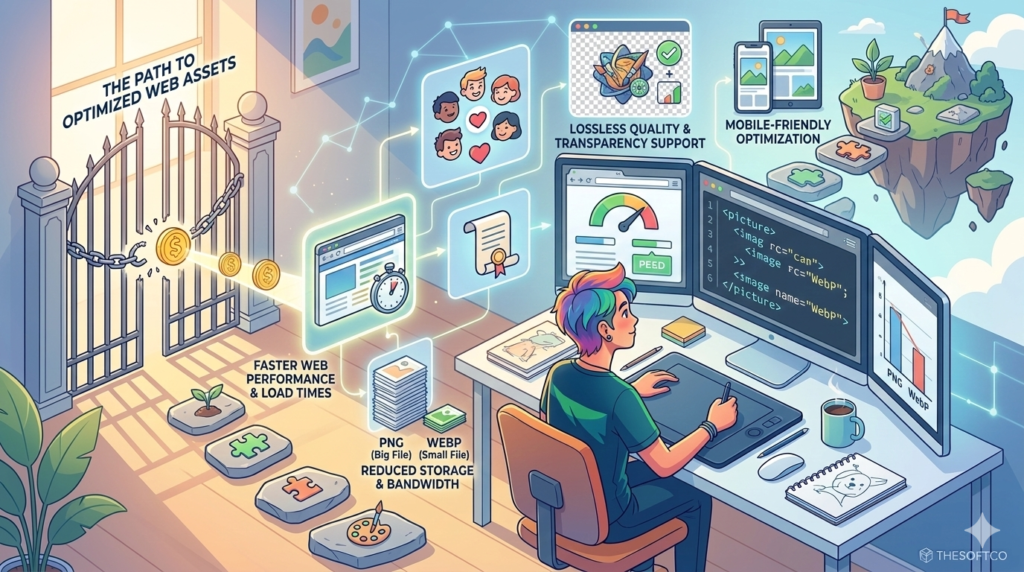
Although WebP is a powerful format, it is especially useful in certain situations.
You should consider converting PNG images to WebP when:
- Your website contains many large images
- You want to improve page speed scores
- You want to optimize images for SEO
- You want to reduce hosting bandwidth usage
WebP works particularly well for websites such as:
- Blogs
- eCommerce stores
- portfolio websites
- image-heavy landing pages
How to Convert PNG to WebP Easily
There are several ways to convert PNG images into WebP format. Some methods require software installation, while others work directly in your browser.
One of the easiest options is to use an online converter.
For example, you can use a simple PNG to WebP Converter to convert your images instantly without installing any software.
Online converters are popular because they allow users to quickly upload an image and download the optimized version in seconds.
Step-by-Step Guide to Converting PNG to WebP
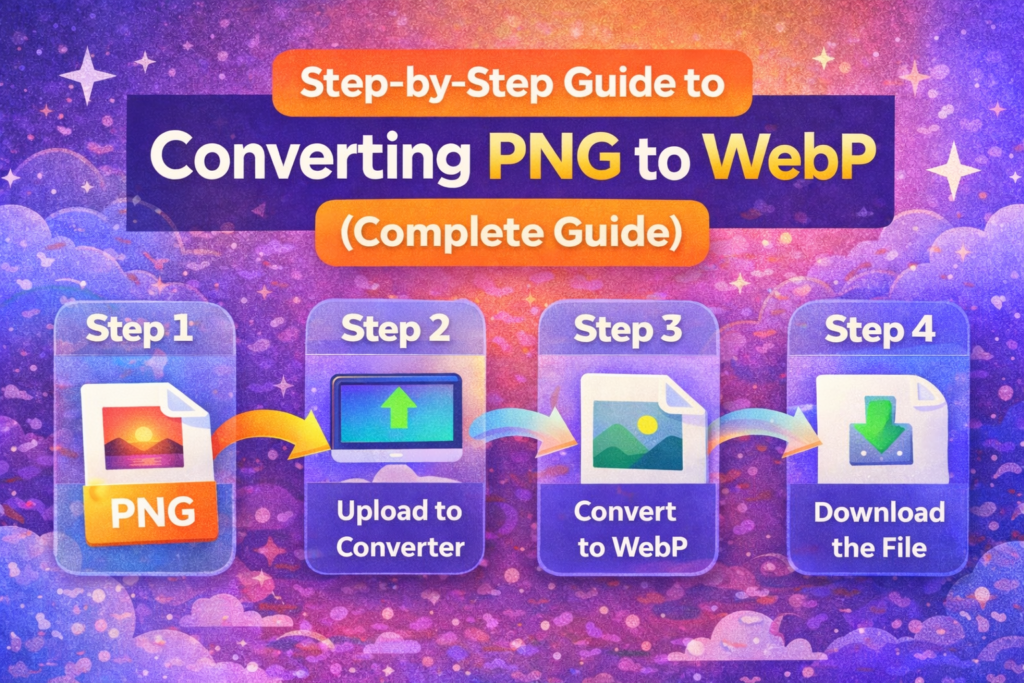
Converting images to WebP is a straightforward process.
Step 1: Choose Your PNG Image
Start by selecting the PNG file you want to optimize.
This could be a logo, product image, illustration, or graphic used on your website.
Step 2: Upload the Image to the Converter
Upload the image into a reliable image conversion tool.
Once uploaded, the tool will automatically process the image.
Step 3: Convert the Image
The converter will compress the image and transform it into WebP format while maintaining visual quality.
Step 4: Download the WebP File
After the conversion is complete, simply download the optimized WebP file and use it on your website.
What If You Need to Convert WebP Back to PNG?
Sometimes you may receive WebP images but need them in PNG format for compatibility with certain software or platforms.
In this situation, you can easily convert the image back using a WebP to PNG Converter.
This allows designers and developers to maintain flexibility when working with different image formats.
If you’re searching for how you’ll use this Converter, you can also Watch There on Short Tutorial on YouTube:
YouTube Tutorial: Converted 100+ PNGs To WebP For Free
PNG vs WebP: Key Differences
Understanding the differences between PNG and WebP can help you decide which format is better for your website.
PNG Format
PNG is widely used for images that require transparency or great detail.
Advantages include:
- Lossless compression
- Excellent image quality
- Strong support across platforms
However, PNG files are usually larger than modern formats.
WebP Format
WebP was designed to improve web performance.
Its advantages include:
- Smaller file sizes
- Support for transparency
- Both lossy and lossless compression
Because of these features, WebP has become one of the best image formats for modern websites.
Best Practices for Image Optimization
Converting images to WebP is only one part of image optimization. Several additional practices can further improve performance.
Use Proper Image Dimensions
Avoid uploading images that are much larger than needed. Resize them to match the display size on your website.
Compress Images
Even after converting formats, compression can reduce file sizes further. You can use TheSoftCo Image Compressor, because it’s free.
Use Lazy Loading
Lazy loading delays image loading until the user scrolls to them, which improves page speed.
Optimize Multiple Images in Bulk
If your website contains many images, bulk conversion tools can save significant time.
Benefits for Web Developers and Designers

Using WebP images offers several advantages for both developers and designers.
Developers benefit from improved page speed and performance metrics, while designers can maintain high-quality visuals with smaller file sizes.
This balance between quality and performance makes WebP one of the most practical image formats available today.
The Future of Image Optimization
As internet speeds improve and websites become more visually rich, efficient image formats will continue to play a critical role in web development.
WebP is already supported by most modern browsers and is increasingly becoming the standard for optimized web images.
By converting your PNG images to WebP today, you can ensure that your website stays fast, efficient, and competitive in search engine rankings.
Final Thoughts
Website performance is essential for both user experience and search engine optimization. Large image files are one of the most common causes of slow-loading pages.
By converting PNG images to WebP, you can significantly reduce file sizes while maintaining excellent image quality.
Whether you are a web developer, designer, blogger, or online store owner, optimizing your images can make a noticeable difference in how your website performs.
Using simple tools like a PNG to WebP Converter allows you to convert images quickly and improve your website speed without technical complexity.
At the same time, having access to a WebP to PNG Converter ensures you can easily switch formats whenever compatibility is required.
Optimizing images is a small step that can deliver powerful results for faster websites and better user experiences.