The gaming community is buzzing with excitement around ARC Raiders, a visually stunning sci-fi multiplayer shooter that has captured the attention of players worldwide. While ARC Raiders is primarily designed for PC and console platforms, many players are searching for ways to stay connected to their gaming setup through mobile solutions. This is where StarDesk Remote comes in. In this ARC Raiders mobile guide, we’ll explain what StarDesk Remote is, how it works, and how to download it safely and easily for a smooth remote gaming experience.
What Is ARC Raiders and Why Mobile Access Matters
ARC Raiders is a cooperative action shooter set in a futuristic world under threat from mysterious mechanical enemies known as ARC. The game focuses on teamwork, strategy, and high-quality visuals, which typically require powerful hardware. Although there is no official ARC Raiders mobile version, players often look for alternative ways to monitor or access their PC gameplay remotely.
Mobile access is especially useful for players who want to:
- Manage their gaming sessions while away from home
- Monitor performance and system status
- Control their desktop remotely for updates or quick tasks
- Stay connected to ARC Raiders communities and settings
This is where remote desktop solutions like StarDesk Remote can be helpful.
Understanding StarDesk Remote
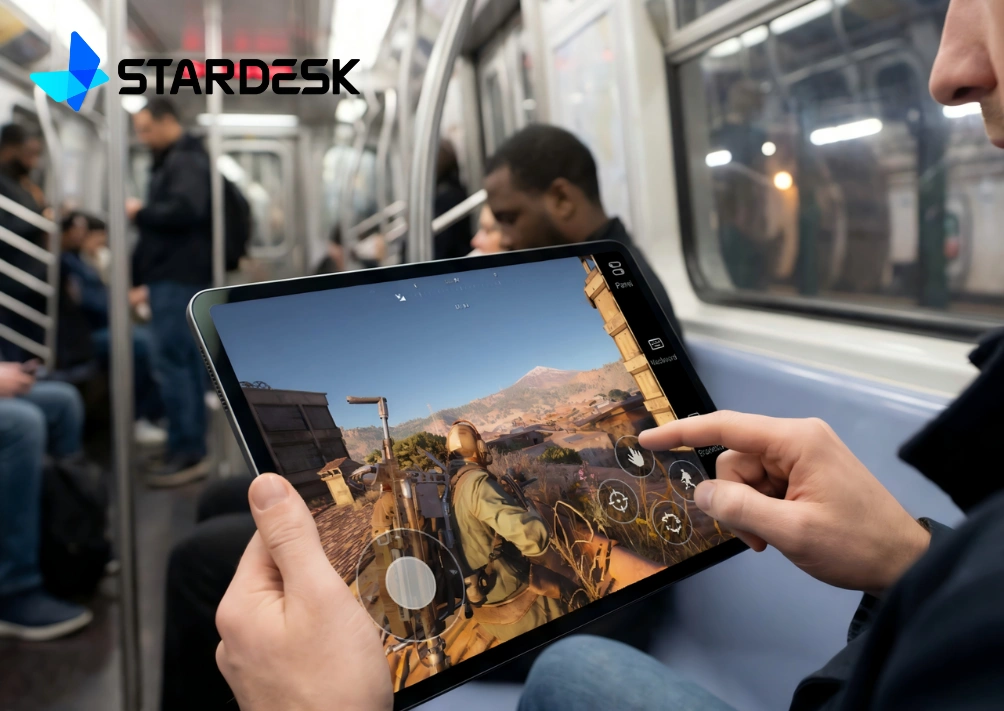
StarDesk Remote is a remote desktop application that allows users to access and control their PC from a mobile device. It does not replace the ARC Raiders game itself, but it enables players to interact with their computer remotely. Using StarDesk Remote, you can launch ARC Raiders, adjust settings, or manage downloads from your smartphone or tablet.
Key features of StarDesk Remote include:
- Secure remote desktop access
- Mobile-friendly interface
- Real-time screen sharing
- Keyboard and mouse emulation
- Compatibility with Android and iOS devices
When used correctly, StarDesk Remote can enhance convenience without compromising security.
Is StarDesk Remote Safe to Use?
Safety is a major concern when downloading any third-party application. StarDesk Remote can be safe if downloaded from official and trusted sources. Avoid modified APKs, cracked versions, or unofficial download links, as these often contain malware or spyware.
To ensure safety:
- Download only from the official website or trusted app stores
- Check app permissions before installation
- Use strong passwords and enable two-factor authentication if available
- Keep both the app and your operating system updated
By following these precautions, you can reduce risks and protect your personal data.
How to Download StarDesk Remote Safely and Easily
Here is a step-by-step guide to downloading StarDesk Remote for mobile use:
Step 1: Choose Your Device Platform
StarDesk Remote is typically available for Android and iOS. Confirm your device’s operating system before downloading.
Step 2: Visit a Trusted Source
For Android users, use the Google Play Store if available. For iOS users, check the Apple App Store. If downloading from the official website, make sure the URL is correct and secure (HTTPS).
Step 3: Install the Application
Click the install button and allow the app to download. Avoid granting unnecessary permissions during installation.
Step 4: Set Up the Desktop Client
To use StarDesk Remote, you’ll need to install the desktop client on your PC. This allows your mobile device to connect securely to your computer.
Step 5: Connect and Configure
Log in using your account details, pair your devices, and configure display and control settings for optimal performance.
Once set up, you can access your PC remotely and manage ARC Raiders directly from your mobile device.
Best Practices for Using ARC Raiders with StarDesk Remote
While StarDesk Remote is not designed for high-performance mobile gameplay, it works well for light interaction and management. For the best experience:
- Use a stable, high-speed internet connection
- Lower screen resolution to reduce lag
- Avoid competitive gameplay sessions via mobile
- Use the app mainly for launching, monitoring, or updating the game
This approach ensures smoother performance and avoids frustration.
Common Mistakes to Avoid
Many users run into issues by making avoidable mistakes, such as:
- Downloading from unverified third-party websites
- Ignoring security warnings
- Expecting full mobile gameplay performance
- Using public Wi-Fi without protection
Being aware of these pitfalls can save time and prevent security problems.
Final Thoughts
Although ARC Raiders does not have an official mobile version, tools like StarDesk Remote provide a practical way to stay connected to your gaming setup. By following this ARC Raiders Mobile Guide: How to Download StarDesk Remote Safely and Easily, you can enjoy greater flexibility while keeping your system secure.
Always prioritize safety, download from trusted sources, and use remote access tools responsibly. With the right setup, StarDesk Remote can be a valuable companion for ARC Raiders players who want convenience without compromising performance or security.