Introduction
The check engine light is an indicator that the engine is mis-running, but it doesn’t specify any particular problem. The warning can come about in a number of ways, including a loose fuel cap, or an issue with the engine, sensors, emissions system, or other electronics. An OBD2 scanner app can assist drivers in collecting diagnostic trouble codes from the vehicle’s computer and determine if the system might require attention. Rather than a guess, drivers can use the information from the scanner as a basis for troubleshooting.
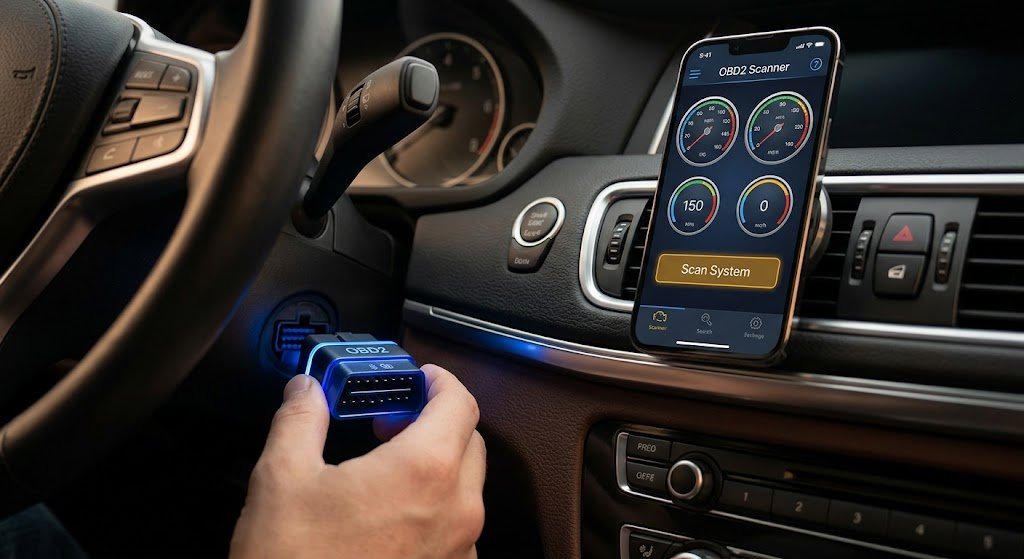
Typically, a user needs to use an OBD2 adapter with an OBD2 scanner app, which connects to the vehicle’s OBD2 port, is synced with a smartphone, and then the user can scan the code. The app can then show stored diagnostic trouble codes and, depending on the vehicle and application, other information like live sensor data. A code, however, doesn’t always refer to a particular part that is broken. It typically refers to a process or system that needs to be explored further.
What Is an OBD2 Scanner App?
An OBD2 scanner app is the software for a smartphone that connects to a vehicle via an OBD2 adapter. On-Board Diagnostics II (OBD2) is a system that can be used to detect issues in a vehicle and keep a record of the data through diagnostic trouble codes. These codes can be found in an app, which can be used to bring basic vehicle diagnostics closer to the driver’s fingertips, using a smartphone.
Features available are subject to the app, adapter, and vehicle. Some applications may read and clear codes, display real-time engine data, record information, and give a description of diagnostic trouble codes. But in all cases, an OBD2 app is not a substitute for a professional diagnostic device. There are other systems that are specific to the manufacturer and require more advanced tools.
How to Connect an OBD2 Scanner App
The first step is to find the OBD2 port of the car. It is usually located under the dash on the driver’s side, but can be found in various places. Insert the appropriate adapter into the adapter port and set the ignition to the appropriate position for the adapter or application. Some may need the ignition to be on but the engine not running, and some may need the engine to be running for certain functions.
Next, open the OBD2 app and use the connection method supported by the device to connect the app to the adapter via Bluetooth, Wi-Fi, or whatever is available. The application can ask for details regarding the vehicle before starting the scan. If the application doesn’t connect, make sure the adapter is connected and that the ignition is switched on, that there is a wireless connection, and that the application permissions are granted before repeating the attempt.
How to Read and Interpret Diagnostic Trouble Codes
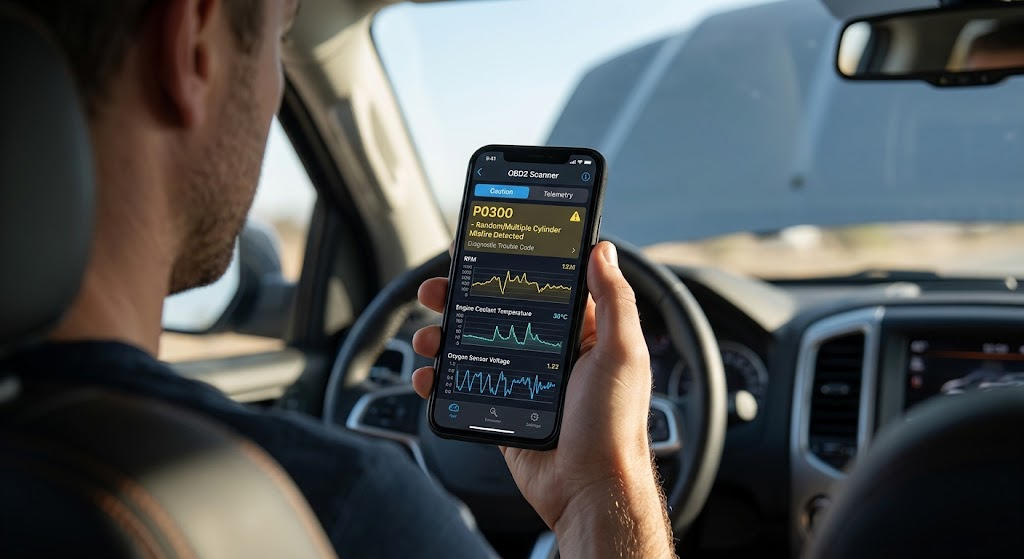
As soon as the scan is started, the application connects to the vehicle’s computer and scans for stored diagnostic trouble codes. This type of code typically includes alphabets and numbers. Generally, a code that starts with a “P” is related to the powertrain. Other codes may refer to other vehicle systems. Write the full code exactly as it appears—don’t add, subtract, or change anything, as small alterations could mean different things.
Once you know what the diagnostic trouble codes are, you can go to the website and find out what they mean. While the description may guide the direction of investigation to pinpoint the affected system, it is not necessarily to be understood as a directive to change out a specific component. A sensor-related code might be triggered by the sensor, wiring, connectors, or some other issue. When examining the code along with the vehicle’s symptoms, that gives a better starting point for diagnosis.
Explaining the Meaning of the Code
Diagnostic trouble codes inform you of a condition that the vehicle’s computer has detected. It can mean that a reading of a sensor is beyond its normal range, the monitored component is not operating as expected, or a specific system has a problem. Hence, the code should be considered a diagnosis, not the actual diagnosis.
Other symptoms and the time of warning should be taken into account by the driver. If the engine is rough running, has poor acceleration, acts abnormally, or loses power, this may be useful in giving more information. Multiple codes can occur simultaneously and together may be associated with a common issue. It will be easier to troubleshoot if all codes are recorded prior to clearing.
Use the Freeze-Frame and Live Data Options
Some OBD2 apps will include a “freeze frame” section that displays the information from the vehicle at the moment a fault was detected. This data can consist of engine speed, vehicle speed, engine temperature, and more, depending on the vehicle and application. This can give helpful information for the possible time and circumstance in which the fault took place.
Most drivers or technicians can also view live data to see some sensor readings during the running of the engine. The app will show oxygen sensors, engine coolant temperature sensors, throttle position, engine speed, and other systems data depending on the setup. Live data can be challenging to analyze, however, without the normal data for a particular vehicle.
When to Clear a Check Engine Light Code?
After the issue is investigated or resolved, it is best to clear a diagnostic trouble code. Passing the code does not repair the vehicle. It merely clears some of the diagnostic data from the system and lets the vehicle resume monitoring the systems involved. The warning light might come back on again after the vehicle has conducted its own diagnostics if the original problem persists.
Clearing a code may make sense when any of the following occurs: after a confirmed repair, or after fixing a condition that is known to have caused the code. But keeping eradicating the same code over and over without fixing the root cause isn’t a correct repair approach. It can also strip away valuable data that might assist a technician to diagnose an intermittent problem.
How to Clear Codes With an OBD2 App
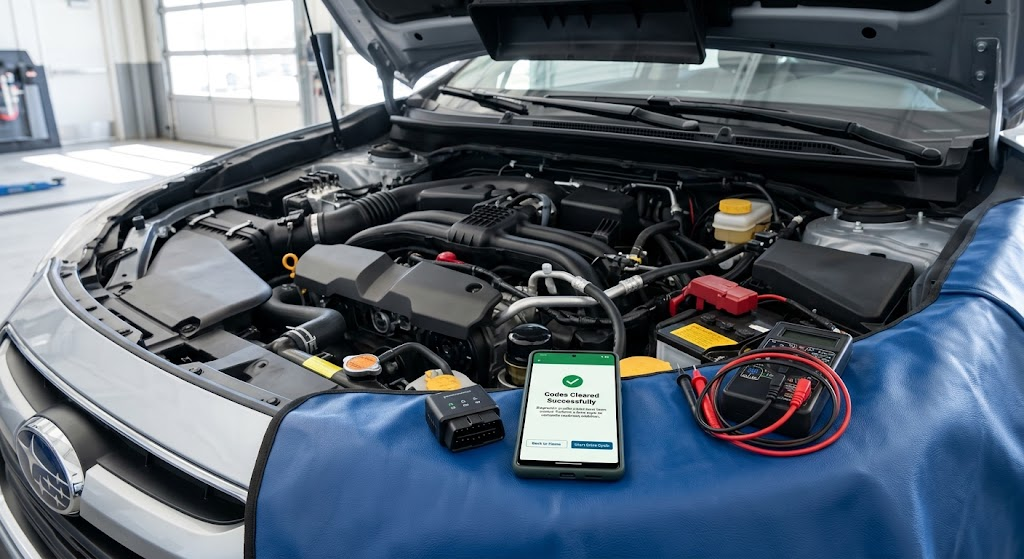
If the issue has been resolved, and the app supports code clearing, open the diagnostic trouble code section and check the codes. Do not delete them without recording or saving the codes, as they might be needed in the future. Click the “Clear Codes,” “Erase Codes,” or other similar setting in the application and agree to the confirmation that the app displays.
Some vehicle readiness monitors can remain incomplete after clearing codes. It takes appropriate driving conditions to allow these systems to run self-tests. If the fault is still present, the light may come back on when the monitoring system runs once more. Thus, a vehicle that turns off after a reset does not indicate that the vehicle has been fixed.
When the Code Should Not Be Removed
When the symptoms correspond to serious issues in the vehicle or the car is not safe to drive, do not just clear out the code. Turning off the Check Engine light is not enough if there is a major power loss, serious engine issues, overheating, or anything else that is important. Documenting the diagnostic information prior to further action can aid in proper diagnosis.
Additional diagnosis by a professional may also be required if the same code keeps repeating, multiple codes are found when troubleshooting, and basic troubleshooting fails to determine the cause. The manufacturer-specific diagnostic equipment, service information, wiring diagrams, and other test equipment used by a technician may offer more information than a basic OBD2 app.
Common Mistakes to Avoid
The most common error is using a diagnosis code to assume which part requires replacement. Codes typically specify a condition that has been detected but do not necessarily indicate a specific failure. Before replacing parts, drivers must look at the code with the symptoms, maintenance records, and other diagnostic data.
Another error is to delete a code without taking a note of it first. This can delete information that might be needed at a later date. It is important to note that the OBD2 adapter and app must be compatible with the vehicle for the driver to use them. The level of diagnostic support may vary from one vehicle and application to another and should be verified before depending on the result.
Conclusion
An OBD2 scanner app can help drivers better understand a check engine light and provide valuable diagnostic data. When the car is hooked up to an appropriate adapter, scanned, the codes are stored, and the code meanings are checked, drivers can get a clearer picture of which system needs maintenance. If the app and vehicle support live data and freeze frames, this can offer more clues.
But it’s never a good idea to use a code as a substitute for fixing the issue. When the code is returned, multiple codes are displayed, or if the vehicle presents with severe symptoms, more diagnosis might be required. When used properly, an OBD2 scanner app is a handy first step that can inform drivers of what’s happening with their car and help them make informed decisions on troubleshooting and professional repairs.