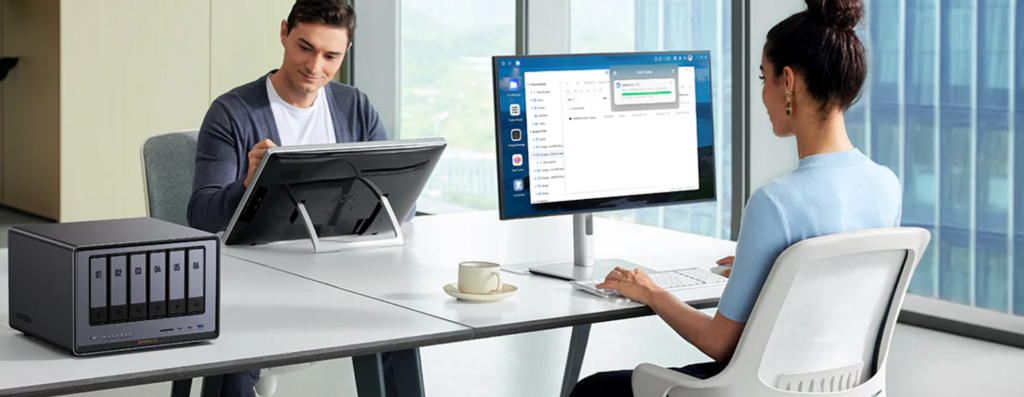
Being able to access your files when you are away from home is one of the main reasons people choose a NAS. Whether you need documents while travelling, want to view photos from your phone, or manage backups remotely, remote access can turn a NAS into a personal cloud.
For beginners, remote access does not need to be complicated or risky. Modern home NAS platforms such as UGREEN NASync are designed to make remote access simple and secure without requiring advanced networking knowledge.
This guide explains what remote NAS access is, how it works, and how home users in the UK can use it safely and effectively.
What Does Remote NAS Access Mean?
Remote NAS access means connecting to your NAS when you are not on your home network. Instead of being limited to local Wi-Fi, you can reach your files over the internet from another location.
With remote access enabled, your NAS behaves like a private online storage space. You can browse files, download documents, upload photos, and manage settings from outside your home.
Remote access is most useful when it is both convenient and properly secured. UGREEN NASync includes remote access features designed to prioritise ease of use for beginners.
Why Home Users Want Remote NAS Access
There are several common reasons why people want to access their NAS remotely.
Remote workers may need important documents while away from home. Families may want to view photos or videos stored on the NAS when visiting relatives. Some users simply want peace of mind, knowing they can check or manage their NAS from anywhere.
Remote access can also support everyday workflows by allowing syncing and certain types of monitoring even when you are not at home.
Is Remote NAS Access Safe?
Security is often the biggest concern when discussing remote access. Allowing access to a device over the internet can introduce risks if configured carelessly.
The good news is that modern NAS platforms include built-in security features designed for home users. These features reduce the need for manual network configuration and help protect your data with safer defaults.
For beginners, the safest approach is usually to use the NAS platform’s recommended remote access method rather than experimenting with unnecessary network changes.
Common Ways to Access a NAS Remotely
Using Built-In Remote Access Services
Many NAS systems include built-in remote access services that work through secure connections managed by the manufacturer. These services can allow remote access without requiring manual router configuration.
This is often the simplest and safest option for beginners. You sign in with an account, and the NAS handles the connection securely in the background.
UGREEN NASync offers a streamlined remote access experience designed to work across devices without complex setup.
Accessing a NAS Through Mobile Apps
Mobile apps are one of the most popular ways to access a NAS remotely. They allow you to browse files, upload photos, and manage storage directly from your phone.
For iOS and Android users, mobile apps make remote access feel similar to using a cloud storage app, but with your data stored at home.
For large files or multi-user access, performance matters. Higher-performance systems such as the UGREEN NASync DXP6800 Pro are well suited for mobile access, especially when handling larger libraries or multiple users.
Web Browser Access
Some users prefer accessing their NAS through a web browser. This can allow access from almost any device without installing additional software.
Web access is useful when travelling or when you need to use a shared computer, as long as secure login practices are followed and you log out after use.
What You Need Before Enabling Remote Access
Before enabling remote access, make sure your NAS is properly set up on your home network. It should be connected to your router and updated with the latest software.
You should also create strong login credentials and ensure each user has their own account. This helps prevent unauthorised access and makes activity easier to manage.
Home internet upload speed can affect remote performance. In many UK households, upload speeds are lower than download speeds, which may slow large transfers when you are away from home.
Step-by-Step Overview of Enabling Remote Access
Exact steps vary by model, but the general process for enabling remote NAS access is similar across platforms.
Step 1: Sign in to your NAS management interface. Look for remote access or external access settings.
Step 2: Enable the recommended remote access service. Follow the on-screen setup instructions and avoid making router changes unless the platform specifically requires them.
Step 3: Test remote access from outside your home network. For example, use mobile data rather than home Wi-Fi to confirm you can log in and access files.
UGREEN NASync is designed to guide users through this process with clear prompts, reducing the chance of misconfiguration.
Best Practices for Secure Remote NAS Access
Security should always be a priority when accessing a NAS remotely. A few basic habits make a major difference.
Use strong, unique passwords for all NAS accounts. Enable two-factor authentication if available. Keep your NAS firmware and apps up to date to protect against vulnerabilities.
Follow the principle of minimal exposure. If you do not need certain features remotely, leave them disabled.
Home-focused devices like the UGREEN NASync DXP6800 Pro are built to balance performance with security, making them suitable for regular remote use when configured properly.
Managing Files Remotely
Once remote access is enabled, file management becomes straightforward. You can upload documents, download files, and organise folders similarly to how you would at home.
Remote access is especially useful for retrieving forgotten files or sharing documents temporarily while you are away.
Remote file management can also help you monitor storage usage and check backup status so you know your NAS is working as expected.
Common Problems and How to Avoid Them
Some users experience slow speeds when accessing files remotely. This is often caused by limited upload bandwidth at home, so large file transfers may take longer than expected.
Connection issues can also occur if your home internet connection is unstable. Restarting the router or NAS can resolve temporary issues, and keeping software updated helps prevent avoidable errors.
Avoid using public Wi-Fi without proper security. If you must access your NAS on public Wi-Fi, ensure the connection is encrypted and always log out after use.
Is Remote NAS Access Right for You?
Remote access is useful for many home users, but it is not essential for everyone. If you only use your NAS at home and never need files while away, remote access may not be necessary.
For users who travel, work remotely, or want flexible access to personal data, remote NAS access adds significant value.
Platforms such as UGREEN NASync provide beginner-friendly tools that make remote access practical without advanced networking knowledge. Devices like the UGREEN NASync DXP6800 Pro offer additional performance for users who expect regular remote use.
Final Thoughts
Accessing your NAS remotely transforms it from a local storage device into a personal cloud. With the right setup and security practices, remote access can be both convenient and safe.
For UK home users, modern NAS platforms make it possible to enjoy the benefits of remote access without technical complexity. Understanding how it works and using it responsibly is the key to getting the most from your NAS.


The therapist checked in on pressure frequently. Felt very cared for. An attentive and gentle ending.