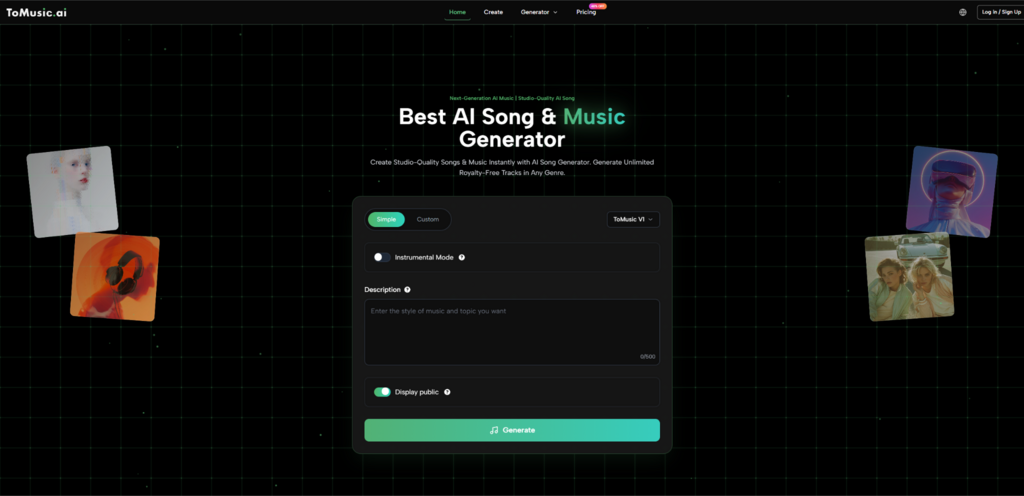
The first time I used AI Music Generator, I stopped treating it like a vending machine for finished songs and started using it like a drafting room: a place where rough ideas become audible drafts fast enough that you can actually make decisions. That shift matters, because the biggest creative bottleneck is rarely inspiration. It is translation, turning a feeling, a hook, or a lyric into something you can replay, critique, and refine.
The Real Problem ToMusic.ai Solves: The Gap Between Words and Sound
Most creators are not blocked by a lack of taste. They are blocked by the time and tooling needed to hear their ideas:
- A lyric can feel powerful on a page, but fall flat once phrased melodically
- A mood can be clear in your head, but hard to arrange into a verse-chorus arc
- A chorus idea can be exciting, yet you need many small production decisions before it becomes real
This is where tools like ToMusic.ai become useful. Instead of asking you to master software first, it lets you test musical intent directly through sound.
From Intent to Audio: Why Text-Based Creation Changes the Workflow
Traditional music tools often demand precision before you know what you want. With Text to Music, the order is reversed. You begin with meaning, emotion, or imagery, and only later decide what deserves refinement. In my own experiments, this approach made it easier to judge ideas quickly. A concept that sounded flat was abandoned early, while one strong generation often revealed a direction worth pursuing.
Three Roles ToMusic.ai Can Play (And When Each One Works Best)
Rather than thinking of ToMusic.ai as a single-purpose generator, it helps to view it as a flexible assistant that changes roles depending on your creative stage.
Role 1: The Sketchpad
When ideas are still fragile, speed matters more than accuracy. In this mode, the goal is to hear multiple interpretations of the same idea and identify which one has emotional weight.
What worked best for me was keeping prompts simple:
- A genre reference
- An energy level
- One descriptive image or situation
The platform’s multiple model versions make this practical, since you can generate quickly while exploring, then switch to a higher-quality model once the direction feels right.
Role 2: The Co-Writer
Lyrics often look complete before they are musically ready. When using ToMusic.ai as a co-writer, the value is not perfect phrasing, but exposure. Hearing lyrics sung immediately reveals where syllables feel crowded or where a chorus lacks lift.
In practice, I found myself rewriting less for meaning and more for flow:
- Shortening lines that felt rushed
- Simplifying verses to give the chorus room
- Adjusting word choice to fit natural stress
This stage turns written ideas into something that can actually be performed.
Role 3: The Structural Assistant
Many AI music tools excel at short clips but struggle with longer form. ToMusic.ai emphasizes support for extended compositions, which makes it more suitable for full songs or evolving pieces rather than endless loops.
Longer outputs are not always perfect, but they provide a usable framework. You can hear where tension builds, where it drops, and whether the structure holds your attention over time.
A Repeatable Workflow That Feels Practical
After several sessions, a pattern emerged that consistently produced better results:
- Generate several variations quickly
- Identify one element that works (melody, groove, vocal tone)
- Regenerate with only one targeted adjustment
- Expand length or detail only after the core idea feels solid
This keeps the process focused and prevents over-prompting.
How ToMusic.ai Compares in Real Use
Rather than positioning it as a replacement for everything else, it is more accurate to see where it fits.
| Comparison Item | Text to Song AI | Short-Clip Generators | Traditional DAW |
| Starting point | Text or lyrics | Presets | Blank timeline |
| Early-stage speed | High | Very high | Low |
| Structural depth | Medium to high | Low | Very high |
| Learning curve | Low to moderate | Low | High |
| Best use case | Drafting and exploration | Background clips | Final production |
This framing makes expectations clearer and avoids disappointment.
Limitations Worth Acknowledging
ToMusic.ai is not effortless creativity. Results can vary between generations, even with the same input. Lyrics sometimes require rewriting for musicality, and fine-grained control is still limited compared to traditional production tools.
In my experience, these limits make the tool feel more honest rather than less useful. It behaves like a collaborator with strengths and weaknesses, not a flawless machine.
From Drafts to Direction
Once you accept that ToMusic.ai is best used for discovery and drafting, it becomes easier to integrate into a real workflow. You sketch ideas quickly, keep what resonates, and discard what does not. From there, you can continue refining within the platform or move the idea into other tools.
That is where its real value shows up: not in replacing creativity, but in accelerating the moment when creativity becomes audible.