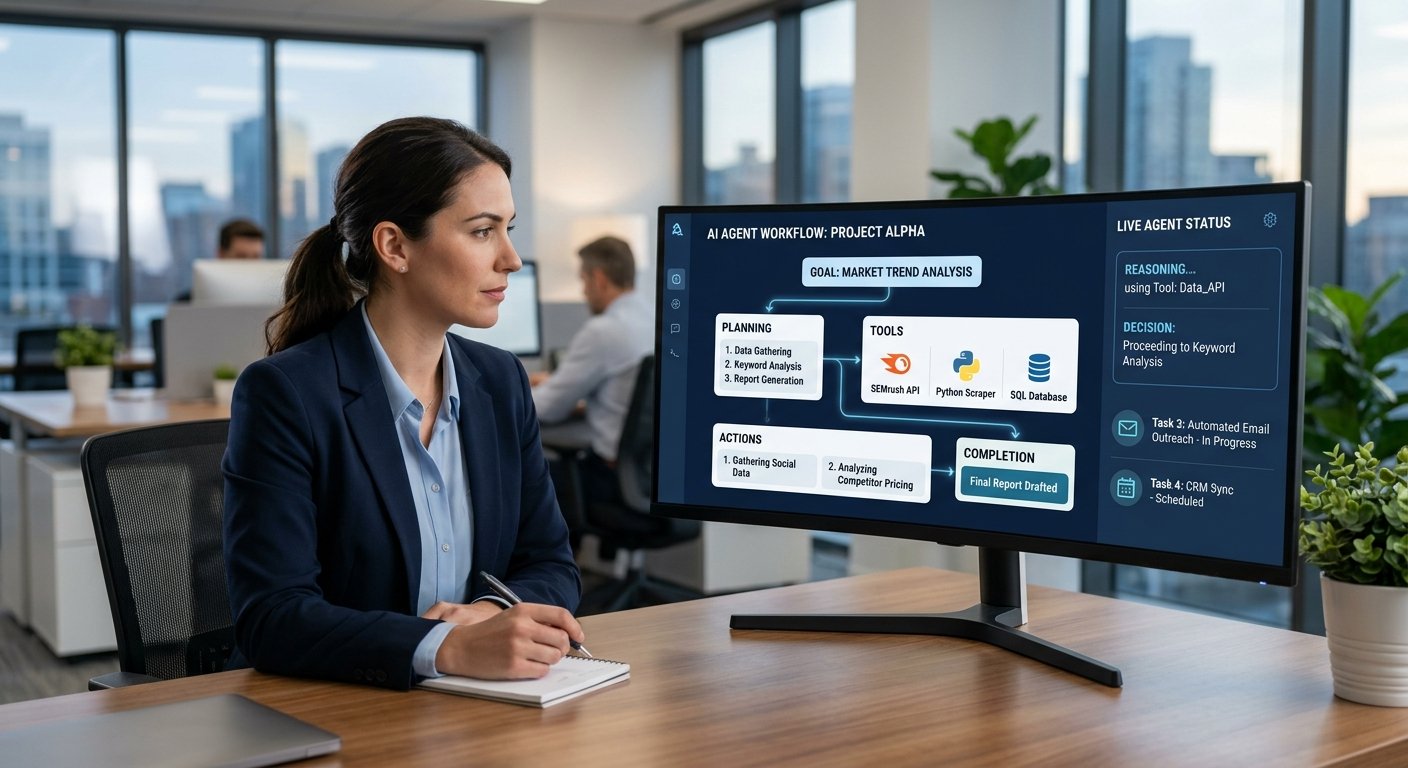
AI for business productivity is becoming a practical way for organizations of every size to improve performance. We see companies use AI in areas like research, content creation, customer support, data analysis, meeting note-taking, scheduling, software development, and admin work. Instead of full-scale replacement of human workers, AI is used for routine tasks, info organization, and drafting out first versions of materials. Also, instead of full replacement, what we are seeing is AI which supports workers in their roles rather than totally taking over. By using AI as an assistant which works with people, we are seeing the largest productivity increases. Also, we are to a great extent still some way off full AI takeover.
Businesses should also be very selective in their choice of AI tools. A system may look very impressive at first but, in fact, add little value if it proves to be inaccurate, doesn’t integrate with present software, or introduces new review elements. It is also to the benefit of organizations that they look at accuracy, privacy, security, cost, ease of use, and how well the tool fits into the present workflow before they implement a solution. We recommend starting with a well-defined task, which in turn makes it easier to see if AI is, in fact, improving results. This also helps companies to see real value from the use of AI while, at the same time, having input into what is an important issue for them.
How AI for Business Productivity Supports Research
Research is a large time investment for employees, which we put into reports, websites, surveys, documents, and customer feedback. AI may speed up the early stages of research by summing up info, organizing notes, bringing out main themes, putting forth research questions, and developing an initial report structure. For instance, a marketing team looking at customer behavior may use AI to put survey comments into groups, and a business development team may use market research to put together information about a market or competitor. By reducing manual sorting and summarization, we give employees back time to look over the info and come up with good conclusions.
AI should be used as a research tool instead of a definitive source. It does present info which, at times, may be misinterpreted or put forth as fact when it is in error. Also, it is up to the employee to check out critical info with other sources before using it in reports, strategic decisions, financial analysis, or public communications. Also, we see that anything which may impact customers, company bottom line, compliance issues, or long-term business plans is best left to human review. AI will speed up the research process but, at the end, the employee is responsible for determining the accuracy and relevance of the info and that it is supported by proof.
Improving Content Creation With AI
Businesses produce a great deal of content in many forms: articles, product descriptions, newsletters, emails, social media posts, presentations, and internal communications. AI is a resource which can get the team creative by offering up topic ideas, helping put together outlines, writing first drafts, editing and refining material — in short, doing a lot of the heavy lifting that goes into content creation. A communications team may present a product profile to an AI system and use what it presents as a base to build out a campaign plan. Also, instead of starting from scratch on each project, the staff can go in with a solid first draft and use their skills to improve the work and better meet the audience’s needs. This also works to decrease pre-production time.
AI also has a role in that it may put forward ideas for companies to repurpose old content for new platforms. We may take an in-depth report and turn it into a brief summary, a presentation outline, or social media posts. Also, it is up to the staff to go over AI-created content before going public because it may have facts that are not true, unclear expression, unsupported claims, or a tone which doesn’t fit the company’s brand. Also, it is the job of human editors to check out the original research, the tone, and the facts. AI can surely make the draft stage more efficient but, at the end, the responsibility for what is put out should be that of the person who knows the company, what they are trying to achieve, and who their audience is.
Making Customer Support More Efficient
Customer support issues which are the same are brought up time and again. We see that AI may be put in play by putting forth response options, weeding through past interactions, classifying what is put forth by the customer, and routing them to the right info. For instance, a support agent may get from the AI a digest of a customer’s past messages instead of having to go through a whole thread. Also, AI is able to identify what issue a support request is related to and to put forward company info which is relevant. These functions may in turn reduce the routine agent tasks and give them more time to deal with tough customer issues.
Businesses don’t have to go fully automated in customer service to see benefits. AI can draft a response which a human agent then goes over before sending, or it may handle easy questions while more serious issues are passed to staff. Human support is still key when customers have atypical issues, are complaining, sharing private info, or asking for exceptions. Also, companies should pay attention to AI responses and fix the repeat errors. The goal is to use AI to improve support speed and consistency without adding to the staff’s burden of also being the error correctors.
Using AI for Data Analysis
Businesses get data from sales, websites, customer care interactions, financial systems, surveys, inventory platforms, and many other sources. AI can play a role in this for employees by identifying trends, grouping data points, bringing to attention what is out of the ordinary, and which also includes report generation. A retail company may use AI to study which of our products is seeing the most change in demand, while, at the same time, a finance team may use it to detect which transactions require a more in-depth look. These features also enable employees to pay attention to what is important instead of mostly spending time in the data-sorting process.
AI analysis quality is a function of the quality of the data we put in. Incomplete, out-of-date, or inconsistent data produces misleading results, and while a pattern may be identified, it doesn’t always explain the cause. Employees should thus look at key results in the full business picture before they act. Human expertise is especially important in pricing, budgeting, hiring, financial planning, or compliance which is affected by the analysis. AI is best at bringing to light what needs attention, but, in the end, people must interpret the results and determine what to do.
Improving Meeting Documentation

Meetings take up time during the discussion and also after. After the fact, employees may have to go over notes, determine what decisions were made, which tasks are assigned, and put together follow-up messages. AI meeting tools are very useful in that they produce transcripts, summaries, action items, and organized notes. A project manager may use an AI-created summary to quickly see what tasks were assigned out; also, team members may review the same summary instead of going over a large discussion. This, in turn, reduces admin work and also makes it easier for teams to track key decisions.
Accuracy and privacy are issues in the use of AI for meetings. Systems may misidentify speakers, drop context, or report out-of-scope action items. It is up to the employee to go over key points before they are made into official records. Also, businesses should be aware of where recordings and transcripts are put away and which parties have access, which is an issue in the case of very private meetings. AI is a great tool for putting together a first draft of what transpired in a meeting but, in the end, it is the participants’ responsibility to see that the final record is accurate.
Streamlining Scheduling and Administrative Tasks
Scheduling is a task which often sees a great deal of repeat interaction. Staff may put in many hours which are better spent on other things, like checking calendars for free time, finding out when is best for a meeting, sending out reminders, and changing around appointments. AI can play a large role by putting forth option times, drafting schedule notes, managing calendars, and spotting issues with logs. In fact, what we see is that for managers, project teams, and customer care departments, there is less back and forth as a result. Also true is that for routine office tasks such as sorting email, pulling info from reports, file organization, and writing standard letters which staff then go through. AI does the bulk of this work before human review.
Businesses have to put in place definite rules about what data AI may access and which tasks it may perform on its own. Some scheduling issues go beyond what software is able to determine from calendar info, and, as well, administrative systems may house very private employees, customers, or financial info. Also, human staff should be able to go around AI recommendations and look over key results. We will start with low-risk admin tasks, which will allow organizations to see what changes in productivity take place before we introduce AI into more sensitive processes.
Supporting Software Development Teams
AI is a support for software teams in planning, coding, testing, debugging, documentation, and code review. In the area of coding assistants, we see that they help developers out with routine code, break down complex foreign code for them, put forth possible solutions to issues, and assist in the early stages of test development. Also, companies use AI to take technical requirements and turn them into task lists or to sum up documentation. In the field of digital products, we see these tools reduce repetitive work and get developers into the architecture and problem-solving which, in turn, is a large part of what they do. Thus, AI may become an element of a larger software development process.
Developers, at this point, still have to go over AI-generated code, which may include bugs, secure code violations, out-of-date practices, and over-complex solutions. Also, they should test the code out, look at the dependencies, and see that it does, in fact, meet the project’s needs. Also, businesses should pay attention to how their AI service provider is handling the issue of secure source code and technical info. AI may speed up the development process but, in the end, developers must still be responsible for software quality, security, maintainability, and the final tech decisions.
Importance of Human Review
AI processes info at a fast rate; however, speed doesn’t equal accuracy. Systems may misinterpret instructions, ignore context, put out wrong info, or present actions which don’t fit a company’s needs. Employees bring in knowledge of business policies, customers, industry requirements, and organizational priorities which may not be present in an AI system. Also, as a result, the role of employees tends to change instead of going away. Rather than perform each repetitive step themselves, they can review what the AI puts out, fix what is amiss, and focus on higher-value decisions.
The degree of AI review should be based on the importance and risk of the task. For a basic internal document which may be present in the business’ system, an AI may be allowed to play a large role with little supervision, but for issues related to finance, sensitive customer info, security, and other high-impact areas, we see the need to have very strong human review. Also, companies should put in place these rules prior to rollout so that employees know what they can expect from the AI output and what they should check for themselves. This also puts into place a clear line of responsibility, which also protects the company from the issue of employees thinking that the AI is making decisions which, in fact, are the responsibility of the company.
Evaluating AI Tools Before Adoption
Businesses should put into play AI tools which solve the problems at hand instead of those which are popular at the moment. Also, first in the queue should be to identify a specific issue within the organization, for example, slow report generation, repeat customer questions, and large admin tasks. Then, once the issue is identified, they can look at the tools’ accuracy, cost, integration, user-friendliness, scalability, security, and what the training requirements are. A pilot project with a small-scale rollout can determine if the tool, in fact, does save time or if, in fact, staff are spending too much time to get the output right, which, in turn, does not live up to the productivity gain which was expected.
Privacy and also security must be a top issue before we put sensitive info into an AI system. Companies must understand common online data security and privacy risks and see what info the tool is collecting from them, how it is used and processed, where it is put away, and which parties have access to it. Also, they should look at what we are able to watch over in the results, correct what is amiss, and audit the process. As for workflow compatibility, a great system may not be very useful if staff have to constantly pass info between different apps or else greatly change what is familiar to them. The best tools are those which fit in naturally with how employees already work.
Conclusion

Artificial intelligence is transforming many aspects of business which include research, content creation, customer support, data analysis, meeting note-taking, scheduling, software development, and administration. We see its primary function is to do repeatable work, to put structure to info, and to produce that which is useful, which, in turn, allows employees to pay attention to what requires judgment and expertise. This is not to say that AI should be applied to every business process but instead used where it is going to have the greatest effect.
Successful AI implementation goes beyond which advanced tool to choose. We see that companies should look at accuracy, privacy, security, cost, and workflow fit as they decide which elements require human input. By defining specific use cases, tracking results, training staff, and maintaining human responsibility in key decisions, we see that companies may use AI as a productivity assistant which augments human work instead of a total replacement.