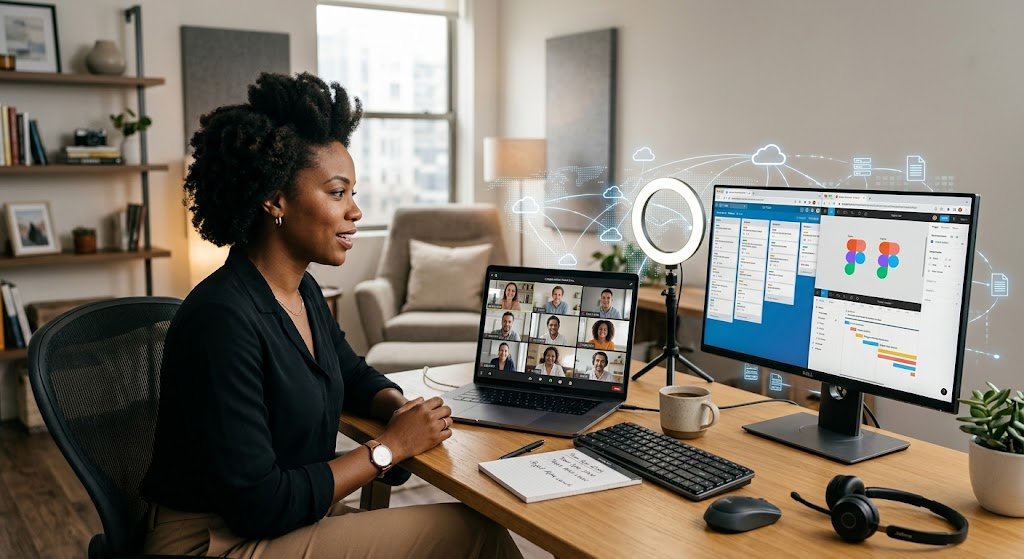
Today’s workplace is a far cry from the traditional office setting which required employees to be in the same physical space to do their work. Businesses are now present in different cities, countries, and at times, continents, with the use of Internet enabled technologies for communication and collaboration. This shift is made possible by networked computing in which computers, applications, data, and users interconnect via digital networks. At the core of this change is net-centric computing which has a very large role in the fact that computing activities are very much a function of network connection and shared digital resources.
Via reliable networks employees can communicate, access company systems, share files, take part in meetings, run projects and in general perform their roles without the need to be in the same physical location. This has in particular become very important as remote and hybrid work models which we see today have changed how modern organizations go about their business, how they communicate with their employees, serving their customers and managing distributed teams.

What Is Net-Centric Computing?
Net based computing is a term for which the network is the center of access to applications, info, services and computing resources. We see that instead of that which was done in the past of using software and data which resided totally in a single machine we now have a model which sees users connecting to resources which are hosted on servers, cloud platforms, company networks and other connected systems. Also in this model we do away with the idea of a single computer’s storage and instead have a which info and apps are available from any location. For organizations we have a setting which breaks down geographical barriers for communication and collaboration. It is a model which puts in motion info between people, devices, apps, and services thus making computing a more flexible and interrelated experience. In remote work settings this is very valuable as we see the need for staff to have reliable access to work info and resources when they are not in the main office, out traveling or at a branch of the org.
For a greater look at the issue, net-centric computing is a model in which networks play a key role in the delivery and use of computing resources and services. This is a theme which today’s remote work technologies play into. A remote worker may use a laptop to access a cloud based application, communicate with colleagues via video conference, pull up documents from an online storage all while updating project management systems and at the same time secure access to company resources. What may appear to be separate tools are in fact elements which are tied together by network connectivity which in turn provides the platform for these services. Also what makes remote work effective is not just in the stand alone apps but in the networks which tie users into the digital resources they require. Net centered computing is the base which makes this integrated work environment possible.
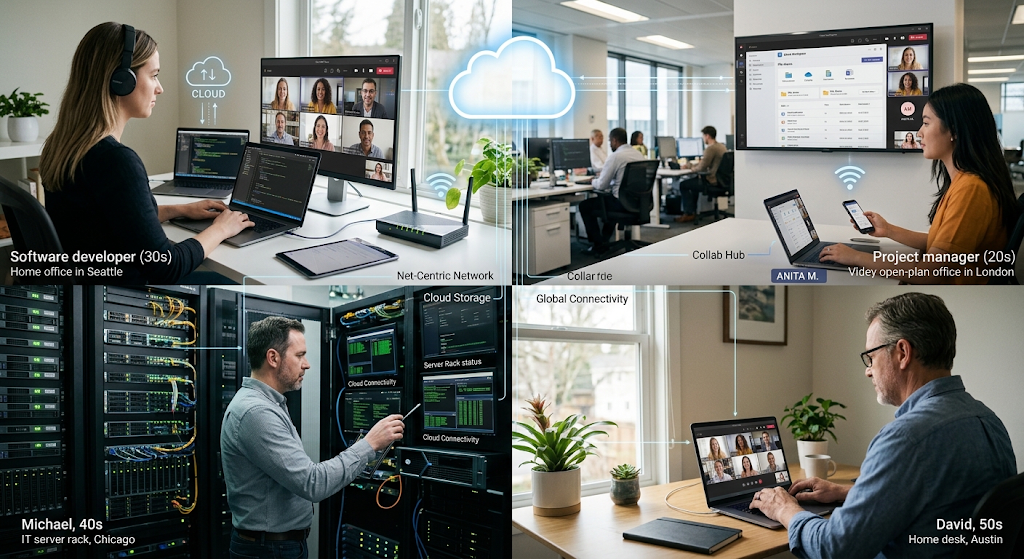
How Networking Enables Remote Work
Remote work is based on employees’ interaction with company systems in which they are not in the same physical space as the organization’s office. Networked systems allow us to connect PCs, mobile devices, servers, cloud resources, comms tools, and business applications. When a staff member logs into a company app from home for instance, info goes back and forth between the employee’s device and remote systems using the network. Also when an employee sends a file to a team member, takes part in a virtual meeting, updates a customer data or looks at a project plan the same principle applies. In fact without dependable network infrastructure these actions would not only be slow and unreliable but may also fail. That is why companies must have networks which offer the required speed, stability, availability, and security. Also what we get out of the network experience can very much play a role in productivity as interruptions which can happen in poor network performance will stop employees from getting to key info or to proper collaboration with their teams.
Another benefit of networked computing is that it does away with the issue of physical location. In a typical office setting employees had to be in the same physical space to share information quickly and to participate in meetings. But what network based systems do is remove that issue for the most part by means of better communication and resource sharing between different locations. A designer in one city can work with a developer in another city and at the same time a manager in a third country is looking at the same project information. Also we see employees working in different time zones but still able to use shared applications that save documents, messages, tasks, and project updates. This in turn creates a more flexible work environment in which as much as possible of that collaboration can take place without all parties having to be in the same physical place at the same time. As companies are becoming more of a global player, this ability to keep up productive relationships between different locations has come to play a very large role in the modern business environment.
Video Conferencing and Real-Time Communication
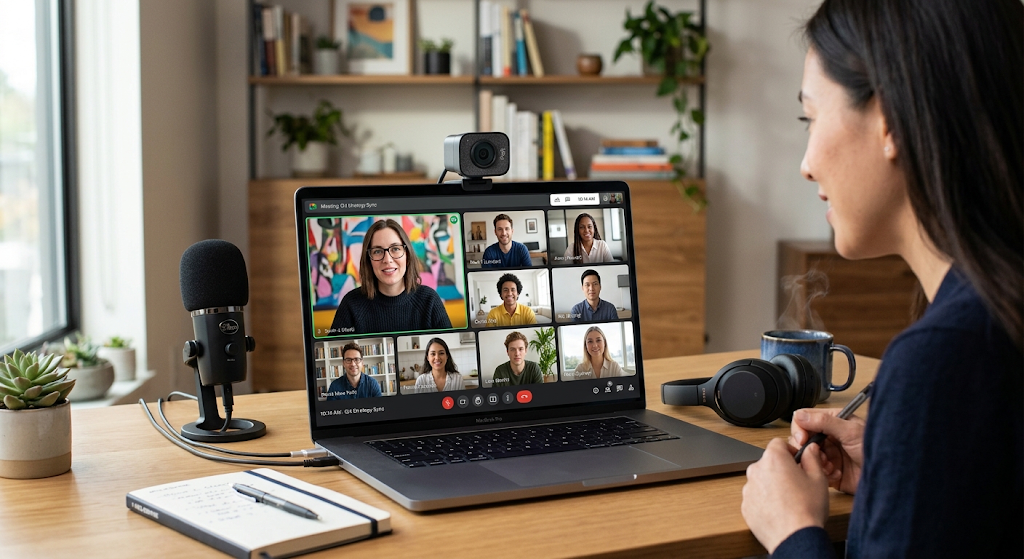
Video conference is a very public example of net centric computing for remote collaboration. Services like online video meeting platforms have developed which allow staff to use live audio and video over the Internet to communicate. Members can enter meetings from their laptops, tablets, or smartphones and connect with co-workers that may be a few hundred or a few thousand kilometers away. Today’s modern video conferencing systems also include screen share, text chat, virtual meeting rooms, presentation tools, and recording into the mix. These features allow teams to do what in the past required physical meetings. Employees can go over projects, put forth ideas, train staff, interview candidates, and talk to clients without the need to all be in the same place at the same time. In this way the network has become the platform for real time work based communication.
However in reality what it takes to run a great video conference is much more than just a camera and mic. What you get out of a virtual meeting is a function of network bandwidth, latency, connection stability, device performance and the quality of the conferencing platform you are using. We see poor connection as a cause of delay, interruption, frozen video, or muffled audio which in turn makes for poor communication. As a result companies that run many remote meetings must pay attention to the reliability of their internet and the scale of their communication infrastructure. Also it may be that employees have the right gear which may include headsets, web cams and microphones based on what is needed for their role. When these tech要求 here are met video conferencing may in fact help remote teams to maintain the frequency and quality of their communication as well as that all important feeling of team which may suffer when employees don’t get to see each other in person.
Cloud Applications for Distributed Teams
Cloud based applications are a large piece of what we see in network centered remote work. As opposed to having each business application installed on every employee’s computer and all info stored there, companies can use apps which are hosted on remote infrastructure and accessed via the network. We see in email which is cloud based, document editors, accounting systems, customer relationship management platforms, storage services, and communication apps that employees use which enable them to work from any location while still being part of the same systems. An employee may log into a choice of cloud applications from a work computer, home laptop, or any other approved device and access what they need for the job. This flexibility is very useful for companies which have a team that is spread out geographically because employees don’t have to be attached to a certain office computer in order to do routine work.
Cloud based applications also see an increase in collaboration which is made easy by the fact that many authorized users may work with the same info at the same time. For instance a team which is putting together a business proposal may put the doc in a cloud based work space and share it with chosen employees to look over or edit. Also changes may be synchronized which in turn team members may work on the current version instead of going back and forth with email. Also cloud systems may include features like access controls, action logs, automatic back ups, and version history. These features in turn help companies do a better job of managing shared info. At the same time however cloud apps must be set up properly for info stored on the web may present security and privacy issues if account, permission, or authentication systems are not well managed. Thus it is up to organizations to balance cloud ease of use with proper security measures and responsible access management.
File Sharing and Collaborative Documents
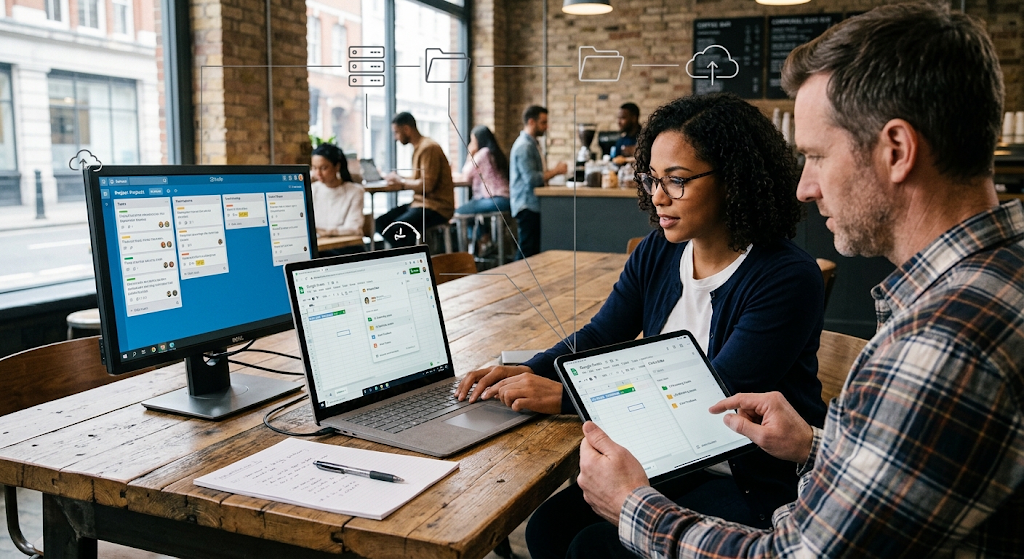
File exchange is a requirement when staff members are to trade reports, presentations, spreadsheets, images, software tools and other business related documents. With networked computing we see companies go beyond use of physical storage devices and email attachments which instead we see as platforms for shared online storage which authorized staff can use to upload and download files. Also this approach may put forward a solution which simplifies collaboration as staff can access documents from any location without having to wait for a colleague to send over a physical copy. Also file sharing systems may include features that determine which person can see, edit, download or share certain files. These controls are in place because not all employees should have access to all of the company’s documents.
Collaborative document suites take file sharing to the next level which is that many people may work on the same resource at the same time. Instead of creating separate doc versions which are then merged later, staff can often work on a shared doc and as changes are made they are put out to the network in real time. Version logs are also a feature that teams may use to see what changes were made and to revert to an earlier version if required. Also for remote teams this is very useful as it breaks down the delay issues related to file exchange. At the same time though it is up to the company to put in place clear rules around file naming, folder structure, permission control and protection of sensitive info. If we don’t have these in place then instead of improving productivity what we may see is confusion, duplicate docs, unauthorized access, or accidental data loss.
Virtual Desktops and Remote Computing
Virtual work spaces present another solution for companies which are to support their staff that work beyond the typical office. In a virtual desktop setting a user’s desktop which includes apps and access to company resources is run from remote servers instead of off the personal machine of the employee. Via the network this employee is able to connect to this remote IT environment from any approved device. Also it allows companies to have more control over apps, set up, and data because key IT resources may be kept in a central managed environment. Instead of installing every business application and putting sensitive files directly on an employee’s personal computer, the company can give access via a managed virtual setting.
Virtual in the cloud is a choice for companies that have special applications or which require a set standard of computing environment from their staff. For instance a business may set up a virtual desktop with what that specific team needs in terms of software and settings and only put it to use by which are authorized. Also we see that large scale management is made easy for IT teams which in turn makes it simple to roll out updates, maintain set ups, and handle user access. At the same time what we also see is that virtual desktop systems are very much at the mercy of network performance. If a person’s connection is not stable they will have issues with performance and response when using a remote desktop. Thus it is very important that organizations do their due diligence in terms of tech requirements and security issues before they bring in virtual desktop infrastructure as a part of their remote work structure.
Project-Management Systems and Team Coordination
Remote teams require more than just communication tools to be productive. Also they require systems which help employees with responsibility tracking, deadline management, task assignment, and see the present standing of projects. We see in networked project management platforms a team setting where members may create tasks, set responsibilities, put out deadlines, add files, post updates, and track progress. Also because the info is available on the network employees don’t have to be in the same office to look at project info. Managers use these systems to see progress, identify issues, and co-ordinate resources, while employees use these for what they have to do and when their work is expected to be completed.
Project management tools also play a role in reducing dependency on informal communication. In a typical office setting, it is easy for info to be passed along to colleagues via a quick chat at their desk or brought up in the middle of a team meeting. With remote teams this sort of impromptu info exchange is not always an option which is why we see greater value in central digital systems. When you put task assignments, deadline details, document info, and progress reports in one easy to access place employees have a go to resource they can turn to instead of pestering their colleagues for the same info over and over. Also this creates a more transparent and accountable work environment. At the same time though we see organizations do well to not add in unneeded layers of complexity to project management systems. If you force employees to update too many different platforms or to do extensive admin work within the system it can turn from a productivity asset into a liability. Which is why for successful implementation we see the value in having clear processes and appropriate use.
Secure Remote Access to Organizational Resources
Remote access presents great security challenges as employees use company systems from networks and out of locations which are beyond the company’s control. Secure remote access technologies are what organizations use to control how employees access internal resources. What we see is that these technologies may include virtual private networks, secure authentication systems, access control mechanisms, encrypted connections, and identity management platforms. We aim to see that only authorized users and devices which have clearance reach into protected resources. Security takes on great importance when employees are handling out confidence business info, customer records, financial info, intellectual property, or any other sensitive data while they are working from home.
Strong authentication is a key element of secure remote access as passwords by themselves may not protect against account compromise. We see the value in organizations which implement extra verification methods to prove a user’s identity before granting them access to important systems. Also access should be in accordance with the principle of least privilege which means that employees should be given only the access rights they require for their roles. Also we see that regular software updates, security monitoring, employee training, and proper device protection play a large role in lowering risk. Thus remote security is not just a tech issue left to the IT team but instead it is a collaborative effort. Employees too have a role; they are to use only the approved systems, secure their account info, stay off suspicious links, make sure their systems are up to date and follow the security policies put forth by the organization when using company resources while at home.

Advantages of Net-Centric Computing in Today’s Workplaces
Net centric computing’s benefits go beyond the ability to have employees work from home. We see that companies which invest in networked systems may also be expanding what is considered an acceptable area from which to hire staff as not all will have to live near main office locations. Also businesses may put in place more flexible work arrangements that see employees split time between home and office. This in turn may improve continuity in the business as some employees may be able to maintain production when they are unable to get to a physical office due to travel issues, bad weather, office maintenance, or other disruptions. Also what we are seeing is that with networked collaboration organizations are better able to connect specialists that may be in different locations and form teams based on skill sets rather than geographic proximity.
Another key benefit we see in terms of access to shared info. As applications, documents, project data, and communication systems go online via networks employees are able to access info faster and to coordinate their efforts better. Also organizations may see some reduction in the cost of physical infrastructure, business travel, and office space thanks to remote work which still requires investment in networks, security, devices, software and employee support. In terms of net centered computing it may play a role in improving operational performance when it is supported by appropriate policies and infrastructure. Also it is a fallacy that tech alone will create productive remote teams — companies must also put in place proper management, communication strategies, cyber security measures, employee training, and set out clear expectations.
Challenges of Networked Remote Collaboration
Despite what net-centric computing brings to the table it introduces issues which organizations must address. Network reliability is a primary issue we see as remote workers may depend on variable speed and stability of the internet. A poor connection may drop a meeting which is in progress, prevent access to cloud apps, or make remote desktop systems hard to use. Also of great concern is that of cybersecurity which is amplified by remote access which in turn increases the number of points and devices which may attach to our systems. Also what we must see is data privacy, unauthorized access, phishing, weak password use, compromised devices and inappropriate sharing of sensitive info. These risks require technical solutions as well as an educated work force.
Remote work also presents issues of communication and management. We see that employees who do not regularly meet in person may develop misinterpretations which in turn result from heavy dependence on text based communications or brief online meetings. Also teams may have trouble if responsibilities are not made clear or it is an organizational use of too many separate apps. Managers must put in place good communication structures and also make it a point to make available to employees the info they need. Also organizations should look at what remote work technologies to implement which are accessible and inclusive for employees with diverse technical skills and needs. To address these issues we advocate for a balance which sees technology as a support to people and business processes and not a replacement for thoughtful management.
The Future of Remote Work and Net-Centric Computing
Networking’s role in the workplace is to become even more integrated as companies adopt cloud services, automation, artificial intelligence, advanced collaboration tools, and distributed computing solutions. We will see a trend toward which physical offices are blended with digital work spaces that allow employees to work from different locations without issues of access to key apps and info. Also we may see collaboration tools take on a more intelligent role in which they help teams in organizing info, sum up discussions, do routine tasks automatically, and bring to attention important project updates. At the same time we may also note improvements in network infrastructure which in turn makes remote applications more responsive and reliable which in turn supports more complex forms of digital collaboration.
At present organizations will see to it that they pay close attention to security, privacy, reliability, and responsible technology use. As more work based activities shift to networks we see that disruptions will in turn have greater impact. Thus companies require robust infrastructure, backup systems, appropriate cyber security measures, and clear failure response plans. Also employees will have to develop digital skills which enable them to use collaboration tools in a responsible way and to identify security issues. The future of remote work will not revolve around a single application or device. Instead we will see growth in inter connected systems which are secure and efficient in performance and which enable people, data, applications and computing resources to function together across various locations.
Conclusion
Net centered computing has become to great extent a base for remote work and virtual collaboration which it does by connecting employees with the people, info, apps, and computing resources they require to do their job. We see in video conferencing a way for teams to communicate in real time and in cloud apps a way to access shared business services from any location. File sharing platforms have improved to make it easier to exchange and合作 on documents, virtual desktops have brought forward managed remote computing environments and project management systems have improved distribution teams’ ability to organize responsibility and deadlines. Secure remote access technologies have also seen growth in which they put in place controls of how employees access company resources. As a whole these technologies we see how networked computing has transformed the traditional workplace concept and has made geographical distance a less of an issue.
Net centered computing will see increased relevance as companies adopt more flexible work structures and grow to depend on digital services. But which remote collaboration is successful goes beyond just buying in communication or cloud software. Companies must put in place reliable networks, set out clear procedures, secure private info, train staff, and choose technologies that fit their requirements. When done well, those elements can help companies do better at keeping the lines of communication open, which in turn will also better the collaboration, increase flexibility and support employees in different locations. Also what we see with net centered computing is that it is more than a tech idea, it is a practical base for how present day organizations get people and resources together in a very dispersed digital environment.


