
Cloud computing has transformed the technology landscape of people and organizations. Users are not required to purchase powerful computers to install applications on each of their devices or store all files on local equipment, but can access computing resources online when they require them. Cloud computing is the technology that is taking place “behind the scenes” when someone is saving a document online, streaming a video, using a web-based business software or uploading photos to an online account.
While it might seem straightforward, numerous intricate elements such as physical servers, data centres, storage solutions, networking gear, virtualization technologies, and particular software ensure the feasibility of these services. The understanding of what goes on behind the scenes gives a clearer awareness of the technology behind cloud computing and why cloud services can be accessed virtually anywhere with an Internet connection.
What is Cloud Computing?
Cloud computing is as simple as shifting computing resources from the user’s local device to powerful systems managed in remote facilities. They are frequently referred to as data centers, and have many servers, storage systems, networking, redundant systems, power systems and cooling systems. In most cases, when a user accesses a cloud application, the user’s computer or smartphone will not have to do all the computing functions necessary to provide the service. Rather, it sends information to other systems, typically via the Internet. The remote infrastructure receives requests, fetches or stores information, launches applications and returns the necessary information to the user’s device. In this way, a relatively standard laptop or mobile phone can be connected to services which could require vast computing power that are located many kilometers away.
One way of understanding the idea is by means of a simple example. Suppose you open a document application that exists in the cloud and start a new document. You transmit data via the Internet to the provider’s systems. The systems detect your account, find the right application and data, execute your request and keep track of the modifications you have made to your document. The application can be built to continuously send information to remote servers, allowing work to be synced and saved. If someone else opens the same document later via a different device, the device will contact the cloud service and get the most recent information stored, which will then be transferred to it. It may seem like a simple app on the screen, but there’s a massive machine, network, storage, security, and software stack behind it all.
The Principles of Cloud Computing
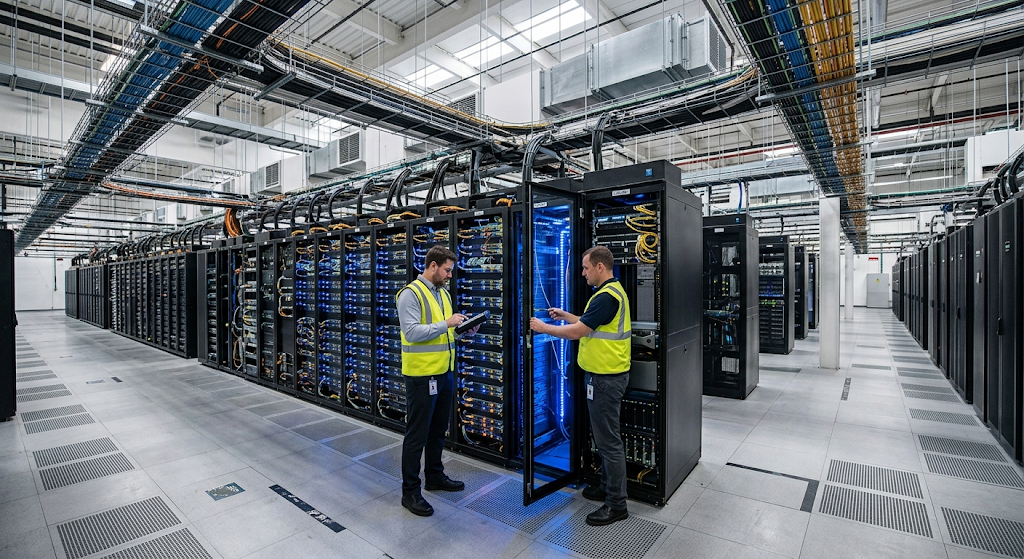
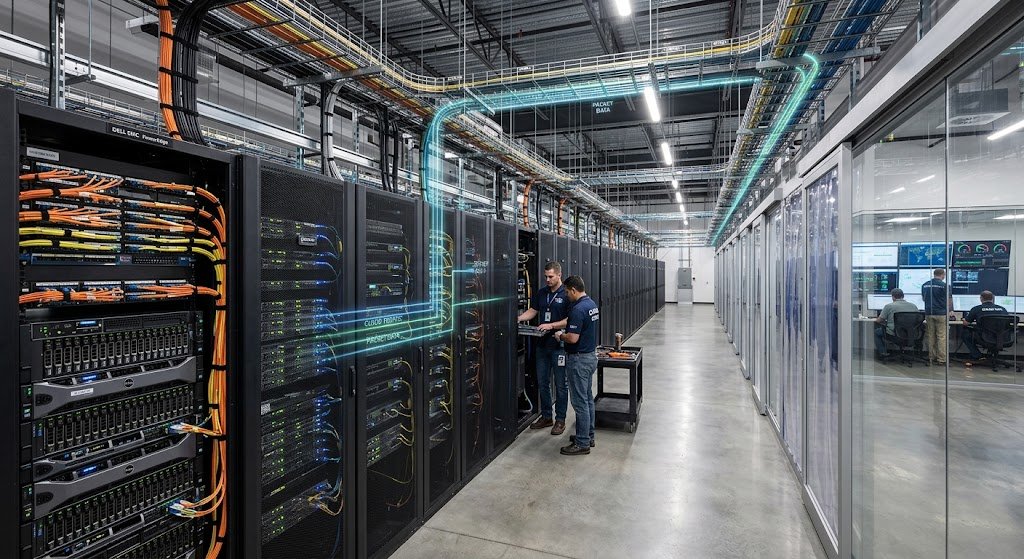
Though cloud computing is a fully digital solution, it requires substantial physical resources. Cloud providers have data centers that are engineered to accommodate and maintain computing equipment in an uninterrupted fashion. Inside a typical data center are racks which stack servers, network switches and switches, routers, storage systems, power distribution equipment, backup generators, cooling systems, monitoring equipment, and security controls. They are designed to ensure that the cloud applications are always available, as they may need to run 24 hours a day. Redundancy and multiple layers of protection are common for providers in order to allow for a failure in one component to not affect the whole service. The physical environment is hence critical to a foundation of cloud computing, albeit one that typically is not directly visible or used by users.
Managing electricity and cooling at data centers is also crucial. Servers produce heat during their information processing activity, and several thousand of these machines can produce a significant amount of heat. Cooling systems are used to maintain proper operating conditions and to keep equipment from over heating. Along with that, reliable electricity is essential as cloud services can be running at any time of the day. When problems arise, data centers can employ several power sources, back-up generators, batteries, and other systems to ensure that their equipment continues to run. Physical security is also critical as the equipment is valuable computing resources and may process sensitive information. Protecting the facility and infrastructure through access controls, surveillance, environmental monitoring, fire protection and other measures.
What exactly are Cloud Servers?
Servers are one of the most critical elements of cloud computing. A computer that supplies computing services, applications or information to other computers via a network. Cloud providers have a large number of servers because customers may be accessing a different service at the same time. Some servers might have applications installed on them, others might store data in a database, process information, manage network traffic, or control storage systems. Most modern servers are more capable than a standard desktop computer and are built to be reliable, run around the clock, and managed efficiently. In the past, one physical server was assigned to one customer in each individual case, but nowadays, cloud providers can implement virtualization and other technologies to partition physical resources and make them available to several customers and applications.
It’s also important for a cloud provider to use a server wisely. However, if there aren’t enough resources, applications might slow down or become unavailable during periods of peak demand. If the provider has too many resources sitting idle, they would be wasting power, hardware capacity, and man power resources. Cloud infrastructure is then meant to allocate computing resources on demand. As more users use a service, more computing power can be allocated as needed. Resources can be cut or repurposed during downturns. That’s one of the key features of cloud computing that can benefit everything from a personal application to one used by millions of people.
How does Virtualization Work?
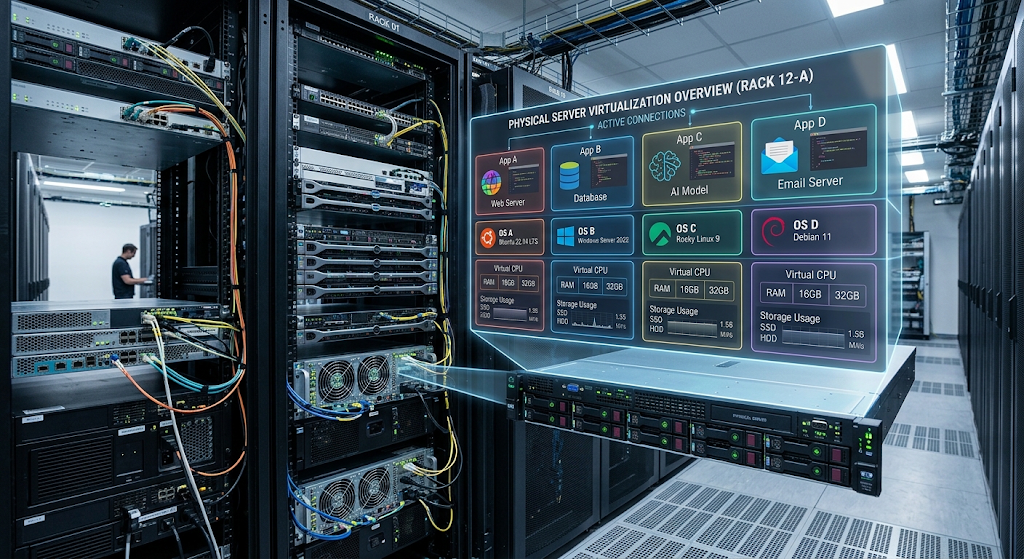
Virtualization is one of the technologies that makes cloud computing flexible today. Virtualization software can partition a single physical server into multiple virtual environments instead of using it as a single computing environment. A virtual machine is a virtual environment, or virtual machines as they are called. Each virtual machine can run as a standalone machine, and has its own operating system, applications, memory configuration, storage and virtual hardware. A special software component known as hypervisor runs on top of the physical server and monitors its resources for use by these virtual machines.
For instance, a powerful processor and large memory capacity is considered on a physical server. If it was not virtualized, an organization could use that machine for a single workload, even if the workload only consumed a small fraction of the capacity. Virtualization allows the provider to run multiple virtual machines on a single physical server and assign resources to each virtual machine. Multiple customers or applications can then run on different virtual machines on the same physical machines. This increases the efficiency of the hardware, and provides cloud providers with greater flexibility in managing their large infrastructure. Virtualization also allows for the software-based creation, moving, resizing, restart and removal of computing environments, which is easier than physically setting up a new computer every time.
How Networking Connects Everything
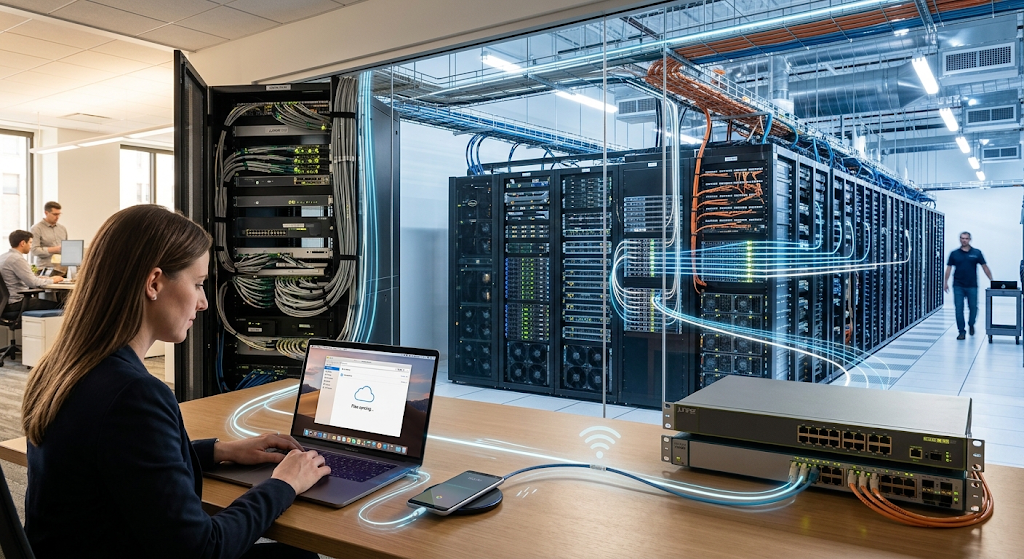
Networking is essential to cloud computing as users must be able to communicate with cloud-based computing systems. As a user accesses a cloud application, the device initiates network requests to the cloud provider’s infrastructure. Those requests can traverse home networks, mobile networks, internet service providers, regional network infrastructure, and other networks or systems to eventually arrive at the right cloud environment. There are other networks that connect up the servers, storage, databases, security systems, etc. within the provider’s infrastructure. It is a networking layer that enables rapid and reliable communication between various components of the cloud environment.
Cloud networks are not just cable to cable networks. Networking technologies such as routers, switches, firewalls, load balancing, gateways, and others are used by providers to manage the flow of data through their information systems. For instance, a load balancer can split the incoming requests across several servers, so that one won’t get all the work while others stay idle. Security systems can monitor network traffic and deny access to unauthorized parties. You can also isolate various environments or workloads on the network for risk reduction and control. These technologies work together to provide the communication channels that cloud apps need to send requests to and receive results from users, process information, and access data.
How Cloud Storage Operates
Storage is also a basic component of cloud computing. Applications must have a place to store documents, photos, databases, videos, backups, application files and more. Cloud providers employ many storage devices instead of a single disk. The storage systems can employ several types of hard drives, solid-state drives, specific storage hardware, and software used to manage data on multiple physical devices. The idea is to give users storage that allows them to retrieve their data when they need it, even if they’re not sure exactly where it is on the physical disks.
Cloud storage systems are also built to be reliable. One of the physical storage components can fail and providers can implement replication or redundancy to handle duplicate copies of information. Data may also be shared across systems and/or locations depending on the service. But this doesn’t imply that cloud storage is inherently free of all issues, it just means that the service providers are able to construct systems that can minimize the effect of any individual hardware failure. Storage software deals with the complicated task of maintaining tabs on where information is stored while offering customers a much easier surface, whether it be folders, files, databases or specific application storage.
The Software Layer – What Makes Cloud Services Usable
It would not be convenient for users to have to access everything using physical hardware. Specialised software is used to manage the infrastructure and transform raw computing resources into usable services. Cloud management software can check on servers, distribute resources, deploy virtual machines, manage storage, set up networks, monitor usage, and automate repetitive tasks. This tool enables providers to be more efficient in running large environments than having to manually provision each server whenever a customer needs a new resource.
One thing is for sure: automation is crucial, especially if cloud platforms have thousands or millions of customers. A customer can request a virtual server, more storage space, a database or other service via a web interface or application programming interface. Software can accept that request, determine what resources are available, install the required resources, set security policies, and offer the service without having to enlist a technician to physically build the infrastructure. Automation can then help cloud providers provide resources rapidly, and reliably. It also helps to make cloud computing an on-demand service, since you don’t have to own and maintain all the physical infrastructure to get the necessary resources when they’re needed.
What Happens When You Open a Cloud Application?
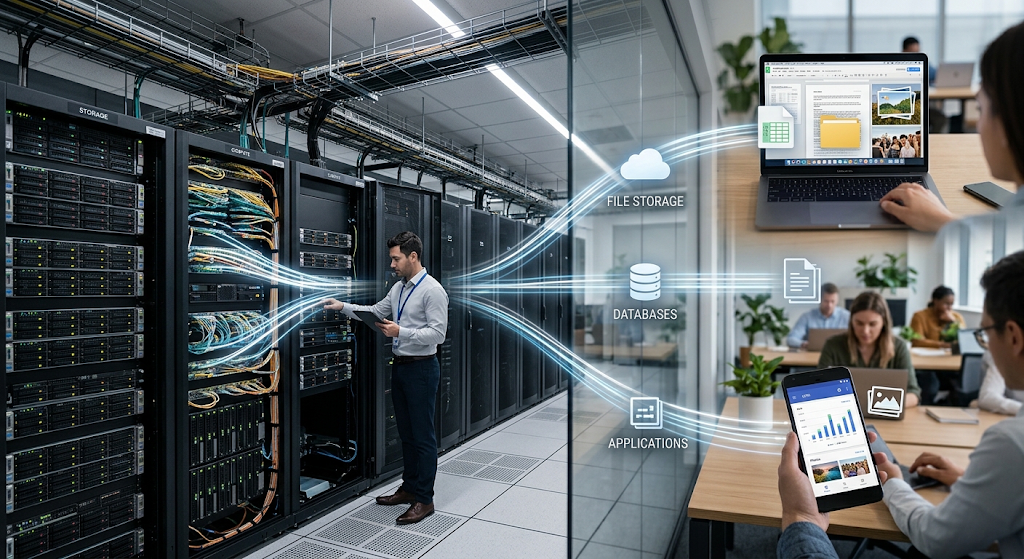
There’d be a few stages that could happen when you open a cloud application even if it looks like it happens in seconds. The device makes an initial connection to the service via a network connection. It is sent to infrastructure that can do it; network systems and application services decide what to do next. The application can log in to your account, pull data from a database or storage, perform some calculations, and return a response. The necessary information is then transmitted back through the network to your device, which then presents this information on the screen. This can be done by a single machine, or by several interacting machines and systems.
Think of an online photo-storage service, for instance. Uploading a photo gets your device to send the photo over the internet to the provider’s infrastructure. The service can log you in, access the file via network processes, manipulate the file, generate other versions or previews of it, and save the original file to a storage system. The metadata of the photograph, a description of the photograph, can be stored in a metadata database that can be quickly retrieved by the application. The cloud service accesses the appropriate information, then returns it to you when you look at the photograph on another device. All of these networks, compute, storage, databases, security and software combine to create a relatively easy-to-use interface.
Problems associated with Cloud Providers
Serving multiple users simultaneously is one of the foremost challenges of cloud computing. During busy times, a popular app could be getting thousands or even millions of requests. Cloud providers solve this problem by implementing distributed infrastructure, virtualization, automation, load balancing, scalable storage, and so on. An application may run on several different servers, rather than relying on a single server. If the one server is down, other computers can handle requests as long as the service has been designed for this. If the demand increases, then more resources can be added or more resources assigned to work with the increased demand.
This is another reason why cloud computing can be beneficial for businesses that have fluctuating workloads. It may be that a business has relatively low demand in normal seasons, but sees a massive surge in demand when a sale is held or the registration period, or a public event or seasonal promotion. Traditional infrastructure can cause the organization to buy enough hardware to accommodate the peak demand for it, even if it is not used to its full capacity for most of the year. Cloud infrastructure can offer a more flexible solution to this by providing the ability to scale up or down computing resources according to needs. Cloud software allows this underlying physical hardware to be dynamically organized and allocated.
Security and Reliability Behind Cloud Services
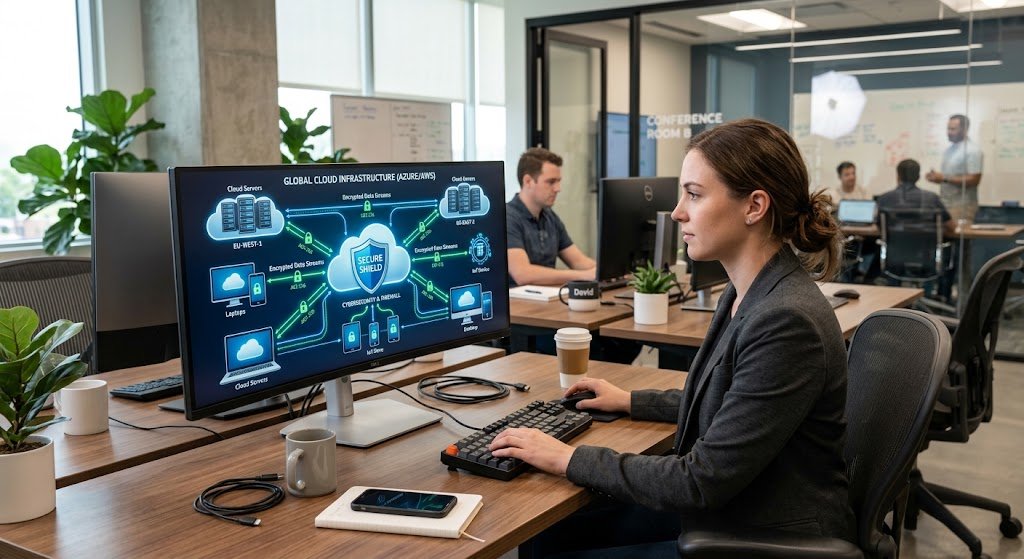
Another significant aspect of the technology that supports cloud computing is security. Cloud providers employ multiple layers of security due to the fact that cloud environments are rich in valuable applications and information. These layers may consist of identity and access management, encryption, firewalls, network controls, monitoring systems, vulnerability management, and security policies. Authentication mechanisms are used to identify who can access specific resources and authorization mechanisms are used to determine what can be done by an authenticated user or application. Security thus takes place in the physical infrastructure and in the software environment.
Reliability has more to do than just powerful servers. For cloud service providers, there is the need to keep an eye on hardware failures, network issues, software bugs, and odd behavior. Redundant components and a distributed system can lessen the impact of individual failure, and backups and recovery can help restore information in the event that failures occur. But, there is no telling about failures in cloud computing. Outages, network connectivity issues, configuration problems, or other events can still occur in the cloud. The key takeaway is that cloud infrastructure is typically built upon technologies and processes that can identify issues, minimize their effects and quickly get services back up and running to the greatest extent possible.
Importance of Virtualization and Automation
Virtualization and automation are significant as they enable cloud service providers to treat physical assets as a collection of computing resources. Virtualization cleans up the software from the machine and automation enables these software environments to be created, configured, monitored and adjusted by software. These technologies allow computing resources to be provided without the user needing to have knowledge of the physical specifics of the data center. Customers can deploy a virtual server or other cloud resource through a simple interface, and many of the complex infrastructure tasks are performed by the platform.
Separation of physical and logical layers is a key concept of cloud computing. Users are often more interested in the service that is being used and how it works than in the specific server that is performing the work. The provider controls the hardware, software coordinates resources and presents them in an easy-to-use service. By this model, cloud users can concentrate on applications, data and business needs, rather than hardware, servers, storage devices and physical networks.
Many different technologies are coordinated as one is the key to cloud computing. Physical data centers offer the physical structures, power, cooling, security and hardware necessary to operate computing resources. Servers are used for processing and virtualization breaks up the physical resources into flexible environments. Networking equipment enables users to connect with cloud systems and enables servers, storage, databases and applications to communicate. Storage Technologies make information accessible, and DataBase Organisations structure data that can be accessed by applications. Cloud management software and automation manage and coordinate these resources to efficiently provision, monitor, scale, and maintain services.
Once you become familiar with these layers, the cloud will no longer be a mystery. The cloud is not a magical place where there is no need for infrastructure for files and applications. It is a very structured arrangement of hardware such as computers and storage devices, networks, software and facilities that are used remotely by users. Each time a file is saved, an application is opened, content is streamed or a person accesses an online service, a request is passed from the networks to computing infrastructure, which then processes the request and returns the required result. The user experience is simple on the surface, but there is a sophisticated technological environment under the hood that makes computing resources available on demand.
Conclusion
Cloud computing is based on the idea of combining physical infrastructure, virtualization, networking, storage, automation and cloud management software and delivering computing resources via the internet. Data centers are the physical backbone, servers are the processors for the information, storage systems are the medium for keeping information, networks are the means of moving data between users and cloud infrastructure, and virtualization is the ability to partition physical resources into flexible computing environments.
These components are then coordinated with each other and made available to users via services without users having to manage these underlying hardware components themselves. These pieces, when understood, make cloud computing easy to visualize: cloud computing can simply be seen as a large, remote, interconnected computing environment made available to the users by software and networks. The convenience of it is that much of the complexity of its infrastructure is hidden, along with the power of computing resources when and where they are required.

Konular mükemmel olduğu gibi site teması da içeriğe müthiş uyum sağlamış. Tebrikler