Introduction
Best OBD2 Scanner Apps for diagnosing car problems with your smartphone help modern cars use electronics, which have extended to the engine, transmission, emissions, fuel system, and other key components. As issues are found, the car can log a diagnostic trouble code (DTC) and also turn on the check engine light. With an affordable OBD2 adapter and a smartphone application, car owners can get access to these codes, which in the past would have required a professional diagnostic scan. Also, these applications bring basic diagnostic info to the driver’s hands, which in turn helps them to be aware of what may be going on with their cars.
An OBD2 scanner app does more than just present fault codes. What you get out of them depends on the make of the car and what the app is for, but generally, you can expect to see live engine info, watch sensors in real time, check out emissions info, and in some cases clear out that check engine light. Also, use these apps as a tool to get you started in the diagnosis process, which they are very good at, but don’t count on them to do the full job, which professional tools and a physical inspection can.
What Is an OBD2 Scanner App?
Best OBD2 Scanner Apps – What is and How to Connect Bluetooth Adapter steps
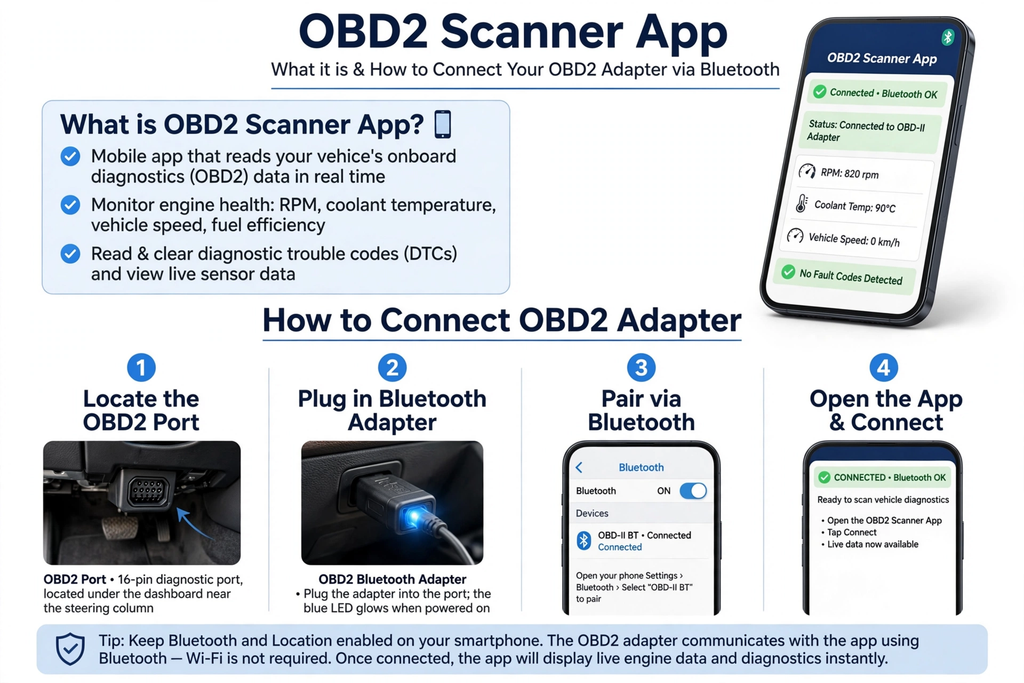
An OBD2 scanner app is a type of smartphone software which connects to your car via an OBD2 adapter. The adapter, which is a part of the system, plugs into the OBD2 port in your car, which is usually found below the dashboard by the steering wheel. From there, it connects to your phone via Bluetooth or Wi-Fi, which in turn allows the app to access your car’s electronic systems.
Different apps present different sets of features. Some do basic code reading and clearing, which is all they do, while others, which are more in-depth, include live data, graphs, customizable dashboards, and extra monitoring tools. In the case of OBD2 scanner apps, for instance, which are able to work with compatible OBD2 adapters in order to present diagnostic info through your smartphone.
How to Connect an OBD2 Adapter
Start by identifying the car’s OBD2 port, in which you insert a compatible Bluetooth or Wi-Fi adapter. Once the adapter is powered up, open the scan app on the phone and follow the connection directions. For Bluetooth adapters, you usually do a pairing with the phone; for Wi-Fi adapters, it creates a wireless connection which the app uses to talk to the vehicle.
Adapter performance and fit are key. Very cheap adapters may have issues with connection or may not communicate reliably. It is best to do research before you buy, checking which ones work with your phone, OS, car, and what app you wish to use. Once the connection is made, the app will start to get diagnostic info out of the vehicle.
Reading Diagnostic Trouble Codes
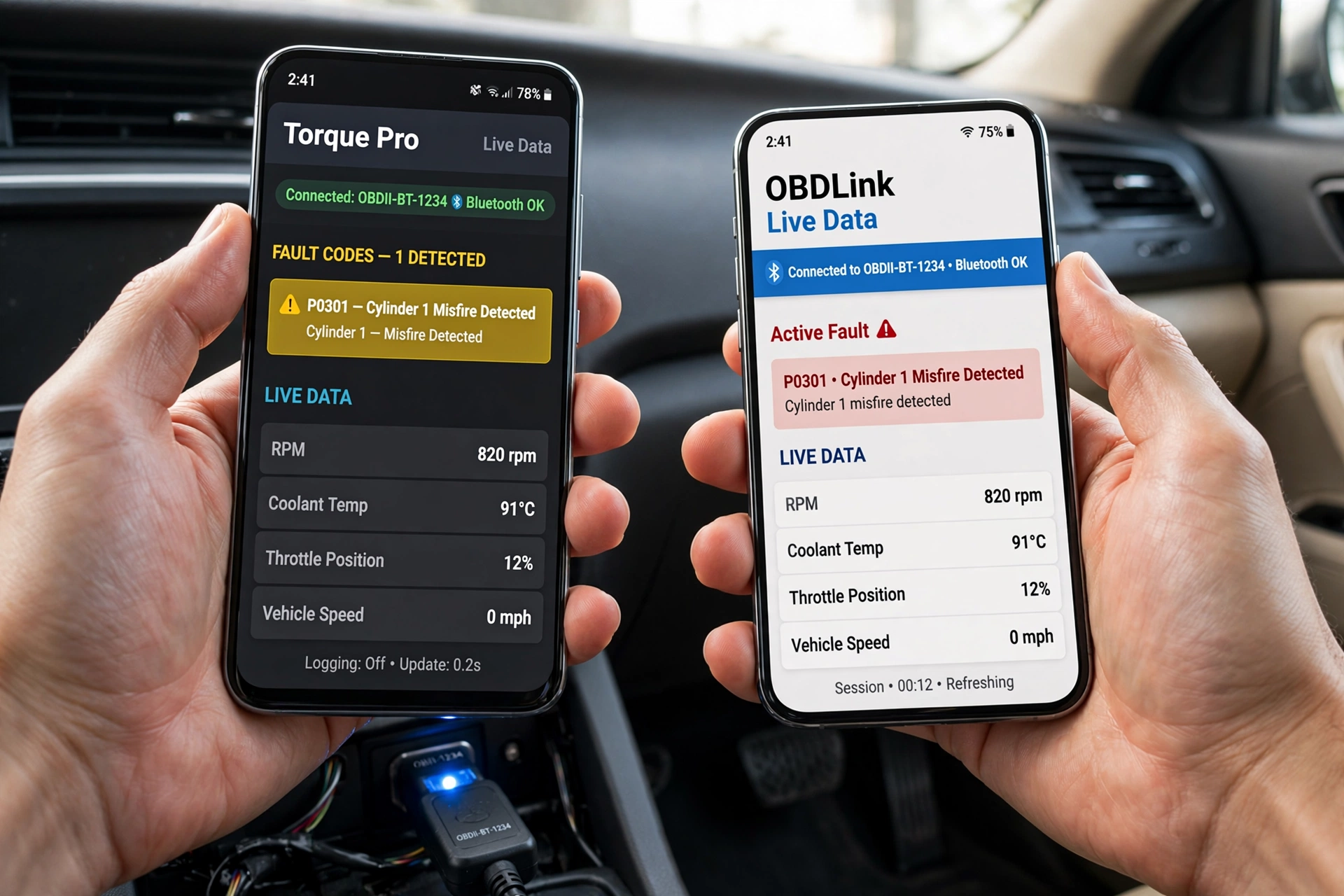
In terms of what an OBD2 app does best, it is reading out diagnostic trouble codes, which the car’s computer records when it identifies issues. For instance, a code that starts with “P” is related to the powertrain, which includes the engine and transmission. The application reports the code and also gives out a basic idea of what the issue is.
Also, that is not every time a code will indicate that the component which the description is of requires to be put out of service. In the case of a sensor-related code, it may be due to an issue with the wiring, a broken connector, an air gap, or some other issue which affects the sensor’s performance. Thus, drivers should use the code as a guide and look into the base issue instead of going straight to replace parts.
Clearing Diagnostic Trouble Codes
Many OBD2 tools report which trouble codes are present, which in turn the user can use to clear out these issues. After a repair which was done, the car should be taken in for a checkup, which these apps facilitate. Also, once an issue is resolved, the warning light may not turn off after the code is cleared.
Clearing out a code does not solve the issue at hand. If the car is still seeing the same issue, the warning light and code may return. Also, when you clear codes, it may reset the emissions readiness monitors, which in turn is not a good reason to do it just to make a warning light go out. Also, avoid it before an emissions check.
Monitoring Live Engine Data
Common Readings
Some OBD2 apps display live data from the car as the engine runs. Depending on which car it is, it may include engine RPM, coolant temperature, vehicle speed, throttle position, intake temperature, engine load, and fuel-related readings. This info also provides a greater picture than a trouble code by itself.
In operation, the values reported by an app are to be put in the context of the vehicle, which may be at different temperatures, speeding up, slowing down, and so on, which may in turn greatly change what the readings are. From the factory-issued data or from reliable technical sources should you go to determine if what is reported is in fact an abnormal reading.
Using Graphs
Some programs present live data in graph form, which in turn makes it easy to see how a sensor or other parameter varies over time. Graphs are also a tool which we have for looking into issues that come up during acceleration, while the vehicle is idling, or in which the engine is in a specific state.
Drivers at no time should use a smartphone or diagnostic app which will take their attention away while they are operating a vehicle. For live data which must be tracked during a road test, that is to be done by a different person. Also, drivers may record the info and go over it once they have stopped.
Checking Emissions Problems
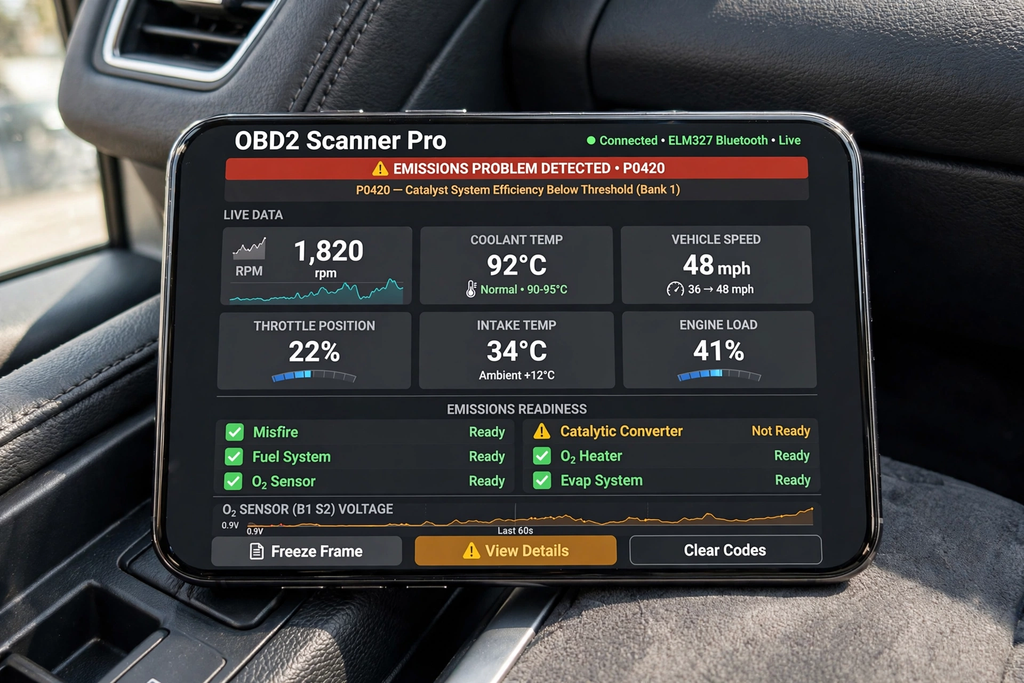
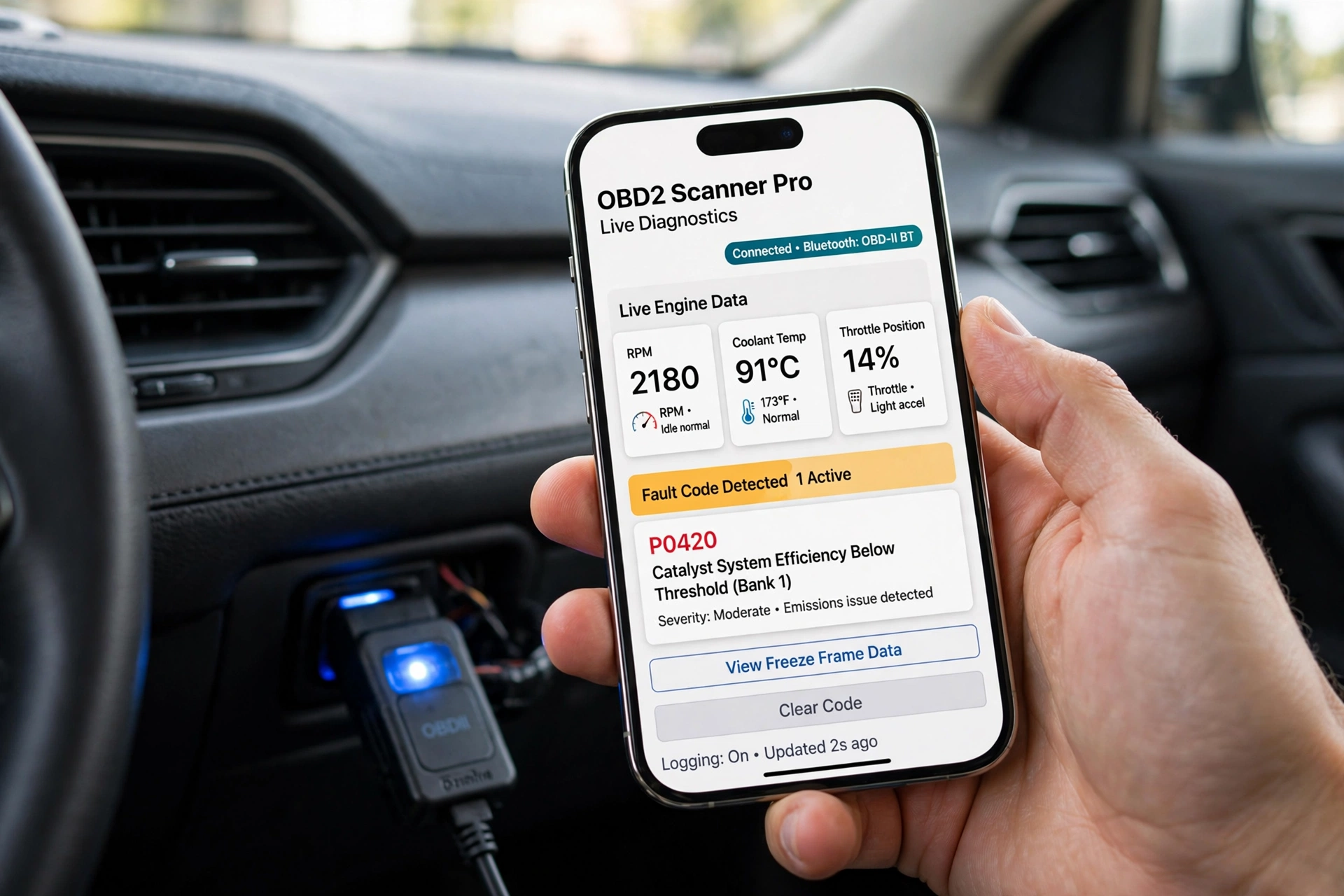
Best OBD2 Scanner Apps live data graphs emissions readiness P0420
OBD2 systems check out a number of elements related to vehicle emissions. This includes oxygen sensors, fuel systems, catalytic converters, and evaporative emissions systems. When the car identifies an issue with emissions, it may put it into the diagnostic code and at the same time turn on the check engine light.
Some apps report on emissions readiness, which in turn reports whether or not certain vehicle self-tests have been performed. It is possible to clear codes or to disconnect the battery, which in turn will reset some of these monitors, which at that point will require the vehicle to be driven in specific conditions to run again, which in turn will make them ready.
Bluetooth vs Wi-Fi Adapters
Bluetooth and Wi-Fi adapters also enable a car’s connection to a smartphone. Many users prefer Bluetooth models; however, Wi-Fi models use the car’s system to make a wireless network between the phone and adapter. While there is no best option for all vehicles and smartphones, compatibility is important.
Of primary importance is compatibility. We check the adapter requirements out and also see to it that the scanner app supports it. Also very important is the reliability of the adapter, which in its poor performance or frequent disconnections may break up live data monitoring and diagnostic results.
What OBD2 Tools Can and Cannot Do
OBD2 tools are good for basic diagnosis. We see that they do well with engine and emissions issues at large, but at the same time, there are issues. Many of these tools will identify the generic issues within the car’s computer system. What they don’t do is get into every nook and cranny of the electronic control units in the vehicle. For example, airbags, ABS, body electronics, and advanced driver assistance systems may need special tools.
The issue at hand is that a trouble code does not in fact point out the exact part which has failed. For proper diagnosis, physical inspection, electrical testing, pressure testing, or manufacturer-based equipment may be required. Thus, a professional OBD2 app is to be used as a diagnostic aid but not as a total replacement for professional tools.
Common Mistakes to Avoid
A large issue is that people replace parts as soon as they see a related trouble code. What a code does is indicate a certain area which may be at fault, but it does not prove that a particular component has failed. We see that by also checking the wiring, the connectors, related components, and other possible causes, we can avoid many unneeded repairs.
Another issue is the practice of clearing codes before they are recorded. What happens when we erase the info is we may lose some valuable diagnostic clues; also, some of the readiness check monitors will reset. It is best that drivers note the codes and symptoms first, do their investigation, and then clear the codes at the right time.
Final Thoughts
OBD2 scanner apps enable drivers’ smartphones to do basic car diagnostics at a low cost. There is a compatible adapter which, when used, allows users to read trouble codes, see live engine info, check out emissions-related systems, and at times clear stored issues.
Technology has its limits, which is what you should be aware of. An OBD2 code is a tool to start with but not the end of the story. When used correctly, a smartphone scanner is a great resource for drivers to get info on warning lights, gather useful data, and do a better job of communicating what is going on to a mechanic for professional repair.