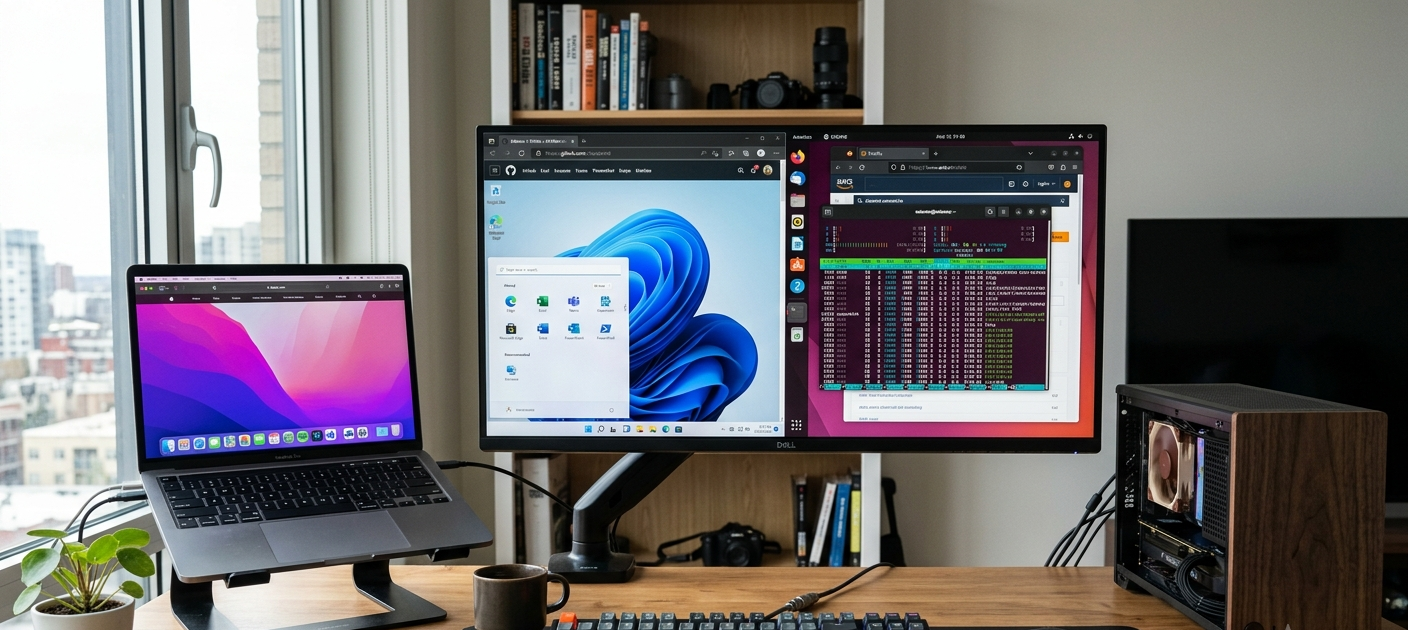
OS operating systems are crucial to the functioning of a computer system. A computer system runs on operating systems.
All computers, smart phones, tablets and smart devices require an operating system to operate. Operating systems are the basic software that links the user, the application and the computer hardware. It would not have been possible for a computer to manage files, execute programs, communicate with the hardware components, or create a secure environment for the user without the use of an operating system. From web browsing to document creation, gaming, software development to business system management, the operating system works behind the scenes to facilitate the various activities.
There are many people out there who use operating systems every day without an understanding of how they work. The operating system handles saving a file, plugging in a printer, installing a program, etc., when the user opens an application. It is a mediator between complex hardware and simple commands to the users, and it makes technology more usable. The knowledge of operating systems functions will enable users to make informed choices for purchases, enhance systems, and solve system problems, or select the most efficient operating system for their personal and professional requirements.
There are several important functions an operating system carries out, which affect the efficiency of the computer. They involve process control, memory management, file organization, information protection, and software/hardware communication. It is essential to discuss in detail the key functions of operating systems and what role it plays in today’s computing.
What Is an Operating System?
Operating System: Software used to control the resources of the computer and to allow applications to be run. It is the first major program that will be loaded on the computer when the computer boots up and will remain open during the computer’s active use. The OS manages how hardware components like the processor, memory, storage devices, keyboard, mouse, and display work together and enables users and programs to interact with them.
In the early days before the advent of operating systems, computers were hard to use — and their instructions complicated — as users needed to interact with the hardware. Modern operating systems make this easier with graphical interface, automatic resource management, and other tools that make users more efficient. Popular operating systems include Apple macOS, Microsoft Windows and various Linux distributions. All these platforms have their own set of attributes, benefits and pitfalls, and are more appropriate for certain categories of users.
The main purpose of an operating system is resource management. A computer is a machine with limited resources, such as computing power, memory and storage space. The OS makes sure they are distributed appropriately among several programs and users. It ensures that applications do not interfere with each other, and remains stable even in multi-task environments.
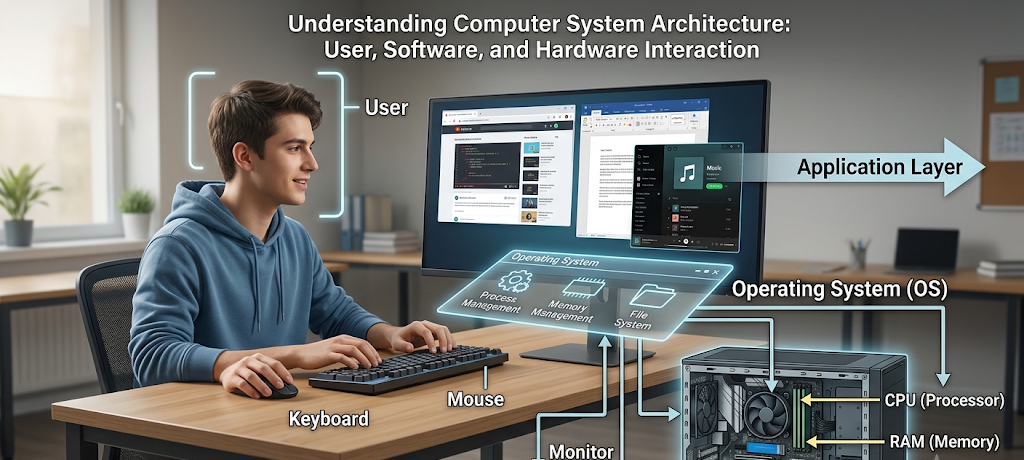
The Five Main Functions of an Operating System
The five main functions of an operating system are:The five main functions of an operating system are:
Our discussion will be about controlling running programs, which is called process management.
Process Management: Controlling Running Programs
Process Management is one of the most essential tasks of an OS. Process: A program that is currently running on a computer. When a user launches a web browser, music player or word processor, each will be a separate process consuming system resources. These processes are subject to monitoring and control by the operating system so that they operate smoothly.
Most modern computers execute multiple processes concurrently. The user can listen to music while browsing the web, downloading files and editing documents. The operating system applies scheduling techniques to decide on the amount of CPU time that each task is given. Switches quickly between processes, giving the appearance that several programs are running concurrently. The ability is called “multitasking”.
Process management also encompasses the creation, suspension and termination of processes as needed. The operating system can detect if an application is unresponsive and give the user the option to close the application without impacting the computer system. Process management boosts system efficiency, reduces crashes and ensures critical processes are allocated resources.
Many of the techniques adopted for process management vary from one operating system to another. Of course, Windows’s sole purpose is to be very user-friendly and to support a variety of applications, whereas Linux is much more customizable and is a typical choice for situations where the administrator wants fine-grained control of the system processes. Efficiency in process management and optimization built for Apple hardware all in one.
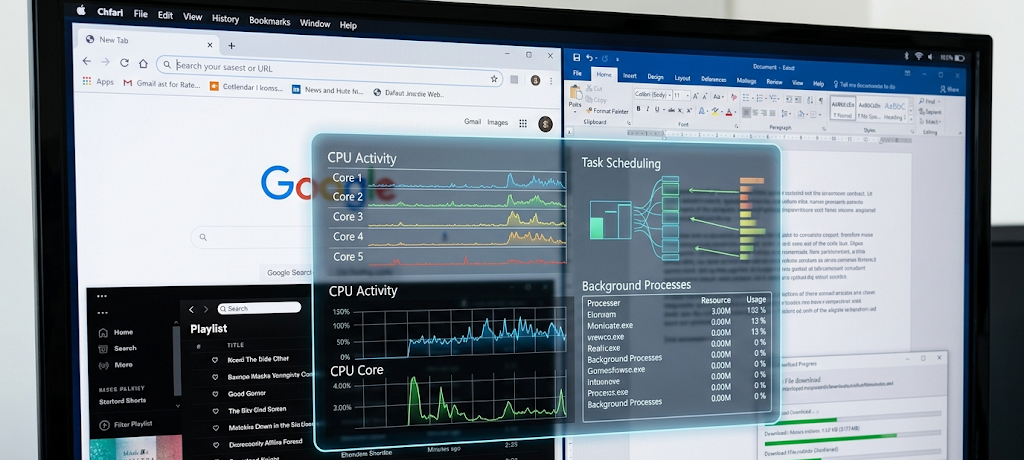
Memory Allocation: Managing Computer Resources
Managing computer resources involves memory allocation. Memory allocation is a part of managing computer resources.
Another important component of computer performance is computer memory, or RAM (Random Access Memory). Operating systems control the use of memory resources and determine how much memory is assigned to each of the applications and ensure that the programs do not interfere with each other. If the user runs several applications, the OS divides up available memory efficiently, keeping the computer running smoothly.
Memory Management: Keeping track of what memory is occupied and what is available. At the beginning of a program, it is allocated some memory by the operating system. The program is closed and the OS frees up that memory for other programs. If there is no memory management, programmes may destroy each other’s memory and so cause errors, crashes or security issues.
There is also a speed-up technique used in operating systems called virtual memory. Virtual memory is free space on the storage drive that a computer can use to temporarily store data when it doesn’t have enough RAM. Even though slower than RAM, storage devices can come in handy during this situation because virtual memory helps prevent system failure if too many programs are running simultaneously.
For tasks like video editing, gaming, scientific research, or software development, which involve a lot of data storage and manipulation, it is crucial to have an efficient memory allocation system. Memory is managed differently in different operating systems, but Windows, Linux and macOS all have advanced memory management systems that ensure stability and efficiency.
File Systems: Organizing and Protecting Data
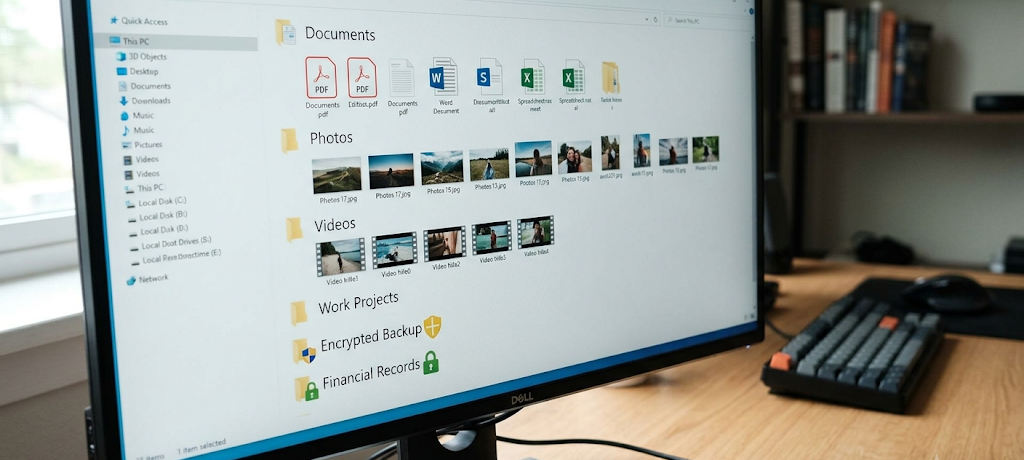
Management of storage devices and files is another significant task of an OS. A file system is the rules that govern the storage, organization, retrieval and security of data on a computer. If there were no filesystem, users couldn’t easily find their documents, applications, pictures, videos, or other information.
As per the design of the OS operating system uses different file systems. Windows filesystems are typically NTFS (New Technology File System) which supports large storage devices, file permissions, encryption and recovery features. macOS uses APFS (Apple File System), a system that’s designed for today’s generation of Apple devices and takes a high-speed, reliable, and secure approach. There are various file systems supported by the Linux OS, such as “ext4” that are flexible and stable for various system environments.
File management also encompasses folder creation, renaming files, removing unwanted data and controlling access permissions. The operating system provides protection for users and applications to access required files, and ensures that changes are not made by people who do not have permission to do so. This is particularly crucial in business environments where sensitive information needs to be safeguarded.
A good file system enhances data security, performance, and organization. It helps to interact with the information easily, and keeps the operating system to handle storage efficiently in the background.
Security and User Protection
Providing security and user protection. Ensuring security and user protection.
Security is one of the key characteristics of modern operating systems. With the growing connectivity of computers with the internet, safeguarding personal information, business data and system resources is a necessity. Security tools and features are a part of the operating system, and they are designed to help prevent unauthorized access, malware infections, and data theft.
User authentication is an important aspect of an operating system’s security. Most systems need a user to log in with a password, fingerprint, facial recognition or other means of identification. This ensures that only authorized individuals can access certain files and settings.
Similarly, permissions are used to regulate access to an operating system and its applications. For instance, the ordinary user may not be permitted to alter critical essential files. This helps to stop any unforeseen damage and to minimise security risks. Most operating systems also come with malware protection, firewalls, security updates, and encryption utilities.
Windows is used all over the world so it is a very popular operating system and is often a target of cyberattacks, but it’s also a strong incentive for Microsoft to provide robust security solutions. One of the strengths of Linux is its robust security model and permission system while macOS enjoys the control of Apple in terms of hardware integration and software. But, there is no foolproof security solution that can be applied to any operating system, and users need to be aware of safe digital practices.
Hardware Interaction: The Connection Between Software and Physical Components
Software is very closely coupled to physical components. Hardware Interaction: The connection between software and physical components.
The function of an operating system is to serve as a communications interface between the software programs and computer hardware. The hardware—processors, graphics cards, printers, cameras, and storage—must be instructed on how to perform. The OS takes care of this communication by using drivers and system interfaces.
A device driver is a specialized program that lets the OS communicate with certain hardware components. For instance, the operating system uses the printer driver to interpret, understand, and send documents to the printer in the proper format. Many hardware devices will not work without drivers.
The operating system also handles input/output operations. The OS coordinates with the user to handle the input and output of the keyboard, mouse, and display. This coordination helps to utilise the hardware resources in an efficient manner.
The two aspects in which OSes diverge the most is hardware interaction and GUI. Popular among users that prefer flexibility, Windows supports a wide variety of hardware manufacturers. macOS is optimised for Apple hardware and software, enabling greater optimisation between the two. There are many different hardware configurations that support Linux, but they might need to be more technically savvy in some cases.
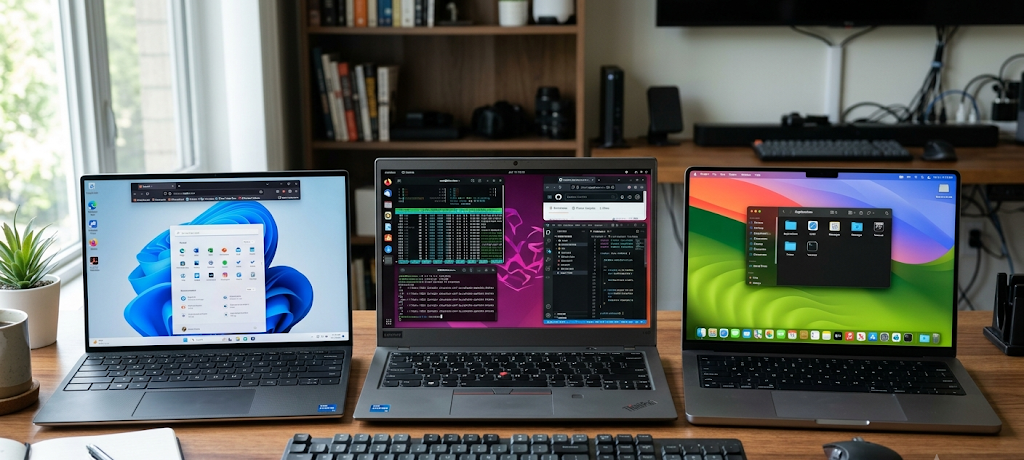
Comparing Popular Operating Systems: Windows, Linux, and macOS
Microsoft Windows
Microsoft Windows is the most popular desktop OS in the world. Windows is created by Microsoft and is favored by individuals, businesses, schools and organizations because it supports many applications and hardware devices.
There’s no denying that one of Windows’ greatest assets is its ease of use. The familiar desktop and file management, along with the abundance of software available makes Windows relatively easy to navigate for most users. Windows also has robust gaming, business, office and enterprise capabilities.
Windows comes with some disadvantages, though. It is a widely-used platform, which is why it is often a target of cybercriminals. Unwanted software installations, system updates that disrupt working processes and performance problems on older hardware are also possible.
If you require extensive software compatibility, gaming, business software, or a straightforward computing experience, Windows is the best platform to use. It is used globally in schools, offices and personal computers.
Linux
Linux is an open source operating system that is flexible, secure and customizable. The Linux operating system is available in various versions, known as distributions, such as Ubuntu, Fedora, and Debian, unlike Windows and macOS. These versions enable the user to select an environment to suit their requirements.
Customization is one of the best features of Linux. The advanced user can tweak nearly every aspect of the system, making it a favorite among programmers, developers, system admins and techies. Stability, reliability, and security are other reasons that make Linux the choice of server OS.
But, Linux is hard for novices. Certain software applications and hardware devices may need to be reconfigured or not be available. While over the years Linux has become easier to use, in certain cases it requires a higher level of technical expertise.
For developers, cybersecurity enthusiasts, and server admins who seek control and customization, Linux is the perfect choice.
macOS
macOS is Apple’s operating system that is used specifically on Mac computers. Popular for its hassle-free interface, dependability, protection, and compatibility with other Apple gadgets, including iPhones and iPads.
One of the best features of Mac OS is optimization. Apple’s control of the hardware and software allows MacOS to offer a seamless and uniform user experience. This is favored by creative people who utilize applications for creating digital contents, music production, video editing, and graphic design.
The drawback of macOS is that it comes with only a few hardware options. Users are unable to install macOS onto most third-party devices, unlike Windows computers. In addition to this, Macs are typically pricier and might not be as widely available for some individuals.
MacOS is suitable for creative professionals, students, business users and users who want to enjoy a secure and streamlined computing experience.
Selecting the Suitable Operating System for Your Requirements
The OS that is used is a matter of preference, need, cost, and experience. No one operating system is right for everyone. Depending on the use of the computer, each platform has its own advantages and disadvantages.
Windows may be the preferred operating system for students and general users due to its low cost, software availability, and compatibility to educational software. Professionals in creative fields may prefer Mac OS as it excels in design, video editing, and multimedia creation. Linux is also a good operating system for developers and technology fans, due to its level of versatility and its strong customization features.
Many businesses are opting for operating systems depending on their requirements. Windows is used by many organizations due to its enterprise capabilities and ability to support business software. Many tech firms opt for Linux as their server and development operating system, and creative industries tend to use macOS.
Conclusion: It Is Crucial to Know Operating Systems and Their Significance
Modern computers are based on operating systems. They plan, allocate, organise, secure and link software and hardware components. The users might not use these functions directly but they are important for efficient and reliable functionality of the computers.
Each of the three operating systems comes with its own set of strengths. With Windows, you’ll have the widest use and versatility, Linux will give you flexibility and control, and macOS will give you a very optimized experience. It is essential to know the pros and cons of every platform so that consumers can choose the operating system that suits their needs.
With the ongoing advancement of technology, the OS will keep evolving and delivering better performance, security, and user experience. Operating systems are significant because understanding how they function can equip the user with a more profound knowledge of how every device he or she is using operates, which can help him or her make better decisions in a highly digital world.