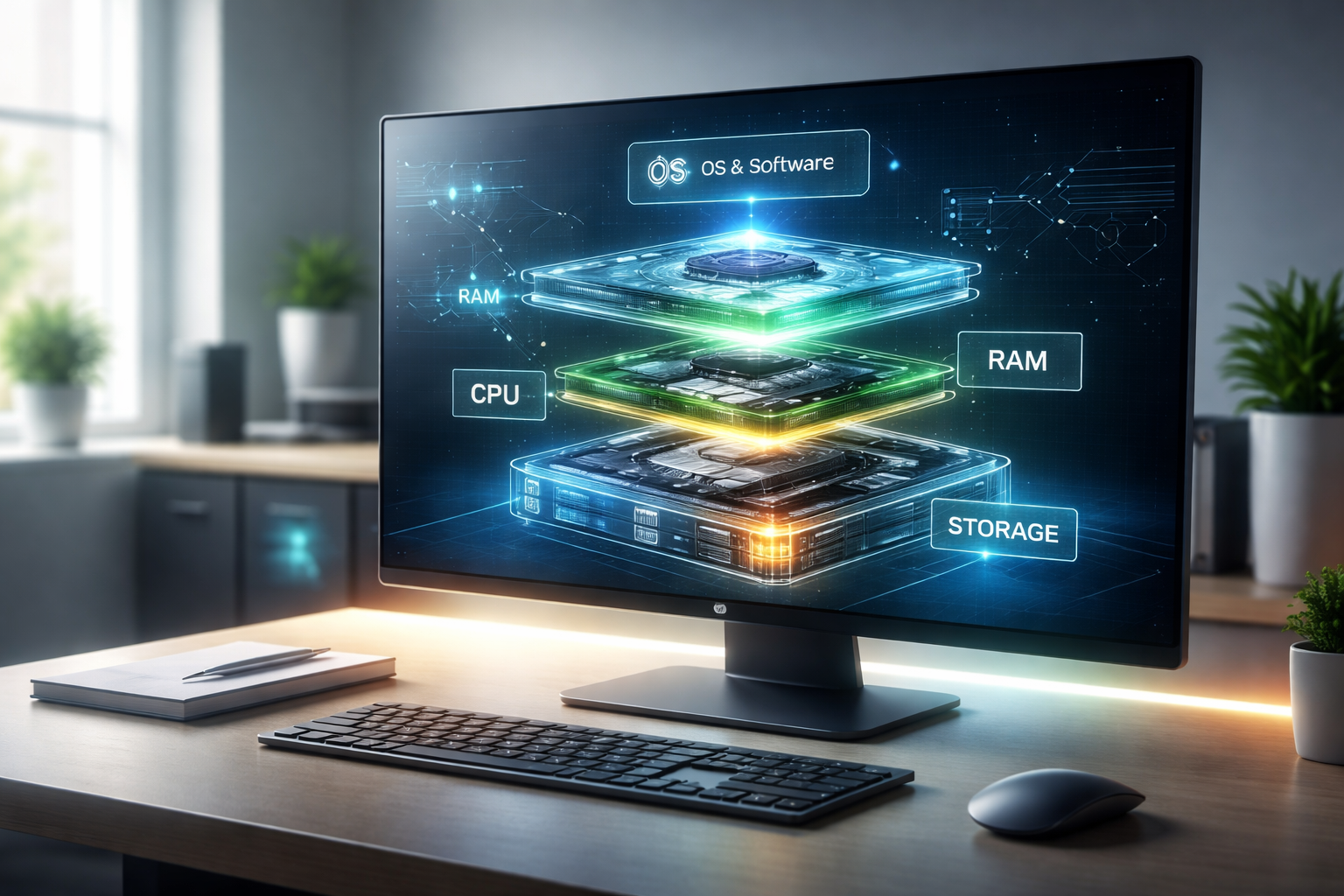
Computers have become the focus of almost all activities in the digital world today with use in education and communication, business processes and entertainment among others. Although computers are being used extensively, not all people comprehend the full process of making a computer work effectively. It is here that the computer configuration concept comes in. It can be defined as the organization of the hardware and software components of the computer and the way these parts are handled and fine-tuned to ensure that they are functioning as one.
Learning the computer configuration also guides the user on the decision they should make when purchasing, upgrading or troubleshooting a computer. It is also a revelation into the interaction of different components and the reason why some systems work better compared to the rest. To novices, it is always good to know the fundamentals of configuration to gain confidence and enhance the general experience of the user.
Computer Configuration What is Computer Configuration?
Computer Configuration: It is the process of configuring and arranging hardware and software components of a computer to allow the computer to operate effectively and perform at an efficient level.
Having a properly configured system would guarantee effective communication between every constituent of the system whereas having poorly configured system will result in sluggish performance, system crash and compatibility. Configuration is not only about assembling parts, but also optimization settings and all things falling into place.
Computer configuration Hardware.
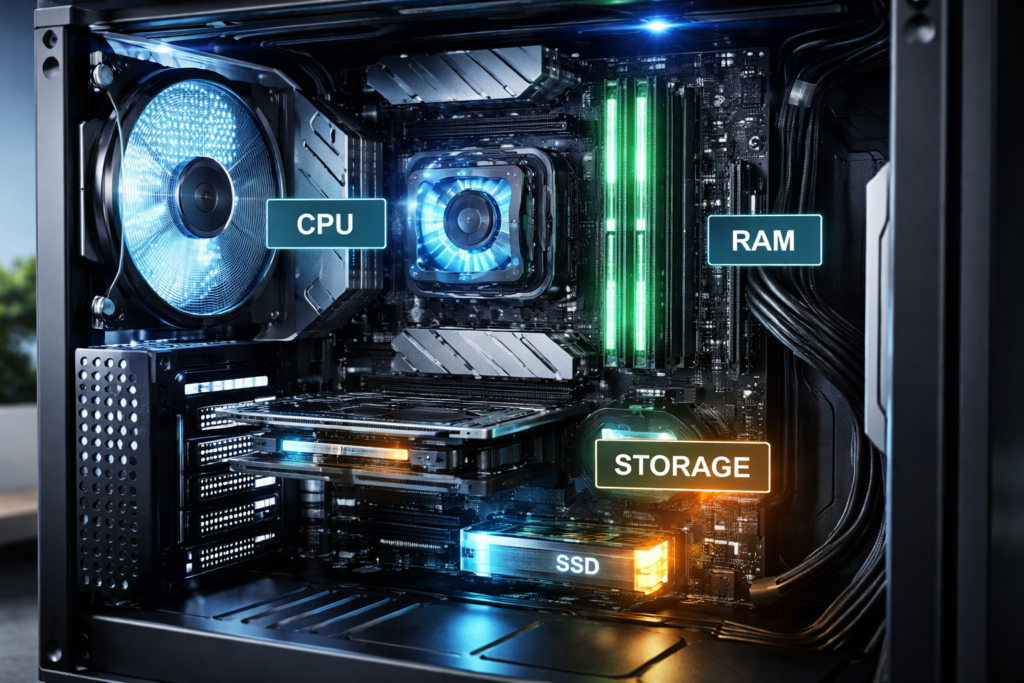
Hardware is the physical part of a computer. These are the constituents of the system that are the pillars of the capabilities of the system.
CPU (Central Processing Unit)
CPU: The main unit that performs the tasks of processing the data and implementation of instructions.
The CPU is sometimes known as the brain of the computer and it performs all the logical and arithmetic processes. The way fast and efficiently tasks can be done directly depends on its performance.
• Decides the speed with which programs are executed.
• Works on multiple duties and multi-tasking.
• Speed, cores and architecture are the determinants of performance.
The current day CPUs are made to support multiple processes at any given time, and thus it can be used in simple and complex computation.
RAM (Random Access Memory)
RAM: Temporary memory that is utilized to hold data that is in active use or processing.
RAM enables quick retrieval of information and therefore applications are easily executed within the system. The RAM is erased when the computer shuts down unlike permanent storage.
• Enhances the ability to work concurrently.
• Minimizes time delays in cross-application switching.
• Better performance can be attributed to increased capacity.
A lack of adequate RAM can make a system very slow despite having other components that would be powerful.
Storage Devices
Storage: It is the component that stores data permanently such as files, applications as well as the operating system.
Storage is part and parcel of defining the speed at which data can be retrieved and stored.
• Hard Disk Drive (HDD): Has a lot of storage capacity and it is slower.
• Solid State Drive (SSD): It is quicker in terms of performance and reliability.
• Hybrid Storage: It is a combination of HDD and SSD.
Application loading speed and system boot time can be significantly enhanced by using an SSD in place of an HDD
Software Computer configuration Software Components.
Software encompasses the programs and systems which control the hardware and enable the user to interrelate and interact with the computer.
Operating Systems
Operating System (OS): This is the main software through which the hardware resources are managed and the platform on which the applications are run.
The operating system represents a mediator between the computer hardware and the user. The most popular operating systems are windows, Mac OS, and Linux.
• Processes memory and manages.
• Offers graphical user interface.
• Hardware communication of controls.
A well-tuned OS will guarantee effective utilization of resources within the system and a smooth performance of the system
Device Drivers
Drivers: These are specialized computer programmes that facilitate the interaction between the operating system and hardware.
Every hardware component needs a particular driver to be used.
• Both hardware and software compatibility.
• Give devices an opportunity to do what they are expected.
• Recommends frequent updates to work best.
Hardware devices might not work or even fail to do so without the appropriate drivers.
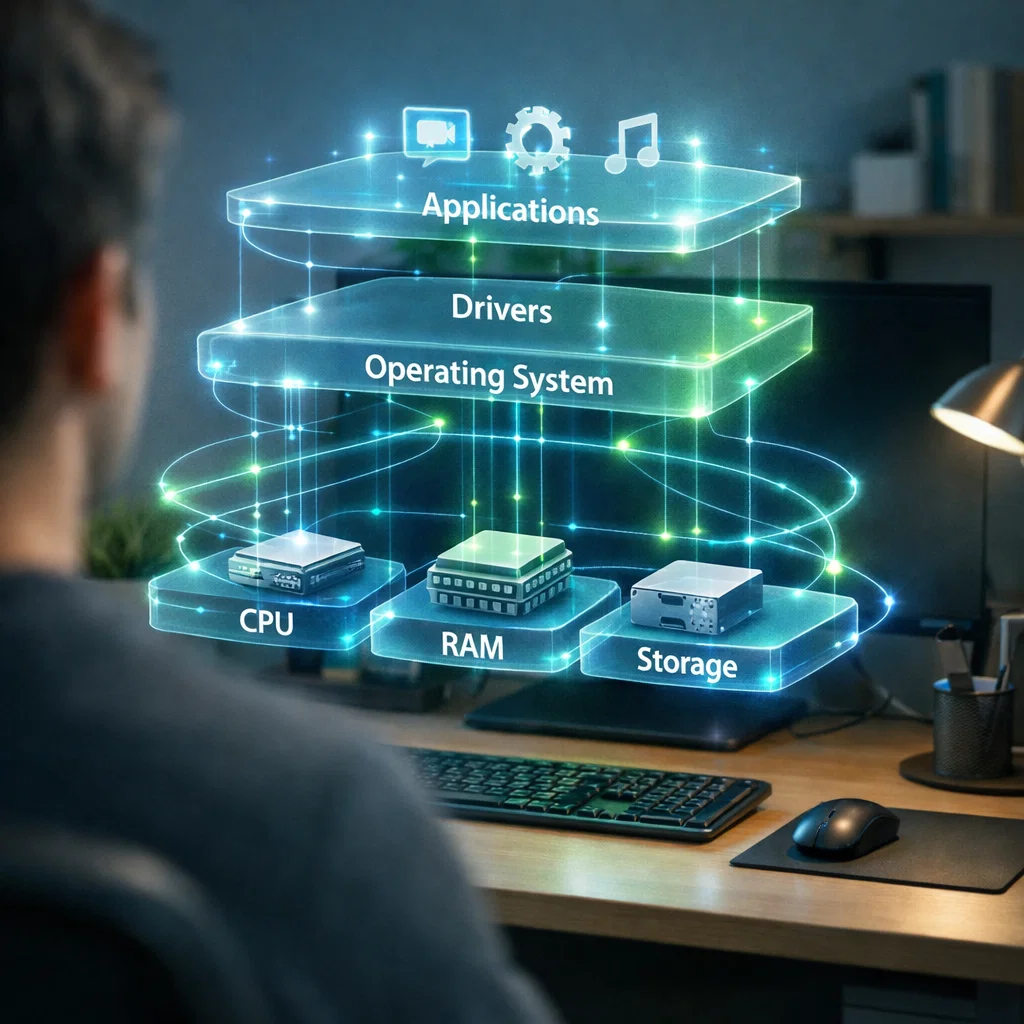
The Interrelationship between Hardware and Software.
A computer system will only work in a proper manner with a seamless relationship between the hardware and software.
Interaction: The constant communication of hardware components and the software programs.
The interaction is the following:
• Instructions are relayed to the CPU by the operating system.
• These instructions and calculations are done by the CPU.
• RAM holds data required in the running activities on a temporary basis.
• Storage gadgets allow data to be accessed in a long term.
• Drivers A software command is translated to a hardware action.
This integrated operation enables the users to do activities like using the internet, editing documents as well as applications effectively.
The importance of Proper Computer Configuration.
A computer system is highly depended upon constructing a reliable and efficient system which requires proper configuration to be performed properly.
Performance
Performance: The rate and effectiveness of an execution of a system.
• Balanced hardware averts bottlenecks.
• Optimization leads to responsiveness.
• Shorter throughput time improves productivity.
To take a case in point, pairing a rapid processor together with sufficient RAM and SSD guarantees the efficient functioning.
Stability
Stability: This is the capacity of a system to run without mistakes, crashes, and unforeseen actions.
• Installation of correct drivers minimizes conflicts in the system.
• Reliable components are compatible.
• Software problems are avoided through regular updates.
It must be a stable system to be used personally and professionally.
Usability
Usability: The ease at which people are able to interact and use a computer system.
• A properly set up system gives a hassle-free experience.
• Accessibility is increased by proper settings.
• A structured software enhances efficiency.
Beginners particularly require usability where they need an easy to navigate system to understand.
Typical Computer setup errors.
Poor hardware configuration may result in poor performance even with good hardware.
Hardware Mismatch
Mismatch: It involves the use of incompatible or unbalanced hardware parts.
• Putting high-performance CPUs with inadequate RAM.
• Application of old components to new systems.
• Disregard of power supply requirements.
Obsolete Software and Drivers.
Obsolete Software: The use of old versions of the operating systems or drivers.
• Possible cause of security vulnerabilities.
• Reduces system performance.
• Is the cause of compatibility problems
Poor Storage Management
Storage Mismanagement: Ineffective storage.
• Slow performance is caused by overloading.
• Failure to utilise SSDs in important tasks.
• Not cleaning the files that are not required.
Incorrect System Settings
Misconfiguration: Improper system settings that do not make the system efficient.
• Startup programs that are not optimized.
• Incorrect power settings.
• Disabled system updates.
Guidelines to Good Computer set-ups.
In order to make sure that the performance and reliability are optimal, take into account the following best practices:
• Select complimentary hardware components.
• Install a stable and reliable operating system.
• Make drivers and software updated.
• SSDs should be used to achieve high performance.
• Clean the system regularly and optimize it.
• Observes the performance of the monitoring systems and changes settings as required.
Computer configuration in the Future.
With the improvement of technology, computer configuration is becoming automated and easy to use.
Future Trends: There are developments that are shaping the configuration of the systems.
• System setups are made easier by automated tools.
• Performance can be maximized by artificial intelligence.
• Cloud computing minimizes the use of hardware.
• Upgrades can be done with ease with modular systems.
These inventions will render the computer setup more user-friendly, including the non-technical users.
Conclusion
Every person who uses a computer should have knowledge on the fundamentals of configuring a computer. It deals with integrating hardware and software in a way that it results in a system that can work well and reliably.
The CPU and RAM, operating systems, drivers, and even each component are produced with its essential role in the overall functionality of a computer. Proper configuration guarantees better performance, stability and increases the ease of use.
Through these basics, the novices will be able to make better choices purchasing or upgrading their systems. With the ever changing technology, good knowledge of computer configuration will still be an important skill of navigating the new digital world.