
Introduction
In the modern world of the Internet of Things, users deal with an unlimited number of interfaces, mobile applications, and websites to sophisticated enterprise systems. The functionality of systems is not the only factor that determines their success, but also the ease with which the systems can be navigated by the user to achieve their objectives. Here is where usability comes in. Usability in Human-Computer Interaction (HCI) means the ease, efficiency, and pleasure with which a user can use a system.
In order to achieve high usability, designers and researchers use structured evaluation methods that point out design errors before and after deployment. Some of the most effective techniques include heuristic evaluation, cognitive walkthroughs, and user testing. Both of these methods provide a different perspective on the matter of usability, to reveal the problem and work on its resolution.
Heuristic evaluation is one of the pillars of usability evaluation since it enables experts to perform usability analysis on interfaces in accordance with the set principles of usability. In conjunction with this, cognitive walkthroughs emphasize user learning mechanisms, whereas user testing will give firsthand experience of actual users who have used the system.
These methods of usability evaluation are discussed in detail in this article,e revealing the applicability of these methods, their advantages and disadvantages, and the way they help to enhance the interface design. It also cites known structures like those of heuristics by Nielsen, which have continued to dominate the current usability practice.

Knowledge on Usability in HCI
What is Usability?
According to the ISO 9241 standard, usability is the degree to which a system can become usable by one or more specified users to accomplish specified goals in a way that is effective, efficient, and satisfactory. Simply put, it is answered by three major questions:
Are users able to accomplish their tasks in a successful way?
To what extent can they do so quickly and easily?
Are they content with using the system?
One might have a powerful system with features, but when users cannot learn how to use it or navigate through it, the usability will be compromised.
Significance of Usability Evaluation
Usability is vital to be assessed as it is necessary due to the following reasons:
It lowers the development costs since it detects problems in the initial stages.
It enhances consumer satisfaction and retention.
It promotes inclusiveness and accessibility.
It also makes systems to satisfy users in addition to meeting specifications.
Even designed systems might not work successfully in the real world unless they are properly evaluated.
Introduction to Usability Evaluation
The approaches to usability evaluation may be classified into:
Inspection Methods – Experts will look at the interface (e.g., heuristic evaluation).
Inquiry Methods – Obtaining user feedback (e.g., interviews, surveys).
Testing Methods – Viewing users in the system (e.g., user testing).
The present article dwells upon three major methods:
Heuristic Evaluation
Cognitive Walkthrough
User Testing
Both approaches have their own role to play in determining the usability problems.
Heuristic Evaluation
Definition and Concept
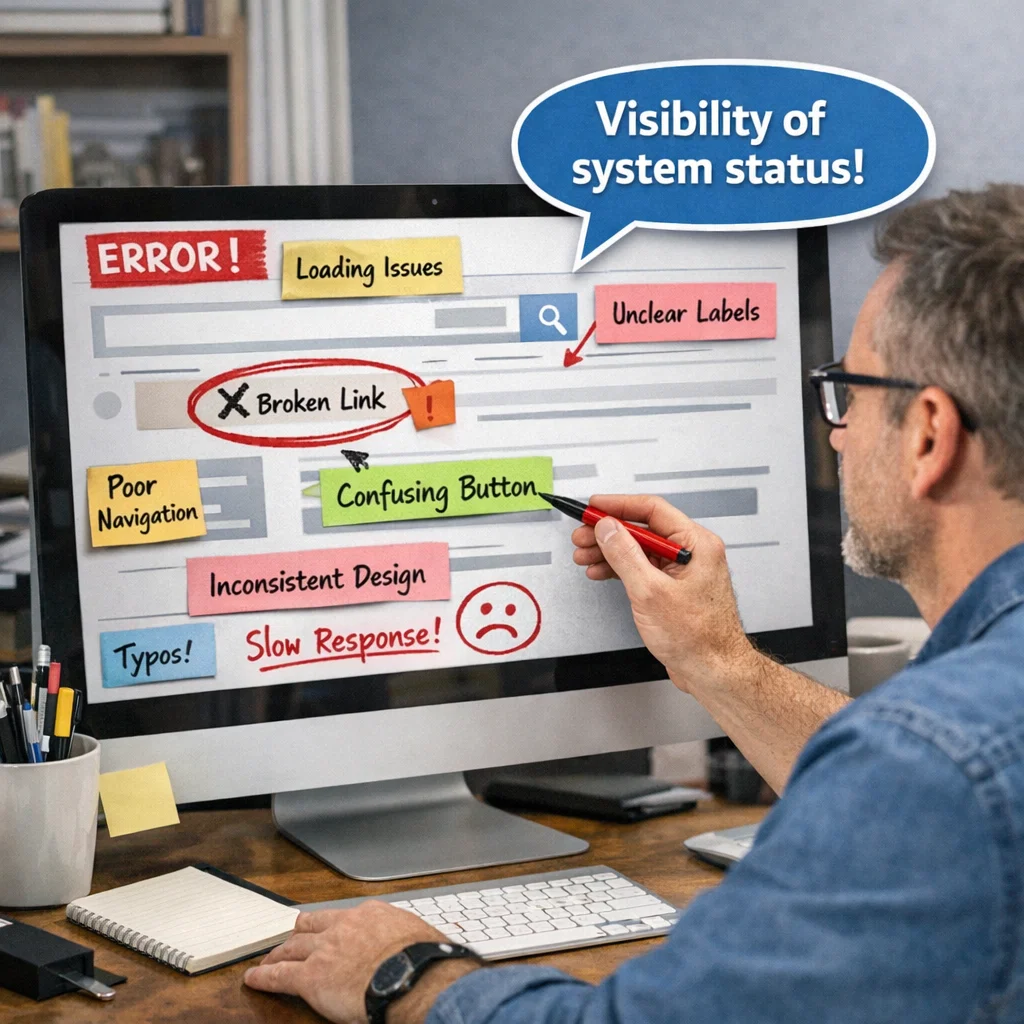
The method of usability inspection is called heuristic evaluation, where usability experts evaluate an interface on the basis of established rules in the form of heuristics. These heuristics are not rules but guidelines to good design.
This is a common approach as it is fast, not expensive, and does not involve the actual users during evaluation.
Nielsen’s Heuristics
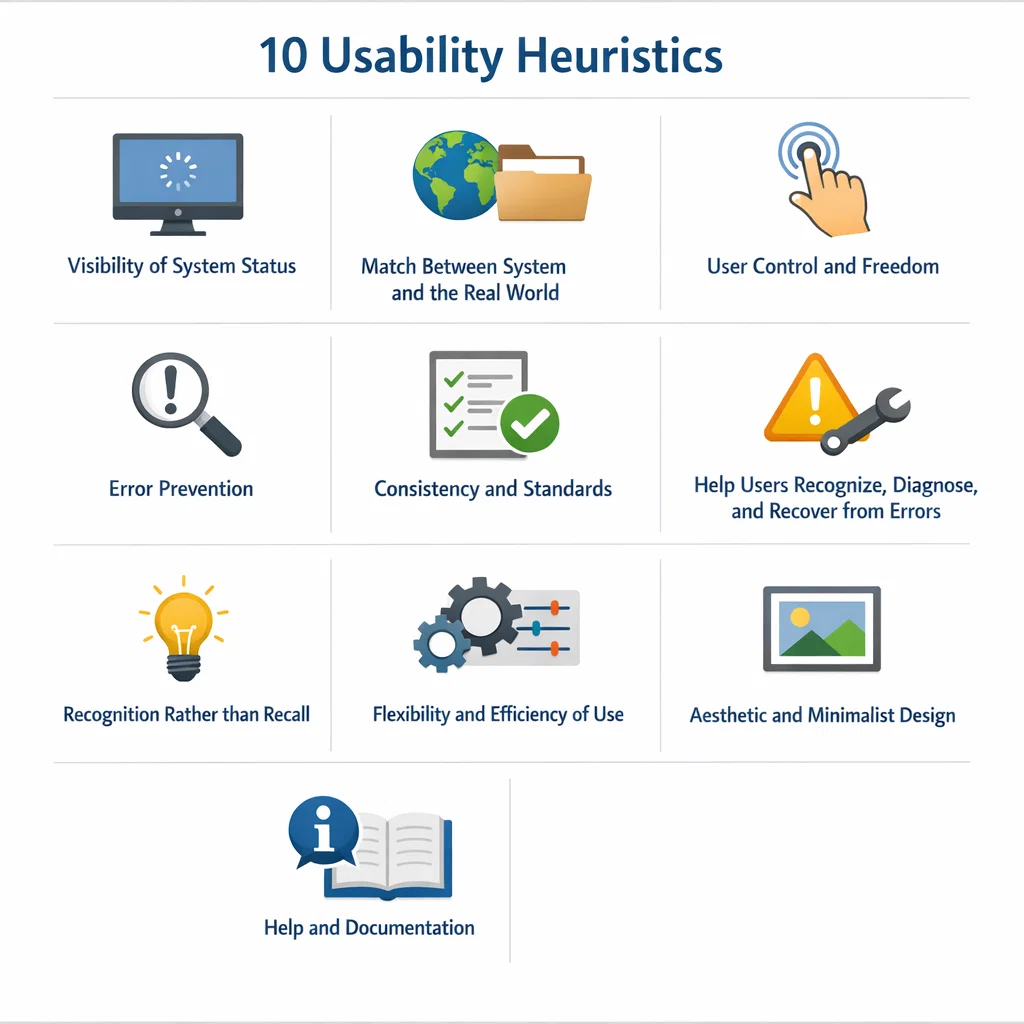
Jakob Nielsen came up with one of the most common principles of usability. His ten heuristics include:
System status visibility – Spread user awareness regarding system proceedings.
System- real-world match – Use common language and concept.
User manipulation and liberation – Give the user the ability to reverse operations.
Consistency and standards – Have similar design patterns.
Error prevention – Architect the system to prevent errors.
Recognition as opposed to recall – Reduce the memory load.
Adaptability and ease of use – Promotes amateurs and professionals.
Minimalist and aesthetic design – No extra information.
Assist users in detecting and overcoming mistakes – Supply error messages.
Support and documentation – Provide available assistance.
These principles are considered a standard for measuring the quality of the interfaces.
Heuristic Evaluation Process
The heuristic evaluation process normally entails:
Choosing evaluators – 3-5 usability experts generally.
Briefing session – Introduction of the system and evaluation objectives.
Independent review – Experts are going to review the interface separately.
Documenting concerns – every evaluator reports on usability concerns.
Simplification of results – Problems are brought together and grouped.
Severity rating – Issues are ranked according to severity.
Discovering Usability Problems
Heuristic assessment assists in the discovery of problems like:
Confusing navigation
Incongruent design components.
Poor feedback mechanisms
Overly complex interfaces
Demonstratively, a user is unable to know whether a button tap was made, and this constitutes the violation of the heuristic of visibility of system status.
Advantages
Fast and inexpensive
Does not require users
productive during initial design phases.
Gives feedback in a structured manner.
Limitations
Relies on the assessor’s skill.
May miss problem-specific.
The subjective interpretation may have different variants.
Cognitive Walkthrough
Definition and Purpose
Cognitive walkthrough is a usability inspection technique, where the learnability of new users to the system is considered. It mocks the thinking process of a user when he/she is interacting with a new interface.
It is a method that is especially handy in terms of assessing learnability.
Important Inquiries of Cognitive Walkthrough
Questions that the evaluators will ask during the walk-through include:
Does the user attempt to accomplish the right goal?
Will the user observe the right act?
Will the user know that the action will give the desired result?
Will the user be provided with suitable feedback?
These are questions that are used to recognize areas where users are likely to experience difficulties.
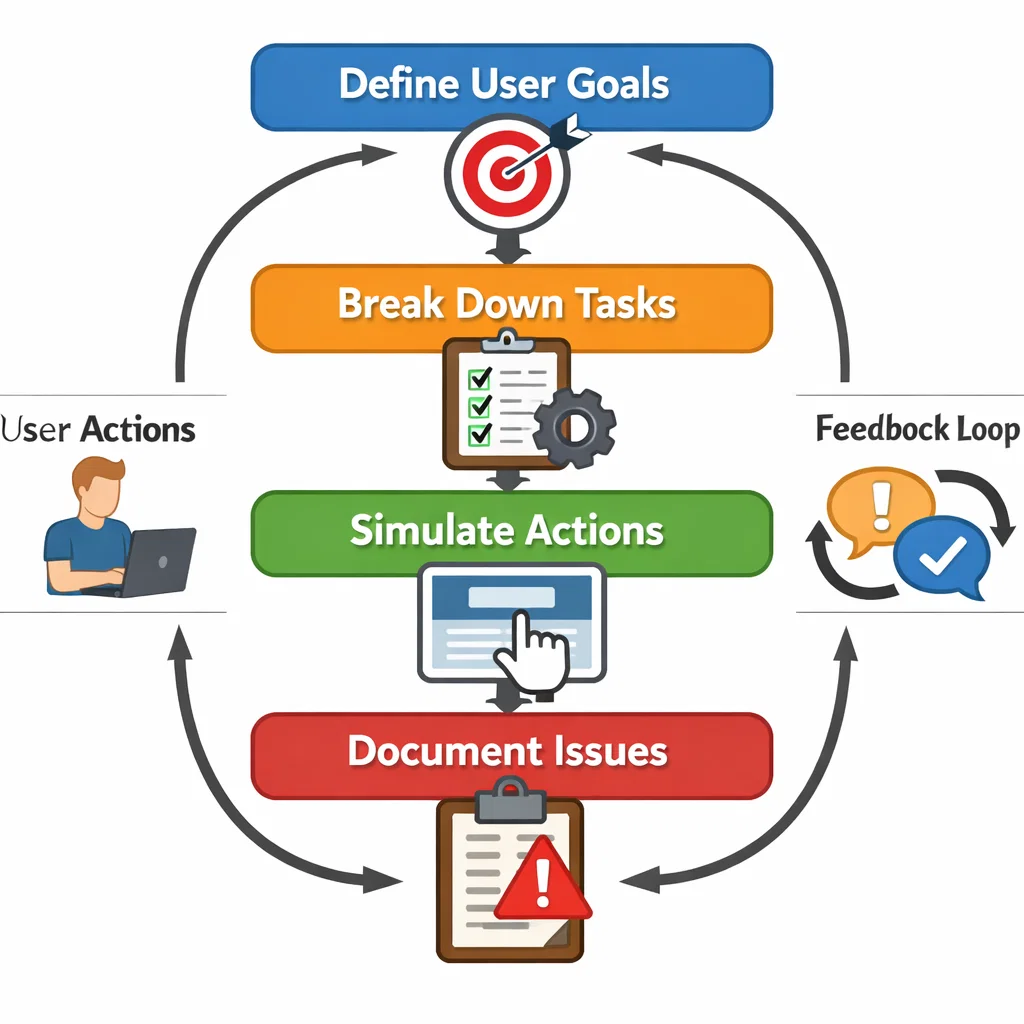
Cognitive Walkthrough Process
Define user goals and tasks.
Break tasks into steps.
Simulate user actions
Test every step according to the key questions.
Document usability issues
Determining the Usability Problems
Cognitive walkthroughs are useful in determining:
Baffling induction activities.
Labelling of buttons or actions poorly.
Absence of instructions to beginners.
Unintuitive or concealed features.
As an example, in case the user is not able to understand how to create an account, the system will be unable to operate at the first level of interaction.
Advantages
Concentrates on the user experience for the first time.
Determines learning barriers.
Useful for early prototypes
Limitations
Complex systems are time-consuming.
Fails to consider experienced users.
Bases itself on assumptions of user behavior.
User Testing
Definition and Importance
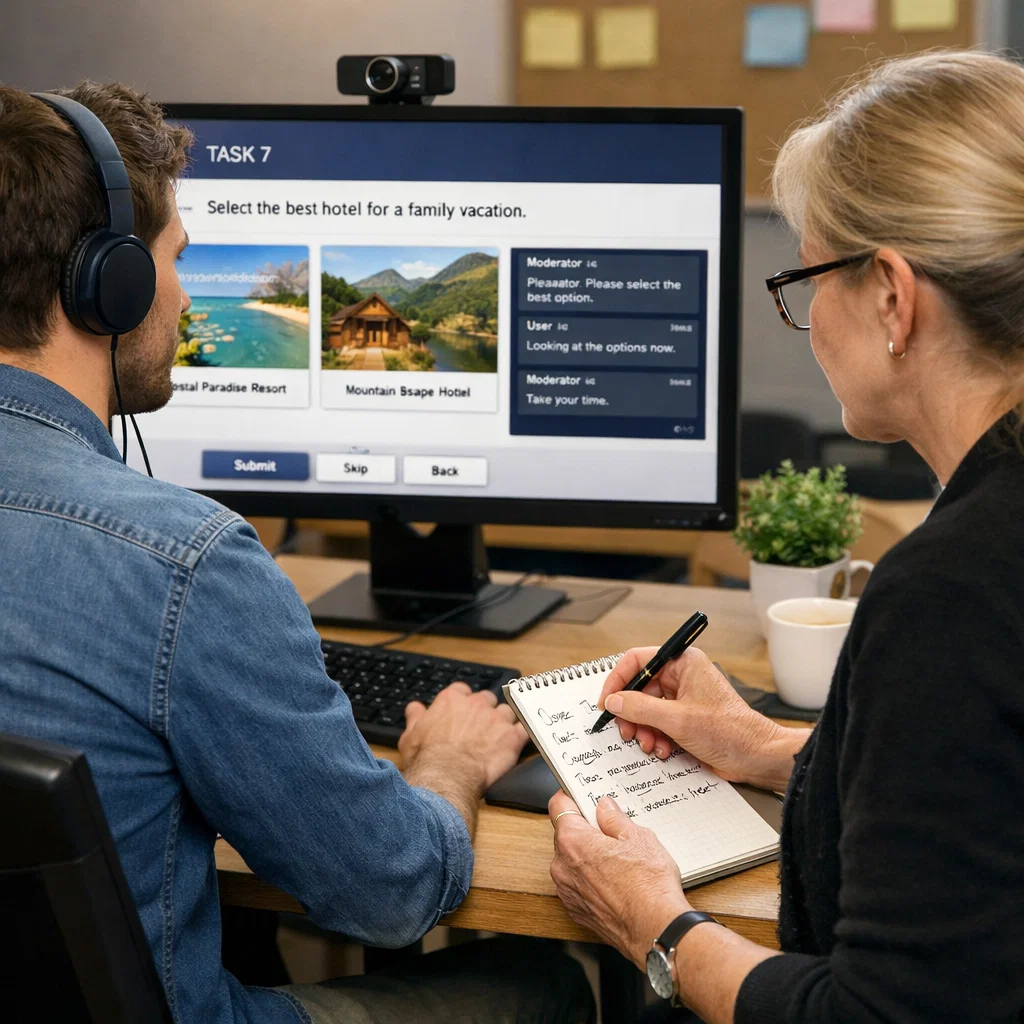
User testing is a process of observing users in a system as they engage with it to perform certain tasks. It is also among the surest ways of determining usability problems since it records the behavior of the actual users.
In contrast to the heuristic evaluation and the cognitive walkthroughs, user testing can give first-hand evidence of the user experience a system is going through.
Types of User Testing
Moderated Testing – The session is facilitated by a person.
Unmoderated Testing – The users do things on their own.
Remote Testing – It is performed over the Internet.
Physical Testing – It is performed in a strict environment.
Process of User Testing
State goals – What you would like to know.
Recruit participants – typical users.
Design assignments – Simulation.
Conduct sessions – Monitor interactions between users.
Note down information – Records, jottings, measurements.
Interpolate findings – Find patterns and problems.
Determining Usability Problems
User testing reveals:
Navigation difficulties
Loss of the meaning of interface elements.
Frustration points
Unexpected user behaviors
To illustrate, when a number of users do not make an exit, this implies a serious usability problem.
Advantages
Provides real user insights
Determines feasible usability issues.
Validates design decisions
Limitations
Time-consuming and costly
Requires careful planning
A small sample might not be representative of all users.
Comparison of the Three Techniques
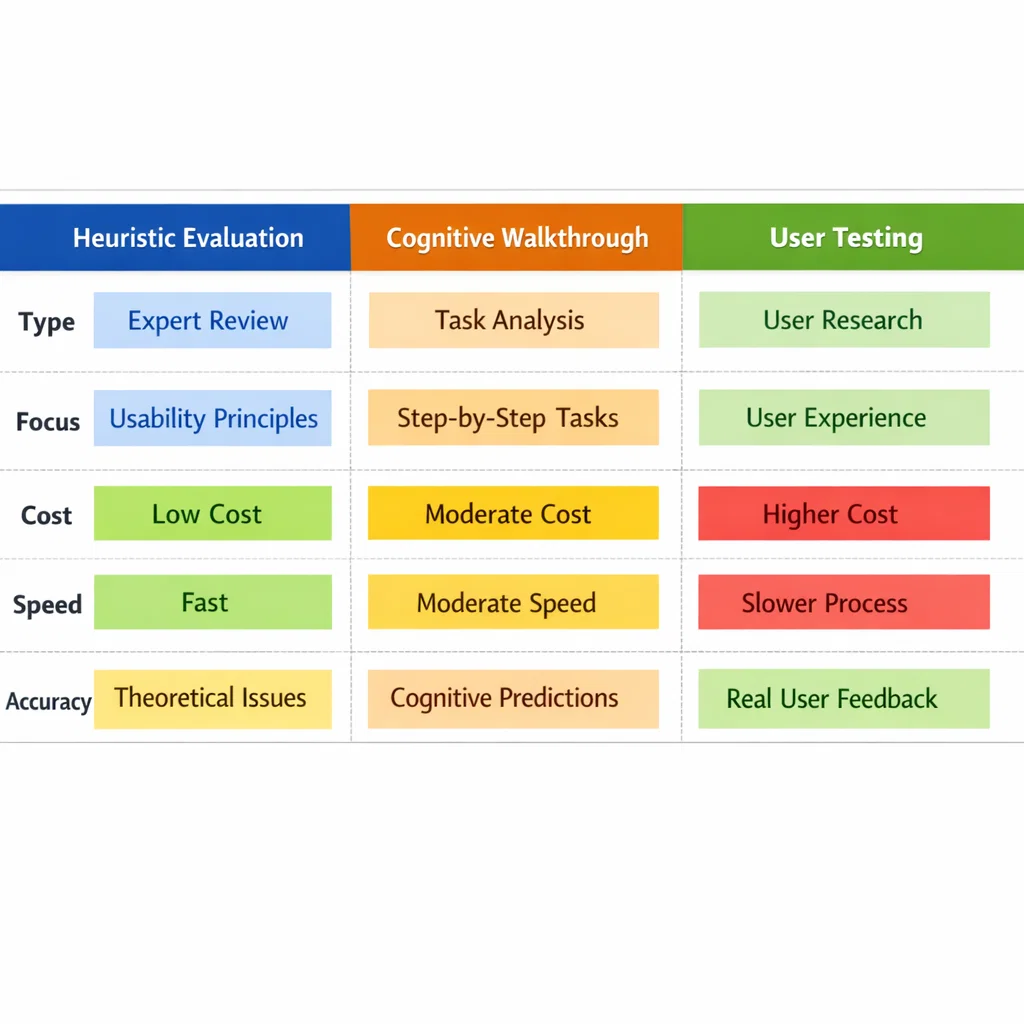
Aspect
Heuristic Evaluation
Cognitive Walkthrough
User Testing
Type
Expert review
Task-based analysis
Real user interaction
Focus
General principles of usability.
Learnability
Real-world usage
Cost
Low
Moderate
High
Speed
Fast
Moderate
Slow
Accuracy
Medium
Medium
High
The two methods are complementary to each other. For example:
Heuristic analysis recognizes overall design weaknesses.
Learning problems are pointed out in the cognitive walkthrough.
The real-world usability issues are verified through user testing.
Using These Techniques in Design
Early Design Stage
Find apparent problems with heuristic evaluation.
Use cognitive walkthroughs to perfect user flows.
Mid Development Stage
Integrate heuristic assessment and walkthroughs.
Start small-scale user testing.
Final Stage
Conduct full user testing.
Test the interface and debug it.
Iterative Design Process
The process of usability assessment does not occur once. It is supposed to be incorporated into a cyclic design process:
Design
Evaluate
Improve
Repeat
This guarantees the constant enhancement and client-centered design.
Fitting Nielsen Heuristics into Evaluation
The heuristics presented by Nielsen may be used with any type of evaluation:
They are the checklist during the process of heuristic evaluation.
They lead to the analysis of user actions in cognitive walkthroughs.
They are used in user testing to understand the problems observed.
For example:
In case of difficulty in navigating for the user, it can be connected with consistency and standards.
In the case of system feedback confusing the users, it is associated with the visibility of the system status.
The Importance of Interface Design Evaluation
Identifying Root Causes
Not only problems, but their causes are revealed using usability techniques:
Poor layout design
Misleading labels
Lack of feedback
Overcomplicated workflows
Prioritizing Issues
There are not as many usability issues as important. Rating of severity assists in prioritizing:
Critical – Avoid completion of tasks.
Major – causes a lot of frustration.
Minor – Small inconveniences
Implementing Solutions
Typical enhancements are:
Simplifying navigation
Improving visual hierarchy
Enhancing feedback systems
Reducing cognitive load
Continuous Improvement
The usability evaluation should proceed even after deployment by:
User feedback
Analytics
A/B testing
Problems with Usability Evaluation
Resource Constraints
Time and finances might be a limiting factor of the rigorous assessment.
Bias and Subjectivity
Personal opinions may affect expert reviews.
User Diversity
The needs of different users are different, and thus it is hard to design it universally.
Quick Technological Adoptions.
There are new technologies that necessitate new appraisal techniques.
Trends in Usability Evaluation in the Future
AI and Automation
Artificial intelligence is applied too:
Analyze user behavior
Predict usability issues
Automate testing processes
Remote Testing Growth
Remote usability testing is increasingly becoming accessible and available with digital tools.
Inclusive Design
The trend is towards designing to cater to a wide range of users, including the disabled.
Data-Driven Design
Design decisions are becoming increasingly informed using analytics and user data.
Conclusion
In Human-Computer Interaction, usability testing is an essential principle of successful interface design. Heuristic evaluation methods, cognitive walkthrough,h and user testing are very useful in finding out how users use the systems.
Heuristic evaluation provides a fast and systematic method of determining flaws in design based on well-known and proven principles such as the heuristics of Nielsen. Cognitive walkthroughs are more concerned with the aspect of learnability, which helps designers know how novice users navigate a system. User testing, conversely, gives real-life information through the practice of observing the behavior of the users.
As such, these techniques combined with each other form a holistic means of usability assessment. They not only diagnose problems but also direct the amelioration, making sure that the systems are productive, functional, and pleasant to operate.
In a world where the user experience may make the difference between the success and the failure of a product, usability evaluation is not merely an option–but a necessity.