Laptop batteries naturally degrade over time. After a few years of regular use, many users notice shorter battery life, unexpected shutdowns, or laptops that only work when plugged in. Learning how to replace laptop battery properly can repair your device’s performance and extend its lifespan.
Replacing a laptop battery may sound technical, but in many cases it is a straightforward process. With the suitable tools and a compatible replacement battery, most users can complete the process safely and quickly.
This guide explains how to change a laptop battery step by step, when a battery should be replaced, and how to choose a reliable replacement battery.
Signs Your Laptop Battery Needs Replacement
Before replacing a battery, confirm that it is actually failing. Most laptop batteries last 2 to 4 years, depending on usage patterns and charging habits.
Here are common signs that indicate you may need a laptop battery replacement:
- The battery drains very quickly.
- The laptop shuts down unexpectedly.
- The battery percentage jumps suddenly.
- The laptop only works when connected to the charger.
- The operating system shows battery health warnings.
If these issues occur frequently, replacing the battery is usually the most effective solution.
Step-by-Step Guide: How to Replace Laptop Battery
1. Turn Off and Unplug the Laptop
Safety should always come first. The laptop must be completely powered off before replacing the battery.
Steps include:
- Shut down the laptop.
- Disconnect the charging adapter.
- Remove external devices such as USB drives.
This prevents electrical damage during the replacement process.
2. Remove the Existing Battery
The removal process depends on the laptop design.
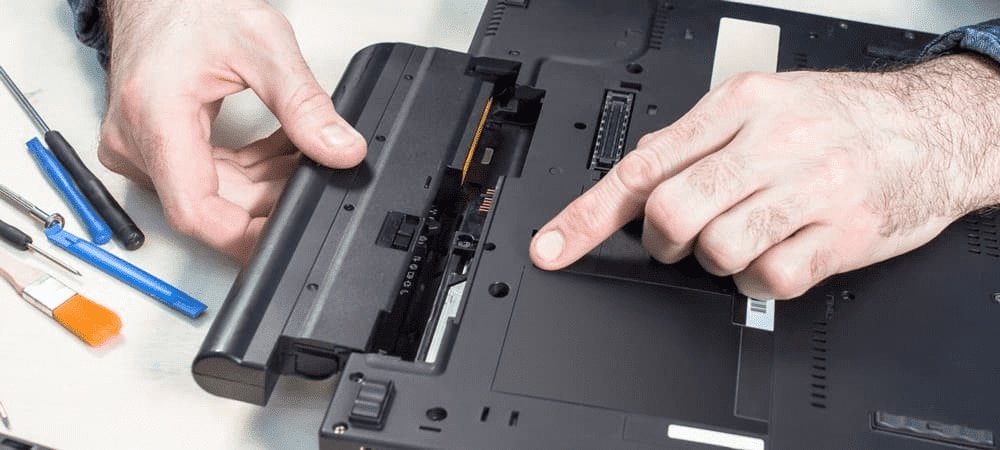
For removable batteries:
- Turn the laptop upside down.
- Locate the battery release latches.
- Slide the latches to unlock the battery.
- Pull the battery out gently.
For internal batteries:
- Remove the screws from the laptop’s bottom panel.
- Carefully lift the panel using a plastic tool.
- Locate the battery pack inside the device.
- Disconnect the battery cable from the motherboard.
Take care not to apply excessive force while removing components.
3. Install the Replacement Battery
Once the old battery is removed, your next step is to install the new battery.
Steps include:
- Align the replacement battery with the connector.
- Insert the battery into its slot or compartment.
- Reconnect the battery cable if necessary.
- Secure the battery with screws if required.
Using a high-quality compatible battery ensures better performance and safety.
For users searching for a reliable source to shop for laptop battery replacement, specialised stores such as BatterySouq.ae provide batteries compatible with many major laptop brands, including Dell, HP, Lenovo, Asus, Acer, and Apple devices.
4. Reassemble the Laptop
After installing the new battery:
- Reattach the laptop’s bottom panel.
- Tighten all screws securely.
- Turn the laptop back to its normal position.
- Connect the charger
Once the device powers on successfully, the battery installation is complete.
5. Calibrate the New Battery
Battery calibration helps the operating system accurately detect battery capacity.
Follow these steps:
- Charge the battery to 100%
- Disconnect the charger and use the laptop normally.
- Allow the battery to drop to about 10–15%
- Charge it fully again.
This process helps optimize battery health and performance.
How to Choose the Right Laptop Replacement Battery
Selecting the correct battery is essential for both performance and safety.
Important factors to check include:
- Laptop brand and model number
- Battery voltage compatibility
- Capacity rating (mAh or Wh)
- Quality certifications and warranty
Low-quality batteries may cause charging problems, overheating, or reduced lifespan, so it is always recommended to purchase from reliable battery suppliers.
Where to Find Compatible Laptop Batteries
After understanding how to change a laptop battery, the next challenge is finding a compatible replacement battery.
Many laptop models require specific battery types, which is why users often look for stores specialising in laptop batteries. Dedicated battery suppliers usually offer batteries designed for multiple laptop brands and models.
Platforms such as BatterySouq provide laptop battery replacements for a wide range of devices. Users can easily search for their laptop model and find compatible batteries that meet the required specifications.
Choosing the correct battery not only improves battery life but also protects the laptop from potential hardware issues.
Tips to Extend Laptop Battery Life
Once a new battery is installed, following good battery habits can help extend its lifespan.
Recommended tips include:
- Avoid exposing the laptop to excessive heat.
- Do not keep the laptop plugged in constantly.
- Use certified or original chargers.
- Maintain battery charge between 20% and 80% when possible.
- Update system software and drivers regularly
These practices help maintain long-term battery health.
About BatterySouq.ae
BatterySouq.ae is a reliable store providing laptop battery replacements and power solutions for a wide range of laptop models. The platform supports batteries for major brands like HP laptop batteries and Dell laptop batteries, with additional options from Lenovo, Asus, Acer, Toshiba and Apple.
Users looking to replace an aging laptop battery can explore different options and find batteries that match their device specifications. By choosing a reliable battery supplier, users can ensure better performance, safety, and longer battery lifespan for their laptops.
Conclusion
Replacing an old battery is one of the simplest ways to improve a laptop’s performance and extend its usable life. Once users understand how to replace a laptop battery, the process becomes straightforward and can restore portability without the need to purchase a new device. Choosing a compatible and high-quality battery is essential to ensure safe operation and long-lasting performance.
For those looking for reliable replacement options, specialised suppliers such as BatterySouq.ae offer a wide selection of laptop batteries for major brands, making it easier to find the right match for your device. With the right battery and proper care, users can keep their laptops running efficiently for years to come.