File handling and Input/Output (I/O) in Java plays a significant role in the interaction with the file system and the data persistence. Java has strong facilities in the process of creating, reading, writing, and altering the files with the help of streams, readers, and writers. To come up with strong Java applications, it is important to understand how these operations work.
This paper will explore the different file processing algorithms in Java providing an example of the usage of streams, readers, and writers. It also compares between the character streams and the byte streams giving an insight of when to make use of each.
What is File Handling in Java?
File handling in Java means the capability of handling files, which includes the creation and reading, writing and editing of file contents. Java I/O (Input/Output) package offers an elaborate collection of classes which assist in the effective management of file operations.
The Essentials of File Processing: Streams, Readers, and Writers
Streams are central to Java file handling. Streams are also abstractions that enable the flow of data in both directions i.e. towards a source and towards a destination and they enable the Java programs to deal with input and output operations. Java has two kinds of streams, namely, character streams and byte streams. They both have their applications and it is essential to know the differences so that you can implement the appropriate approach to your application.
Types of Streams in Java
Byte Streams
The raw binary data, an image file, audio file, or any other non-text data, is done by the use of the byte streams. These streams operate with 8-bit bytes and can be used to manipulate files who do not have data in the form of text.
Java implements the use of the following classes to have byte streams:
- FileInputStream
- FileOutputStream
These classes both write and read data in binary format that is in the form of bytes hence making them the right classes to use when dealing with binary data. As an example, in case you are required to operate with media files or binary information, the most effective and precise option is the use of byte streams.
Example of byte stream usage:
import java.io.FileInputStream;
import java.io.FileOutputStream;
import java.io.IOException;
class ExampleOfByteStream {
public static void main(String[] args) {
try (FileInputStream fis = new FileInputStream(“input.txt”);
FileOutputStream fos = new FileOutputStream(“output.txt”)) {
int content;
while ((content = fis.read()) != -1) {
fos.write(content);
}
System.out.println(“File copied successfully with the use of the byte streams.”);
} catch (IOException e) {
e.printStackTrace();
}
}
}
Character Streams
The character streams, in its turn, are a method of reading and writing data in the character format (16-bit Unicode characters). They are mainly applied to text files and they offer automatic character encoding. In contrast to the byte stream, character streams deal with the representation of data to and from a particular character encoding.
The character streams in Java are undertaken via:
- FileReader
- FileWriter
Such classes are also effective in processing text files since they automatically deal with the issue of character encoding (e.g., UTF-8 or UTF-16).
Usage of character stream example:
import java.io.FileReader;
import java.io.FileWriter;
import java.io.IOException;
class CharacterStreamExample {
public static void main(String[] args) {
try (FileReader fr = new FileReader(“input.txt”);
FileWriter fw = new FileWriter(“output.txt”)) {
int content;
while ((content = fr.read()) != -1) {
fw.write(content);
}
System.out.println(“File copied successfully using character streams.”);
} catch (IOException e) {
e.printStackTrace();
}
}
}
Java Reading and Writing Files
Writing to a File
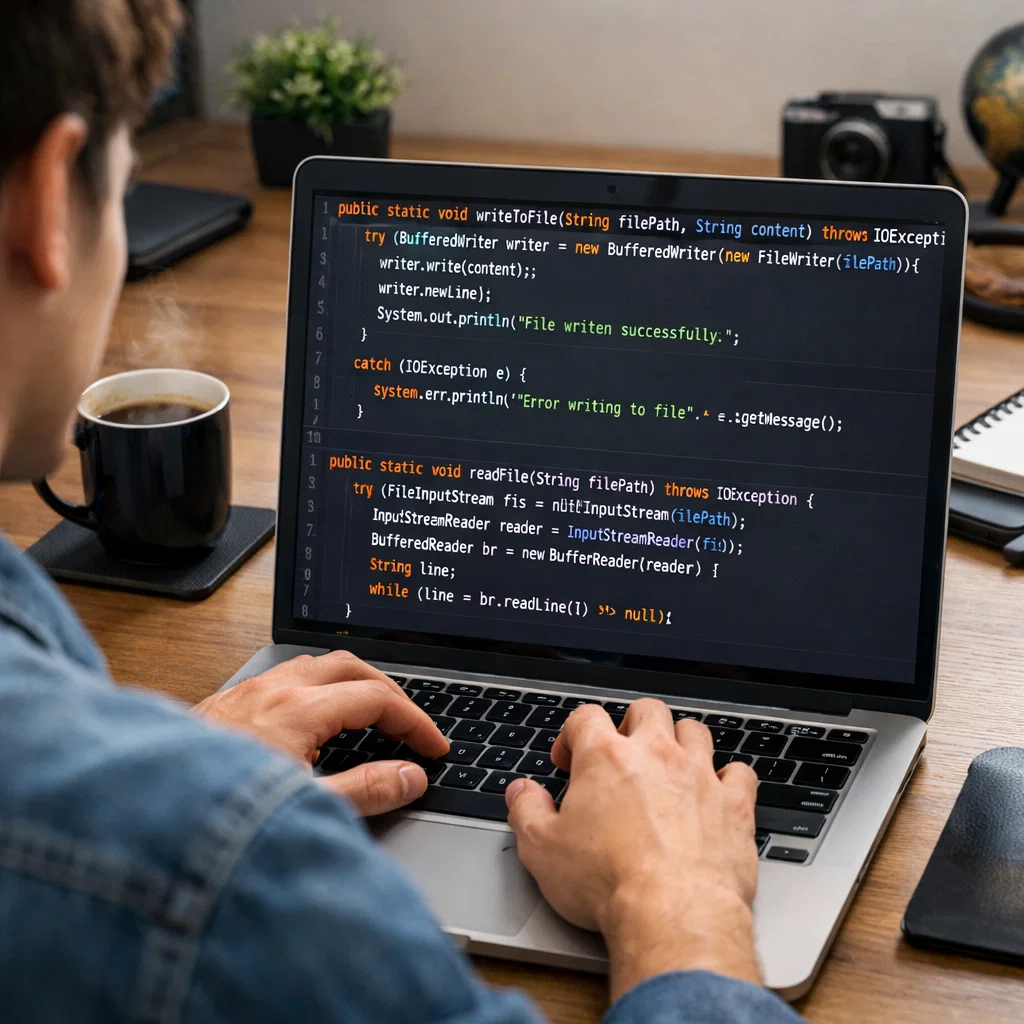
Java offers classes such as FileWriter, BufferedWriter, and PrintWriter in order to write data to a file. Such classes enable us to write characters effectively to files.
Using FileWriter
The easiest method of writing characters to a file is through FileWriter. It writes directly characters and in case the file is not found, it will create it.
Example of using FileWriter:
import java.io.FileWriter;
import java.io.IOException;
class FileWriterExample {
public static void main(String[] args) {
try (FileWriter writer = new FileWriter(“example.txt”)) {
writer.write(“Hello, World!”);
System.out.println(“Successful data writing.”);
} catch (IOException e) {
e.printStackTrace();
}
}
}
Using BufferedWriter
FileWriter has an improved version BufferedWriter. It delays data with the help of a buffer and writes it in big batches, minimizing the number of write operations.
A sample exercise on BufferedWriter is as follows:
import java.io.BufferedWriter;
import java.io.FileWriter;
import java.io.IOException;
class BufferedWriterExample {
public static void main(String[] args) {
try (BufferedWriter writer = new BufferedWriter(new FileWriter(“buffered_example.txt”))) {
writer.write(“Buffered Writing is more productive.”);
System.out.println(“Data written using BufferedWriter.”);
} catch (IOException e) {
e.printStackTrace();
}
}
}
Reading from a File
Java offers FileReader, BufferedReader, and Scanner to efficiently read data in a file.
Using FileReader
FileReader reads the characters of every letter in the file. Though it is a simple one, not quite efficient on bigger files.
Example of using FileReader:
import java.io.FileReader;
import java.io.IOException;
class FileReaderExample {
public static void main(String[] args) {
try (FileReader reader = new FileReader(“example.txt”)) {
int content;
while ((content = reader.read()) != -1) {
System.out.print((char) content);
}
} catch (IOException e) {
e.printStackTrace();
}
}
}
Using BufferedReader
BufferedReader is applied in order to read text in an efficient way in a text file through buffering of the input. It is more so when dealing with large files or when the data has to be read line by line.
The following is the example of the use of BufferedReader:
import java.io.BufferedReader;
import java.io.FileReader;
import java.io.IOException;
class BufferedReaderExample {
public static void main(String[] args) {
try (BufferedReader reader = new BufferedReader(new FileReader(“example.txt”))) {
String line;
while ((line = reader.readLine()) != null) {
System.out.println(line);
}
} catch (IOException e) {
e.printStackTrace();
}
}
}
Modifying Files in Java
Java can be used to read and write files with a mixture of reading and writing functions. The file can be read and its contents manipulated and the data that is manipulated written back to the file.
Example of Modifying a File:
import java.io.BufferedReader;
import java.io.BufferedWriter;
import java.io.FileReader;
import java.io.FileWriter;
import java.io.IOException;
public class ModifyFileExample {
public static void main(String[] args) {
try (BufferedReader reader = new BufferedReader(new FileReader(“example.txt”));
BufferedWriter writer = new BufferedWriter(new FileWriter(“example.txt”, true))) {
String line;
while ((line = reader.readLine()) != null) {
writer.write(line);
writer.newLine();
}
writer.write(“New content added.”);
System.out.println(“File modified successfully.”);
} catch (IOException e) {
e.printStackTrace();
}
}
}
When to Use Byte Streams vs. Character Streams
- Byte Streams: Use when dealing with binary data (e.g., images, audio, video files).
- Character Streams: Use when working with text data (e.g., .txt, .html, .xml files). They handle character encoding automatically, making them ideal for text-based files.
Conclusion
In this article, we have explored how Java manages file operations using streams, readers, and writers. Understanding the differences between byte streams and character streams is essential for selecting the appropriate I/O mechanism for your application. By using the provided examples, you can efficiently create, read, write, and modify files programmatically in Java.