Learning to program for the first time is tough, which is true when you are introduced to terms like variables, functions, algorithms, databases, APIs, frameworks and version control. But what you do is approach it as a journey and not try to take in everything at once. Also a beginner doesn’t need advanced math, expensive hardware or technical background to start out and see some results. What we see is that what works best is having a set path to follow, consistent practice and a positive attitude which is key in solving what may at first look like very complex issues.
Also a great plan is to start with which language to use, what the basic programming concepts are, how to go about problem solving, get familiar with development tools and then slowly work your way into doing projects. As you grow in this field you can branch out into databases, APIs, Git, testing, software architecture and other related areas. This step by step method transforms what was once a very scary topic into a very doable and practical set of skills which you develop with regular practice.

What is Programming?
Before you choose a programming language to work with it is a good idea to know what programming is all about. Computer programming is the creation of sets of instructions that get a computer to do what you want it to do. We write these instructions in programming languages which are designed to be understandable to humans but which the computer will put into action after we provide the proper input. Programming is not just about memorizing commands or going through tutorials. What it is is taking on a problem, breaking it down into manageable parts, coming up with a logical solution, putting together the instructions, putting the instructions to the test, and fixing what doesn’t work as expected.
Also at the start a beginner should think of programming as a mix of logic and computer communication. When you write a program you are in fact giving a machine very precise instructions which it will follow exactly. By early on in your studies to wrap your head around that idea you will find it easier to look at programming exercises as issues which require solutions instead of large complex codes.
Select Your First Programming Language.
Choosing what your first programming language will be is a decision early in a beginner’s path, but it shouldn’t cause unneeded stress. There isn’t a single language which every beginner must learn as each has a different use case. Python is very much a beginner’s choice because of its easy to read syntax and the wide range of what it can do from web development to automation, data analysis, AI, scripting and beyond.
Also very practical is JavaScript for those interested in the web and web apps as it runs in the browser and is very much a main player in modern web development. Also out there are Java, C#, C+ and others which do well depending on what a learner wants to do. Instead of spending weeks researching which language is best, beginners should pick one that plays to their interests and stick with it as they work out the basics. It is more valuable at the start to do in depth study of one language than to jump between many.
How to Select the Right Language
The best approach to pick your first language is to think of what you want out of it. For instance a person into web development may see value in JavaScript, and one that is into automation, data, or AI may do well with Python. A person into game dev may go with C# or C+ which will depend on the tools and platforms they are working with. Also it is true that your first language doesn’t always define your path. What is more important is that you transfer programming fundamentals like variables, conditions, loops, functions, data structures, debugging, and problem solving between languages.
Once you are familiar with these concepts which are pretty much the same across languages you will find that learning a new one is much easier as the main thing is to learn the new syntax and language specific features. The key is to pick a language, follow a structured intro course or book, and give yourself time to become comfortable with it before you move onto the next.
Basic programming principles
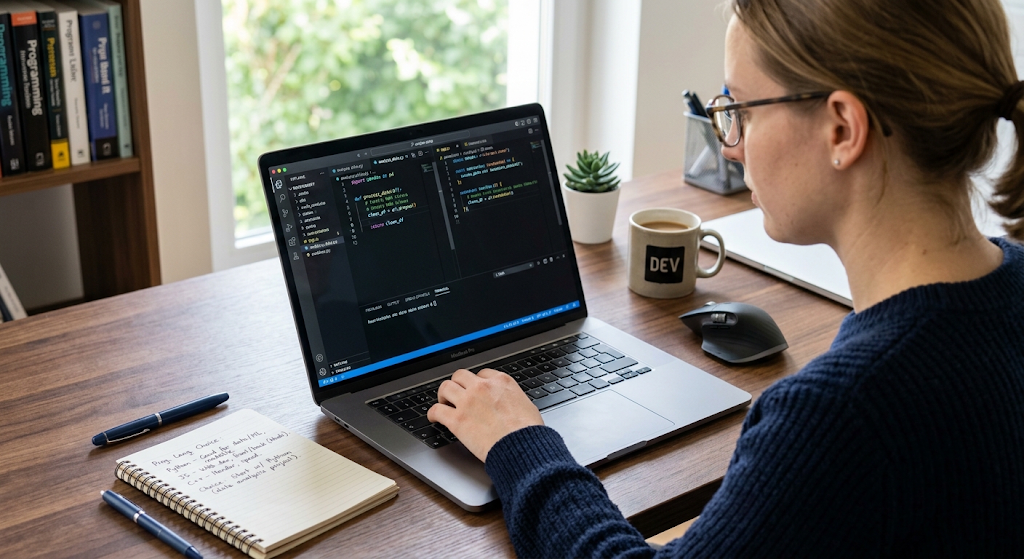
After you choose a language to work in, the next step is to learn the basic principles which run through all of programming. At the start we have variables, data types, operators, conditional statements, loops, functions, input and output, and basic error handling. Variables in this context are for storing info, and data types are what we use to define the kind of info we are working with. In conditional statements the program is made to make decisions and in loops we get instructions which play out over and again.
Also at your disposal are functions which are great for taking large scale projects and breaking them into more manageable and repeatable sections. At first these may seem like very basic elements but in fact they are the base which all great programming is built from. Also do not rush through them just because they are presented early in most any course material. Instead do what you can to practice each one by writing small programs and revising examples. The aim is to get to a place where you can explain what your code does and how it works instead of just what the rules are.
Practice Each Concept With Code
Reading up on programming concepts is a good start but in the end programming is a practical skill which you gain from doing it. After you learn a concept try out what you learned by writing out a few small programs that play with it in many different ways. For instance, once you’ve learned about conditional statements, write a program that determines if a number is positive, negative or zero. Once you learn loops, get on the keyboard and write a program that outputs a sequence of numbers or that goes through a list and does something to each item. Also when you study functions put together separate functions for each task in a simple program.
These are great ways to turn what may still be very abstract ideas into real knowledge. Also as you are at it do on purpose what should not be done and then try to figure out what went wrong. Errors are going to happen but in the process of figuring out why they happen you will learn a ton. Also at the end of the day the best way to really become a good programmer is to write your own code, test it out, go back and forth improving it, and debug it. Those that only watch others code without doing it themselves come out behind the ones that roll up their sleeves and get in the code.

Develop Critical Thinking Skills.
Programming is a solution based field which means that it is as important to develop problem solving skills as it is to learn the syntax. At the onset of a programming task do not jump straight into writing code in the editor. First you should determine what the issue at hand is. What data does the program put in and what should it present as output? What is the logic that will take us from input to output? Also break this large issue into several smaller issues which in turn are easier to handle.
This process is what some term as decomposition and it is very key in the field of software development. As a beginner start out with easy challenges which may include math problems, text manipulation, use of lists, if statements, and loops. Do not take on very hard problems right away. Instead choose issues which push you a little out of your comfort zone and as your confidence grows slowly take up more difficult ones.
Learn to Debug Instead of Guessing
Debugging is to be a part of what you do as you program everyday. When a program does not do what is expected put in by the user, we see some junior programmers go in and change random bits of code which may by chance fix the issue at hand. While this may appear to solve the issue at that moment it does not improve one’s programming skill. A better strategy is to determine where the program is going off track from what was expected. Read the error messages very carefully, check out the variables, look at the relevant code and test out separate parts of the program.
Also use the provided tools in the development environment that allow you to see what is going on with variables while the program is running which in turn will make the process of debugging easier. Over time you will see over and over again the same mistakes, incorrect conditions, unexpected data types, missing information, syntax issues, and faulty assumptions about a function’s performance. Patience in the practice of debugging is one of the key elements in the growth to become an independent programmer.
Become Familiar with Development Tools.
Once you have a grasp of basic programming it is time to dive into the tools that programmers use to develop and manage software. Start out with a code editor or what is known as an IDE. These tools include features for writing code, which in turn highlights the syntax, finds errors out for you, organizes your files, and runs your programs. Also get to know the command line interface as it is very much a part of the development process and many development tools use terminal commands.
At first the command line may look foreign but you only have to learn the commands which apply to your work and as you go along you can build up your repertoire. Learn to move around in the file structure, to create and delete files, run programs, install packages, and see what is in your project. By becoming at ease with these tools you will break free of step by step tutorial instructions and at the same time increase your control over your development environment.
Start with Small Projects
Projects are what turn academic programming into practice. Instead of putting in months of theory study before you touch a project, get out there and build something which at first may only be a little — put out a calculator, a number guessing game, a simple quiz app, unit converter, expense tracker, text based game, or basic task manager. As a beginner any project will do. What is important is that you combine a few concepts into a full scale working program. Your project doesn’t have to be amazing. It’s a chance to see how different elements work together.
You may use variables for storage, conditions for decision making, loops for action repetition, functions for code organization, and error handling for real world input. Also projects bring to light what may have been weak spots in your theory that the class or book didn’t hit. As you run into issues with your project do your due diligence in research and resolution which is all part of the growth. Every project you complete is a step forward and also a foundation for the next which will in turn be that much easier to take on.
Increase Project Difficulty Gradually
After completion of a few small projects, start to implement more complex elements in your projects. For example a simple task manager may at first only have the ability to present tasks but grow to include add, edit, delete, search, and organizational features. A basic calculator which at first does a few operations may be expanded to do more and also made to handle out of place input. Also a simple quiz may at first only have a few questions in it but may be grown out to include many categories, point tracking, question selection, and saved results.
The main principle is to build on what you already know as opposed to jumping into totally new fields. Each new project should present one or two that are a step up in terms of what you have known. This approach will avoid overwhelming the beginner yet at the same time will encourage continuous growth. Also go back to your past projects and improve their architecture as you learn new things. Refactoring old code is a lesson in that there is no such thing as a complete software at the first try and that maintainability, readability and organization are very important in programming.

Learn Version Control with Git.
As software projects grow in size and complexity, version control becomes an ever more important issue. Version control systems which developers use to track changes to the code over time, to revert back to previous versions when needed, and which in general make the development process much safer are what we are talking about. Out of all the version control systems out there Git is the one which is used the most and which I would recommend to start learning early on. To that end begin with the basic ideas which include what a repository is, what a commit does, what branches are, what merging is all about, and also what remote repositories are.
You do not have to go into the details of every advanced feature in Git right away. What I suggest is that you create a repo for one of your projects, make some changes, commit those changes with notes in the message and then look at the history of your work. Also see how to connect a local repo to a remote host. From the start using Git will help you to form good development practices and also will serve as a great record of your growth as a programmer as your skills improve.
Check out Databases and APIs.
After you have grown familiar with basic programming and small projects begin to learn how applications use external data. Data in databases are what these storage systems put in and out of for access by applications and also which the app can modify. At first we recommend that beginners get a grasp on the very basic difference between relational databases and other database models before moving onto the more advanced database tech. It also is very beneficial at this stage to learn basic SQL which is used very often to interface with relational databases.
Also do lots of that practice which includes creating tables, adding records, getting info out, updating records, and filtering results out. Also a key area to look into is APIs which in turn enable different software to talk to each other. For instance an application may use an API to get info from some other service. By the time you learn about requests, responses, endpoints, auth, and common data formats you will be able to develop applications that go beyond just your local machine.
Develop Portfolio Projects.
Once you have developed a few small projects, get into larger scale ones that present what you are capable of. A portfolio project should present a solution to a relevant issue or give the user a useful experience instead of just following a tutorial. Based on your interests you may want to create a personal finance tracker, inventory app, study management system, appointment application, content management tool, weather dashboard, or some other practical application.
The project should present a variety of skills such as programming basics, data storage, APIs, user interface design, error handling, and version control. Keep the source code organized and write up documentation which goes over what the project is about, which technologies were used, how to run it, and what you learned in the process of building it. Also a portfolio is more valuable when each project shows off your own decisions and problem solving process rather than presenting an unmodified copy of a tutorial.
Document Your Learning
Documentation is a key aspect of professional development as we see in large scale software projects which are a team effort. For each of your projects, put forth what the issue was you were trying to address, the solution you implemented, the tech stack you used, what challenges you faced, and what you would do differently if given the chance to rework the project. You may keep a project README file and use Git notes to track development growth.
As you describe a project, focus on what you built and the tech decisions you made. If you refer to tutorials, docs, libraries, or other resources do the research to the point that you can explain how the final product came together. This will make your portfolio a better tool in which to display your knowledge and get practice at clearly putting across technical info. Also good documentation is a great asset when you return to a project you worked on some time ago and don’t have all the details fresh in your mind.
Development of Advanced Software Technologies.
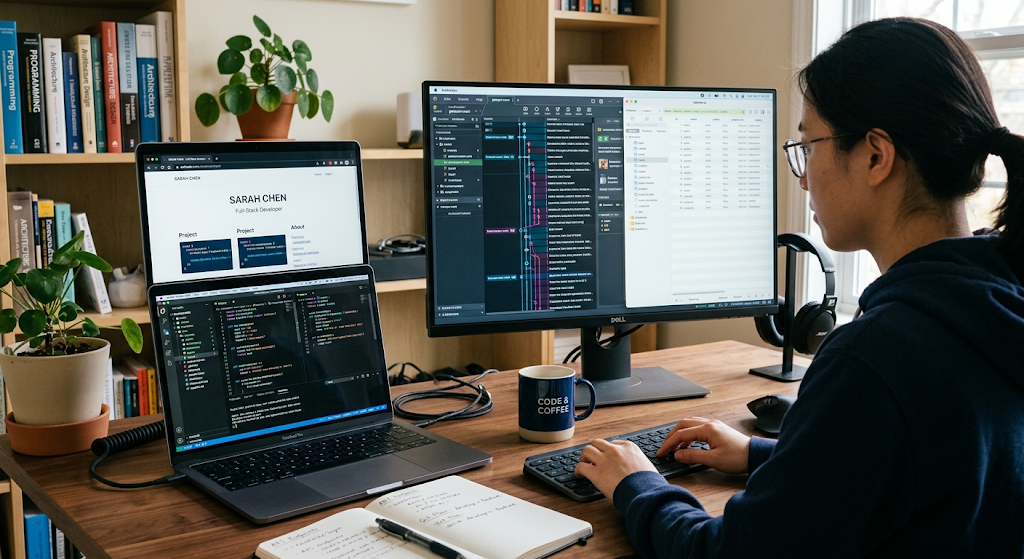
When you have your basics covered, you can start out into more advanced software development topics which include object oriented programming, data structures and algorithms, software testing, application architecture, authentication, security principles, asynchronous programming, deployment, cloud services, performance optimization, and design patterns. You do not have to take on all of these at once. Instead pick out the topics which relate to what you are working on at the moment.
For instance if your app is becoming hard to manage, look into software architecture and object oriented design. If you are seeing the same bugs, Par(paragraph) If your app has issues with100’s of users accessing it at the same time study up on deployment and cloud infrastructure. Advanced topics should be looked at as an extension of what you are doing; practically they are not a separate body of theory that you have to master before you can get your software projects off the ground.
Stick to a Regular Study Routine.
Consistency is a key element in which you learn to program from the start. You don’t have to be studying code 24/7 and in fact trying to learn too much at once will leave you frustrated. What may work is a set routine which includes learning a new topic, then working through it with practice questions and after that put it out there in a small project. Also this routine may change based on what you have going on in your life but what is more beneficial is regular practice over very long study sessions that are followed by long breaks without touch of the keyboard.
Keep a journal of what confuses you, what you tend to make mistakes on, and what you want to look into at a later time. When you hit a wall, use the documentation, the books, the courses, developer communities and search resources at your disposal to look into the issue. The point is not to avoid asking for help but to use it as a means to better understand the what and why of the solution and to be able to implement it on your own in the future.
Commit to Continuous Improvement
Learning at the root of programming has no end point when you think you know it all. Tech changes out, languages transform, practices progress, and tools present themselves. Also experienced coders look up what they need from the docs and jump in head first to new tech when taking on new projects. What I am saying is the best mental model for a beginner is one of constant improvement. Keep at your projects, go over old code, read the docs, look at what other people are doing, and play around with what tech you are into.
As you get better you will take on bigger projects, work with other developers, delve into special topics, and take on more complex issues. At some point you may zero in on an area like web dev, mobile, backend, data, AI, security, games, or some other field but the base elements of what you learned at the start will still be relevant to whatever path you choose.
Conclusion
Learning to program is a progressive process which includes growth in knowledge, practice, experiment and problem solving. The journey may start by choosing which language to study and to get to know basics like variables, conditions, loops, functions, and data structures. At first learners should develop problem solving skills, outgrow issues in their programs, get at ease with the development tools, and complete small projects to turn theory into practice. In time, Git and version control will bring professional practices into the development and databases and APIs will have them creating applications that play with persistent and external data.
As confidence builds up, bigger portfolio projects will present what they are able to do and more complex software development topics will be introduced based on personal goals. What is key is to keep moving from study to application. Programming issues become easier when you apply concepts over and over, you treat errors as learning materials and every project has a new thing to learn. With patience and consistent practice a total beginner can indeed build the skills to create useful software and to keep on growing as a programmer.