Introduction
Gmail is widely used for personal communication, business correspondence, productivity, and access to online services. Some users also encounter the term “Gmail PVA account with app password” when looking for an account that has completed phone verification and can connect with an application that does not support modern Google sign-in.
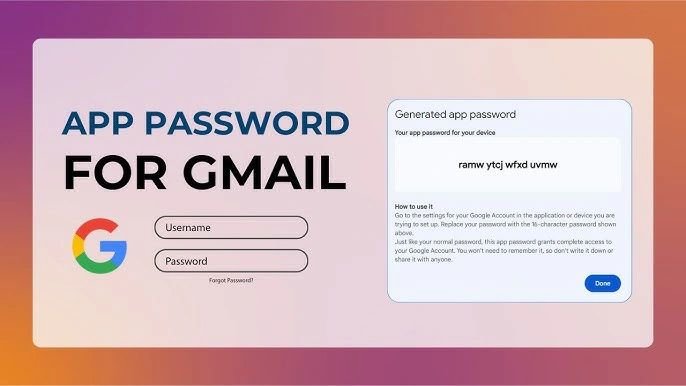
An app password is different from the normal Google Account password. Google describes it as a 16-digit passcode that can allow a less secure app or device to access a Google Account. App passwords require 2-Step Verification and are intended for situations where an application cannot use Sign in with Google. Google also recommends using Sign in with Google whenever it is available.
What Is a Gmail PVA Account?
PVA commonly means Phone Verified Account. In general usage, the term refers to an email account for which a phone verification step has been completed. Phone verification is one part of account registration or security, but it does not guarantee permanent access or protection from future security reviews.
Users should understand that a verified account still needs to be used responsibly. Google can apply security checks or restrictions when activity violates its policies. Therefore, verification should never be treated as permission to conduct spam, phishing, deceptive registrations, impersonation, or other prohibited activities.
What Is an App Password?
An app password is a special generated passcode used by certain applications or devices that cannot use the normal modern Google authentication process. According to Google, app passwords are available only when 2-Step Verification is enabled. They are generally intended as a fallback for applications that do not provide Sign in with Google.
The main benefit is that an application can use the generated passcode instead of receiving the user’s regular Google Account password. This can be useful with certain older applications or devices, but it does not make an unsupported application automatically secure.
Why App Passwords Matter
App passwords can be useful when an application requires traditional username-and-password authentication and does not support Google’s newer sign-in methods. For example, a user may encounter an older mail application that cannot complete modern authentication.
However, Google currently recommends Sign in with Google when it is available because it provides a more modern and controlled authentication experience. Users should not create an app password simply because it is available. It should be created for a specific legitimate application or device that genuinely requires it.
Security Considerations
Security should be a priority when managing any Google Account. An app password should be treated as sensitive authentication information. Users should never publish an app password, share it publicly, or place it in an unsecured document.
Google explains that app passwords are revoked after the main Google Account password is changed. If an app or device is no longer being used, its app password should also be revoked. Google recommends removing an app password when a device is lost or when the authorized application is no longer needed.
Users should also review account security activity and maintain 2-Step Verification. Strong, unique account credentials and careful management of connected applications can reduce unnecessary security risks.
Using an App Password Responsibly
The correct approach is to use an app password only for the application or device that needs it. The account owner should understand what access the application receives and should remove access when it is no longer necessary.
For business environments, administrators should establish clear security procedures for account access. Employees should not copy credentials into unknown software or provide account information to untrusted services. When a modern authentication option is available, it is generally preferable to use that option rather than relying on an app password.
Choosing an Account Service Carefully
People searching for Gmail PVA accounts with app passwords may be interested in convenience, but convenience should not replace security. If purchasing any third-party account-related service, customers should examine the provider’s terms, privacy practices, support process, and replacement policy.
A responsible provider should avoid promising guaranteed lifetime access or claiming that an account cannot be suspended. No verification method removes the requirement to follow Google’s policies. Customers should also be cautious about receiving credentials through insecure channels and should protect any authentication information immediately after access is obtained.
For organizations that need multiple managed email accounts, an official business email solution can often be more appropriate than relying on unrelated third-party account supplies. Centralized administration can make security, recovery, and user management easier.
App Passwords and Modern Authentication
Modern authentication methods are generally preferable because they allow users and services to manage access without repeatedly sharing passwords. Google’s Sign in with Google system is designed to provide a simpler and more controlled way to connect third-party applications.
App passwords remain useful for certain legacy situations, but they should not be considered a replacement for modern authentication. Before generating one, users should check whether their application supports Sign in with Google or another secure authentication method.
Common Mistakes to Avoid
One common mistake is treating an app password as a permanent guarantee of account access. It is not. Another mistake is sharing the app password with multiple people or applications without understanding the security consequences.
Users should also avoid using accounts for spam, phishing, fraud, impersonation, or attempts to bypass platform restrictions. Such activities can result in account restrictions and may create legal or security problems. Responsible use means keeping the account secure and following Google’s applicable policies.
Conclusion
Gmail PVA accounts and app passwords are two different concepts. PVA generally refers to phone verification, while an app password is a generated authentication code designed for certain applications or devices that cannot use modern Google sign-in.
For legitimate users, the most important priorities are security, transparency, and responsible account management. App passwords should be used only when necessary, kept confidential, and revoked when no longer required. Google recommends Sign in with Google whenever it is available, making modern authentication the preferred option in many situations.
Anyone considering an account-related service should focus on legitimate use, clear service policies, secure credential handling, and realistic expectations rather than relying solely on claims such as “verified” or “with app password.” A secure and compliant approach is ultimately more valuable than simply having quick access to an account.