Introduction
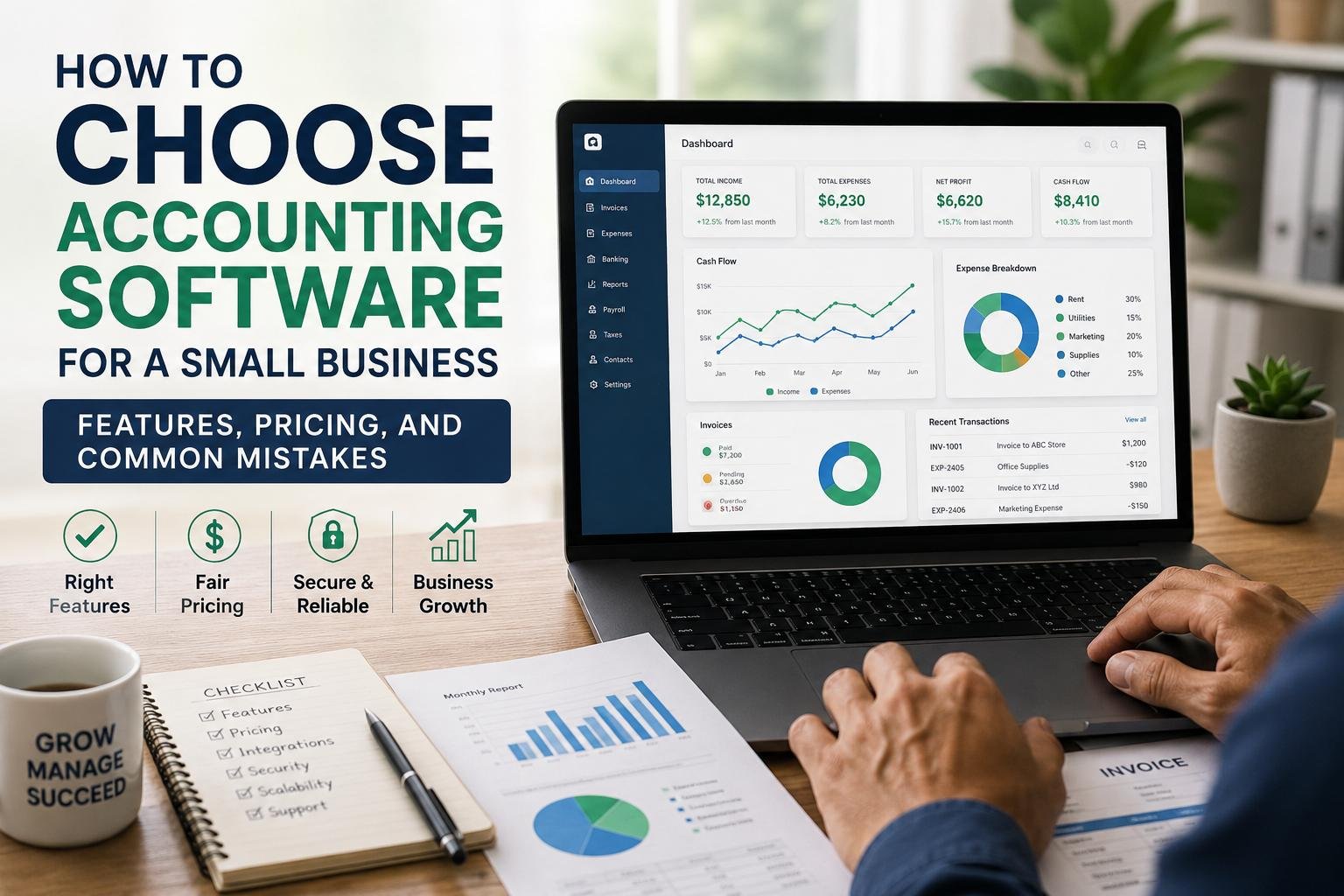
The kind of accounting system used can significantly impact the success of a small business’s financial management. The right accounting software can make it easier to log in and out, send out invoices, keep an eye on cash flow, make financial reports, keep an eye out for tax, and match your bank transactions, among other things. But because there are a variety of platforms, the purchasing choice might be difficult, particularly for business owners who aren’t knowledgeable of accounting software. For a small retail business or freelancer, a system that is effective for a large business with many employees and products may be too complex and complicated, and for a company with staff and stock, a system that works for an individual may be too simplistic. Owners should not make any software decision solely based on cost or popularity, but should consider their business size, users, the features they need, industry specific needs, integrations, security, scalability, support and the ease of use before making a commitment.
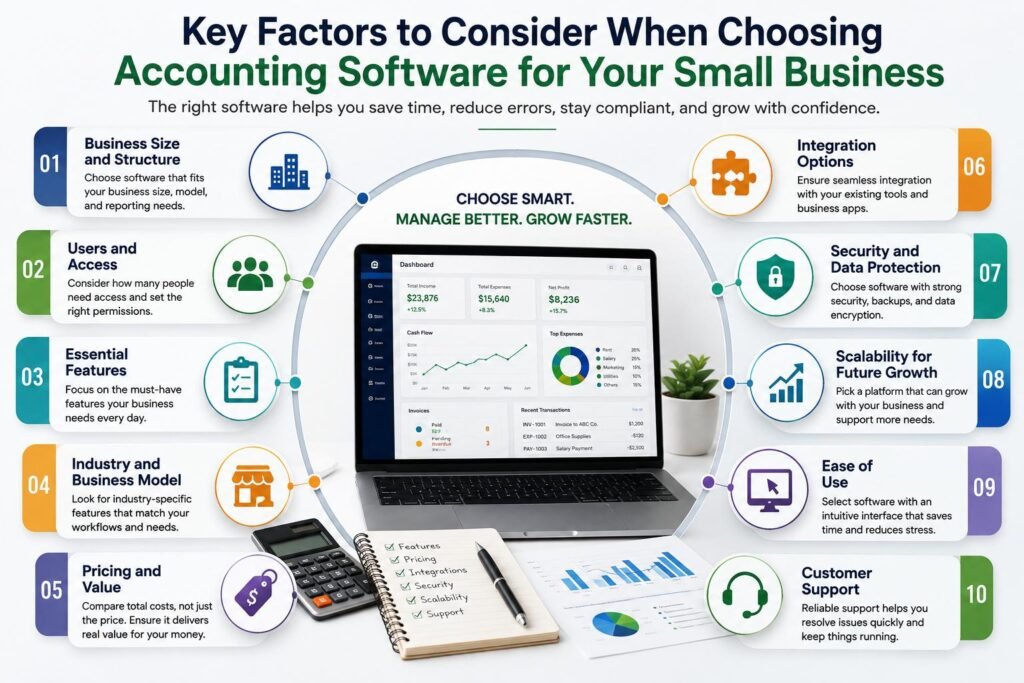
1. Determine the Size and Structure of your Business.
The initial course of action in picking accounting software is to determine what your business needs right now. An accounting platform doesn’t need to be exactly the same for a company with a number of employees, multiple departments, maybe inventory, and hundreds of transactions, as it would be for a sole proprietor who has a small number of monthly transactions. The first thing to think about is the type of business you are involved in, how much business transactions are involved, whether you are a product business or a service business and the complexity of your financial reporting requirement. In addition, you need to take into account if you’re running from a single office or multiple offices and if you have to run multiple businesses from one account. By aligning your software to the size and architecture of your enterprise, you avoid any unnecessary charges from extra capabilities you’ll never utilize and guarantee that crucial accounting tasks are accessible when you need them.
2. Identify ‘How Many People Need Access’
Another key factor towards purchasing is the number of people that will need to utilize an accounting platform. Your financial records could be accessed by just one person, such as an owner or accountant, if your business is small. Others might need access for bookkeepers, managers, employees or external professionals. Decide the number of users required and what they can be given access to before making a selection of a plan. A business owner can use all business visibility while an employee may just be allowed to submit expenses and create invoices. User permissions can also minimize possible risks of unauthorized changes to financial data. See if there is an extra charge for extra users, if a software is cheap for the initial user, it may end up being very costly as your staff expands. Choosing a platform that has the right access controls can facilitate collaboration while maintaining financial control.
3. Make sure your Business is provided with Necessary Features
There are lots of features that can be included in an accounting platform, however more attributes is not always a much better solution. First, make a list of the accounting tasks that your business does regularly. Some of the basic requirements can be income and expenses tracking, creating invoices, bank reconciliation, financial reporting, tax calculations, receipts management, and payments’ logs. Depending on the business you could also require payroll, inventory management, project accounting, time tracking, purchase orders, recurring invoices, budgeting or accounts payable and receivable management. Distinguish between necessity features, useful features and unnecessary features. This will make comparison much easier as you are able to compare each platform based on the same criteria. It also helps to avoid the case of selecting a costly system just because it claims to have a plethora of features that your company doesn’t need.
4. Think about Your Industry and Business Model
The type of accounting software that is suitable can be determined by the requirements of the industry. An invoicing and tracking system, time tracking, project profitability, and expense tracking might be a service-based consultancy’s most important features, while a retail business might be more interested in inventory, sales transactions, and point-of-sale integration. While project costing and job-based reporting might be suitable options for construction companies, professional firms may find tools that leverage billable hours and client costs to be more beneficial. It is also possible that businesses that deal with countries around the globe will need to process transactions in multiple currencies, perform foreign exchange calculations and manage various tax requirements. When looking for a platform, find out if they’ve been created for companies that are comparable to your own. Industry specific functionality can save a lot of time as the software may already have what you need to do the workflow and reports that you would have to do manually in your business.
5. Choose a Budget for your Realistic Accounting Software
It’s important to take the price of the accounting platform into account, but it doesn’t follow that the lowest priced one is the best value for money. Prices for software may include monthly or annual fees, user fees, and fees for payment processing, payroll, premium integration, extra storage space or charges for advanced features. When selecting a plan, estimate the overall cost, not the initial fee. A free or low-cost plan might work for a very small business but could grow tight as your company expands to require extra users, automation, reporting or integrations. Another factor to take into account is the time saved. If an extra bit of money can save the time spent on manual data entry, the time spent on reconciliation and the speed at which you can invoice, then it’s worth it. Set up a monthly or yearly budget and then compare the amount to the features that are really important to your business.
6. Check Integration Options
In today’s business world, accounting software is in most cases not the only tool used. These users might have to use different platforms for banking, payroll, invoicing, payment processing, customer relations, inventory, ecommerce, project management or expense management. These systems can share information and integrate with other systems, thus minimizing manual data entry. When considering accounting software, you should look to see what applications you use today, and if there are direct integrations available. It is also crucial to research the integration and if key information is automatically synced or not. Many integrations on a platform can seem like a nice-to-have, but it’s the quality and reliability of the integrations that is more important than the size of the integrations directory. A data application that integrates seamlessly with your current technology can make things more efficient and curtail any chances of duplicate or incorrect financial records.
7. Discuss the Importance of Security and Data Protection
One area that should play a key role in choosing a company is security. Financial data is among the most delicate info that a business has, and security needs to be a major concern. When evaluating cloud-based accounting software, find out how secure the provider is, how they manage and restrict account access, how they conduct backups, and what they do to handle security incidents. Encryption, multi-factor authentication, role-based permissions, login monitoring, and secure data backup are just a few of the features that offer valuable protection. It’s important for businesses to know where their data is preserved and what would occur if they end up not using the service anymore. Security is not just a technical problem: poor security measures can lead to the loss or exposure of financial data, customer information and business records to unauthorized users. Before committing to a platform, make sure to as a team read the security documentation and policies, and employees learn simple security measures like creating strong passwords and keeping account details confidential.
8. Purchasing with a mind to Scalability.
Small organizations tend to evolve quickly, and accounting software must be able to evolve with the organization. The solution that fits a business of 2 can become tedious when the company has 20 employees, 20 more customers, more transactions or more complicated reporting. Imagine your business in the next several years and ask yourself if the software can fit your growing business. Adding user options and expanded reporting, Payroll, Inventory, automation, integrations and increased transaction limit are all desirable features for scalability. It’s important to consider whether upgrading will mean changing to another platform. Data migration and a lengthy time to switch accounting systems can come up. Choosing a system where you have some space to allow for growth may prevent the need to change your accounting software when your business is more successful.
9. Test Ease of Use before Making a Commitment
Financial management should be simple, not another administrative burden, with accounting software. The technical aspects of a platform can be high-end but if the interface doesn’t work for the people that use it, then it won’t. Pay attention to navigation that is clear, terminology that’s comprehensible, easy-to-use dashboards, and simple procedures for frequent tasks like creating invoices, inputting expenses, reconciling accounts and generating reports. If a software is provided with a trial, demo or introductory version, use it. When testing, do the tasks that you are most likely to do, rather than just browse the dashboard. Consider how easily you could train on the system and if another employee could be trained without in-depth training. Especially for small businesses that might not have a specialized accounting or information technology team, ease to use is crucial.
10. Investigate Customer Support
When issues arise during an accounting period near a tax deadline, payroll date or a key reporting period, a dependable customer service team can be extremely beneficial. Know what kind of support is available for software, and whether that is in keeping with what you’re looking for. Some will have email or help-center assistance, others will have live chat or phone support, some will have onboarding by dedicated account representatives, or professional onboarding. Verify provider’s available support times and if support is available during your business hours. An analysis of the quality of documentations, tutorials, knowledge bases, and user communities, is also beneficial. Keep in mind that availability of support may differ among pricing tiers – be sure to not assume that all customers have the same level of support. While a platform may have great features, it could be difficult to manage if there are technical or accounting problems.
11. Analyze Reporting and Tax Capabilities.
Financial Reports are important since accounting software should be able to do more than just hold transactions. Business owners are in need of information that will make them understand the profitability, cash flow, outstanding invoices, expenses, liabilities, and overall financial performance. At least, find out if the software generates valuable reports like profit and loss, balance sheet, cash-flow, accounts receivable summary, and expense reports. For more sophisticated needs, custom reports, departmental reporting, project profitability or budget comparisons may be needed. Care needs to be taken with tax related functionality as well. Some platforms have the ability to organize tax info or connect with tax preparation services, or supply more detailed tax tools, depending on the nation and strategy. Be sure that the software has the tax functions that are applicable to your business and don’t presume that all accounting software programs do taxes the same way.
12. Common Accounting Software Mistakes to Avoid.
An important mistake that many business owners make is basing their software choice on price. The other is selecting a platform popular without knowing if it fits the company’s requirements. Another common pitfall businesses can fall into is paying for advanced features they don’t need to utilize, overlooking user limits, not testing data and integration compatibility, and not accounting for the necessary data migration. It is important to research software before making a purchase to ensure that there will be no frustrations after you’ve already paid for the software. One of the most frequent issues is not factoring in growth, causing a company to have to change platforms sooner than anticipated. Owners should also not presume that software is going to solve accounting issues. However, even with the best bookkeeping software, the proper bookkeeping procedures, regular bookkeeping reconciliation, proper bookkeeping categorization, and good financial oversight, bookkeeping is still not accurate. While technology might make these tasks easier, they aren’t necessarily easier if those are not sound accounting practices.
Conclusion
The bottom line in selecting accounting software for a small business is to strike a balance between functionality, cost, usability, security and future requirements. First, assess the scale and design of the business, the number of people who need access, and the essential features which are needed. Then think about integrations, pricing, data security, scalability, reporting, customer support and ease of use, all of which are important for the industry. Before buying the platform, it is worthwhile to test it to see if there are practical problems that are not apparent in the features or ads. Above all, don’t choose software just because it is cheap or fashionable or has lots of features. The best answer is the one that will work for your business, and will give you the flexibility to allow for reasonable growth. By carefully assessing the situation, a business owner can feel confident making the right purchase decision, and develop a more organized and effective way to manage the business’s finances.
Get more well researched information on how to choose accounting software for a small business here.