In the age of digital technologies, it makes sense to make experiences inclusive and accessible, which is no longer a matter of choice but a necessity. In UX design, accessibility makes products accessible to as many individuals as possible, disabled individuals not an exception. It is not only the issue of being in line with legal standards, but it is also the issue of empathy, ethical design, and the expansion of the boundaries of digital experiences. This paper discusses the significance of accessibility in user experience and gives some practical advice on how to create an inclusive online experience.
Why Accessibility is Important in UX Design
Usability Accessibility as an aspect of UX design is concerned with eliminating obstacles that deny users with disabilities the opportunity to engage with digital products. Disabilities may be in the form of visual, auditory, motor or cognitive disability. Without addressing these barriers, users are likely to find it difficult to navigate websites, applications, or software and become frustrated and excluded.
In addition to social responsibility, accessibility also has definite business advantages:
- Broadened Reach to the Audience: An estimated 15% of the world population has some kind of disability. Inclusive design guarantees that your product will be able to accommodate this large group of people.
- Better Usability by All People: Accessibility can enhance the general experience of the user. Such as an example is captions that are used not only by people with hearing disabilities but also in noisy conditions by people.
- Legal Compliance: Digital accessibility has been legislated in various countries, e.g. in the U.S. with the Americans with Disabilities Act (ADA) or in international jurisdictions with the Web Content Accessibility Guidelines (WCAG).
Accessibility during the design phase prevents the expensive process of retrofitting and it provides a smooth experience to everyone.
Rules of Engaging UX Design
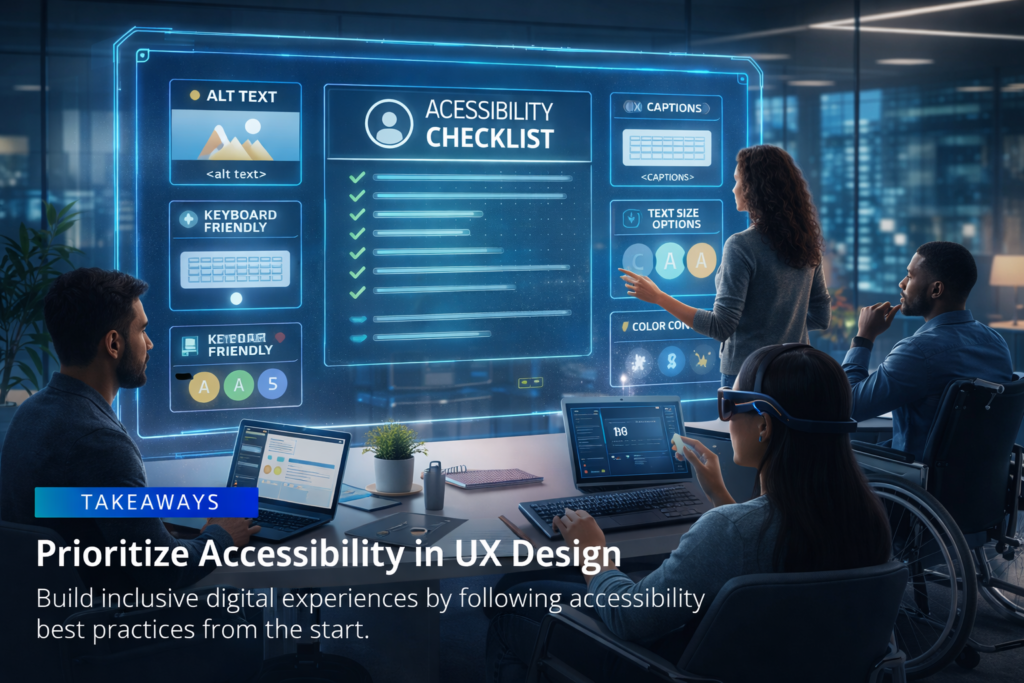
In designing accessibly, the following are the important guidelines to keep in mind:
Perceivable
Components of information and interface should be manifested in such a manner that users perceive it. For example:
Make non-text content e.g. images and icons have text alternatives.
When dealing with visual impaired users, use high contrast colors so that they can read.
Provide captions and transcripts on audio and video materials.
Operable
Your interface should be navigable and usable by the users:
Make keyboards accessible to users that cannot use mouse.
Develop clickable elements that can be magnified to accommodate motor impaired persons.
The user should not have time-sensitive actions which some might find difficult.
Understandable
The behavior of the content and the interface should be easily understandable and predictable:
Simple language and instructions should be used.
Make the site or application easy to navigate.
Deliver user friendly error messages.
Robust
You should be compatible with assistive technologies:
Screen readers, magnifiers and voice control systems Test with screen readers, magnifiers as well as voice control systems.
Make sure that your site or application has well-structured semantic HTML that will be easier to understand by machines.
Pragmatic Advice in the Creation of Accessible Experiences

It is important to incorporate the concept of accessibility at the very beginning of the UX design. The following are some action plans:
Hold Accessibility Audits in Good Time
Assess the existing products on the issues of accessibility before designing. Determine barriers with the help of automated tools and manual testing. Audits at an early stage save time and resources in latter development.
Involve Disability Users in Testing
There is no replacement of actual feedback. In usability testing, involve people with various disabilities to identify the issues that you may not be aware of.
Apply Inclusive Design Patterns
Use patterns of design which are universal:
Forms: Mark all inputs and have error messages displayed on the form.
Navigation: Have menus that are similar and foreseeable routes.
Content: Headings, listing and clear formatting should be used to help understand the content.
Add Keyboard Navigation Optimization
There are those users who use keyboards only. Make sure that everything that involves interaction, whether it is a menu or a form, can be navigated and used without the use of a mouse. Provide visible focus indicators to give the users an idea of the location of the interface.
Pay Attention to End-user Visual Accessibility
Create adequate color differences between the background and the writing text.

Do not use color only to pass information but use icons, text labels or patterns.

Offer the possibilities to change text size without disruption.
Make Multimedia Accessible
Include captions to audio and video transcripts.

Make certain that media players are key-board accessible.
Provide substitutes to content where feasible.
Assistive Technologies: Support
Make your UI friendly to the use of screen readers, voice control software and other assistive programs. Correct HTML markups, ARIA roles and semantic structure are compatible.
Ensure Flexibility and Customization
Give the users the option to customize their settings such as the size of fonts, color schemes, and modes of inputs. Flexibility makes it more usable by all, not only handicapped personsPossible Pitfalls in Common Accessibility.
Lack of color contrast: If a text fits into the background, it is not legible to users with low vision.

Lack of alt text: The lack of alternative texts on images does not allow the user of a screen reader to comprehend the image.

Excessive use of mouse: The user using keyboards or touchscreen might not find the controls inaccessible.

Complex language: Complex language is difficult to grasp because of complicated phrasing or lingo.

No labels: Unlabeled forms are the ones that are not properly labeled and give no instructions to the user who may have cognitive impairment.
Resources and Tools of Accessible UX Design
The following tools can be used to make designers make their products accessible:
WAVE Accessibility Tool: Tests the web content on the issues of accessibility.
Axe Accessibility Checker: This is a browser extension that detection violation of accessibility.
Contrast Checker: Checks the color combinations in readability.
Screen Readers (e.g., NVDA, JAWS): The best way to describe the interaction of visually impaired users with content is through their simulation.
Further, by adhering to rules like WCAG 2.1, your design would have the required accessibility standards.
Creating a Culture of Accessibility in Design Teams
To be accessible does not only take the efforts of a designer, but it must be integrated throughout the product development lifecycle:
Education: Educate team members about the best practices of the accessibility.
Cooperation: Engage developers, product managers and content developers at an early stage.
Documentation: Have standards and checklists of documentation that are to be consistently followed.
Companies that cultivate a culture of inclusion can enhance the user experience and be socially responsible and empathetic at the same time.
Conclusion
Accessibility as a design is a concern that involves designing inclusive and equitable digital experiences. Modifying the design process in a way that takes user with disabilities into account helps designers to eliminate obstacles, improve the usability, and access wider audiences. It is both a moral and a business benefit as online products can be accessed by all people, irrespective of their capabilities.
Early introduction of accessibility, real-user testing, and compliance with established standards are some of the major approaches to achieving successful inclusive design. Through careful consideration and dedication, UX design can be made accessible and can make digital experiences into products that are accessible to everyone and leave no one behind.