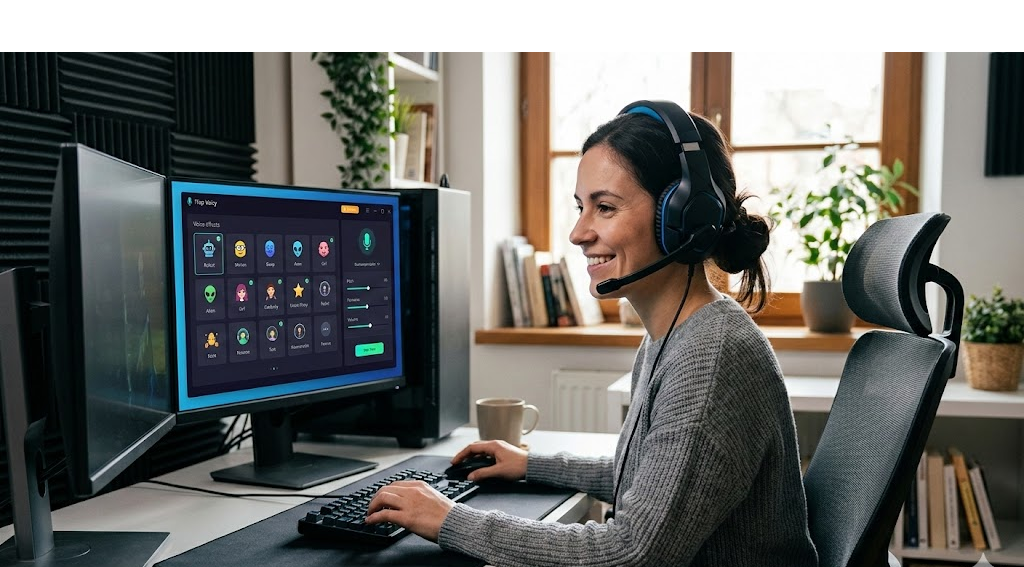
A voice changer has become an increasingly common tool in online communication, entertainment, and digital content creation. Whether used in gaming communities, streaming platforms, or creative media projects, voice-changing software allows users to modify their voice in real time. These tools can adjust pitch, tone, and sound characteristics to produce a variety of effects, ranging from subtle vocal adjustments to dramatic character voices.
Among the many tools available today, iTop Voicy is often discussed as a desktop-based voice changer designed for users who want to experiment with voice effects while communicating online. Rather than focusing on promotion, understanding how voice changers work and the contexts in which they are used can help users decide whether such tools fit their needs.
This article provides a deeper look at voice changer technology, the role of programs like iTop Voicy, and the practical applications of voice modification software.
The Evolution of Voice Changer Technology
Voice modification technology has existed for decades, but early systems were limited and often produced unnatural sound effects. Initially, voice changers were hardware devices used mainly in entertainment or novelty gadgets.
With advances in digital audio processing and computing power, voice changer software has evolved significantly. Modern tools now rely on algorithms that analyze and transform audio signals almost instantly. This allows users to change their voice during live conversations rather than editing recordings afterward.
Real-time processing has made voice changers useful in many modern digital environments, especially where instant communication is required.
Understanding iTop Voicy
iTop Voicy is a Windows-based voice modification program designed for real-time audio transformation. The software captures sound from a microphone, processes it through digital filters, and outputs a modified version of the voice to other applications.
Voice changer tools like iTop Voicy are often used in environments that rely heavily on voice communication, including:
- Multiplayer online games
- Streaming platforms
- Voice chat applications
- Online meetings and community calls
Because the voice transformation occurs instantly, other participants hear the modified voice as it is being spoken.
How a Voice Changer Works
To understand the role of tools like iTop Voicy, it helps to examine how voice changer software processes audio.
1. Audio Input
The first step involves capturing sound through a microphone. This raw audio signal contains multiple sound frequencies that define the speaker’s natural voice.
2. Signal Processing
The software analyzes the sound wave and applies mathematical transformations. These transformations may adjust pitch, frequency distribution, or waveform characteristics.
For example:
- Increasing pitch may produce a higher voice.
- Lowering pitch can create a deeper tone.
- Adding modulation can produce robotic or synthetic effects.
3. Real-Time Output
Once the transformation is applied, the modified audio is transmitted through a virtual microphone. Communication platforms receive this processed sound as the user’s voice.
Because the process occurs rapidly, most users experience minimal delay.
Popular Applications of Voice Changer Software
Voice changer technology has gained popularity across multiple digital activities. The following are some of the most common scenarios where people use voice-changing tools.
Online Gaming
Online games often include voice chat features that allow players to coordinate strategies or socialize during gameplay. Some gamers use voice effects to match the personalities of their characters.
For example, a fantasy character may use a deep or mystical voice effect, while a science fiction character might use a robotic tone.
These effects can enhance immersion and entertainment within gaming communities.
Live Streaming and Content Creation
Streaming platforms have made voice changers more visible in recent years. Content creators sometimes use voice effects to add variety and humor to their broadcasts.
Voice-changing tools can support creative content in several ways:
- Acting as multiple characters during a stream
- Adding dramatic narration to gameplay
- Creating comedic moments during live interactions
Some tools also include soundboards that allow streamers to trigger sound effects instantly.
Online Privacy and Identity Protection
In public online environments, some users prefer to conceal their real voice. A voice changer can provide a level of anonymity by masking natural vocal characteristics.
This can be particularly relevant in large gaming communities or public voice chats where participants interact with strangers.
Creative and Educational Media Projects
Voice changers are not limited to entertainment. They can also be used in creative and educational projects such as:
- Audio storytelling
- Animated video voiceovers
- Podcast production
- Independent game development
By altering vocal characteristics, a single creator can perform multiple roles within a project.
Features Commonly Found in Voice Changer Tools
Although each program differs slightly, most voice changer software shares several key features.
Real-Time Voice Filters
The core function of a voice changer is the ability to modify speech instantly. Tools like iTop Voicy often include a library of preset voice filters that simulate different vocal styles.
These filters may include:
- Male or female voice adjustments
- Character or cartoon voices
- Robotic or synthetic effects
- Deep or dramatic voice styles
Users can typically switch between these effects during conversations.
Soundboard Functionality
Many voice changer programs include soundboards that allow users to play audio clips during conversations.
Soundboards often contain:
- Reaction sounds
- Meme audio clips
- Background ambience
- Gaming-style effects
These clips can enhance interactions during streams or group calls.
Platform Integration
Compatibility with communication platforms is essential for voice changer software. Programs are usually designed to function with applications such as:
- Discord
- Skype
- Zoom
- Streaming software
- Online gaming platforms
Integration ensures that the modified voice is recognized as a microphone input by these applications.
Microphone and Audio Controls
Some voice changer programs also include tools for improving microphone performance. These adjustments help maintain audio clarity when applying voice effects.
Common controls include:
- Noise reduction
- Echo suppression
- Microphone gain adjustment
These features ensure that voice effects remain understandable during conversations.
Basic Steps to Use a Voice Changer
For beginners interested in experimenting with voice modification, the process is usually simple.
Install the Software
Download the voice changer application and install it on your computer.
Configure Audio Input
Select the microphone that will be used to capture your voice.
Choose a Voice Effect
Browse the available voice filters and preview how they sound before applying them.
Set the Virtual Microphone
The software typically creates a virtual audio device. This device should be selected as the microphone in your communication platform.
Test Before Use
Testing the audio settings ensures that the voice effect sounds clear and that there is no excessive distortion.
Considerations When Using Voice Changer Software
Although voice changers can be entertaining and useful, users should keep several considerations in mind.
Audio Quality
Not all voice effects sound natural. Some filters may produce artificial or exaggerated results.
System Requirements
Real-time voice processing requires computing resources. Older systems may experience delays or reduced performance.
Ethical Use
Voice changers should be used responsibly. Misleading impersonation or deceptive communication can create problems in online communities.
Final Thoughts
Voice modification technology continues to evolve as digital communication expands. Tools like iTop Voicy demonstrate how modern voice changer software can support gaming, streaming, creative projects, and online interaction.
Understanding how a voice changer works and the situations in which it can be used allows individuals to explore this technology responsibly. As audio processing continues to improve, voice changers are likely to remain an interesting and creative part of the online communication landscape.