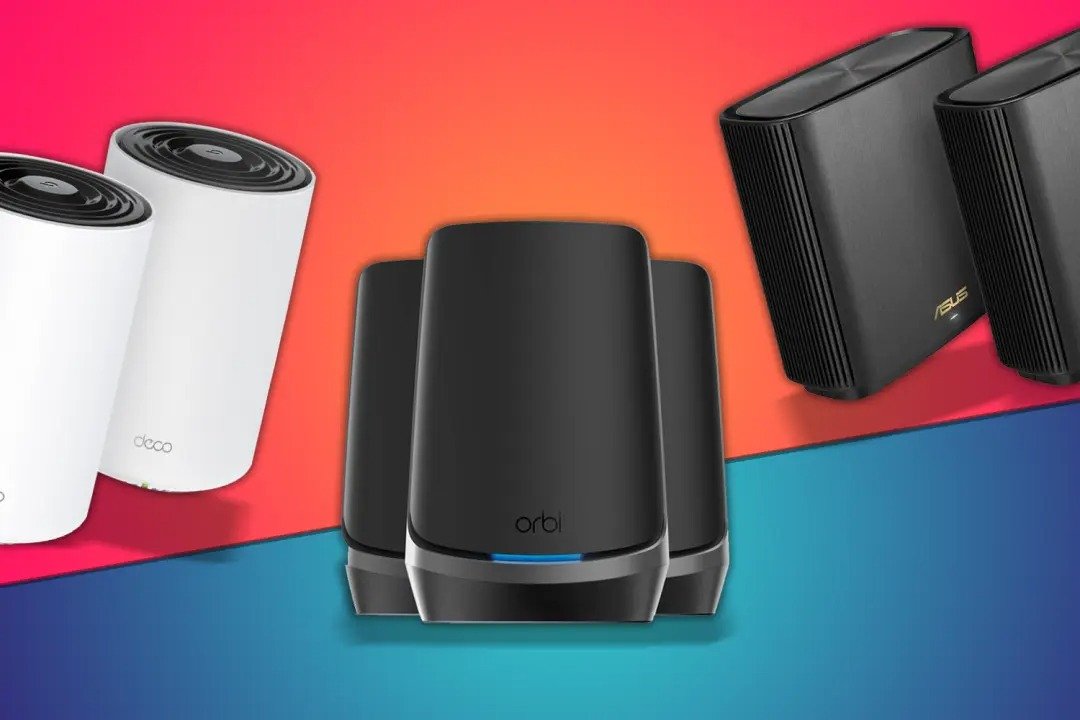
A good whole home mesh system can get rid of WiFi dead zones, cut down on latency spikes, and keep speeds steady in big or multi-story homes. Mesh WiFi is different from traditional single-router setups because it uses multiple nodes that talk to each other to make one network.
Let’s look at the best whole home mesh systems based on verified specs, independent lab tests, published standards, and the most up-to-date information from the manufacturers.
If you want fast answers before diving deeper, here are the standouts:
- Best overall performance: Netgear Orbi 970 Series (WiFi 7)
- Best value for most homes: TP-Link Deco X55
- Best for Apple households: eero Pro 6E
- Best for advanced controls: ASUS ZenWiFi XT8
- Best WiFi 7 value option: TP-Link Deco BE85
- Best ISP-integrated fiber mesh model: FTTR-based whole home mesh systems (fiber-to-the-room architecture)
WiFi 6E and WiFi 7 models provide access to the 6 GHz band, which the Federal Communications Commission opened for unlicensed WiFi use in 2020 (FCC, 2020). WiFi 7 (802.11be) supports multi-link operation and theoretical speeds above 30 Gbps (Wi-Fi Alliance, 2024).
How to Choose a Whole Home Mesh System
1. Coverage Area (Square Footage)
Manufacturers publish maximum coverage estimates. For example:
- eero Pro 6E (3-pack): up to 6,000 sq ft (as of 2026, eero.com)
- TP-Link Deco X55 (3-pack): up to 6,500 sq ft (as of 2026, tp-link.com)
These are ideal-condition estimates. Concrete walls and multi-level layouts reduce effective range
2. WiFi Standard (WiFi 6, 6E, or 7)
WiFi 6 (802.11ax) improves efficiency in dense device environments.
WiFi 6E adds 6 GHz spectrum for lower interference.
WiFi 7 (802.11be) introduces Multi-Link Operation and 320 MHz channels (Wi-Fi Alliance, 2024).
If you upgrade devices every 3–5 years, WiFi 7 offers longer-term relevance.
3. Backhaul Design
Mesh nodes communicate via:
- Wireless backhaul (shares WiFi bandwidth)
- Dedicated wireless backhaul (separate band)
- Wired Ethernet backhaul
- Fiber-to-the-room (FTTR) architecture
FTTR systems run fiber deeper into the home, reducing signal degradation common with thick walls. Fiber-based distribution aligns with ITU-T passive optical network standards (ITU-T G.984/G.9807 series).
4. Subscription Fees
Some mesh brands charge for advanced security features.
- eero Secure subscription required for advanced filtering (pricing varies by region, as of 2026).
- TP-Link HomeShield offers free basic tier and paid advanced plan as of 2026.
Always verify ongoing costs before committing.
The 6 Best Whole Home Mesh Systems
1. Netgear Orbi 970 Series (WiFi 7)
Quick Facts (as of February 2026)
- WiFi standard: WiFi 7 (802.11be)
- Bands: Quad-band including 6 GHz
- Max theoretical speed: Up to 27 Gbps (netgear.com)
- Coverage: Up to 10,000 sq ft (3-pack)
- Dedicated backhaul: Yes
Netgear Orbi 970 delivers premium-tier performance for large homes and heavy device loads. Its dedicated backhaul reduces inter-node congestion.
Trade-off: High upfront cost compared to WiFi 6 systems.
“Wi-Fi 7 introduces Multi-Link Operation for higher throughput and lower latency.” — Wi-Fi Alliance, 2024
2. TP-Link Deco BE85 (WiFi 7)
- WiFi 7 tri-band
- 10G WAN/LAN ports
- Coverage: Up to 7,200 sq ft (2-pack)
- Supports wired backhaul
Deco BE85 balances price and next-generation performance. It supports multi-gig broadband plans and is suited for high-bandwidth homes.
Trade-off: Advanced features require app configuration; less granular control than ASUS firmware.
3. eero Pro 6E
- WiFi 6E
- Supports 6 GHz band
- Coverage: Up to 6,000 sq ft (3-pack)
- Integrated Zigbee hub
eero Pro 6E performs well in smart homes due to built-in Zigbee support. Amazon reports consistent firmware updates.
Trade-off: Advanced security features require subscription.
4. ASUS ZenWiFi XT8
- WiFi 6 tri-band
- Dedicated 5 GHz backhaul
- Coverage: Up to 5,500 sq ft (2-pack)
- Advanced parental controls
ASUS ZenWiFi XT8 appeals to power users. The ASUSWRT firmware offers VPN server/client configuration and advanced QoS.
Trade-off: Interface may overwhelm beginners.
5. TP-Link Deco X55
- WiFi 6
- Coverage: Up to 6,500 sq ft (3-pack)
- AI-driven mesh optimization
Deco X55 provides strong performance at a mid-range price. It is often recommended for families upgrading from ISP-provided routers.
Trade-off: No 6 GHz support.
6. FTTR-Based Whole Home Mesh (Fiber-to-the-Room Systems)
- Architecture: Fiber extended to room nodes
- Backhaul: Fiber instead of wireless
- Ideal for high-density walls or multi-level homes
Fiber-to-the-room (FTTR) systems extend optical fiber inside the home rather than relying solely on wireless backhaul. This reduces attenuation and interference.
The International Telecommunication Union defines passive optical network standards under ITU-T G.984 and G.9807 (ITU, verified 2025).
Trade-off: Installation complexity and availability vary by region.
Comparison Overview
| System | WiFi Standard | 6 GHz Support | Backhaul Type | Max Coverage (Manufacturer Claim, 2026) |
| Netgear Orbi 970 | WiFi 7 | Yes | Dedicated wireless | 10,000 sq ft |
| TP-Link Deco BE85 | WiFi 7 | Yes | Wireless or wired | 7,200 sq ft |
| eero Pro 6E | WiFi 6E | Yes | Wireless or wired | 6,000 sq ft |
| ASUS ZenWiFi XT8 | WiFi 6 | No | Dedicated wireless | 5,500 sq ft |
| TP-Link Deco X55 | WiFi 6 | No | Wireless or wired | 6,500 sq ft |
| FTTR Systems | Varies | Often yes | Fiber backhaul | Layout-dependent |
(All specifications sourced from official manufacturer documentation as of February 2026.
Best for Different Use Cases
Best for large homes over 5,000 sq ft: Netgear Orbi 970
Best WiFi 7 value option: TP-Link Deco BE85
Best for smart home integration: eero Pro 6E
Best for advanced configuration control: ASUS ZenWiFi XT8
Best budget-friendly whole home mesh: TP-Link Deco X55
Best for thick concrete or multi-floor layouts: FTTR-based systems
According to Statista (2025), the average household has over 17 connected devices. Mesh systems distribute load more efficiently than single routers under multi-device stress.
Frequently Asked Questions
What is a mesh system for the whole house?
A whole home mesh system connects multiple nodes to make one WiFi network that works throughout the entire property. Devices connect to the strongest node on their own, without having to switch manually.
Is a whole home mesh better than a WiFi booster?
Yes, most of the time. Extenders make separate networks, but mesh systems keep the same SSID and handle traffic smartly.
Is there a big difference with WiFi 7?
WiFi 7 has Multi-Link Operation and wider channels, which make latency and throughput better when used with compatible devices (Wi-Fi Alliance, 2024). Benefits depend on whether the device works with it.
Do you need a wired backhaul?
Wired Ethernet backhaul makes things more reliable and cuts down on throughput loss. Fiber-to-the-room architecture makes interference even less likely when it is possible.
There is no one system that works best for everyone. The layout, the mix of devices, the ISP speed tier, and the materials used for the walls all affect performance.
If you are looking at different broadband foundations for mesh systems, looking at fiber deployment models and ISP modem-router combinations can help you understand the installation limits before you buy.
If you are upgrading from a single router setup, picking the right whole home mesh system can make your network more stable, get rid of dead zones, and make sure it works with WiFi 7 devices and multi-gig internet plans in the future.