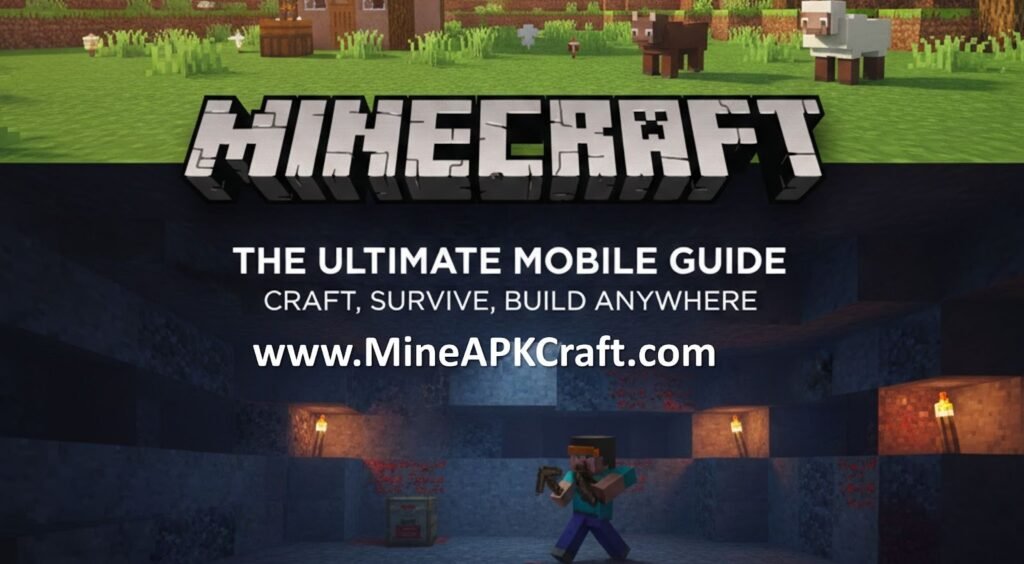
The Minecraft App is the mobile version of the legendary sandbox game developed by Mojang Studios. For years, it was known as “Pocket Edition” (MCPE), but today it stands as a core pillar of the Bedrock Edition.
Unlike the Java Edition, which is exclusive to computers, the Minecraft App is designed to run seamlessly on smartphones and tablets. It provides the exact same core experience as the console and PC versions: an infinite, procedurally generated world where every hill, tree, and cave is made of blocks that you can break, move, and reshape. It is a game with no “win” condition—unless you count the personal satisfaction of finally finishing that scale model of the Eiffel Tower or surviving a night against a horde of Creepers.
Minecraft App Features
The 2026 version of Minecraft APK download on mobile is more powerful than ever. The developers have bridged the gap between mobile and PC, ensuring that “pocket” players don’t miss out on the action.
- Cross-Platform Play: Thanks to the Bedrock engine, you can play with friends who are on Xbox, PlayStation, Nintendo Switch, or PC.
- The Marketplace: A massive hub where you can download community-made skins, texture packs, and custom-built adventure worlds.
- Creative & Survival Modes: Whether you want unlimited resources to build (Creative) or the challenge of managing hunger and health while fighting monsters (Survival), both are fully supported.
- Slash Commands: Want to change the time of day or summon a lightning bolt? The app supports commands that let you tweak the game’s reality.
- Add-Ons: For those who like to tinker, Add-Ons allow you to modify mob behaviors and world properties, giving you a taste of “modding” on a mobile device.
- Realms & Realms Plus: You can host your own private, persistent server for up to 10 friends, ensuring your world is always online, even when you aren’t.
How to Install Minecraft APK
When people talk about the “Minecraft APK,” they are usually referring to the Android version of the game. While the safest method is always the official store, here is how the process works for the two main mobile ecosystems:
For Android (The APK Method)
- Official Store (Recommended): Open the Google Play Store, search for “Minecraft,” and purchase the app. This ensures you get automatic updates and cloud saves.
- Manual APK Installation: Some users prefer manual installation (e.g., for specific beta versions).
- Go to your device Settings > Security.
- Enable “Install from Unknown Sources.”
- Download the APK file from a reputable source (ensure it is the official version to avoid malware).
- Open the file and follow the prompts to install.
For iOS (iPhone/iPad)
- Open the Apple App Store.
- Search for “Minecraft.”
- Tap the price button to purchase and download.
- Once the icon appears on your home screen, you are ready to go!
How to Play with the Minecraft App
Playing on a touchscreen feels different from a mouse and keyboard, but Mojang has spent years refining the “Bedrock” controls.
The Basics
- Movement: Use the on-screen D-pad or the “Joystick” touch setting to move.
- Interacting: Tap a block to interact with it (like opening a chest) or hold your finger on a block to “mine” it.
- Placing Blocks: Simply tap on the space where you want to place a block from your hotbar.
Your First Day
Your primary goal in Survival mode is to survive the first night. You’ll need to:
- Punch Trees: Collect wood to make a Crafting Table.
- Craft Tools: Make a wooden pickaxe to mine stone.
- Build Shelter: Even a simple dirt hut will protect you from the zombies and skeletons that spawn in the dark.
- Find Food: Hunt animals or harvest berries to keep your hunger bar full.
Pros and Cons of Minecraft APK
Every platform has its trade-offs. Here is a look at how the mobile experience stacks up:
Pros
- Portability: You can work on your megabase during a commute or a flight.
- Affordability: The mobile version is typically the most affordable way to own the game ($6.99–$9.99 USD depending on the region).
- Intuitive Touch: Some players find the touch-to-place building mechanics faster than using a mouse.
- Full Feature Parity: You get the same mobs, biomes, and updates as players on “bigger” platforms.
Cons
- Controls: Combat (especially PVP) can be difficult with touch controls compared to a controller or mouse.
- Battery Drain: Minecraft is a resource-heavy game; it can drain your battery and make your device run hot during long sessions.
- Screen Size: Building intricate redstone circuits can be fiddly on a small phone screen.
FAQs about Minecraft APK
Q: Can I play with my friends on PC? A: Yes! As long as they are playing the Bedrock Edition on PC, you can join their worlds. You cannot, however, play with “Java Edition” players natively.
Q: Is the Minecraft APK free? A: No. Minecraft is a paid game. Be wary of websites offering “Free Minecraft APKs,” as these often contain viruses or outdated, broken versions of the game.
Q: Does the app work offline? A: Yes, you can play your local worlds entirely offline. You only need an internet connection for multiplayer, the Marketplace, and Realms.
Q: Can I use a controller? A: Absolutely. The app supports most Bluetooth controllers (like Xbox or PlayStation controllers), which can significantly improve the experience.
Conclusion
The Minecraft App is a testament to how far mobile gaming has come. It isn’t a “lite” version of the game; it is the full, blocky experience in the palm of your hand. Whether you are using it to relax with some peaceful building or to survive the treacherous depths of the Nether, the app provides a gateway to infinite creativity.
If you haven’t started your mobile journey yet, there has never been a better time to jump in—just remember to keep an eye on your battery life!