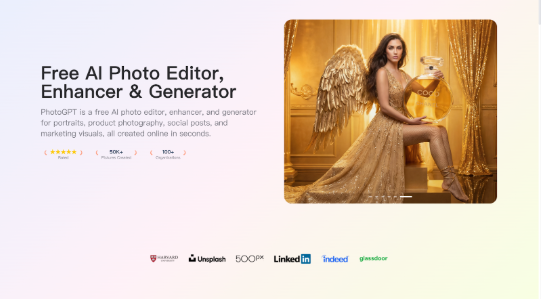
I take on freelance design work, and my biggest hidden task is proving credibility fast. Before a client reads the proposal, they scan the portfolio. If the images look inconsistent, over processed, or obviously generated, the work feels less trustworthy. PhotoGPT helps me keep portfolio visuals looking like real photography, while staying fully online and fast. PhotoGPT covers the three actions I use most in portfolio production: generate new photoreal images, edit existing photos for better presentation, and enhance quality so the final set looks clean and professional.
What I need from portfolio visuals
A portfolio is a story. The visuals have to feel cohesive. They also need to hold up across devices, from a tiny thumbnail grid to a full screen case study hero.
The baseline I use for “client ready” images
A portfolio image works when it has:
- Realistic lighting and believable texture
- Clean composition with clear subject focus
- Consistent color and sharpness across a project set
- Enough resolution for full width layouts and crops
PhotoGPT helps because its photoreal direction makes outputs look closer to camera work than graphic renders.
PhotoGPT generation for case study cover images and mock scenes
In many projects, I cannot show a real client environment, or I do not have a full photo library. Generation helps me create realistic scenes that support the narrative of the case study without looking staged.
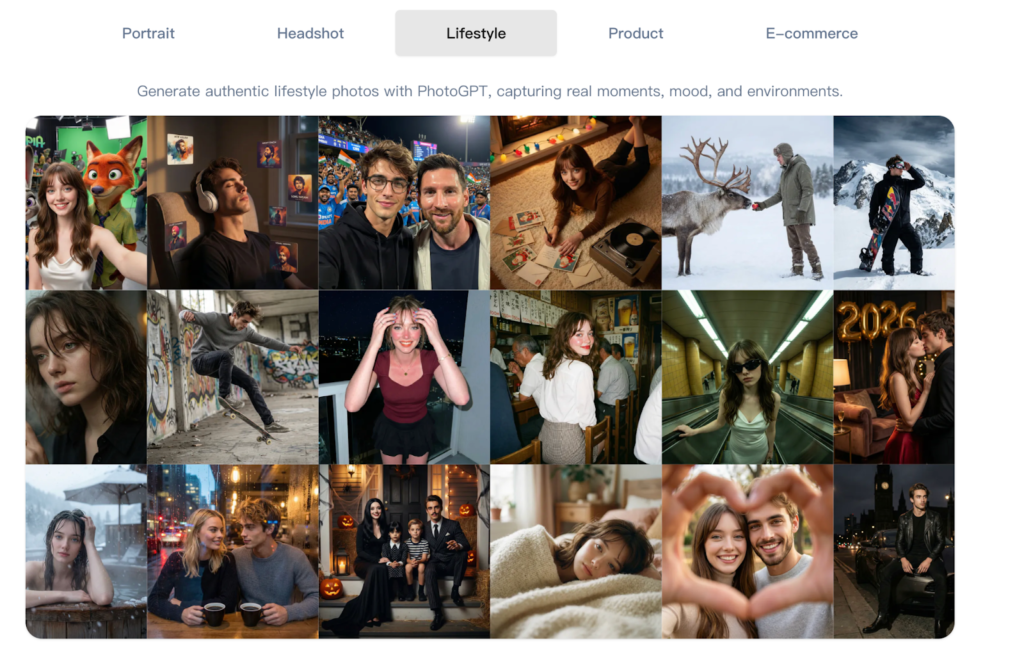
(Any Photo, Any style, All in PhotoGPT)
How I prompt for portfolio covers
I write prompts like an art direction note:
- One subject, one scene, one clear purpose
- Soft natural or studio lighting
- Minimal background so the layout stays clean
- Photoreal details like depth of field and subtle grain
This gives me case study covers that feel consistent across a portfolio, even when the underlying work spans different industries.
Where generation saves time
I use generation to create:
- Realistic cover images that match each project theme
- Lifestyle scenes that show a product in a believable context
- Neutral background portraits for profile and about pages
- Supporting visuals for client proposals and pitch decks
It helps me deliver polished presentations faster without hunting for stock images that never match.
PhotoGPT editing for portfolio polish without breaking realism
Once I have a strong base image, editing helps align everything visually. The goal is not to change reality. The goal is to remove distractions and make the image feel more intentional.
Edits I use in portfolio production
- Simplifying backgrounds so the subject reads clearly
- Adjusting style details so a project set feels unified
- Refining edges and blends so the image looks clean in full screen
- Creating variations of the same concept for thumbnails and headers
Because the output stays photoreal, the portfolio feels more believable and less like a collage.
PhotoGPT enhancement for clean display on any screen
Portfolios get viewed on mobile, desktop, and large monitors. Enhancement helps make sure images stay sharp and readable, even after compression on platforms.
Where enhancement is most useful
I use enhancement for:
- Sharper details for full width hero images
- Cleaner texture for close up crops
- Consistent clarity across older and newer project images
This makes a portfolio look professionally maintained, which is a signal clients notice.
RoomDesign for interior focused case studies and spatial projects
Some of my freelance work touches on interiors, retail displays, and spatial branding. When the visual story is about a room, not a product, RoomDesign becomes the better fit. RoomDesign supports room concepts and interior visuals, which helps me show spatial direction in a way clients can understand quickly.
(RoomDesign Homepage)
Where RoomDesign supports portfolio storytelling
RoomDesign is useful for:
- Interior concept visuals for retail and showroom projects
- Style variations to compare design directions
- Room based mood scenes for branding presentations
- Spatial story visuals that make a case study clearer
It helps me communicate an interior concept without a full photo shoot.
Conclusion
PhotoGPT (https://photogpt.io/) delivers a realistic photo centered workflow for generating, editing, and enhancing images online, making it easier to create client ready portfolio visuals that look consistent and professional. RoomDesign (https://roomdesign.io/) supports fast interior concept exploration and room focused visuals, helping designers translate space ideas into clear, shareable interior scenes.
Try PhotoGPT: https://photogpt.io/