You’ve spent hours crafting the perfect video, nailing every shot and edit, only to have viewers click away within seconds because your audio sounds like it was recorded in a tin can. It’s a frustration that plagues creators everywhere, yet audio quality remains the silent killer of otherwise exceptional content. Studies show that audiences will tolerate mediocre visuals far longer than poor sound, making your microphone choice more critical than your camera. Enter the USB microphone: a revolutionary tool that has democratized professional audio production, offering broadcast-quality sound without the complexity or expense of traditional studio setups. Whether you’re a seasoned podcaster, aspiring streamer, or weekend vlogger, USB mics have leveled the playing field. This article will guide you through why USB microphones have become indispensable for modern creators, how to select the perfect model for your specific needs, and which essential accessories will transform your basic setup into a professional audio solution that keeps audiences engaged from the first word to the last.
Why USB Microphones Dominate Modern Content Creation
The USB microphone revolution has fundamentally changed who can produce professional-grade audio. Unlike traditional XLR setups that require separate audio interfaces, preamps, and phantom power supplies, USB microphones connect directly to your computer with a single cable. This plug-and-play simplicity means you’re recording within seconds of unboxing, without wrestling with driver installations or gain staging complexities that intimidate newcomers. The cost advantage is equally compelling: a quality USB microphone delivering broadcast-standard sound starts around $60, while an equivalent XLR setup with interface and cables easily exceeds $300. For creators building their first studio or professionals needing a portable solution, this accessibility removes financial barriers without compromising quality. Modern USB microphones have also shattered the portability ceiling that once confined creators to fixed recording spaces. Weighing mere ounces and requiring only a laptop, they transform hotel rooms, co-working spaces, or outdoor locations into instant studios. This mobility matters for travel vloggers, remote podcasters, and musicians recording on tour. Most importantly, today’s USB condenser microphones capture audio at 24-bit/96kHz resolution, matching the technical specifications that major streaming platforms and podcast networks demand. The technology has matured to where listeners cannot distinguish between a properly positioned USB mic and studio equipment costing thousands more, making the choice increasingly obvious for creators prioritizing results over complexity.
Choosing Your Perfect USB Microphone: A Buyer’s Guide
Selecting the right USB microphone begins with understanding polar patterns, which determine how the mic captures sound from different directions. Cardioid patterns record primarily from the front while rejecting side and rear noise, making them ideal for solo podcasters, streamers, and voiceover artists working in untreated spaces where background sounds lurk. Omnidirectional patterns capture audio equally from all directions, perfect for roundtable discussions or recording ambient room tone, though they demand quieter environments. Sample rate and bit depth directly impact your recording fidelity: 16-bit/44.1kHz matches CD quality and suffices for most spoken content, while 24-bit/96kHz provides the headroom professionals need for music production and post-processing flexibility without introducing noise. The condenser versus dynamic debate hinges on your recording environment. Condenser USB mics offer exceptional sensitivity and clarity, capturing vocal nuances and instrument overtones beautifully, but they also pick up keyboard clicks, air conditioning hum, and street noise. Dynamic mics sacrifice some high-frequency detail for superior background rejection, making them the smarter choice for untreated bedrooms, busy households, or gaming setups where mechanical keyboard clatter would otherwise dominate your audio. Budget considerations should align with your primary use: entry-level models around $60-$80 deliver surprisingly clean vocals for streaming and casual podcasting, mid-range options at $100-$150 add features like multiple polar patterns and headphone monitoring for versatile content creation, while premium models exceeding $200 provide the vocal richness and low-noise performance that discerning musicians and professional podcasters demand for commercial releases.
Essential Audio Solutions: Mounts and Setup for Flawless Sound
The microphone you choose represents only half the equation for professional audio—how you mount and position it determines whether you capture pristine sound or a muddy mess plagued by handling noise and inconsistent levels. A $150 USB mic sitting directly on your desk will perform worse than a $70 model properly isolated on a shock mount and boom arm. Every keyboard tap, mouse click, and desk bump travels through solid surfaces as vibrations that condenser microphones capture as low-frequency rumble, distracting listeners and screaming “amateur” regardless of your content quality. The right mounting solution eliminates these issues while providing the positional flexibility that optimal recording demands. Your mouth-to-microphone distance and angle dramatically affect tonal balance: too close introduces proximity effect bass boost and plosive pops, too far captures excessive room echo and background noise, while off-axis positioning loses the clarity your mic was designed to deliver.
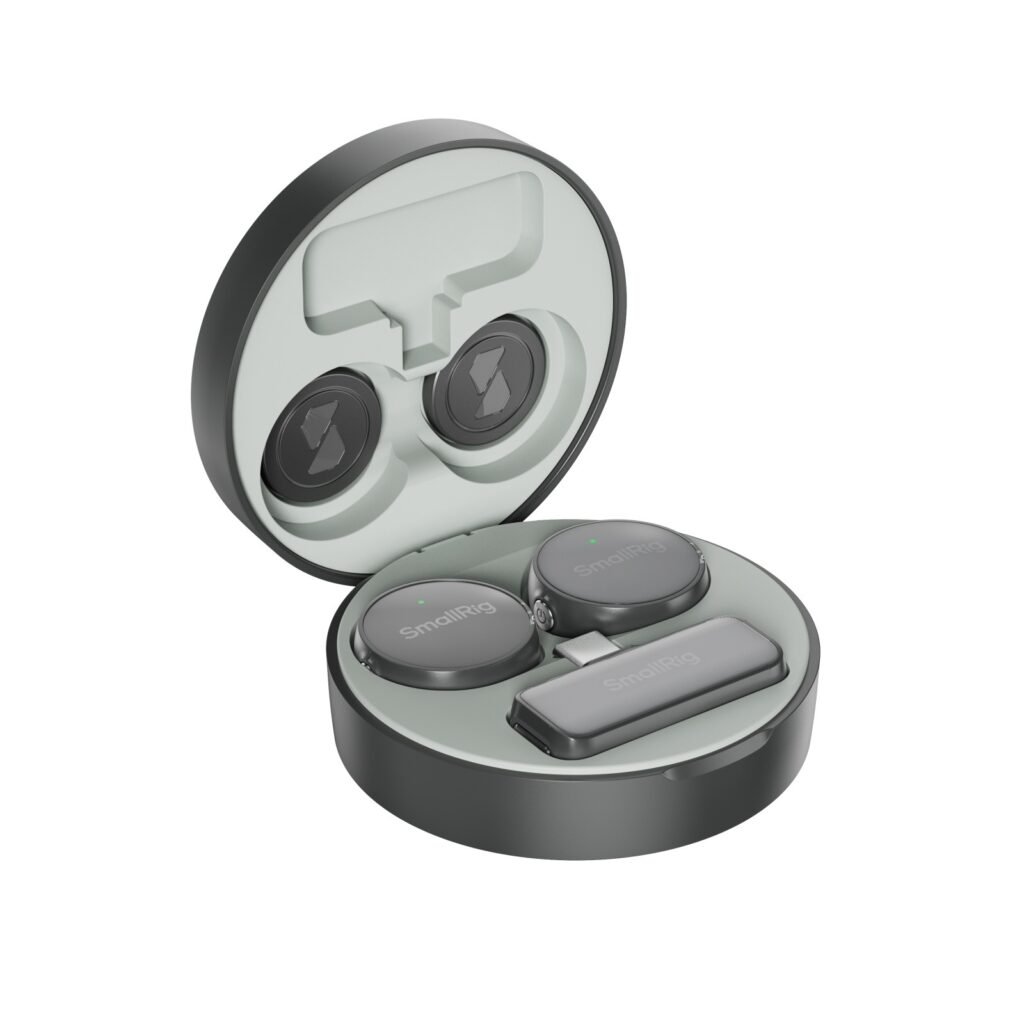
Exploring Audio Mounts and Live Stream Accessories
Desk stands offer simplicity and stability but lock your microphone at fixed heights that rarely align with proper mouth positioning, forcing you to hunch or crane your neck during extended sessions. Adjustable boom arms solve this limitation, extending from desk-mounted clamps to position your mic precisely where needed while keeping your workspace clear. Shock mounts cradle your microphone in elastic suspension bands that absorb vibrations before they reach the capsule, functioning as essential insurance against the physical chaos of real-world recording environments. Pop filters—stretched fabric or metal mesh screens positioned between your mouth and mic—diffuse the explosive air bursts from plosive consonants like “p” and “b” that would otherwise create distracting pops no amount of editing fully removes. These components aren’t optional upgrades for serious creators; they’re fundamental live stream accessories and vlog equipment that separate clean, professional audio from recordings that betray your lack of preparation.
Step-by-Step Setup for Musicians and Creators
Begin by selecting your recording location: corners and bare walls create reflections that muddy your sound, so position yourself away from parallel surfaces, ideally with some soft furnishings to absorb echoes. Clamp your boom arm securely to your desk edge, ensuring the base sits flush and the adjustment knobs face accessible directions for quick repositioning. Thread your microphone into the shock mount by carefully aligning the threads—never force it—then attach the assembled unit to the boom arm’s threaded end, tightening just enough to prevent drooping without over-torquing. Position the microphone capsule roughly six inches from where your mouth will be, angled slightly downward at about 10-15 degrees to capture direct sound while minimizing breath noise. Attach your pop filter two inches in front of the mic. Record a 30-second test speaking naturally at your typical volume, then listen critically: if you hear excessive bass, back away slightly; if it sounds thin or distant, move closer by an inch; if plosives still pop through, add a second inch between filter and mic. This methodical approach ensures your versatile mounting setup delivers consistent, professional results across every recording session.
Integrating Your USB Mic into Your Vlog Equipment Arsenal
Your USB microphone doesn’t exist in isolation—it’s the audio cornerstone of a complete content creation system that spans recording, editing, and delivery. Most USB mics connect seamlessly to Windows PCs and Macs through standard USB-A or USB-C ports, appearing instantly in your system’s audio settings without driver installations. For camera-based workflows, USB-to-3.5mm adapters or digital recorders allow you to capture USB mic audio separately, though this introduces syncing challenges in post-production. Modern editing software like DaVinci Resolve, Adobe Premiere, and Final Cut Pro offer automatic audio synchronization features that align your USB mic recording with camera audio by analyzing waveforms, eliminating tedious manual alignment. Simply record a sharp clap at your recording start, creating a visual and audio spike that software locks onto within seconds. Your recording environment dramatically impacts how your vlog equipment performs together: hard surfaces reflect sound waves that create echo and hollow tones, so introduce soft materials like curtains, rugs, or even stacked blankets to absorb reflections. Position yourself three to four feet from walls to minimize early reflections that muddy clarity. Basic audio editing elevates good recordings to professional polish: apply a gentle high-pass filter at 80Hz to remove rumble, use compression to even out volume fluctuations between loud and soft passages, and add subtle EQ boosts around 3-5kHz to enhance vocal presence without harshness. These foundational techniques, combined with your properly mounted USB microphone, transform your vlog equipment setup from functional to exceptional, ensuring your audio quality matches your visual ambitions. Many creators also integrate their audio setup with camera rigs using versatile mounting solutions from manufacturers like SmallRig, which offer modular systems that accommodate both video and audio equipment for streamlined mobile recording.
Elevate Your Content with Professional Audio
The USB microphone has fundamentally transformed content creation, placing professional-grade audio within reach of anyone with a story to tell or knowledge to share. What once required thousands of dollars in equipment and specialized technical knowledge now fits in a backpack and connects with a single cable, yet delivers the broadcast-quality sound that keeps audiences engaged and coming back. Your microphone investment, however, represents just the beginning—pairing it with proper audio solutions like shock mounts, boom arms, and pop filters unlocks its true potential, eliminating the vibrations, handling noise, and plosives that separate amateur recordings from polished productions. These accessories aren’t expensive luxuries but foundational tools that protect your investment and ensure consistent results across every recording session. The difference between content that viewers abandon and content they share comes down to details: proper positioning, acoustic awareness, and the discipline to test and refine your setup. Master these fundamentals with your USB microphone at the center of your vlog equipment arsenal, and you’ll command the professional audio presence that builds credibility, retains attention, and ultimately transforms casual viewers into devoted followers who trust your voice enough to invest their most precious resource—their time.