Most website owners choose hosting based on price. They compare plans, see “unlimited,” and click buy.
Months later, problems appear.
The site slows down during traffic spikes, emails fail, and security warnings appear. Sometimes, the site goes offline without warning.
The problem isn’t WordPress, the theme, or any plugins—it lies in the hosting architecture.
Shared and isolated hosting work in very different ways. They affect performance, security, scalability, and long-term risk.
This guide explains those differences in plain language. No marketing. No hype. Just reality.
Why Hosting Architecture Matters More Than Price
Most people are unaware of how hosting works behind the scenes. They assume all hosting is basically the same.
It is not.
The way servers allocate resources matters. So does isolation between websites. Low-cost hosting often hides architectural trade-offs. These trade-offs show up later as downtime, slow speed, or security incidents.
In this article, you will learn:
- How shared hosting actually works
- What “isolation” means in modern hosting
- Why does performance drop over time on shared servers
- How security risks spread between sites
- When businesses should move to isolated environments
Understanding this helps you choose hosting based on risk—not just price.
What Is Shared Hosting?
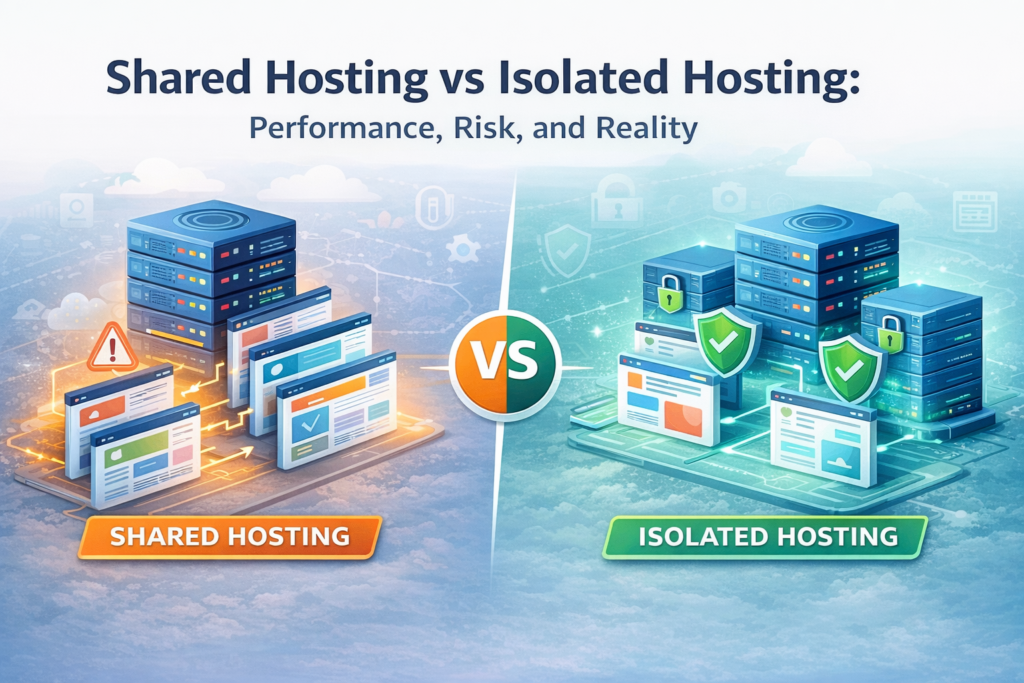
Shared hosting is the most common hosting model, where multiple websites run on a single physical server. They all share CPU, RAM, disk I/O, and network resources.
This model became popular because it is cheap. Costs are divided among many users.
How shared hosting works
- One operating system
- One web server stack
- Hundreds of sites running together
Typical use cases
- Personal blogs
- Small portfolio sites
- Low-traffic informational pages
Easy Definition:
Shared hosting is a hosting model where multiple websites run on the same server and share system resources such as CPU, RAM, and storage.
Shared hosting is not bad, but it is simply limited by design
What Is Isolated Hosting?
Isolated hosting separates websites at the system level, and each site has dedicated or strictly limited resources. One site cannot consume another site’s CPU or memory.
Isolation can be implemented in different ways:
- Account-level isolation
- Containers
- Virtual machines (VPS)
Common examples
- VPS hosting
- Container-based hosting
- Cloud instances
Easy Definition:
Isolated hosting separates websites at the system level, ensuring dedicated or strictly limited resources for each account.
Isolation changes how performance and security behave under stress.
Shared Hosting vs Isolated Hosting: Key Differences
| Factor | Shared Hosting | Isolated Hosting |
| Resource allocation | Shared | Dedicated or capped |
| Performance consistency | Variable | Dedicated or capped |
| Security risk | Higher | Lower |
| Scalability | Limited | Flexible |
| Noisy neighbor effect | Common | Prevented |
| Best for | Small sites | Growing businesses |
This table explains most real-world hosting problems.
Performance Reality: Why Shared Hosting Slows Down
Shared hosting works well—until it doesn’t. The biggest issue is the noisy neighbor problem.
When one site uses too many resources:
- CPU spikes
- Disk I/O queues build up
- Other sites slow down
Traffic spikes make this worse.
What users experience
- Slow page loads
- Timeouts during peak hours
- Poor Core Web Vitals scores
Google considers speed a ranking factor. Slow hosting creates an uphill SEO battle.
Analogy:
Shared hosting is like many apartments sharing one water pump. When one tenant uses all the water, everyone else suffers.
Security Risks: What Happens When One Site Is Compromised
When hosting environments lack proper isolation, a single compromised website can expose other sites on the same server to malware, data leaks, or blacklisting. This is one of the most overlooked risks of traditional shared hosting architectures.
Some hosting providers address this risk by enforcing strict account-level isolation and controlled server environments.
Providers such as Ummah Host BD emphasize infrastructure separation and security boundaries to reduce the likelihood of cross-site compromise in shared systems.
Common shared-hosting security risks
- Malware is spreading across accounts
- Shared IP blacklisting
- Email deliverability problems
- Compliance failures
Security plugins help—but they cannot fix server-level exposure.
Isolation reduces blast radius. That is the real difference.
Scalability and Growth: The Breaking Point of Shared Hosting
Shared hosting breaks at scale.
As traffic grows:
- Resource limits are hit
- CPU throttling increases
- Pages slow down unpredictably
Many businesses face forced migrations.
Migration risks
- Downtime
- DNS propagation delays
- SEO fluctuations
- Data loss if backups fail
Isolated environments support growth by design. Resources scale with demand. For growing sites, predictability matters more than price.
Real-World Scenario: When Architecture Becomes a Problem
A small SaaS startup launched on shared hosting. Early traffic was low. Everything worked fine.
Six months later:
- User count increased
- Background jobs ran longer
- Page load times doubled
Then came the incident.
Another site on the same server was compromised, the shared IP was blacklisted, and transactional emails stopped.
The team migrated to an isolated environment.
Results after migration
- Stable response times
- No resource throttling
- Email reputation restored
- Fewer support incidents
The cost increased slightly, and operational risk dropped dramatically. This pattern repeats across industries.
How Professionals Choose Between Shared Hosting and Isolated Hosting
Professionals do not ask, “Which hosting is cheapest?”
They ask:
- How critical is uptime?
- What happens during traffic spikes?
- What is the security impact of failure?
Decision framework
- Low traffic + low risk: Shared hosting
- Growing traffic: Isolated hosting
- Revenue-critical sites: Isolated hosting
Shared hosting is not wrong. It is just not designed for growth or risk control.
FAQ: Shared vs Isolated Hosting
Is shared hosting bad for all websites?
No. It works well for small, low-traffic, non-critical sites.
What is the noisy neighbor problem?
When one site consumes excessive resources and slows down others.
Does isolated hosting improve SEO?
Indirectly, yes—through better speed, uptime, and stability.
When should a site move away from shared hosting?
When traffic grows, performance drops, or business risk increases.
Conclusion: Understanding the Reality Behind Hosting Choices
Shared Hosting vs isolated hosting is about architecture—not marketing.
Performance, security, and scalability depend on isolation. Price alone hides long-term risk.
Smart hosting decisions reduce operational surprises. They protect growth, reputation, and revenue.
Hosting is infrastructure—not just a monthly bill.
Choose accordingly.
About the Author
Anisur Rahman works on hosting infrastructure analysis, website performance, and scalable server environments. He is associated with Ummah Host BD, a Bangladesh-based hosting provider focused on infrastructure stability, resource isolation, and long-term reliability.