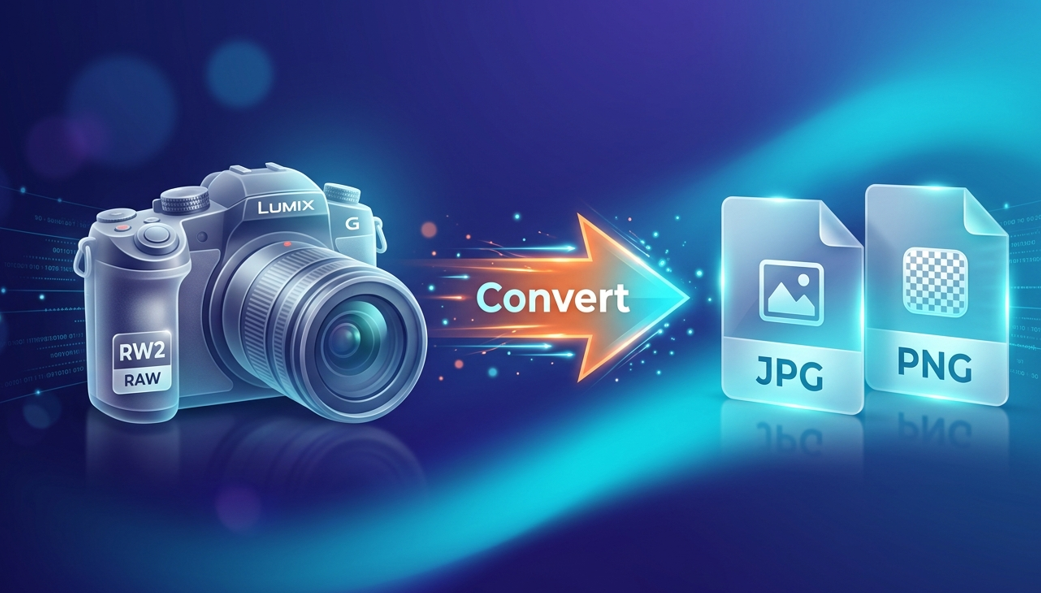
In the world of photography, capturing the perfect moment is only half the battle. If you own a Panasonic Lumix camera, you are likely familiar with the RW2 file format. These files hold incredible detail, but they come with a big problem: you can’t easily open them on your phone, share them on Instagram, or send them to a friend via WhatsApp.
This is where an RW2 to Image Converter Online becomes your best friend. In this guide, we will explain everything you need to know about converting RW2 to JPG or PNG, why it matters, and how to do it in seconds without losing any photo quality.
What Exactly is an RW2 File? (The Simple Version)
Imagine you are baking a cake. An RW2 file is like having all the raw ingredients—the flour, eggs, sugar, and butter—sitting on your counter. It isn’t a “cake” yet, but it has everything needed to make a perfect one.
In technical terms, RW2 is a RAW image format used specifically by Panasonic digital cameras. When you take a picture, the camera doesn’t process the image. Instead, it saves all the light data exactly as the sensor saw it.
Why do photographers use RW2?
- Total Control: You can change the brightness and colors later without ruining the photo.
- High Quality: It holds much more information than a standard picture.
- Professional Results: It allows for deep editing in software like Adobe Lightroom.
The Downside of RW2
- Huge File Size: One RW2 photo can be 10 times larger than a normal photo.
- Compatibility Issues: Most standard gallery apps and social media sites cannot “read” RW2 files.
Why You Need an Online RW2 to Image Converter
You might have the best photo in the world sitting on your SD card, but if you can’t show it to anyone, what’s the point? Converting your files is a necessity for the modern digital world. Here is why using an online tool is the best way to go:
1. Save Your Storage Space
A single RW2 file can take up 30MB or more. If you have 100 photos, that’s 3GB of space! By converting them to JPG, you can shrink that size down to 3MB or 5MB without a noticeable drop in beauty. This keeps your phone and computer from running out of memory.
2. Instant Sharing
Social media platforms like Facebook, Twitter (X), and LinkedIn do not support RAW formats. To post your photography work, you must convert it to a web-friendly format like JPG or PNG.
3. No Expensive Software Needed
Usually, to open an RW2 file, you need expensive monthly subscriptions for professional editing tools. An online converter is 100% free. You don’t need to be a computer expert or a rich photographer to get the job done.
How to Use the RW2 to Image Converter (Easy Steps)

We designed this tool to be so simple that even a 4th grader can use it. You don’t need to sign up or give your email. Just follow these five easy steps for this tool RW2 to Image Converter:
Step 1: Upload Your File
Click the big “Upload” button or simply drag your RW2 file from your folder and drop it onto the website.
Step 2: Choose Your Format
Most people choose JPG because it is the most popular. However, if you want a transparent background or higher detail for graphics, choose PNG.
Step 3: Click Convert
Push the “Convert” button. Our smart servers will handle the heavy lifting for you. It usually takes less than 5 seconds!
Step 4: Preview Your Image
Take a quick look at the result to make sure it looks exactly how you want it.
Step 5: Download
Hit the download button and save your new image to your gallery or desktop.
JPG vs. PNG: Which One Should You Choose?
When using the RW2 to Image Converter, the tool will ask you which format you want. Here is a simple breakdown to help you decide:
Use JPG If:
- You want to upload to Instagram or Facebook.
- You want to save space on your phone.
- You are sending photos via email.
- Fun Fact: JPG is the king of the internet because it balances quality and size perfectly.
Use PNG If:
- You need the highest possible quality for a website.
- You are a designer who needs “lossless” data.
- You don’t mind the file being a little bit larger.
- Fun Fact: PNG is great because it doesn’t “hurt” the pixels when you save it over and over again.
Why Our Online Tool is Better Than “Offline” Software
Many people ask, “Why should I use an online converter instead of downloading a program?” The answer is simple: Speed and Safety.
No Viruses
When you download random software from the internet to convert files, you risk getting a virus. Our online tool runs entirely in your web browser. You don’t have to install anything, which keeps your computer safe.
Works on Every Device
Whether you are using a Chromebook at school, an iPhone at the park, or a Windows PC at home, our RW2 to Image Converter works exactly the same. All you need is an internet connection.
Automatic Updates
Software programs get old and slow. Our online tool is updated every week to make sure it stays fast and supports the newest Panasonic camera models.
Tips for Getting the Best Results
To get the most out of your RW2 conversion, keep these three tips in mind:
- Check Your Lighting: If your original RAW photo is too dark, try to brighten it slightly before converting, or use our tool’s high-quality setting to preserve the shadows.
- Batch Convert: If you have a whole wedding or vacation album, don’t do them one by one. Our tool allows you to upload multiple files at once to save time.
- Stable Internet: While our tool is fast, having a stable Wi-Fi connection ensures your 30MB RAW files upload quickly without any errors.
Is it Safe to Use an Online Converter?
Safety is our number one priority. We know your photos are private and important.
- Privacy Guaranteed: We do not look at your photos.
- Auto-Delete: Our system is programmed to delete your files from our servers 1 hour after conversion.
- No Selling Data: We never sell your images to third parties or use them for AI training. Your memories stay yours.
Frequently Asked Questions (FAQs)
Q1: Can I convert RW2 to JPG on my Android or iPhone?
Ans: Yes! Simply open your mobile browser, go to our website, and upload the file from your phone’s storage. It works perfectly on mobile.
Q2: Will I lose the EXIF data (shutter speed, ISO, etc.)?
Ans: Our converter is designed to keep your metadata (the “info” about the photo) intact whenever possible, so you still know exactly how you took the shot.
Q3: Is there a limit on how many files I can convert?
Ans: Unlike other websites that charge money, our RW2 to Image Converter Online allows you to convert as many files as you need for free.
Q4: What cameras produce RW2 files?
Ans: Most Panasonic Lumix models, such as the GH5, G7, FZ300, and LX100, use the RW2 format for their RAW settings.
Conclusion: Make Your Photos Usable Today!
Photography is about sharing your vision with the world. Don’t let a “file format” stand in your way. Whether you are a professional photographer looking to send a quick preview to a client, or a hobbyist who just wants to show a beautiful sunset to your family, our RW2 to Image Converter is the perfect solution.
It is fast, it is free, and it is built for everyone—from tech experts to 4th-grade students. Stop worrying about “unsupported file” errors and start turning your Panasonic RAW data into beautiful, shareable images today!
🔹 Explore more powerful file conversion and online utilities at AllFileTools –
🔹 For technical support, digital solutions, and expert services, visit LetDigitalFly IT Services –
🔹 Discover additional career and productivity resources at Resume Slip Builder –