The notion of modular programming is among the most significant ideas of software development that allows to arrange complex programs into smaller, manageable units. Functions are the key element in this paradigm in Python because it enables developers to write structured and reusable code. In this article, we will provide the concept of functions, and why modular programming is important and demonstrate to you how using functions would help read, reuse and organize our code. At the close of this guide, you will know how to define variables, invoke and send variables to functions, as this will improve your programming capabilities.
What is Modular Programming?
Function modular programming
Before proceeding to functions, it is important to define modular programming. Modular programming is a programming design method by which a program is broken down into distinct and independent modules or parts. The modules represent a task or a functionality. This is normally interpreted to mean that a large program will be divided into functions, classes and modules in Python.
We simplify the task of handling and debugging the program and extending it by dividing the code into small, self-contained units. This enhances flexibility of the code and it simplifies the program. As the projects become larger, you can blindly work on the smaller manageable tasks without necessarily worrying about the whole project.
The significance of Functions in Modular program
One of the fundamental units of modular programming is functions. Functions enable you to write reusable blocks of code which can execute when called in Python. Functions assist in dividing a complex task into smaller and manageable portions and enhance readability and organization of a code.
Why Functions Are Essential:
- Better Code Reusability: Functions enable you to code a piece of code once and use it as many times as possible to be less redundant. It is not only time saving but also helps keep your code more maintainable.
- Better Code Organization: Using functions, related tasks can be clustered. This will give your code a more organized and convenient look to browse particularly in big projects.
- Heightened Readability: Functions make the code more readable. The logic can be followed easier by breaking down the code into smaller, self-enclosed bits to know what the code does.
- Less difficult to debug: When there is an error, it is much easier to locate it in a function than in a long list of code.
- Less Complexity: Functions are useful in simplifying tasks. Rather than having a single large program with many thousands of lines of code, you can have smaller functions which deal with smaller tasks which are easier to maintain.
At this point now that we know the importance of functions, we will take a closer look at how to define and implement them in Python.
Defining functions in Python
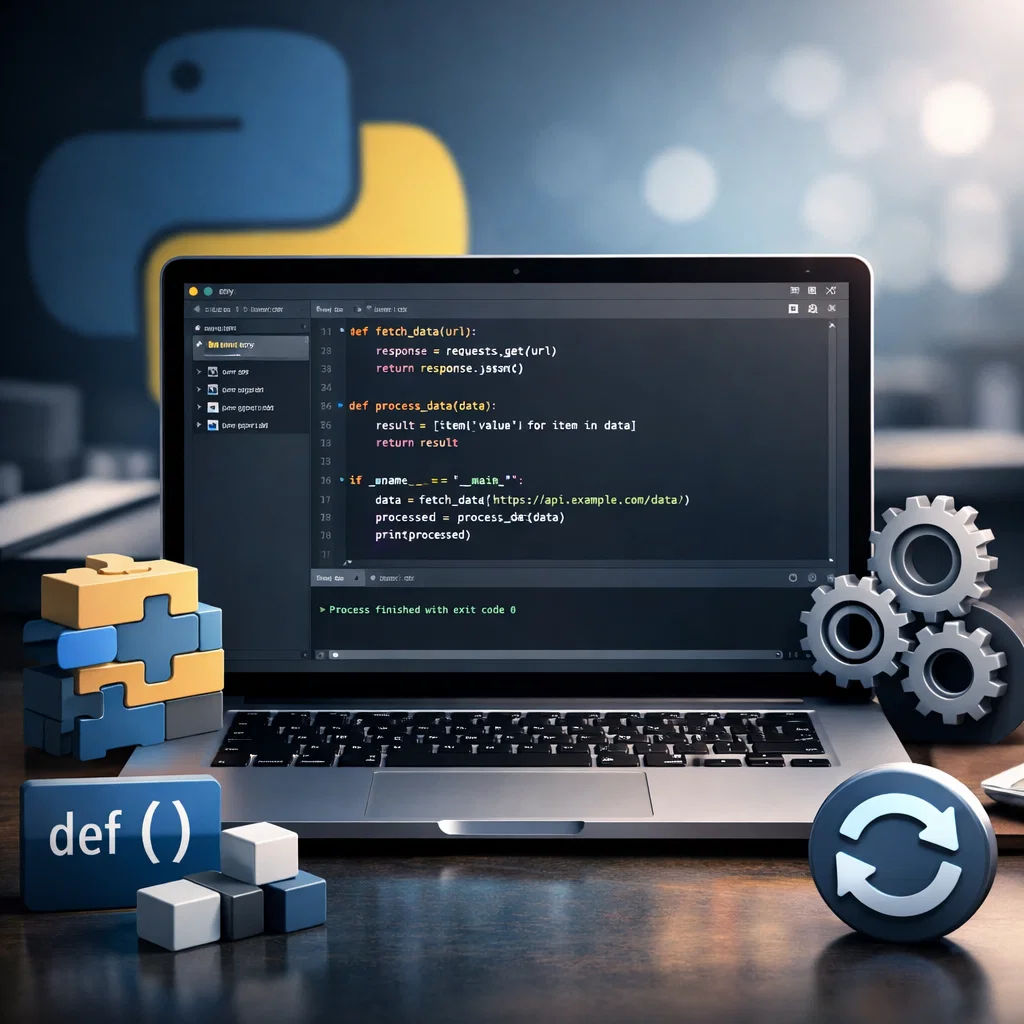
In Python, the syntax of functions is def + name of the function + parenthesis + colon. The code that becomes a part of the function is indented to show the belonging to the function.
Function Defining Syntax:
def functionname(parameters):
# Code to execute
return result
- functionname: This is the name that you give to your function. It must be descriptive indicating the job that the function does.
- parameters: These are the values that are input into the function. Such inputs are optional and a function may have no parameter, one parameter or many parameters.
- return: A code can have a result, a value which is the output of a particular code. This is not mandatory and in case no return statement is given, then it will default to return None.
Examples: Specifying a Simple Function
We can describe a basic function, which is adding two numbers:
def addnumbers(a, b):
return a + b
In this case, the naming of the function is addnumbers, while the parameters are a and b. The role provides the addition of a and b.
Calling a Function
After defining a function, you can invoke it to run the code within it. When invoking a function, you just use the name of the function and follow it by a pair of parentheses and any argument that is necessary is placed within the brackets.
Function Syntax:
functionname(arguments)
Example: Invocation of the addnumbers Function
Now we can call the addnumbers function that we have just defined:
result = addnumbers(5, 7)
print(result) # Output: 12
In this case, addnumbers as a function is invoked with a pair of arguments 5 and 7. It is saved in the variable result, and printed to the console.
Arbitrating Arguments to Functions
In invoking a function, we give it arguments. These values are the real values which are comparable to parameters of the function. Python permits multiple forms of passing argument to functions:
- Positional Arguments: These are the most universal ones and are presented in the sequence of the parameters.
- Keywords Arguments: You can define the names of the parameters in the call to the function, and do not use a particular order to pass the arguments.
- Default Arguments: The parameters may also have default values in functions, which is optional in calling the function.
Practical: Positional Argument
def greet(name, message):
print(f”Hello {name}, {message}”)
greet(“Alice”, “welcome to Python!”) # Output: Hello Alice, welcome to Python!
Sample: Keyword Arguments
greet(message=”have a great day!”, name=”Bob”) # Output: Hello Bob, have a great day!
Sample: Default Argument Usage
def greet(name, message=”Good morning!”):
print(f”Hello {name}, {message}”)
greet(“Charlie”) # Output: Hello Charlie, Good morning!
greet(“Dave”, “how are you?”) # Output: Hello Dave, how are you?
Return Values in Functions
The return statement can be used to give a value to a function. This can be utilized in the future of the program.
Example: Returning Values
def multiply(a, b):
return a * b
result = multiply(4, 5)
print(result) # Output: 20
The multiply function in this instance gives the result of a times b. The result of the function is stored in variable result and printed.
Function Libraries and Modular Programming
The important benefit of modular programming is the chance to create libraries out of the code. Functions in Python may be consolidated into modules, which may be in turn imported into other scripts. This makes the code reuse and organization possible.
Example: Using Modules
Write a program called mathoperations.py and write functions in it:
# mathoperations.py
def add(a, b):
return a + b
def subtract(a, b):
return a – b
Another script, requires the mathoperations module, and it can be used:
# main.py
import mathoperations
result1 = mathoperations.add(3, 4)
result2 = mathoperations.subtract(10, 5)
print(result1) # Output: 7
print(result2) # Output: 5
You can make your codebase maintainable and clean by structuring related functions into modules. It is an excellent constructor of modular programming that each module or function is developed to do certain tasks.
Conclusion
In Python, modular programming is based on functions. When you define functions, then you are able to divide up more complicated programs into shorter and easier to manage smaller parts. This does not only increase the readability and debuggability of your code but also increases the reusability. Functions can be used to keep your code tidy and effective whether you are doing a small project or a large application.
Note that the most valuable things about functions in Python are:
- Reusability: Code once, write many times.
- Form: Have your code clean and tidy.
- Readability: Functions bring your code to life.
- Maintainability: It is easy to fix bugs or add features.
Therefore next time you find yourself writing the same code over and over again or having difficulty in finding your way around a big program consider how modular programming and functions can make your job easier. Happy coding!