Automation in software development is a major aspect of enhancing productivity and minimizing errors in the world. The Unix environment has one such automation tool—Makefile. The paper will discuss the nature of Makefiles, how and why they are useful in managing the multi-file C projects in Unix-based systems. At the conclusion of this paper, you will be well equipped to understand Makefiles, their creation, and how they facilitate the making of programs.
What is a Makefile?
A Makefile is an exceptionally unique file that the make utility employs to automatically compile and maintain dependencies in software projects. It determines the way in which you compile and connect programs, particularly when your project has several source files. The make utility examines the lines in the Makefile to see which files need recompiling, and only the required actions are done. This helps to save time and minimize errors.
Fundamentally, the Makefiles help to automatize the build process so that developers do not have to worry about the compilation process and instead do the coding. This is very useful in high-scale projects that have a great number of dependencies.
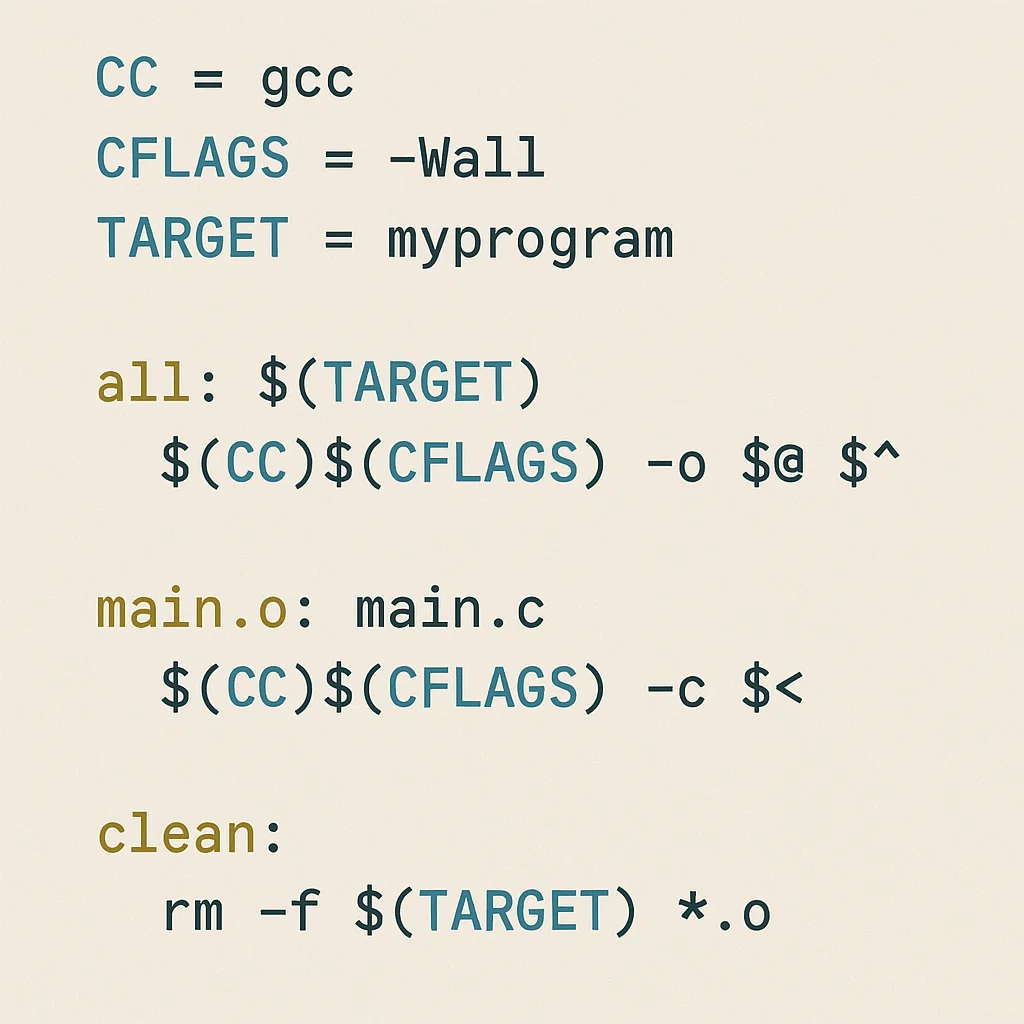
How Do Makefiles Work?
Makefiles have a structure that is to specify a set of rules with each rule composed of three primary elements, which include targets, dependencies, and commands.
- Target: A target is normally the file which the rule is supposed to build. These are commonly object files (.o) or final executables.
- Dependencies: Dependencies are files upon which the target is dependent. In case any of the dependencies were changed, the target must be recreated.
- Commands: These are the shell commands that will be implemented to create or update the target. To compile C programs, these would typically consist of the gcc command to compile.
Example of a Simple Makefile
The following is a simple Makefile of a project that has two source files, which are main.c and utils.c. The object of interest is the executable program.
# Makefile
CC = gcc # The compiler to use
CFLAGS = -Wall # Compilation flags.
TARGET = program # The name of the eventual program
# The default target
all: $(TARGET)
# How to build the program
$(TARGET): main.o utils.o
$(CC) $(CFLAGS) -o $(TARGET) main.o utils.o
# How to build the object files
main.o: main.c
$(CC) $(CFLAGS) -c main.c
utils.o: utils.c
$(CC) $(CFLAGS) -c utils.c
# Clean up
clean:
rm -f *.o $(TARGET)
The following are some of the features of this Makefile that can be seen as basic:
- Variables: Vars CC compiler, CFLAGS flags, and TARGET final program name.
- Rules: Object files (main.o, utils.o) are to be created and their linkage to the ultimate target (program) is to be made.
- Dependency Tracking: The rule of $(TARGET) is that $(TARGET) is dependent on main.o and utils.o, and therefore the target will only be rebuilt when either of these object files is different.
- Clean Up: The clean target removes the object files and executable so that you can start fresh.
What Happens When You Run?
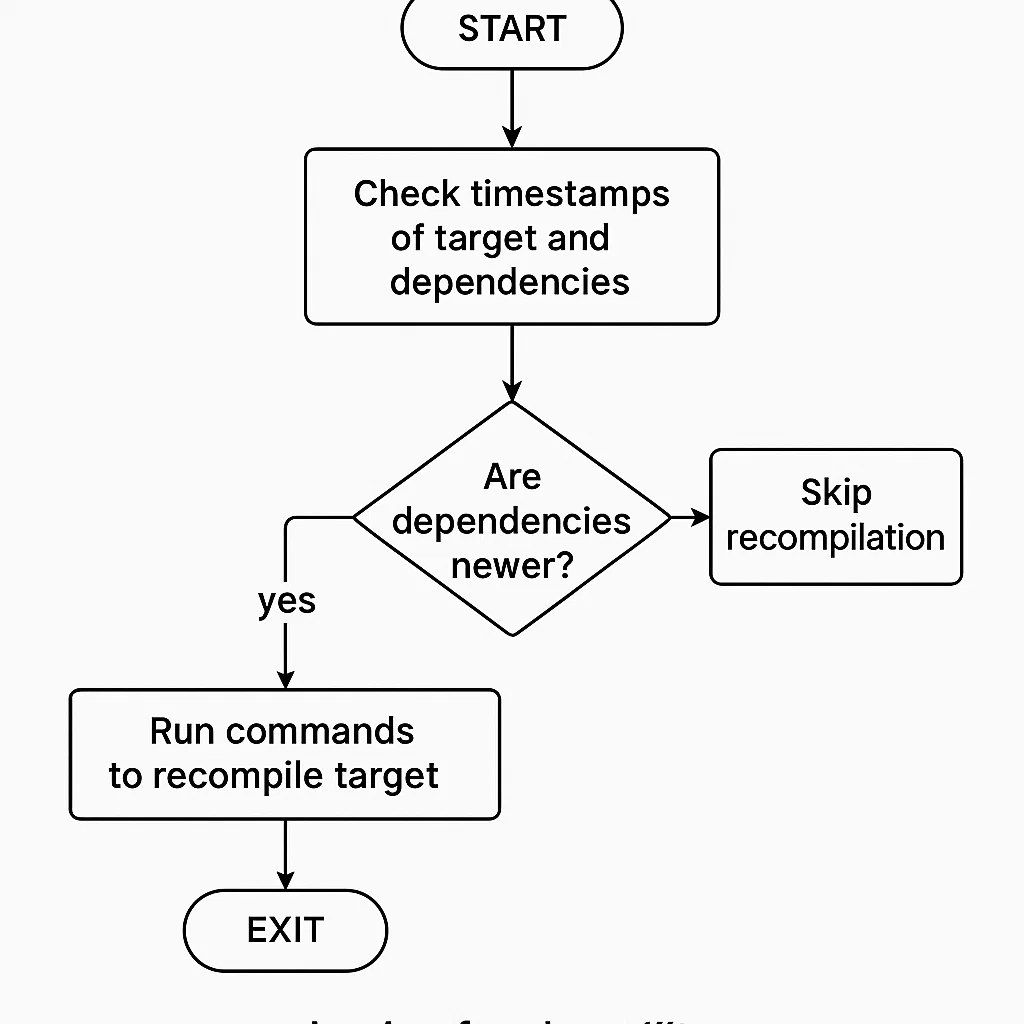
When make is run in a directory that contains a Makefile, make compares the times of the target and its dependencies. In the event that one of the dependencies is more recent than the target, it rebuilds the target. In case nothing has changed, it will not go through the compilation step for time-saving.
When you change main.c, for instance, make will only recompense main.c and then link main.o with utils.o to produce the new program. When nothing has changed, make will not do anything, and this is more efficient.
Why Are Makefiles Essential?
Automating Tedious Compilation Steps
In a complex C project, it may be tedious and error-prone to assemble all the files manually. The developer would have to run several commands such as gcc -c file.c on each of the source files and then link together the object files by hand without a Makefile. This is made easier with the help of Makefiles that are more efficient and less likely to make mistakes.
Managing Dependencies
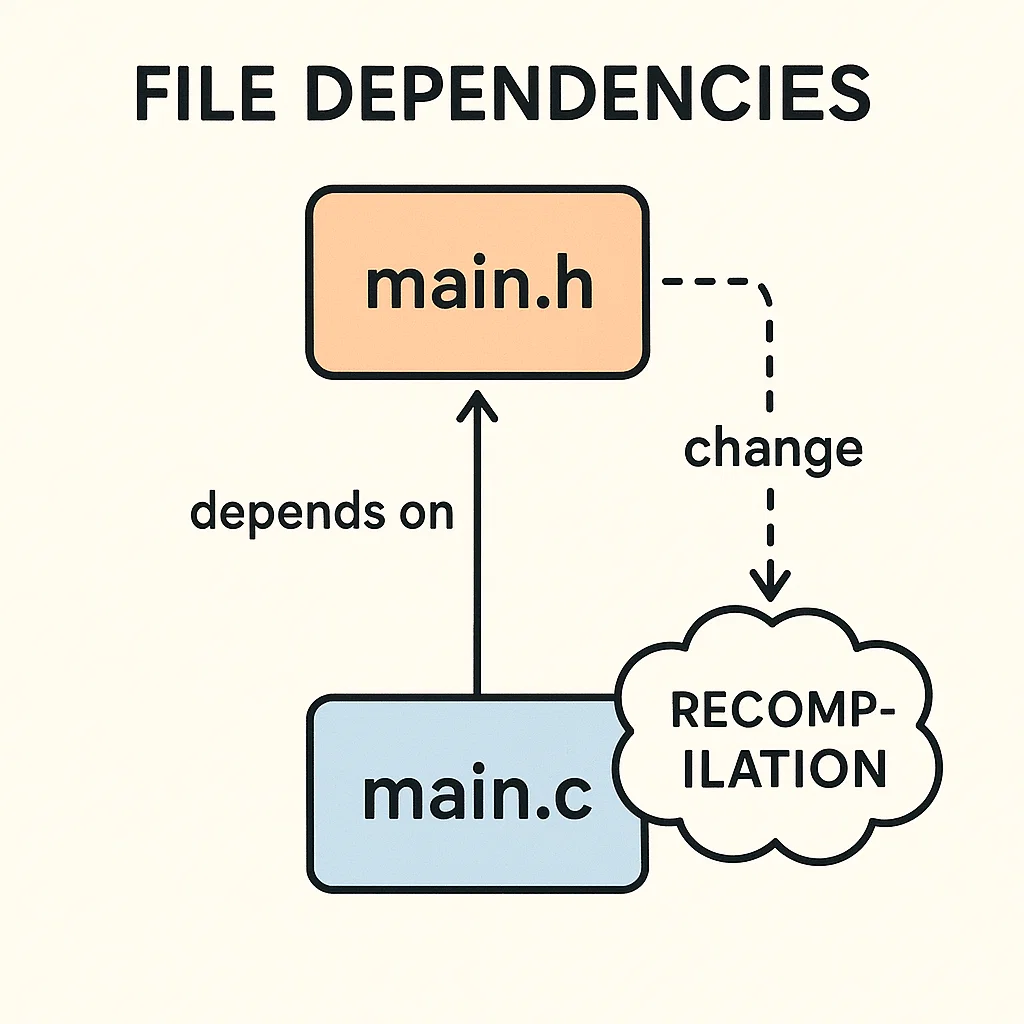
A large project can have one file that is dependent on another. For instance, a source file can contain header files or can be dependent on other object files. Makefiles are designed to take care of these dependencies such that when a single file is changed, the relevant dependents are recompiled accordingly.
Better Project Organization
Makefiles also offer a common location to control how to build your project in order to make your project more structured. Developers do not need to maintain individual lists of each compilation step but may trust the Makefile to do all of it. It results in a more sustainable and scalable project structure.
Time Efficiency
Makefiles save time spent on building your project because by recompiling just the changed files, Makefiles can save you a lot of time. This is especially the case in the case of big projects that require a lot of time to assemble.
Cross-Platform Support
Makefiles are portable, i.e., they can be used on any system which is based on Unix, such as Linux and macOS. This renders them to be a critical cross-platform development tool.
Understanding Dependencies
An average C project uses header files to declare values in their source files. As an example, a .c file can need a .h header file with function prototypes and macros.
The dependencies are handled by a Makefile that makes sure that the appropriate files are recompiled whenever a change is done. Here’s an example:
# Main target uses two object files.
$(TARGET): main.o utils.o
$(CC) $(CFLAGS) -o $(TARGET) main.o utils.o
# The object files are relying on the respective source files and the headers.
main.o: main.c main.h
$(CC) $(CFLAGS) -c main.c
utils.o: utils.c utils.h
$(CC) $(CFLAGS) -c utils.c
This is where main.o is dependent on main.c and main.h. When main.h is changed, make will recompile main.o, regardless of whether main.c was not changed.
To create a Makefile that has the right dependency tracking, tools such as makedepend or gcc -MM can create the dependency rules that you need automatically.
More Complex Makefiles Writing Makefiles
As the projects become bigger and more complex, the complexity of Makefiles that are required increases. The following are advanced features that can be employed in bigger projects:
Pattern Rules
Pattern rules enable the creation of general rules to construct many files of a similar pattern. e.g., to include all the .c files in a directory:
# Load all .c files to .o files.
%.o: %.c
$(CC) $(CFLAGS) -c $< -o $@
This applies to any file in the pattern, you do not need to write a rule per .c file.
Variables
A Makefile may be made more flexible by defining variables. An example can be the hardcoding of the compiler and flags into a program; however, you should be able to define the flags and the compiler as variables:
CC = gcc
CFLAGS = -Wall -g
# Compile all .c files
%.o: %.c
$(CC) $(CFLAGS) -c $< -o $@
Conditional Statements
Makefiles enable conditional statements to be used to determine the flow of the build process. As an example, you can check whether some files are present or not or you can set various flags depending on the system environment.
ifeq ($(OS), Windows_NT)
# Use another Windows compiler.
CC = cl
else
CC = gcc
endif
Makefile with Multi-File Projects
In association with multi-file projects, you may possess multiple source files, which require to be compiled and tied collectively. A structured Makefile can take care of the compilation step and deal with dependencies amongst a number of files.
In projects that are larger, it is also common to separate your Makefile into several files to make it more organized. You may also incorporate other Makefiles with the include directive so that you can have a modular and reusable build configuration.
include common.mk
This technique comes in handy especially when you have several modules or libraries and you would like to use the same build process in more than one project.
Conclusion
Makefiles are an essential program in automation of C program compilation under Unix. Not only do they save time since they are automated and eliminate tedious steps, but they also assist in the management of complex dependencies, better project organization, and enhance effectiveness. With the skills of Makefiles, you will be in a position to optimize your development process, particularly with large projects with numerous files.