Python is a programming language that is very easy to learn and is characterized by a simple syntax and easy to read. Interaction is one of the core aspects of programming- it is the ability of programs to receive data and respond to it, given that it is provided by users. This interactivity is attained by input and output functions. The input() and print functions are the main functions in python in this regard. Knowing their functioning makes the learners develop programs that are dynamic, responsive, and applicable in real-life situations.
In this article, we shall find out ways in which Python can retrieve user information, ways in which you can display the results effectively, ways in which you can make your programs interactive and engaging through a combination of input and output.
Learning User Interaction Programming
User interaction plays a very essential role in the programming in view of the fact that it brings dynamism in dead code. A program would not be able to adapt to various situations without user input since it would just do whatever the program is pre-programmed to do. Input enables a program to take in data provided by the user whereas output provides the user with the results.
Taking the example of a program that sums two numbers. Assuming that only hardcoded values are included in the program, that program will always give the same output. But, when the program requires the user to type in numbers, the output will be altered by the input of the user. Such interaction is what renders software stretchable and useful.
This is made easier using Python and the input() and print functions that allow the reception and presentation of user input and output respectively.
Python Retrieval of User Information
Python offers the input() of collecting user information as a built-in means. This feature halts the program until the user enters something into the keyboard. The user then presses Enter and the entered data are returned as a string by the function.
Here’s a simple example:
name = input(“Enter your name: “)
print(“Hello, ” + name + “!”)
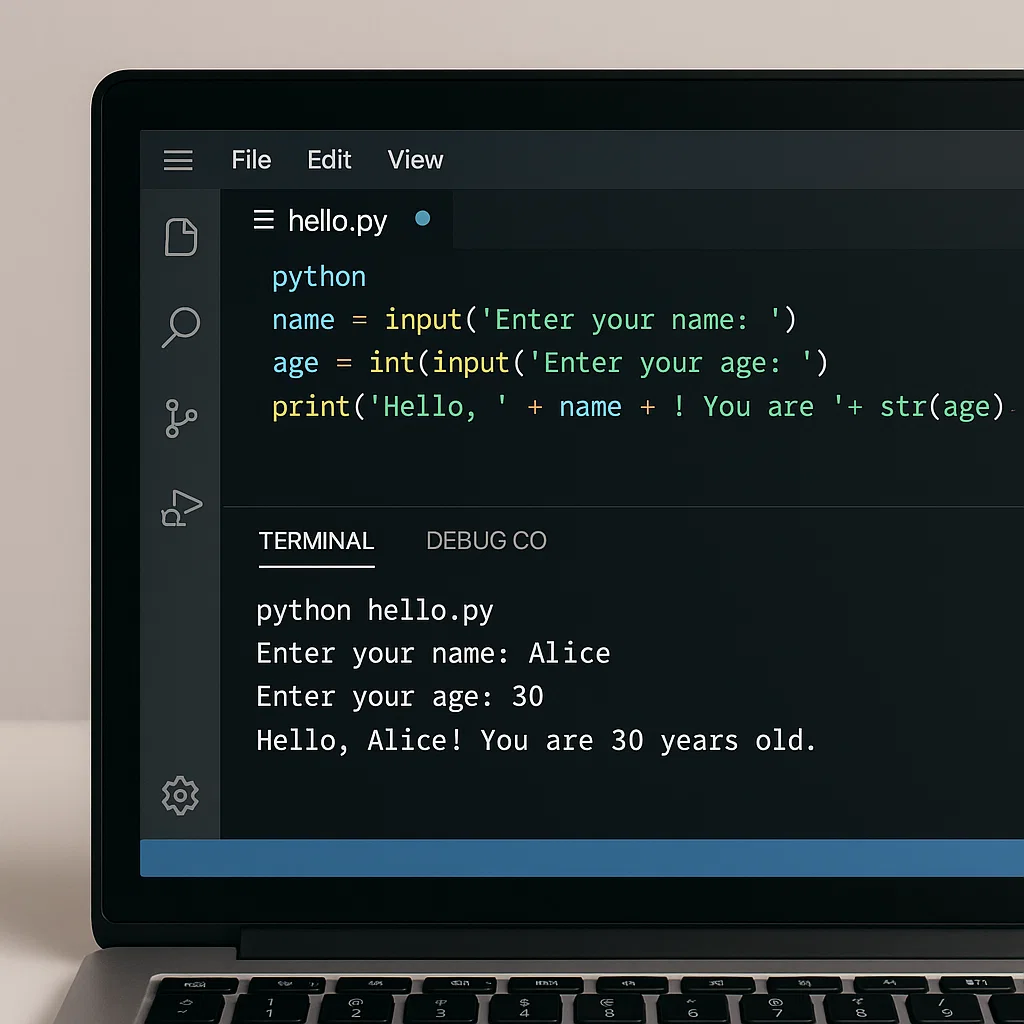
Here, the program requests the user to type his/her name. The input() function will receive the data, store it in the name of the variable and the print() will show a greeting message using the input that was provided.
The Essentials of the input Function
The use of the input() function may have its variations, which will depend on the kind of information you are trusting the user to provide.
Receiving Strings
Input is constant at any rate, and always returns a string. Python interprets the number as a text even when the user enters the number.
age = input(“Enter your age: “)
print(“You are ” + age + ” years old.”)
Output if the user enters 15:
You are 15 years old.
In this case, the number 15 is a string. This should not be forgotten since mathematical operations demand numeric types.
Converting Input to Numbers
In order to do the calculations, you have to change the string input into an integer or floating-point number:
num1 = int(input(“Enter the first number:”))
num2 = int(input(“Enter second number:”))
sum = num1 + num2
print(“The sum is:”, sum)
In this case, two numbers typed in by the user are added by the program. In Python, without int conversion of the input, Python would not add the numbers but would concatenate the strings rather than adding them.
Printing the Output using print
Information is displayed on the screen using the print() function. It is capable of producing text, numbers, variables or even calculation results. The following are ways through which print can be used:
Printing Variables and Strings
name = “Alice”
print(“Hello,”, name)
Output:
Hello, Alice
The Addition of Strings and Numbers
age = 15
print(“You are”, age, “years old.”)
Output:
You are 15 years old.
Remember that when one uses commas within the confines of print it will automatically separate values with space and it will also change non-string types into strings.
Formatting Output
Python also supports a cleaner output format in the form of f-strings, which is supported in Python 3.6 and beyond:
name = input(“Enter your name: “)
age = int(input(“Enter your age: “))
print(f”Welcome, {name} you are of age, and are aged: {age} years.”)
Output given user input of Alice and 15:
Hello Alice, you are 15 years old.
If the variables are installed in the output messages, they are written in a short and understandable form using f-strings.
Enhancing Programs with Interactivity
The input and output may be combined to enable programs to dynamically react to user actions. As an example, it is possible to create a basic calculator to perform various functions after input provided by a user:
num1 = float(input(“Input first number: “))
num2 = float(input(“Enter second number: “))
operation = input(“Operation (+, -, *, /): “)
if operation == “+”:
print(f”The result is: {num1 + num2}”)
elif operation == “-“:
print(f”The result is: {num1 – num2}”)
elif operation == “*”:
print(f”The result is: {num1 * num2}”)
elif operation == “/”:
if num2 != 0:
print(f”The result is: {num1 / num2}”)
else:
print(“Cannot divide by zero!”)
else:
print(“Invalid operation”)
This show illustrates a few major points:
- Numbers and the operation to be performed are gathered using input.
- Results are displayed by use of output that is dynamic.
- Conditional logic causes the program to react differently to input provided by a user.
Best Practices in Python input and output
Best practices help in the writing of interactive Python programs to make them easier to use and on the other hand reduce errors:
Provide Clear Prompts
Always be clear of what the user should be entering:
age = int(input(“Please, enter your age in years: “))
This makes it easy to avoid confusion and have legitimate input.
Handle Invalid Input
Users may be wrong and therefore one should be able to gracefully deal with invalid input:
try:
age = int(input(“Enter your age: “))
except ValueError:
print(“Please input a valid number.”)
This makes the program not crash in case the user enters a non-numeric value.
Use Meaningful Variables
Select variable names that indicate their use:
username = input(“Enter your name: “)
userage = int(input(“Age: Enter your age: “))
This enhances the readability of codes.
Format Output Clearly
Output is better readable formatted, particularly when we are using numbers:
price = 49.99
quantity = 3
total = price * quantity
print(f”Total price: ${total:.2f}”)
In this case, .2f would guarantee that the total was presented in two decimals.
Techniques of an advanced nature with input and output
As the learners get familiar with input and print, they will be able to browse through more sophisticated methods.
Multiple Inputs in One Line
Python allows splitting a single input into multiple variables:
x, y = input(“Enter two numbers separated by space: “).split()
x = int(x)
y = int(y)
print(f”Sum: {x + y}”)
Interactive Loops
Using loops, you can repeatedly prompt the user until they enter valid data:
while True:
number = input(“Enter a positive number: “)
if number.isdigit() and int(number) > 0:
print(f”You entered {number}”)
break
else:
print(“Invalid input. Try again.”)
Output with Conditional Formatting
Python can dynamically adjust messages based on input:
score = int(input(“Enter your score: “))
if score >= 90:
print(“Excellent!”)
elif score >= 70:
print(“Good job!”)
else:
print(“Keep practicing!”)
Practical Examples of Input and Output
To better understand how input and output functions create interactive programs, consider these practical examples:
1. Greeting Program
name = input(“What is your name? “)
print(f”Hi {name}! Welcome to Python programming.”)
2. Age Calculator
birth_year = int(input(“Enter your birth year: “))
current_year = 2025
age = current_year – birth_year
print(f”You are {age} years old.”)
3. Simple Quiz
answer = input(“What is the capital of France? “)
if answer.lower() == “paris”:
print(“Correct!”)
else:
print(“Oops! The correct answer is Paris.”)
Conclusion
The input() and print() functions are foundational for making Python programs interactive. By retrieving information from users and displaying results dynamically, these functions allow developers to create programs that are responsive, adaptable, and engaging.
Learning how Python retrieves user information and how to use output effectively is a crucial step for any aspiring programmer. With practice, you can combine these tools to build calculators, quizzes, and more complex interactive applications. By following best practices, formatting outputs neatly, and handling errors gracefully, your programs will be both functional and user-friendly.
Interactivity is at the heart of programming—it transforms static scripts into responsive tools that can adapt to any user’s needs. Mastering input and output in Python is your first step toward creating meaningful, dynamic applications.