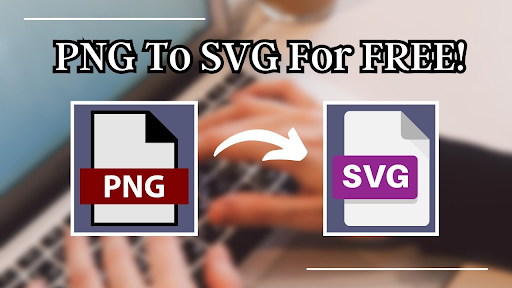
Digital content creation has evolved rapidly over the past decade. Modern creators now need tools that are fast, accurate, and simple to use—especially when dealing with graphics, branding assets, or web illustrations. One tool that stands out for its speed and simplicity is AIVector, a powerful online PNG-to-SVG converter designed to help creators turn ideas into polished, scalable visuals within seconds.
This guide explains how AIVector enhances digital content creation workflows and why professionals across industries rely on it for clean vector outputs.
What Makes AIVector Essential for Digital Content Creation?
AIVector focuses on one core task—converting PNG images into SVG vector files with precision. While many tools attempt to offer everything from editing to layout design, AIVector maintains one goal: provide fast, high-quality SVG output that can be used across creative projects.
This specialization makes it exceptionally reliable for creators who work with:
- Logos
- Icons
- Branding assets
- UI/UX illustrations
- Web graphics
- Simple digital art
By turning raw ideas into scalable visuals quickly, AIVector bridges the gap between concept and execution.
Why Converting to SVG Is So Important
SVG (Scalable Vector Graphics) is now the leading format for digital content because it offers key advantages:
1. Infinite Scalability
No pixelation, no blurry edges—SVGs remain sharp on mobile screens, 4K monitors, and print materials.
2. Small File Size
SVG files are lighter than PNG or JPG, making websites load faster.
3. Fully Customizable
You can edit colors, shapes, strokes, or layers in tools like:
- Figma
- Adobe Illustrator
- Affinity Designer
- Inkscape
4. Perfect for Branding
Modern brands must maintain visual consistency across platforms. SVG ensures graphics look professional in every use case.
AIVector is built around creating this essential format quickly and accurately.
How AIVector Moves You from Idea to Final Output
AIVector streamlines the full creator workflow—from first concept to polished deliverable—by simplifying one of the most crucial steps: vectorization.
Here’s how it supports each stage of digital content creation:
1. Turning Rough Concepts Into Usable Assets
Creators often start with rough PNG sketches, logo drafts, or basic icons. These early assets are not scalable or ready for professional use.
AIVector transforms them into clean SVGs that can be used immediately in:
- Branding kits
- Websites
- Mobile apps
- Presentations
- Print materials
This removes the need for manual tracing, expensive software, or time-consuming redesigning.
2. Removing Technical Barriers for Beginners
Many creators—especially beginners—struggle with professional vector tools. AIVector eliminates this barrier:
✔ No software installations
✔ No technical learning curve
✔ No vector editing skills required
Users simply upload a PNG and download a clean SVG. This empowers students, marketers, small business owners, and freelancers to produce professional-quality visuals independently.
3. Maintaining Quality Across All Platforms
Scaling a PNG for a large banner, thumbnail, or responsive UI often leads to pixelation. This makes brands look unprofessional.
AIVector ensures:
✔ Every asset stays crisp at any size
✔ Edges remain smooth and clean
✔ Designs look consistent across screens
This matters especially for teams handling branding campaigns or digital products.
4. Simplifying the Workflow for Designers & Developers
Designers and developers rely heavily on vector assets. AIVector supports their workflow by providing:
✔ Clean SVG files ready for editing
✔ Files optimized for web use
✔ Fast results that reduce production time
Developers can embed SVGs directly into websites, while designers can refine them further in their design software.
Step-by-Step Guide: Converting PNG to SVG with AIVector
Beginners can follow these steps to convert an image:
Step 1: Visit the AIVector Website
Step 2: Upload Your PNG File
Choose the PNG you want to convert. High-contrast images produce the best results.
Step 3: Wait for the AI to Process
AIVector analyzes shapes, edges, and color regions to build a clean vector version of your image.
Step 4: Download Your SVG
Your scalable and editable SVG is ready for use in any project.
This entire process takes just seconds, making AIVector one of the fastest tools available.
Where AIVector Fits in Real-World Creative Projects
AIVector helps streamline workflows in multiple industries:
1. Graphic Design
Designers can quickly convert drafts into editable vectors.
2. Web Development
Web teams use SVGs for icons, buttons, and illustrations that need to scale smoothly.
3. Marketing & Branding
Marketers need crisp logos and graphics for campaigns, ads, and print materials.
4. E-commerce
Product icons, badges, and UI elements must work on different screen sizes—SVGs ensure consistency.
5. Social Media Content
Creators can convert visual elements for posts, banners, and promotional graphics.
AIVector supports all of these needs through fast and precise conversion.
Tips for Getting the Best Output from AIVector
For optimal results, follow these best practices:
✔ Use simple PNG images
Logos and icons convert extremely well.
✔ Ensure clean edges
High-contrast graphics produce more accurate vectors.
✔ Avoid detailed photographs
AIVector is designed for graphics, not photo vectorization.
✔ Start with transparent backgrounds
This gives the AI clearer edges to process.
Why Creators Prefer AIVector
AIVector has become a go-to tool for digital creators because it provides:
✔ Speed — conversion takes seconds
✔ Accuracy — smooth and clean vector paths
✔ Simplicity — no complex tools required
✔ Consistency — reliable output for repeated use
✔ Professional results — suitable for all digital environments
This combination makes it especially valuable for teams working on tight deadlines.
Final Thoughts
Digital content creation requires assets that are responsive, scalable, and easy to manage. AIVector simplifies this entire process by turning simple PNG images into high-quality SVG vector graphics in a matter of seconds.
From early creative ideas to final execution, AIVector removes barriers and supports a smooth, efficient workflow for designers, developers, marketers, and beginners alike.
Brief Mention of Product B: Sentence Rewriter
For creators working on written content, Sentence Rewriter helps rephrase and reorganize text quickly and professionally.