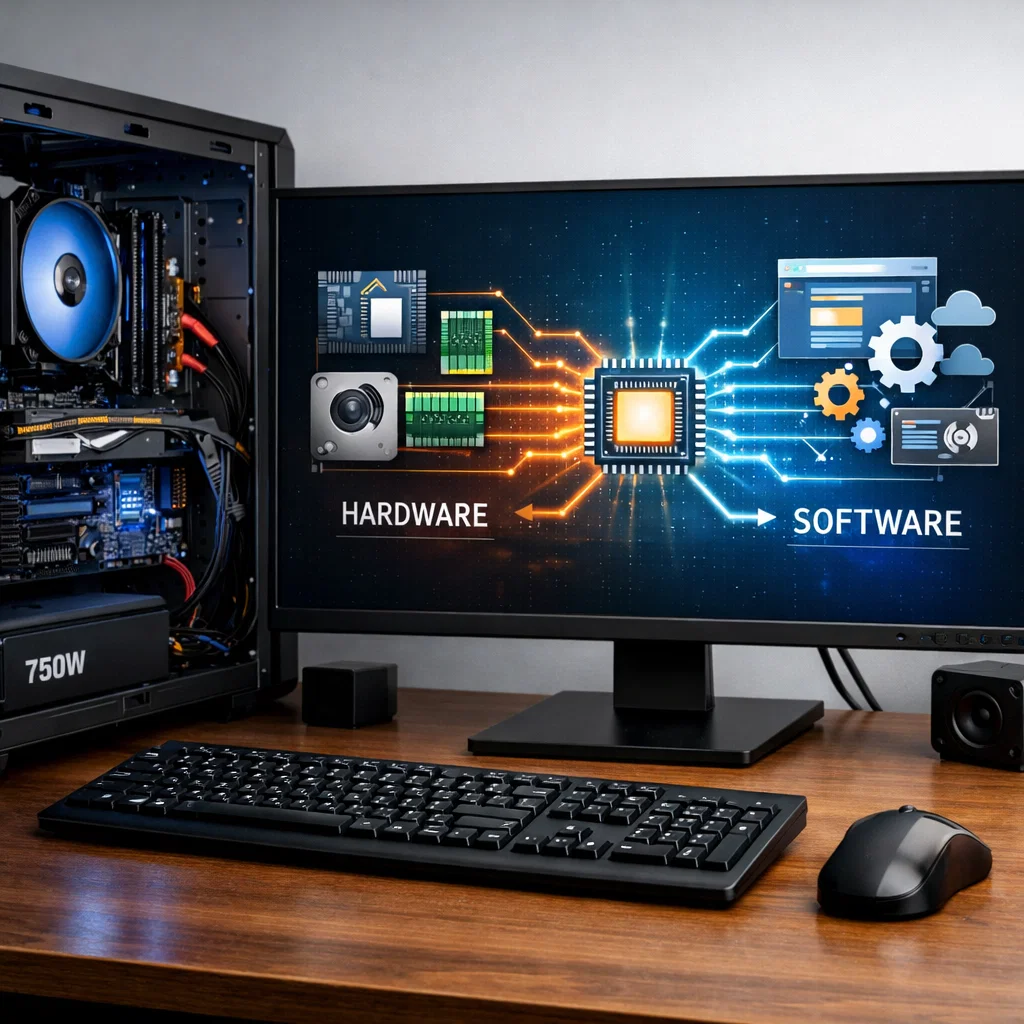
Hardware and software are terms we are used to when dealing with computers and their use. Though these concepts are very similar and intersect in order to achieve computing, they are different facets of a computer system. Any person wanting to learn more about the way computers work should understand the distinction between software and hardware. This article shall explicitly identify each of these concepts, give examples and how they combine together to make a complete computing system.
What is Computer Hardware?
Computer hardware is the physical part of a computer system. These are the visible aspects that may be touched and seen, and they carry out the functions needed to do the computing. Hardware encompasses all components of the computer such as the internal components such as the motherboard and the processor as well as external hardware such as monitors, keyboards and printers.
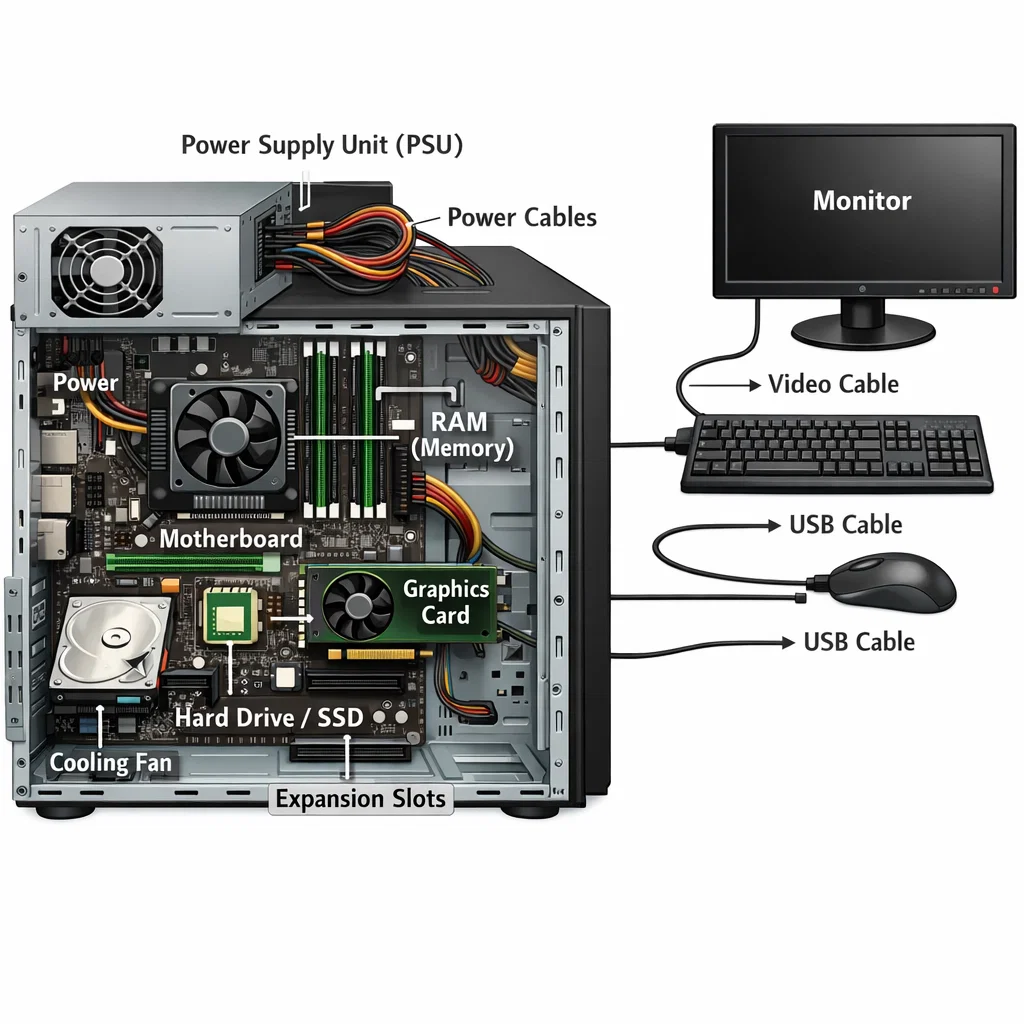
Types of Computer Hardware
Hardware may be categorized into two broad categories:
- Internal hardware: These are the components that are placed within the casing of the computer. They comprise elements of:
- Central Processing Unit (CPU): The brain of the computer that runs the instructions.
- Motherboard: This is the central circuit board that links all the internal parts together.
- Memory (RAM): Like one-time storage of active tasks data that is stored in RAM by the CPU.
- Hard Drive/SSD: This is long-term storage devices containing OS, applications and information.
- Power Supply Unit (PSU): Changes the form of electricity on a wall outlet into a form usable by the computer.
- External equipment: These are the peripheral devices that are attached to the computer. Among some typical examples are:
- Monitor: This is an output of the computer.
- Keyboard: An input device, which is used to type instructions and commands.
- Mouse: This is another input device that is utilized to navigate the graphical user interface.
- Printer: The physical form of data output of the computer.
How Does Hardware Work?
Components of hardware are connected to one another with electrical signals and there is a designated purpose of every component. An example is that when you press an icon on your screen, the mouse directs the CPU which then interprets the message and gives it to the display to refresh the screen. The software would not have a platform to operate without hardware.
What is Computer Software?
Computer software is defined as programs and instructions that a hardware is told to execute. Software can not be touched or viewed which is unlike hardware. It entails programmer-written codes that can execute an extensive scope of operations, such as operating systems down to applications.
Types of Computer Software
Software may be classified into two broad categories:
- System software: This is the software that controls the hardware and puts an environment on which application software can run. The Operating System (OS) is the most critical system software e.g. Windows, macOS, or Linux. The other system software is the drivers which allow the operating system to interface with the hardware devices.
- Application software: This is a term used in reference to programs that give the user specific tasks. These include:
- Word processors (e.g., Microsoft Word)
- Web browsers (e.g., Google Chrome)
- Games
- Productivity software (e.g. spreadsheet or project management software)
How Does Software Work?
Software does not directly interact with hardware, it only gives instructions, which can be followed by the hardware. The operating system plays the role of interpreting the software instructions into hardware comprehensible commands. As an illustration, when you start a web browser, the software with the help of the hardware of the computer tells the computer hardware to access the data on the internet and present it on the screen.
The Major Distinctions between Hardware and Software
Although the hardware and software cannot be separated, they have some major differences. Let us see the main differences between the two:
Nature
- Hardware exists physically and is tangible.
- Software is immaterial and virtual.
Functionality
- Hardware does the literal work, i.e. data processing and output.
- The software contains the code that details the manner in which the hardware is to carry out certain tasks.
Durability
- Hardware may become old fashioned or expire with time as new technologies are introduced.
- Modifications or updates of software will not require replacement of the physical parts of the system.
Cost
- Hardware can be a single purchase of physical devices and elements.
- Software may be a one-time purchase of programs, or a recurrent charge of subscription-based programs.
Examples
- Hardware: CPU, RAM, hard disk, keyboard, monitor, printer.
- Software: Web browsers, security software, mobile applications, video games, operating systems.
The Interaction between Hardware and Software
A computer is as powerful as the software and hardware that it has. The two factors collaborate to enable the system to effectively carry out its duties.
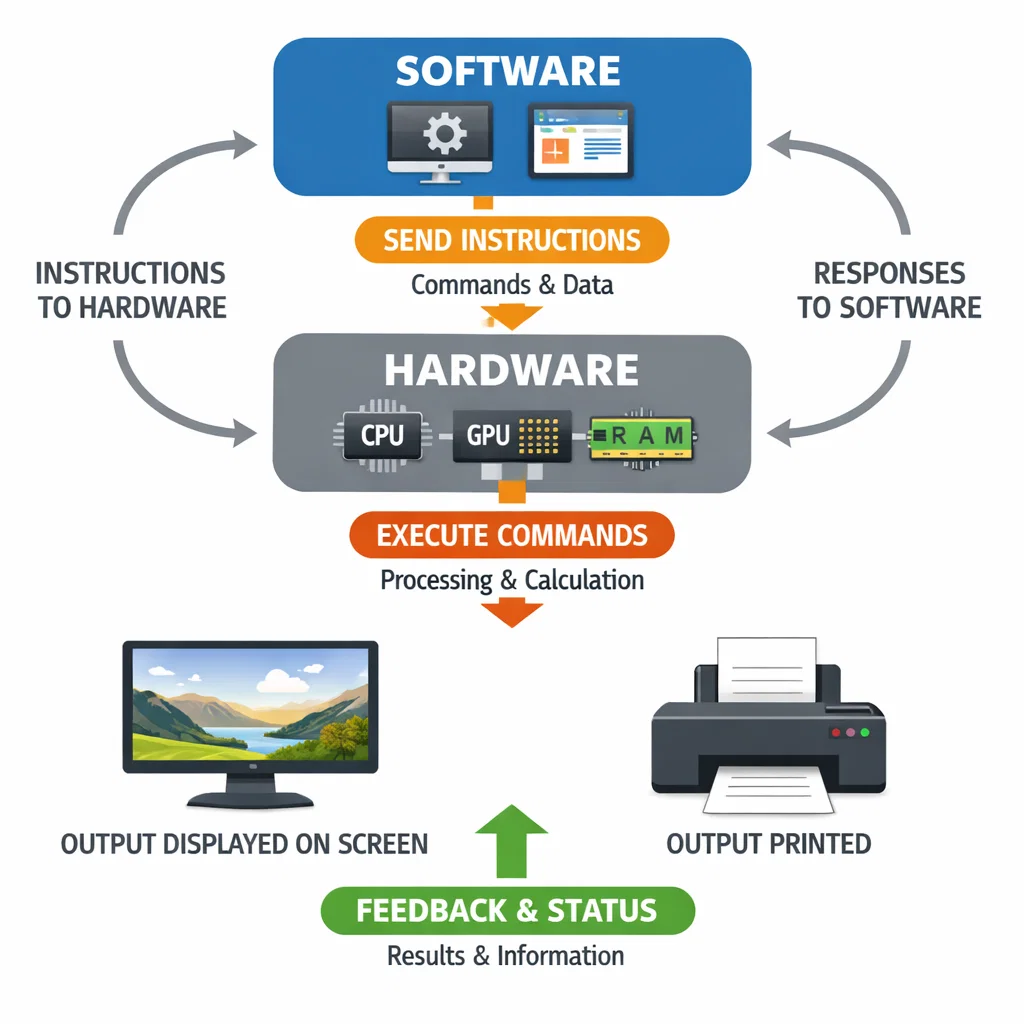
The Hardware and Software Interaction
- Installation of software: Once software is installed in a computer it installs various programs and instructions that could be read by the hardware. As an example, hardware (such as the CPU and memory) resources are controlled by an operating system and distributed on a need basis.
- Running Applications: Software is then running and sends commands to the hardware. As an example, during a game, the computer program will tell the graphics processing unit (GPU) to draw the visuals of the game and the CPU to compute the logic of the game. The hardware, in its turn, transmits information to the software which will process it.
- Input and Output: The hardware devices which include the keyboard, the mouse, and the printer are used as the input to the software and the software produces the output, which is shown on the hardware devices, which include the monitor.
A computer system cannot operate as desired without either of them. The hardware forms the basis, however, in the absence of the software, the hardware would be inert and useless. Equally, software requires hardware to be executed because it requires the physical parts to execute its command and produce output.
The Dependence Between Hardware and Software
The dependence between hardware and software is best illustrated in how one can’t function without the other. Hardware alone cannot perform tasks without being instructed by software, while software is useless without the physical components to execute the instructions. For instance, a computer cannot boot up without both the hardware (CPU, motherboard, RAM) and the software (operating system) interacting. Similarly, the software would not be able to process any data or provide any functionality without the presence of hardware components.
Conclusion
In conclusion, understanding the differences between computer hardware and software is essential for grasping how modern computing systems operate. Hardware is the physical foundation of a computer, while software provides the necessary instructions that tell the hardware what to do. These two elements work together to create the seamless computing experiences that we often take for granted.
Both hardware and software are equally crucial for the functioning of computers, and their interdependence ensures that computers remain powerful, flexible, and essential to everyday life.