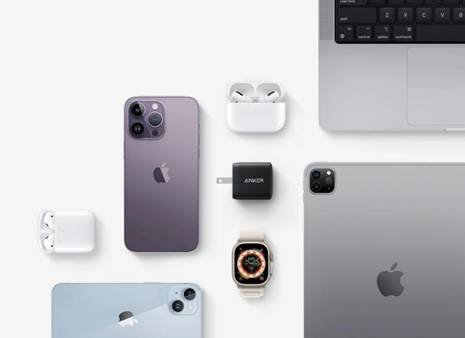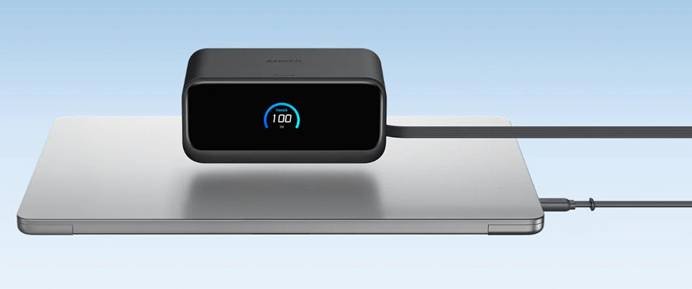
Managing multiple devices is now a part of everyday life, whether for work, study, or entertainment across phones, tablets, laptops, wearables, and earbuds. Many of us know the frustration of hunting for outlets or dealing with tangled cables. Efficient charging requires not only enough ports and proper power output but also an organized setup that fits your lifestyle. With the right solution, you can keep all your devices charged without swapping plugs—especially useful for busy households or tech-focused workspaces. This article explores practical options, from wall chargers to hubs and travel adapters, to help you create a clean, efficient charging station.
Assess Your Total Power Needs
Before choosing any charging solution, it’s helpful to make a quick list of devices you regularly use and their power requirements. A phone might need 20W just for fast charging, a tablet could use 30W or more, while a laptop may require well above 60W depending on the model. Adding these numbers gives you a clearer idea of how powerful your charging setup should be, so you won’t overload a low-watt charger or suffer slow charging. It’s also wise to consider whether your usage is simultaneous, such as charging everything overnight, or staggered throughout the day.
Multi-Port USB Wall Chargers
Compact GaN Chargers for Maximum Power
GaN chargers have become a favorite for households and offices because they offer higher power in a smaller size than traditional chargers. They dissipate heat more efficiently, allowing multiple ports to deliver fast charging without the charger becoming bulky or excessively warm. Many people find GaN chargers particularly useful when space is limited, such as behind a couch or next to a bed, where wall sockets are awkward to access. Since they support higher wattage output, a single charger can power a phone, tablet, and sometimes even a laptop at once. If you want a minimal and portable solution without carrying several adapters, a compact GaN charger is a strong and practical choice.
Key Features: Port Number, Smart Power Distribution
When selecting a multi-port wall charger, count the number of ports you truly need rather than choosing blindly based on price. Some chargers include smart power distribution, allocating wattage dynamically depending on which devices are connected, ensuring fast charging priority where needed. If you often plug in four or more gadgets at the same time, choosing a charger with both USB-C and USB-A ports allows compatibility with older accessories as well. The overall power capacity matters—two 20W ports work differently from one 60W shared output—so reading the label helps you avoid disappointment.
Power Strips with Built-in USB Ports
Combining Traditional Outlets with USB Charging
Power strips with integrated USB ports combine convenience by letting you plug in regular appliances while powering phones and tablets simultaneously. This is especially helpful near entertainment centers where TVs, speakers, and consoles already occupy outlets. A power strip reduces the need for multiple bulky adapters sticking out of the wall, keeping the area tidier and easier to manage. Because USB ports are built in, it’s simple to plug in a cable directly without attaching a separate charger block. For households with many devices or shared spaces, these strips make multi-device charging effortless and scalable.
Placement and Safety for Permanent Setups
When using a power strip as a permanent charging station, placement is crucial for both accessibility and safety. Avoid squeezing it behind heavy furniture where airflow is limited, since this can trap heat during long charging sessions. Mounting the strip along a desk edge or wall keeps cables tidy and reduces tripping risk while still providing easy access. Surge protection is an important safety feature to look for, especially if you leave devices charging overnight or during storms.
Desktop Charging Hubs and Stations
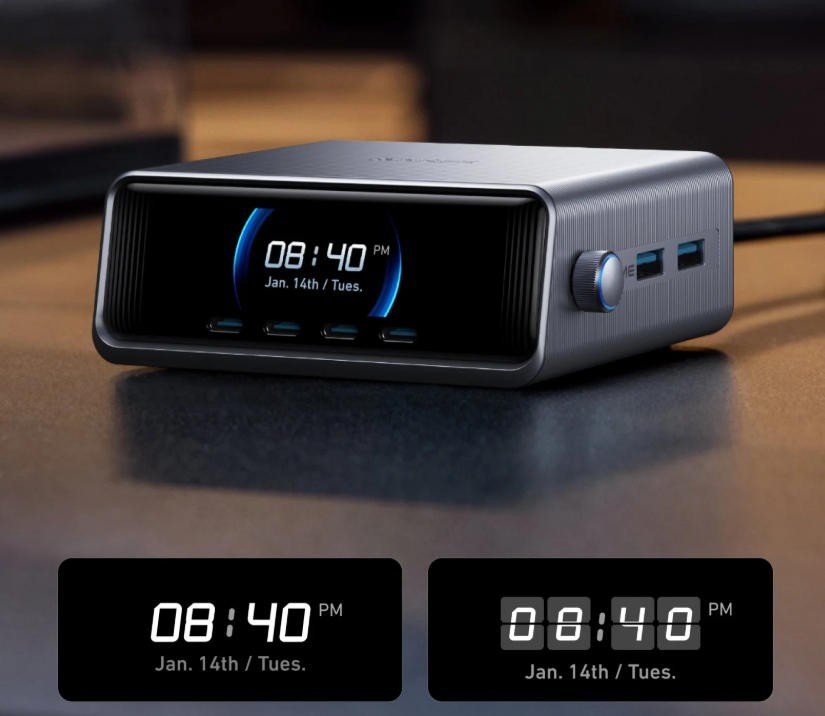
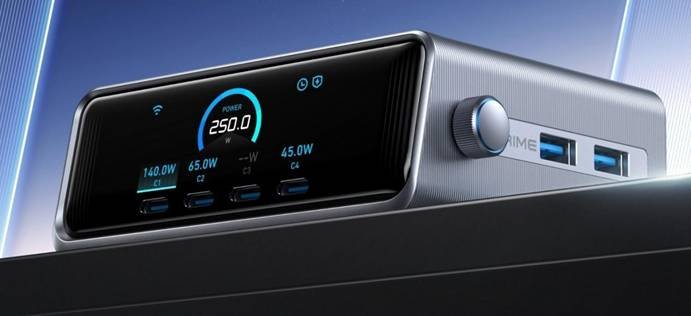
Desktop hubs are ideal for workspaces where everything from earbuds to tablets needs power within reach throughout the day. These hubs often combine multiple USB ports with holders or stands to place devices upright, helping keep the desk neat and making notifications easy to see. For someone building a charging station for desk, a reliable option like an Anker desktop hub stands out because it provides stable power, enough ports for daily devices, and a clean layout that blends naturally into a home office setup. The advantage is convenience—you plug once and leave cables ready, charging without bending under the table looking for outlets.
Travel and On-the-Go Solutions
Portable Power Banks with Multiple Outputs
A multi-output power bank solves the common travel struggle of keeping devices alive during long commutes, flights, or days spent outdoors. Modern power banks offer two or more ports, which means you can share with a friend or charge your phone and earbuds simultaneously. Capacity matters here—higher mAh ratings mean more recharges before the power bank needs to be charged itself. If you carry a laptop or tablet, consider one with USB-C high-watt output for more efficient power delivery. With a power bank in your bag, you worry less about outlets and stay connected anywhere.
Compact International Travel Adapters
For international travel, a compact adapter with multiple USB ports means you only need one plug converter instead of several chargers. Choose a model supporting universal voltage to avoid damage when plugging into foreign outlets. Foldable prongs make packing simpler and reduce the chances of breaking the plug in luggage. A built-in USB-C port is especially convenient, eliminating the need for bulky charger bricks when charging phones or tablets abroad. Traveling with a multi-port adapter keeps your tech organized and helps you avoid queues around airport wall sockets.
Best Practices for Simultaneous Charging
Prioritizing Fast-Charge Ports
Not all ports provide equal power, so connecting your phone or tablet to the fast-charge port gives quicker results when time is limited. When several devices are charging, some chargers automatically balance power, but prioritizing the most important device ensures you get enough wattage where needed. If you charge overnight, speed might matter less, making it fine to use standard ports for accessories like watches or earbuds. Labeling cables or using color-coded ones also helps recognize which port is which.
Managing Heat and Ensuring Safety
Multiple devices charging at once can generate noticeable heat, so keeping your setup in a ventilated location is essential. Avoid covering chargers with books or placing them under pillows, especially during fast charging. If a charger or cable ever feels unusually hot, unplug and inspect for wear or damage to prevent long-term risks. Charging in a cooler environment improves efficiency and helps protect battery health. With simple care habits, your charging setup remains safe and reliable for years.
Conclusion
Charging multiple devices no longer needs to be messy or inconvenient when you choose solutions that match your power needs and lifestyle. Multi-port chargers, USB-equipped power strips, desktop hubs, and travel adapters all offer different strengths depending on how and where you use your devices. A well-planned setup removes clutter, saves time, and ensures every device remains powered throughout busy days—whether at home, in the office, or on the move. By considering wattage, port types, layout, and safety, you can build an efficient charging system that supports your digital life smoothly and effortlessly.