Introduction
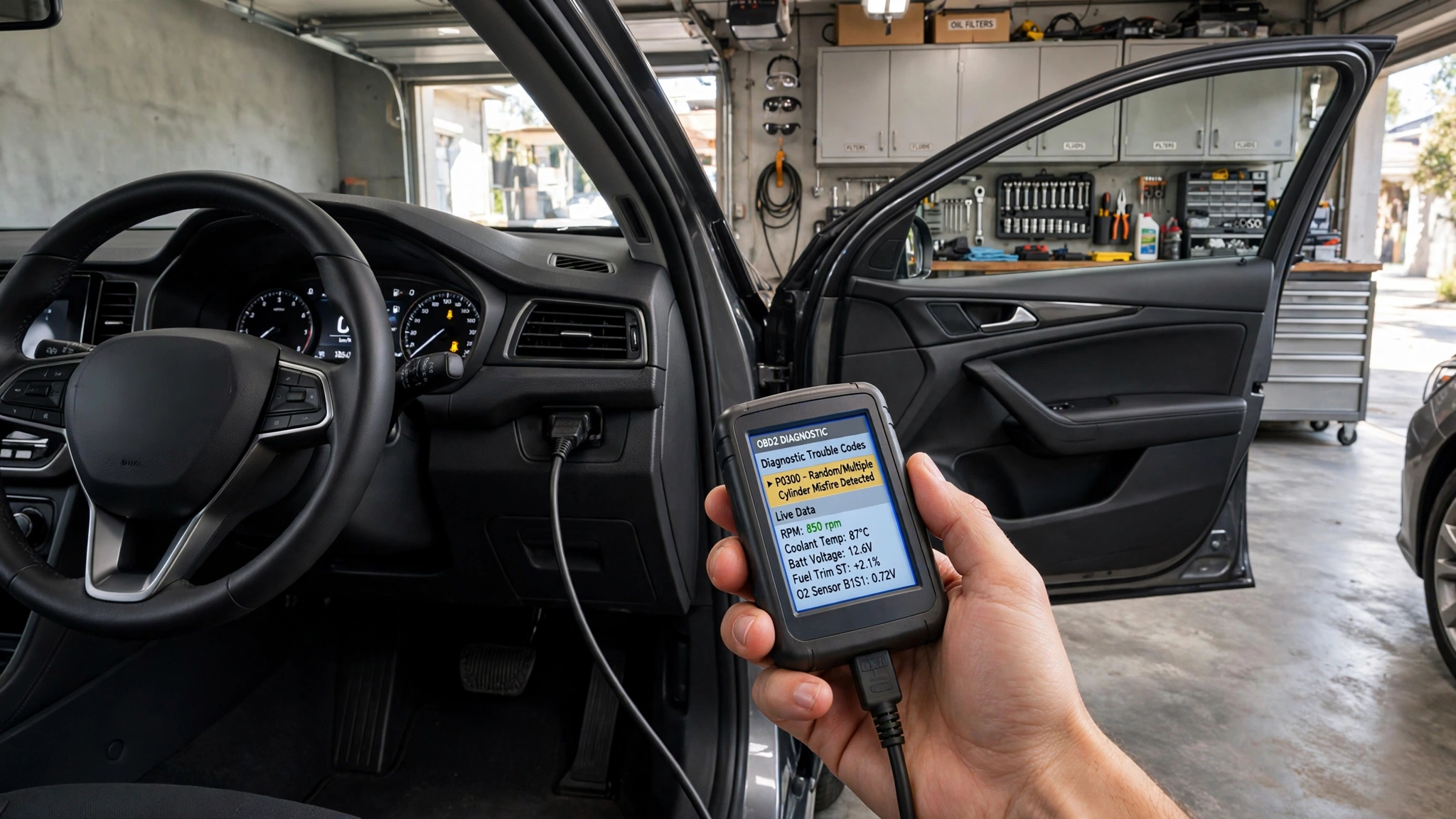
An OBD2 scanner is a diagnostic device that will enable a driver and/or technician to better understand the issue that was identified by the computer in the vehicle. OBD2 is On-Board Diagnostics II, a common system in modern cars to monitor various systems, including the engine and emissions, sensors, and more. If the vehicle senses an abnormal condition, it will retain a diagnostic trouble code (DTC), and in many cases, the check-engine light will come on the dash. This information is stored in the computer and can be accessed by an OBD2 scanner, which attaches to the car’s diagnostic port and provides a starting point for diagnosis of the problem.
In today’s cars, computers and sensors are used to continuously monitor a host of operating conditions. This makes it possible for OBD2 scanners to offer details that are hard to obtain without diagnostic devices. Beginners should take note, however, that a scanner will not automatically identify the specific failed part. A diagnostic code typically represents a problem or system detected, and additional testing may be required to determine the root cause.
What Is an OBD2 Scanner?
An OBD2 scanner is an electronic gadget that interacts with the on-board diagnostic system (OBD) of a motor vehicle. The scanner is typically attached to an OBD2 port under the car’s dashboard near the steering column. Once the scanner is hooked up and communication is established, it can ask the computer in the car for information. Basic scanners typically read and clear diagnostic trouble codes, while more sophisticated scanners will show live sensor data, freeze-frame information, readiness monitors, and other diagnostic information.
The OBD2 system is used to begin to standardize access to vehicle diagnostic information, but there are also manufacturer-specific systems and codes used. The scanner basically converts data from the vehicle’s computer to data that the user can understand. This will make it easier to take the time to investigate warning lights and potential issues that may be in the car without having to immediately head to a repair shop. But the scanner should be regarded more as a diagnostic tool than one that can automatically diagnose all mechanical problems.
How Does an OBD2 Scanner Work?
Link Vehicle to Computer
The first step with an OBD2 scanner is to find the vehicle’s diagnostic port and plug in the scanner. Once connected, the vehicle ignition is set to the correct position for the electronic systems to communicate with the scanner. The scanner then sends a signal to the vehicle’s control module via the communication system that is supported by that vehicle. After communicating, it can ask for diagnostic information and show the information that is available.
The information may contain stored, pending, and/or permanent diagnostic trouble codes, depending on the scanner and the vehicle. Some more sophisticated scanners can also give live sensor data and freeze-frame data. The information may assist the user in determining what the computer in the vehicle was sensing and when the fault occurred. Unlike the scanner, mechanical components aren’t directly inspected, and thus the data received from the scanner must be accurately interpreted.
How the Vehicle Detects Problems
While the engine is running, the computer in the vehicle gathers data from many of the vehicle’s sensors. These sensors are capable of tracking engine temperature, airflow, throttle position, oxygen levels, vehicle speed, and so on. It makes a comparison between the readings and the operating conditions of the computer. If a problem occurs and meets a specific criterion, it could set a diagnostic trouble code and turn on the light.
The code gives you a hint as to what the condition is but is not always accurate in determining the specific cause. An example is a code that is triggered by a sensor failure, critically damaged wires, an electrical connection, an exhaust leak, or another issue that compromises the sensor’s readings. This is why sometimes component replacement based just on the name of the component in a description of a code cannot solve the problem.
Diagnostic Trouble Codes for the 1996–2005 987–405 Series Spark Plugs
Typically, diagnostic trouble codes consist of a letter followed by numbers. The code indicates a specific diagnosis and focuses attention on a specific system or circuit. If a scanner displays a code, it can also give a brief description. This description may be helpful for getting a general idea of the overall problem area, but shouldn’t be assumed to mean that a specific component has failed.
If a scanner is used, all the codes must be entered before the codes are cleared. When several codes are present, the codes may be interrelated and not be separate errors. If available, data from the freeze-frame will also provide information about the vehicle conditions at the time the fault was captured. Having this information on hand can help with further diagnosis, as it can give clues to when and how the problem arose.
What to do if Check-Engine Light Is Illuminated
Have a Look at the Vehicle’s Symptoms
If the check-engine light is on, it is best to address it in conjunction with the vehicle’s symptoms. Look for poor fuel economy, starting problems, engine performance issues, poor idle, abnormal noise, etc. This may also be helpful information about the circumstances surrounding the warning. For instance, if the light came on when the engine was being started, when fueling, or when accelerating the vehicle, it can help limit the possible causes.
The warning light can also convey valuable information. The steady check-engine light and flashing light may have various meanings and levels of importance depending on the vehicle and the context. If the car is running really badly or has severe symptoms, it would be better to get professional help instead of just using an OBD2 scanner. A scanner can give you information, but when there’s a potential serious problem, a proper inspection is needed.
Find and Write the Codes
Once the scanner is plugged in, choose the function to read diagnostic trouble codes and let the scanner communicate with the vehicle. Before clearing anything, write down all the codes shown. Some scanners will also show pending codes, which may mean that the vehicle has seen a condition but hasn’t seen it enough to set a warning light.
If the information for “freeze frame” is available, record that also. It may display circumstances like engine speed, coolant temperature, and vehicle speed when the fault was detected. The following information might be useful in determining the time of the problem. After recording the information, the user will be able to explore the potential causes rather than parts replacement.
Investigating Problems Using Live Data
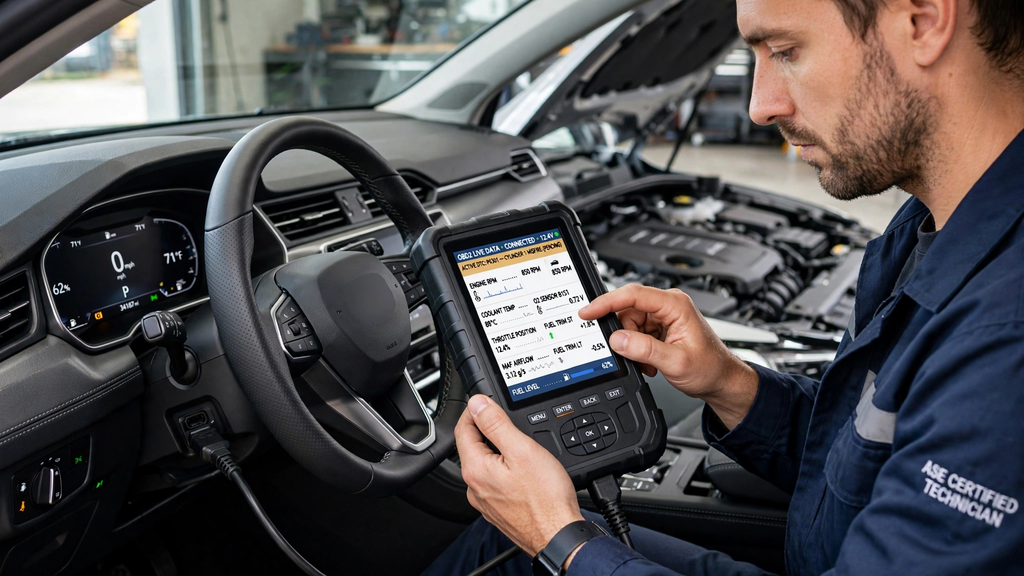
Advanced OBD2 scanners will show the current readings from the car’s sensors while the car’s engine is operating. This could include engine speed, coolant temperature, throttle position, airflow, oxygen sensor readings, and fuel-related information. Any live data may be helpful, as it will indicate what the vehicle is reporting at the moment and not just the stored fault code.
But caution should be taken in the interpretation of live data. In some cases, the reading is normal, such as when the engine is cold or under heavy load, but unusual. The expected values may differ from vehicle to operating conditions. Thus, when used as part of a diagnostic process, live data is most useful when compared to manufacturer specifications and other diagnostic evidence.
Common Problems an OBD2 Scanner Can Help Investigate
OBD2 scanners are particularly helpful when determining the cause of engine or emissions issues. They can assist in the diagnosis of ignition, fuel mixture, oxygen sensor, evaporative emissions, and other monitored system conditions. Even if the vehicle continues to run normally, it may be able to give an initial direction for further testing with a code. This is where the scanner is handy for checking out a check-engine light prior to taking action.
An OBD2 scanner can’t, however, identify all issues on a vehicle. A problem with the tires, brakes, suspension, some fluid leaks, or some mechanical issues might not trigger an OBD2 code. Where a code does exist, further inspection might be necessary. So, when needed, the scanner should be used in conjunction with physical examination and other diagnostic procedures.
Comparing the Fault Code With Accurate Diagnosis
The first and foremost thing to remember is that you’re not necessarily going to be able to diagnose the issue with the correct problem code. A fault code is a computer message that explains the abnormal condition that was detected. The reason for that condition and which component, circuit, or mechanical system is in reality responsible is determined by the accurate diagnosis.
A code for a sensor, for instance, does not require replacing the sensor, but rather indicates a problem with the sensor. The issue may be due to the wiring, the connector, electrical power, another sensor, or a mechanical issue impacting the sensor reading. A correct diagnosis, therefore, might require electrical testing, visual examination, live-data analysis, or mechanical testing. The scanner is the beginning; testing is the evidence to validate the actual cause.
When to do with OBD2 Code
Most scanners can delete diagnostic trouble codes, but this should not be deemed as a repair. Clearing a code erases any diagnostic information that has been stored and could reset emissions readiness monitors. Once again, the car can sense the issue and illuminate the warning light. Therefore, codes should typically be recorded and investigated prior to their clearance.
Once the repair has been finished, it may be helpful to clear the code to see if the issue occurs. Conditions may then have to be met on the vehicle before the diagnostic monitors can perform their checks. If the warning light stays off and the appropriate monitors pass, it can be a further indication that the repair worked.
Tips for Beginners
Diagnosing OBD2 should be done step-by-step for beginners. Record the vehicle symptoms and warning light activation, then hook up the scanner and record all codes and freeze-frame data. If researching the specific code, do so for the exact vehicle – do not take the short description on the scanner at face value. If live data is available, compare this result with the expected value and take operating conditions into consideration when the reading is taken.
It’s also crucial to know when to seek help. If there are serious engine issues, overheating, braking problems, major fluid leaks, unusual mechanical noise, or major performance loss, special equipment and expertise are needed. An OBD2 scanner is best used as a tool to acquire information, not as an automatic answer machine.
Conclusion
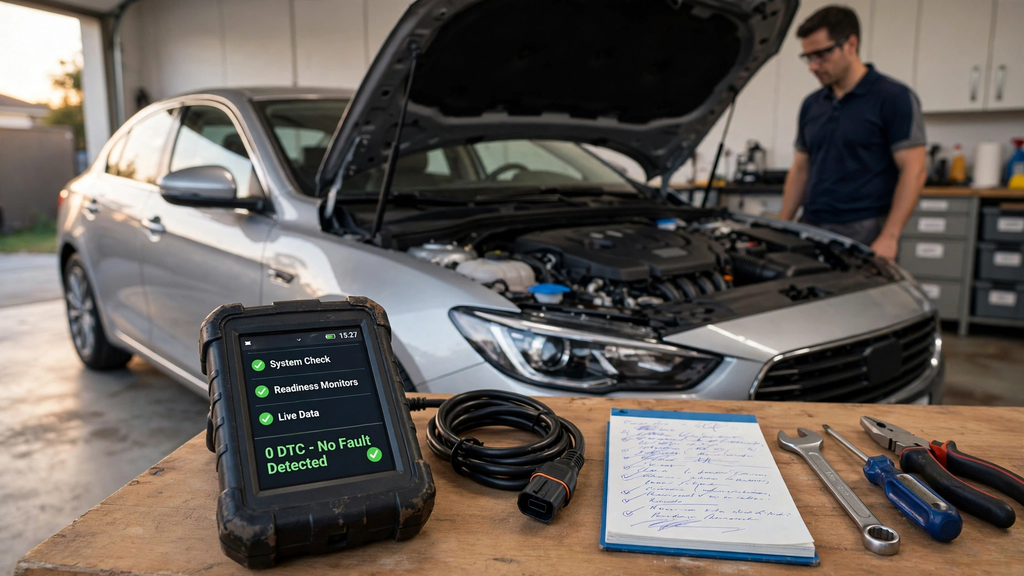
OBD2 scan aids are also helpful in checking car issues and malfunctioning check-engine lights. It talks to the onboard computer, can fetch the diagnostic trouble codes, and, on more sophisticated models, it can offer live data and even freeze-frame information. These features can help the driver know what the vehicle’s computer system detected and can be a place to begin more troubleshooting.
But a diagnostic code doesn’t necessarily mean a diagnosis. Identifying a condition with the code will not normally diagnose the actual cause of the condition with the same accuracy. Drivers and technicians can more accurately make decisions and prevent unnecessary parts replenishment based on the scanner information and symptoms, inspections, testing, and vehicle-specific information. When used properly, an OBD2 scanner can simplify, speed up, and clarify the diagnosis of modern vehicles.



I truly appreciate your technique of writing a blog. I added it to my bookmark site list and will