Introduction: Why Laptop Battery Health Matters
One of the most vital parts which determines the ease and reliability of a portable computer is a laptop battery. Unlike desktop computers which are always plugged into an electrical outlet, laptops are created for portability, permitting users to work, learn, create material, and take pleasure from entertainment from different areas. But as with all batteries, their performance gradually declines as they age, in part because of how they are charged, how efficient their hardware is, how much they are used, and the surrounding environment. When purchasing a laptop, many users only consider processor, storage, and memory and neglect to think of battery capacity and battery longevity. By gaining insight into the functioning of laptop batteries and the proper maintenance methods, users can ensure more extended battery life, cut down on unnecessary replacements, and maintain efficient performance for years to come.
A battery’s life is not the result of one single characteristic, but is a function of a combination of characteristics relating to the hardware and software. If you have a high-resolution display, a high-powered processor, or too many programs running, then buying an expensive laptop with a big battery will not help you with battery life. Likewise, if a smaller battery is used in conjunction with energy-saving parts and power management configurations, it can produce fantastic power without a complaint. Before buying a computer with a laptop, buyers should understand how to test the laptop’s actual battery life rather than just take the word of the manufacturer. Knowing how to check real battery life allows the consumers to be better informed about what to anticipate and will enable them to make better choices depending on the individual requirements.
Factors That Affect Laptop Battery Life
Understanding Battery Capacity and Its Role in Performance
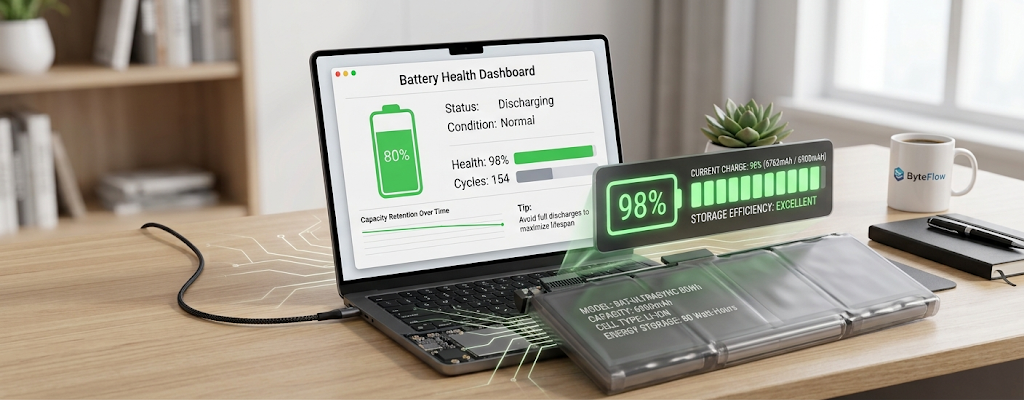
One of the most important issues to consider for the length of time a laptop can run on battery power is its capacity. It is usually measured in watt-hours (Wh), which represents the amount of energy the battery can store. In general, if two laptops have the same hardware and usage conditions, a laptop with a higher watt-hour rating will provide for more usage time. For instance, a laptop that is capable of holding a large battery charge could last an entire school day or work session, whereas a smaller battery might need to be charged more often. However, while battery capacity is important, it’s not the only factor which makes a laptop perform so well, since other components within the laptop help to determine the efficiency of the stored battery power.
Laptop batteries will lose a percentage of their capacity to hold the full charge over time. This is called battery degradation, and is what happens when rechargeable batteries lose their chemical performance after only so many charge cycles. One cycle in a battery is a complete discharge or charge of the battery, irrespective of whether it is done in one charge or multiple charges. Extremes of charging conditions, avoidance of excessive heat exposure and recommended charging practices will help slow battery degradation. The right laptop battery capacity for individual needs and the correct upkeep of the laptop battery can greatly enhance the overall experience of owning a laptop.
Processor Efficiency and Battery Usage
The Impact of Laptop Processors on Power Consumption
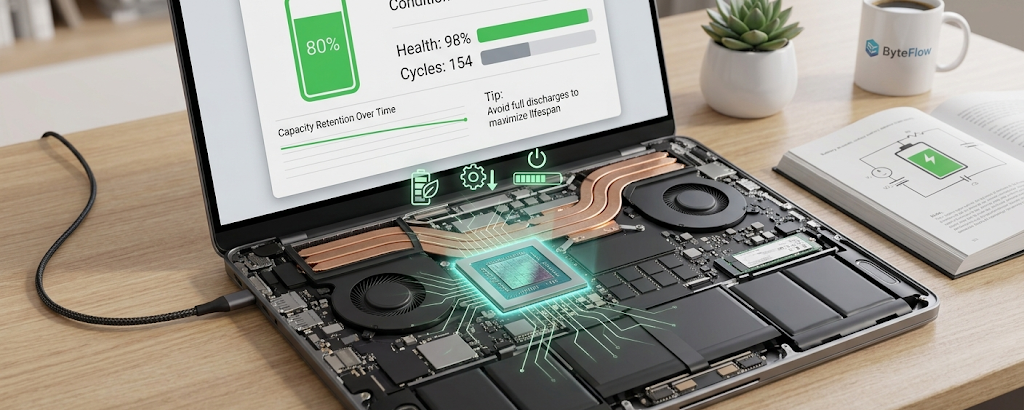
The processor, or central processing unit (CPU), is another key factor in a laptop’s power usage. Modern processors are engineered to be more power efficient and utilise less power than their predecessors, maintaining high performance levels. Energy efficient processors can automatically modify their performance based on load, saving energy when simple tasks like web browsing, document entry or video viewing occur. With this functionality, laptops with newer and efficient processors are able to deliver longer battery life while maintaining their regular performance levels.
But high performance processors for gaming, video editing, programming or 3D design can use more power because they need to use extra power to sustain high performance. Frequent intensive task users should be aware that the battery life will typically be reduced as compared to those users who primarily execute lightweight tasks. One of the key considerations when buying a laptop is to select a processor that suits the user’s needs. If you have a device with more than you need, it will drain the battery faster, generate heat, and will have a shorter battery life.
Display Brightness and Screen Technology
Why Does the Display Consume a Lot of Battery?
One of the biggest energy drains is the laptop screen, particularly if it’s set to a high brightness level. The screen needs to constantly be powered on to create the image, keep it visible, and enable other functions like high refresh rates and high resolution. A laptop that’s on maximum brightness will typically drain batteries quicker than a laptop that’s at a moderate brightness level. If users wish to save battery life, they can turn up the brightness if they are in bright conditions, and turn it down if they are in darker conditions. Lowering the brightness of screens slightly may be enough to noticeably extend battery life while maintaining productivity.
Power Efficiency is also affected by Display Technology. The type of screen is a factor that affects its level of energy consumption, depending on its construction and characteristics. High resolution screens, larger screens and high refresh rate panels can give you a more visual experience, but consume more energy. There are also some modern displays that feature technologies to save energy, such as turning down the brightness or using less power when needed. The advanced display capabilities of a laptop or battery life are subjects users should consider when purchasing a laptop. Achieving a better balance of screen quality and energy efficiency can help to get a better “bang for your buck” in terms of performance and portability.
Proper Charging Habits for Better Battery Health
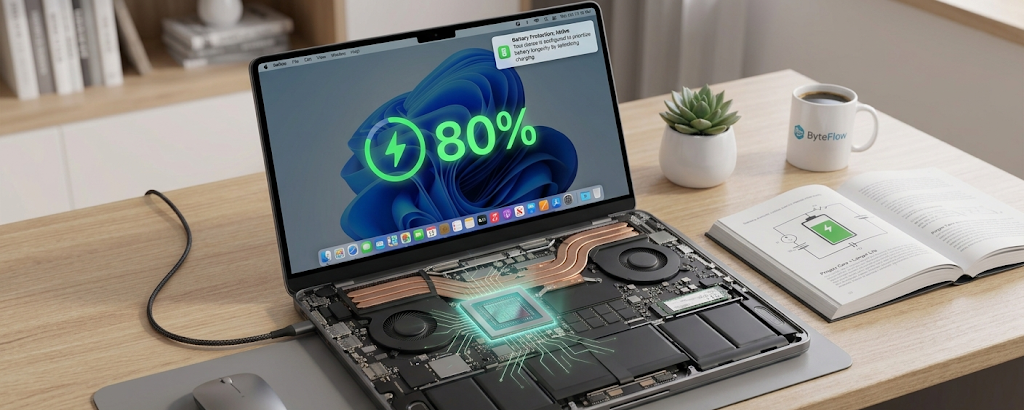
The Right Way to Charge Batteries
The charging behavior can significantly impact the lifespan of a laptop battery. A lot of people think that leaving the laptop plugged in all the time will cause permanent damage to the battery, but today’s laptops feature systems that will automatically control and regulate charging. When the battery is full, most devices will start to limit or cease charging to preserve battery health. Repeatedly charging or discharging a battery to a high voltage or state of full depletion, however, or leaving it at full charge for extended periods can cause increased degradation.
One of the best charging practices is to not let the battery drain down to the very low range before charging it. Instead, when the battery level is moderate, users can recharge their laptops. Some manufacturers offer battery management features to help minimize battery stress by stopping charging before batteries get fully charged. The following are features particularly beneficial for users who typically plug their laptops into a power source. Balanced charging practices can aid in preserving battery health and prolonging the lifespan of the device.
Background Applications and Battery Drain
The issue of unexpected battery consumption is a common problem faced by many users due to the applications running in the background. A program could be dormant but still perform tasks like syncing files, checking for updates, notifying about updates, using internet connections, etc. The energy being used by these background processes adds to the processor and memory usage and the battery life consumption. Cloud storages, useless browser windows, software updates and auto-start apps are some common instances.
Without hardware changes, managing background applications is an effective way of improving battery life. Users can review battery usage reports and/or OS settings to discover applications that are using excessive energy. Fiddling with which apps start up automatically or which are open on the screen and disabling or closing them can also help save energy. Frequent software updating also enhances efficiency due to its power-saving and performance enhancements in the updated software. A good laptop management of a laptop can also help guarantee battery life and smoother operation when using the computer for everyday tasks.
How to Check Real Battery Life Before Buying a Laptop
Many of the consumers only base their purchase of a laptop on the battery life numbers that are given by the manufacturer. These numbers are estimates and are generally used to give a good idea of performance, but it is important to remember that they are usually used in controlled test conditions, which may not reflect the everyday use to which they are put. Depending on the apps used, processor utilization, brightness settings, internet use and other factors, the real battery life is different. A long battery life laptop can be insufficient for gaming, video conferencing, learning or for work.
Users should perform Internet research on independent tests and actual battery performance to make a more informed buying decision. In general, these tests assess performance in tasks that approximate those of normal usage, including surfing the web, watching videos, editing documents, or performing multiple tasks. One should look at the specification of the battery, read user experiences and compare results from various sources to get a better idea of what to expect. Purchasing a laptop should also involve the user considering whether the laptop can be monitored for battery health, if batteries can be replaced and if there are power saving options as these play a role in the long term ownership.
Long-Term Laptop Battery Maintenance Tips
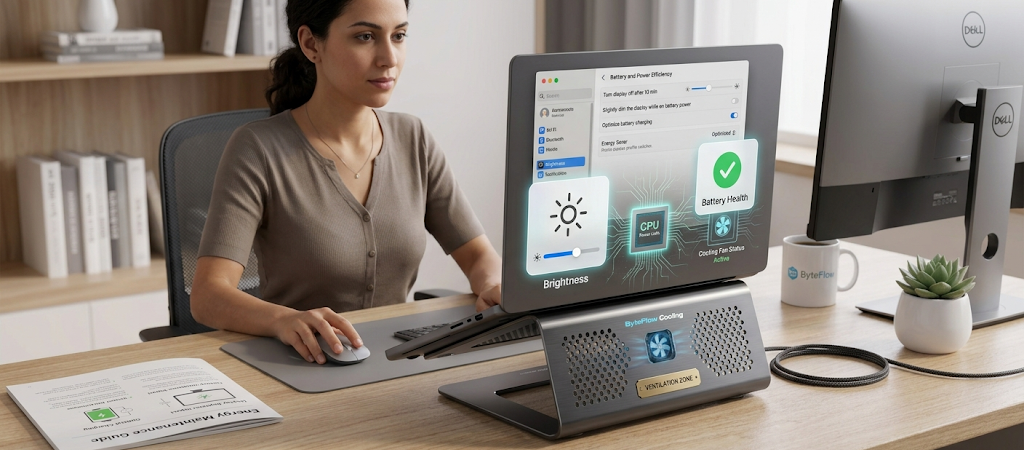
Keep the Laptop Cool and Avoid Excessive Heat
Heat is one of the most significant challenges to battery health. Chemical reactions will take place faster inside the battery in high temperatures, which will lead to a faster drop in capacity. In operation, laptops generate heat, particularly when using them for intensive work, and it will be exacerbated by inadequate ventilation. Placing a laptop on soft surfaces like beds or cushions may impede air circulation and prevent heat from dissipating from key parts. Whenever possible, users should rest laptops on hard, flat surfaces and keep ventilation areas clear.
To prevent unnecessary build-up of heat in the laptop, keep it clean and provide proper airflow. Additionally, users should never leave laptops in warm places, like in a car or in direct sunlight. A cooler operating environment means the battery and other internal components will work better. One of the simplest things to do to make the laptop’s battery last longer and performance issues to be a thing of the past is to keep it cool.
Utilize Power-Saving Features Properly and Effectively
There are some tools available in a modern operating system that can help to enhance the battery efficiency. Features such as battery saver modes, sleep settings, and power management options can reduce unnecessary energy consumption. These settings help to lower system usage, lower processor speed when it is not being used to its full capabilities, and set the duration for which the display stays on when inactive.
Users should do their own modifications on these settings according to their daily activities. For instance, a person may be writing documents or surfing the web may want more aggressive power saving, while a person editing videos may need more performance during the editing session. Users can learn to manage power options so that they can control the use of battery power rather than have unnecessary processes consuming energy. Simple tweaks, repeated over time can lead to big gains in battery life.
Conclusion
To extend the laptop battery life, it is necessary to understand the various factors that affect energy consumption and make smart choices while buying and using a laptop. The battery’s longevity and performance over time are affected by various factors, such as the battery capacity, the efficiency of the processor, the display’s settings, the charging process, and background applications. A high capacity battery can give you great longevity but if you don’t maintain it properly, it will eventually need to be replaced.
To extend battery life, users can select appropriate devices, assess battery performance under actual usage conditions before purchasing, manage applications, control the brightness of the device, avoid environmental heat and adopt “moderate charging” behavior. The use of a laptop battery should be used in such a way as to cause natural wear, but careful handling can prolong the durability of the battery and its useful life. These strategies can help users enjoy extended battery life, save money on unnecessary costs, and maximize the value of their laptops throughout their lifespan.