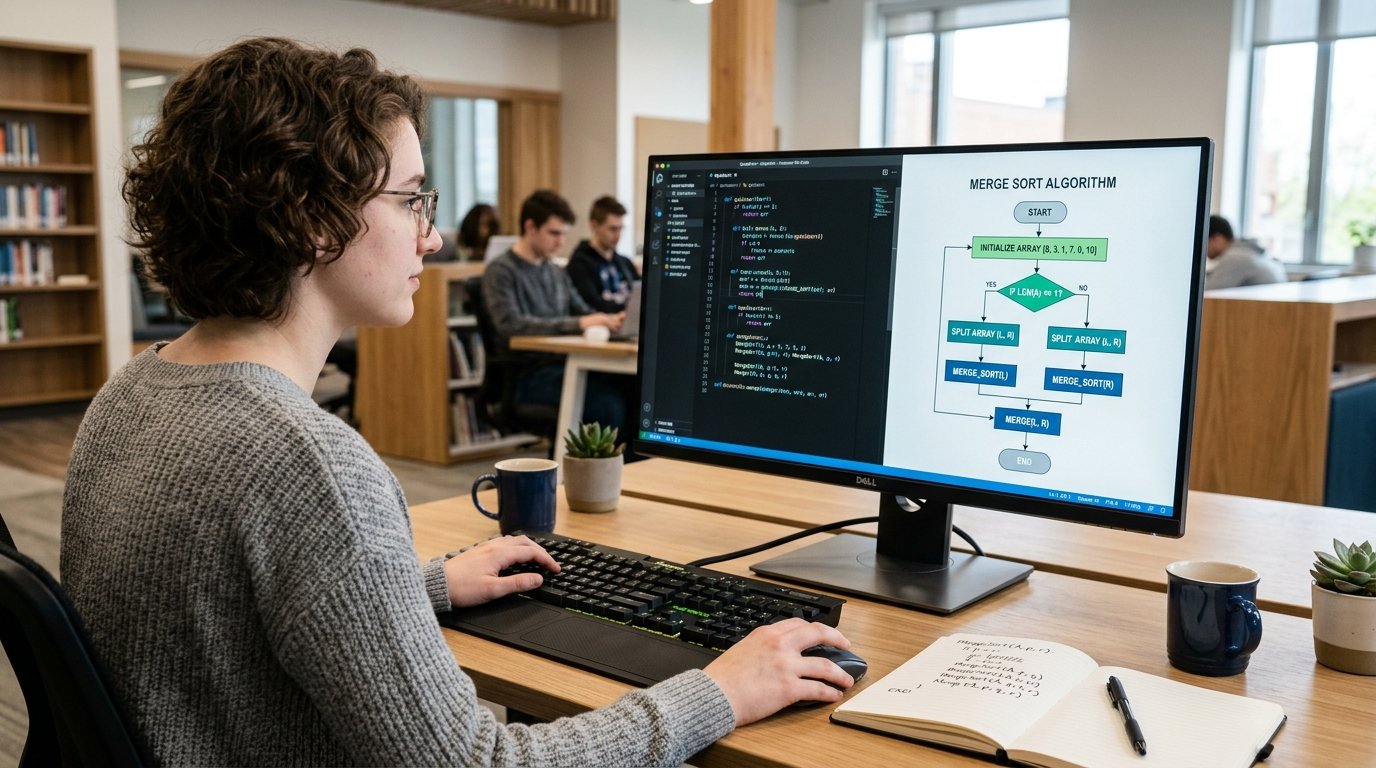
These are efficiency, collaboration, and accuracy, which are vital in the development of high-quality and scalable applications in web development. You will certainly face situations when you will have to make some changes to your code or cooperate with colleagues or address some bugs in your project as a web developer. Herein is where version control systems such as Git and GitHub come in. Learning the application of version control in web development is an important consideration to all people who are beyond the level of basic coding. Not only does it simplify the development work processes but also makes sure that your work is well structured and has no critical errors. In this article, we will explain why version control is an essential tool you need to be familiar with as a web developer.
What is Version Control?
Version control is a program that logs the changes to a file or a collection of files over time, so you can remember particular versions of files in the future. It assists web developers to track, manage and overturn changes in their projects making it simple to cooperate with others. With a history of every change made, version control systems ensure that the developer can effectively work on code with no worry of losing any valuable work. With Git—one of the most popular version control systems—developers can manage their project’s history in a highly organized and trackable manner.
The Reason Version Control is Important to Web Developers
Version control is an art that must be learned at an early age by any web developer. Regardless of whether you are working on a solo project or collaborating with a team of developers, version control makes sure that all changes to the codebase are captured, and tracked. Here’s why version control is crucial for web development:
1. Tracking Changes
In the construction of a web application, the code is improved as time progresses. You can add or enhance performance or fix bugs, but they can introduce unforeseen problems. Version control enables you to efficiently monitor these changes. By using a simple Git command, you can see a complete history of your codebase, who made a change, when made, and why. Not only does this provide an added advantage of easier bug finding, but it also means that in the event of a necessity to do so, you are at least guaranteed of being able to replicate previous versions of your code as and when the need arises.
In the case of a developing developer, version control will serve as a safety net in the event that you go wrong or intentionally or unintentionally break functionality.
2. Collaboration with Teams
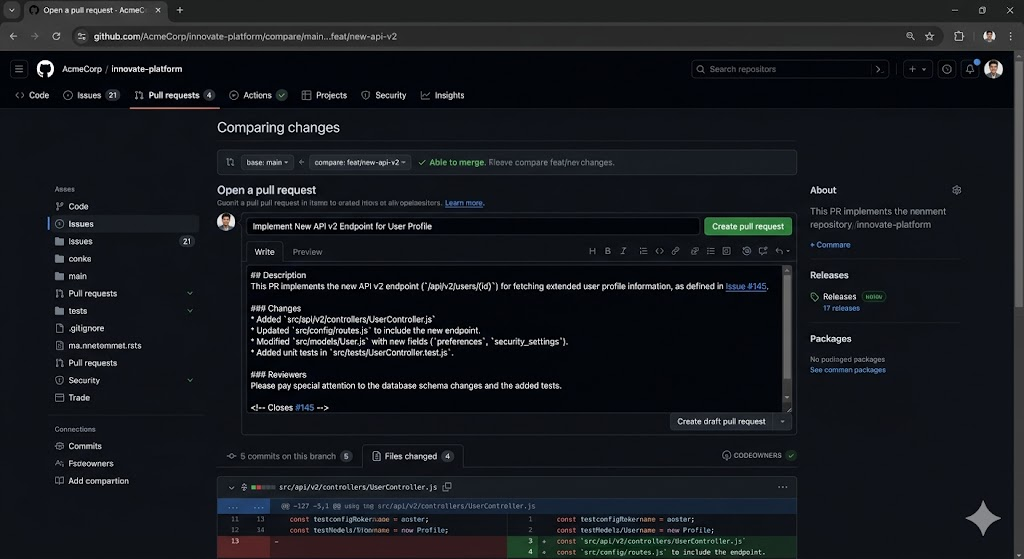
In a professional web development setting, teamwork forms a significant aspect of developing programs. Various developers will be undertaking various tasks of the project, which may include front-end design, back-end functionality, and database management. Git is a version control system that enables developers to work concurrently without each other having to overwrite each other. Every developer has the ability to make changes on his/her own and subsequently compile the changes into the main project. GitHub, a software application based on Git, is a platform that allows teams to collaborate on code easily through hosting repositories and providing other collaboration tools.
One of the most brilliant aspects of GitHub is its pull request system which enables developers to present their changes to be reviewed and then merged into the main codebase. This will guarantee that the code is correctly checked, tested, and discussed before it is included in the project and will lead to the eradication of errors and will enhance the quality of the work.
3. Rolling Back Errors
Any developer is familiar with the experience of introducing a change which leads to unforeseen errors. Whether you are correcting some malfunctioning code or you are ruining something that is working well, errors are bound to take place. Version control enables you to roll back changes, undo errors, and restore older versions of your codebase. This can be particularly useful when it comes to preventing catastrophic problems in which a whole project may fall apart.
With Git, when something goes awry, you can easily use commands such as git checkout or git revert, to revert back to an earlier commit. This allows the developers to be relaxed to experiment and try new things without always being afraid of breaking everything.
4. Multimedia Versioning of a Project
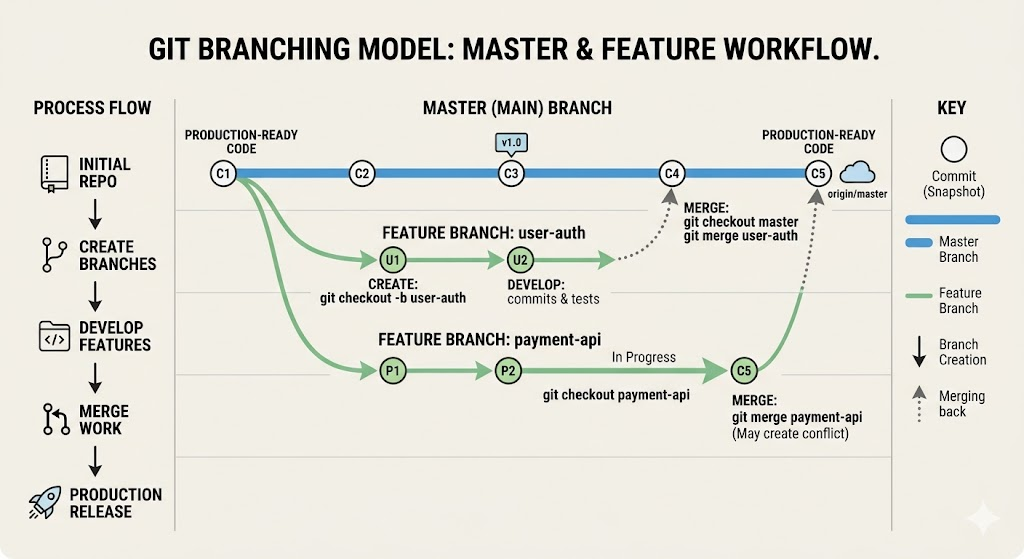
You may need to have multiple versions of the project so that you can use those versions to serve a variety of needs—staging, production, and development. The branching feature of Git enables one to have branches so that you can work on various versions of the same project at the same time. To illustrate, one of the branches can be used to add new features and another to fix bugs. After testing and reviewing your changes, they can be combined again into the main project. This branching system is among the strongest tools of Git and assists in simplifying the process of development.
5. Improved Documentation
The version control system such as Git offers a historical log of all the changes that have been made on the project and every change is normally accompanied by a commit message. This message clarifies the reason why a specific change was implemented and makes it easier to make other people (or even yourself) understand the rationale behind a change.
To illustrate, a commit message such as “Fixed login issue on mobile version” will make it obvious what was fixed and why. Such a degree of documentation assists the developers to track the progress they are making and have a quick grasp of the context of the alterations within the codebase. It is an invaluable debugging tool, particularly when in a team where various people may have been responsible for various features or even fixes.
Introduction to Git and GitHub
To new learners, it may feel like a daunting task to get started with Git, and GitHub. The workflow is, however, easy and intuitive when you learn to use it. The following step-by-step instructions on how to install and use version control in your web development projects.
1. Install Git
The initial step is to install Git on your local machine. To get Git, you can download it on the official site at https://git-scm.com/. Install as per instructions depending on your operating system.
2. Create a GitHub Account
Once you’ve installed Git, the next step is to create an account on GitHub. GitHub is an online system upon which you can store your Git repositories. Go to the github.com web page and create a free account.
3. Create a Git Repository
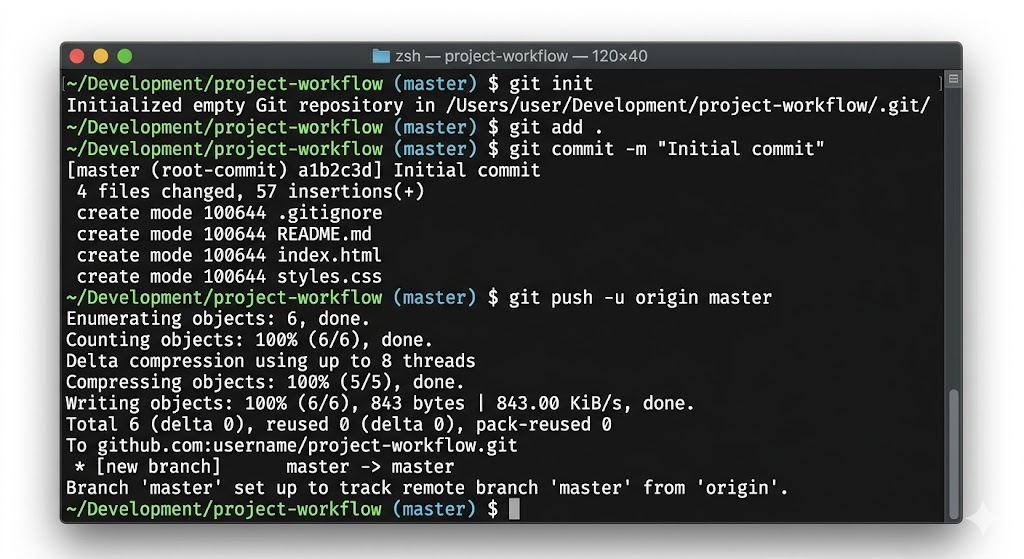
Once you have created a GitHub account, you can now initialize a Git repository for your project. To initialize Git, open up a terminal or command prompt and then navigate to the folder where your project is located and use the following command to initialize Git:
git init
This will make a new (Git) repository in your project directory.
4. Commit Your First Changes
After your Git repository has been spawned, you are now able to begin making changes to your files. Once you have made changes, you can follow the changes and commit them using the following commands:
git add .
git commit -m “Initial commit”
The git add . command scans all modifications, and the git commit -m command commits all the changes to the local Git repository.
5. Commit Your Code to GitHub
In order to push your local Git repository to GitHub, you should first create a new repository on GitHub. When you have created your repository, you can link it with your local Git repository by using the following command:
git remote add origin https://github.com/yourusername/yourrepository.git
git push -u origin master
This commits your local project to GitHub where it can be viewed, forked, and contributed to.
Conclusion
Git and GitHub are two version control systems that are vital to every web developer. They offer a powerful and effective method to modify and monitor alterations to your code, cooperate with other users, and reverse mistakes when needed. When you become an aspiring web developer, you will eventually find yourself in a place to master version control as an indispensable skill that will not only save you time, minimize errors, and enhance the overall quality of your projects. Regardless of whether you are working on a personal project or working with a team, version control can be a game-changer in the development process.
This informative article will help you learn more about the significance of version control in web development.