Introduction
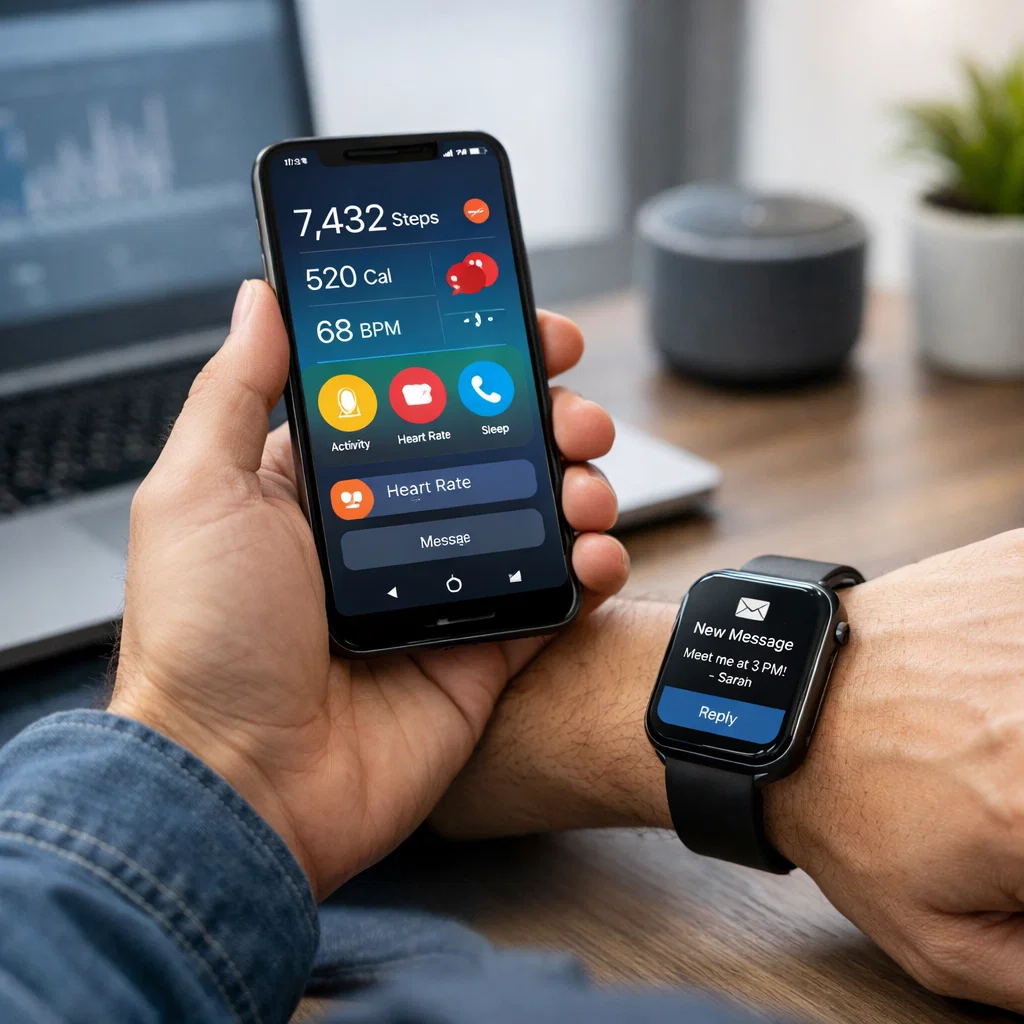
In the digital age, we have come to a point where tech is in almost every aspect of our daily lives, which is driven by mobile and wearable devices. These technologies are very much in the midst of this change, which, in turn, changes how we interact with the world and, in return, presents new opportunities while also creating unique constraints for designers. In the crossover of human-computer interaction (HCI) in mobile and wearable devices, we see a range of issues that require a deep study of user wants, context awareness, and the platforms’ limitations.
In this article, we will examine what is distinctive about the design of mobile and wearable technologies, including issues such as screen size, context-aware computing, and touch-based interaction. Also, we will present what, at present, are the best methods to improve the user experience in these environments.
The History of Mobile and Wearable Devices
The Rise of Mobile Devices
Mobile devices like smartphones and tablets have become a part of our daily lives. We take them with us everywhere, which allows us to access info, communicate, shop, and interact with the digital world in a very convenient way. At the same time, however, the flexibility of mobile devices’ use is at the cost of issues in interface design, which in turn is a result of their small screen size and many different uses.
The Emergence of Wearable Technology
Wearable tech like smartwatches, fitness bands, and augmented reality glasses are the frontiers of what is to come in terms of human-computer interaction. These devices are designed to be worn, which in turn present real-time data and notifications to the user without the need to interact with a traditional screen. In terms of what we see ahead in wearables, we see a great opportunity in the tech’s ability to create more immersive and at the same time more aware of context user experiences. At the same time, the form factor of these devices presents new challenges for designers, mainly in terms of screen size and interaction methods.
Design Issues for Mobile and Wearable Devices
Screen Size Limitations
In design for mobile and wearable devices, we see that the present great challenge is the small screen size. Also, smartphones, although larger than past mobile phones, still have what one may term small displays in comparison to those of desktops or laptops. With wearables like smartwatches, we take this issue to another level, scr. Screen estate, which is very limited at times, is but a few square inches.
These issues of size play into many areas of design:
- Visual Hierarchy: Designers should put forward what is essential and see to it that primary features stand out as they appear on the small screen.
- Navigation: Traditional navigation methods like menus or dropdowns do not translate well to small screens. In which case, designers have to rethink how users will navigate apps and interfaces, which often results in the use of simplified or gesture-based navigation.
- Content Density: Too little space between items on a small screen may leave users’ heads spinning. What we do is to find that sweet spot, which is a balance of including the right amount of info and leaving enough white space for easy reading and interaction.
Best Practices for Dealing with Screen Size Issues
- Minimalist Design: Use a clean and simple design to ensure clarity, which in turn will do away with clutter. Also, put first on the priority list of what to include that which is essential, and get rid of all that is visual noise.
- Responsive Layouts: Design responsive interfaces for different screen sizes. In mobile and wearable apps, the content should reorganize itself to fill the available space.
- Gesture-Based Interaction: For the wearable devices, use gestures like swipes, taps, or pinches to best utilize the small screen.
Context-Aware Computing
Context-aware computing is what allows devices to report and react to the environment and situation in which they are used. Also, mobile and wearable devices do very well in context-aware applications because of their portability and integration with sensors such as GPS, accelerometers, and heart rate monitors.
Wearables also have the ability to collect real-time data, which includes location, physical activity, and health metrics. They are also very much at home in features like fitness tracking, location-based services, and real-time notifications.
Design in the field of context-aware computing presents many issues:
- Privacy Concerns: Collecting user data from their environments is an issue of privacy. We must see to it that which of that info is sensitive is handled responsibly and that users have control over what is collected.
- User Distraction: Devices that give out real-time updates and notifications may overwhelm users with info which in turn causes constant interruption. It is of great importance to find a balance between what is useful to know and what is distracting.
- Contextual Relevance: At all times, not all info is relevant. Designers should put in place solutions that determine what to present and what to hold back.
Best Practices for Context-Aware Design
- Personalization: Tailor the experience based on context, like location, activity, or time of day. This, in turn, will produce a better and more personal service.
- User Control: Allow for the data to be collected and how it is to be used by the users. We put in place clear options for privacy and notification, which in turn increases trust and usability.
- Non-Intrusive Feedback: Offer quiet feedback. For example, wearables may use vibration or a gentle sound instead of intrusive pop-ups.
Touch-Based Interaction
Mobile, and we see in the case of wearables and other mobile devices that we have very large use of touch-based interaction, which includes tapping, swiping, pinching, and scrolling. This type of interaction we see as more intuitive and direct for the user experience, but also we see it brings its own set of issues, which play out more so on the smaller screen sizes.
- Accuracy and Precision: On small devices, touch actions should be precise and easy to do. Very small buttons or interactive elements that are too close together may cause user frustration and errors.
- Fat Finger Problem: The “fingertip accuracy” issue refers to what we see as a challenge for users to hit small elements with their fingers. This is a particular issue on wearables, which have even less screen real estate.
Best Practices for Touch-Based Interaction
- Large Touch Targets: Ensure that buttons and links have sufficient size for easy tapping, which in turn reduces errors.
- Feedback: Provide for visual and haptic response to touch, which in turn confirms to users that their action has been recognized.
- Gestural Shortcuts: Use natural gestures such as swiping and tapping out for common functions to improve efficiency and reduce the need for on-screen buttons.
Opportunities for Mobile and Wearable Device Design
Personalization and User Engagement
Mobile and wear tech provide a platform for us to tailor the user experience. We see in this opportunity to use context-aware data and user preference information, which in turn designers use to put together very personal experiences, which in turn keep users coming back. Personalized recommendations, notifications, and dynamic interfaces we put forth to make users feel our devices are tailored to their individual needs.
Immersive User Experiences
Wearables, in which we see augmented reality play a large role, present us with what I’m calling immersive experiences. For instance, we have smart glasses that put info right into the user’s field of view and smartwatches that give out instant info related to health and the environment. Also, these techs put forth new methods of interacting with users, which in turn blend the digital and physical worlds.
Seamless Integration with Other Devices
Another major chance for mobile and wearable tech is that they are able to integrate with other tech like the Internet of Things, smart home systems, and cloud services in a very smooth way. By connecting many devices into one, designers are able to present to the user a more unified digital environment that is platform-less.
Conclusion
Design of products for mobile and wearables brings in its own set of issues, and also what is great about them. Although we see small screens, touch-based interactions, and context-aware computing as issues, we also see a great opportunity to present very engaging and personal user experiences. By following best practices like minimal design, personal content, and intuitive touch, we can improve usability and user engagement in mobile and wearables.