
One of the most critical programming skills, however, one of the simplest yet at the same time the most disappointing to beginners is debugging. New programmers often believe that debugging cannot be done without a high level of knowledge or a long list of tricks that only the experts know. However, debugging is not a superhero power, in actual sense, debugging is a rational step-by-step solution driven by clarity of thought. The attribute of computational thinking also makes it easy and quicker to fix mistakes and even enjoyable.
This article discusses the debugging process, breaks down how computational thinking aids in effective problem solving and gives practical tips on how to identify and resolve typical beginner errors. By the conclusion, not only will you not view debugging as an impediment but you will also be able to use it as an effective tool to write a better code.

What Is Debugging?
The process of locating, isolating and fixing bugs in a program is called debugging. Bug may lead to the failure of your program or cause it to run in an unusual manner, give you wrong results or even not run at all. However, debugging is not merely about eliminating the errors but also the way to comprehend why something bad had happened.
In its basic form, debugging consists of:
- Noticing abnormal behavior.
- Determining the point of the issue.
- Tracing the cause
- Fixing the issue
- Testing to confirm the fix
This is the process that resembles our solving of problems in the real world. In case your phone does not charge, such as you check the cable, swap the outlet, or check the charging port. The same can be said about debugging.
The reason newcomers have a problem with debugging
It is not that bugs are hard that many beginners find it hard, but due to:
- When mistakes come about, they panic.
- At first, the errors seem to be intimidating, particularly, the long ones with unknown words.
- They try random solutions.
- Rather than understanding and analyzing the code, beginners tend to remove it, rewrite it or copy paste solutions they found online.
- They hope that their program will be flawless initially.
- It is unusual that professional developers can write perfect code in the first attempt. It is not a secret that debugging is a matter of nature and programming.
- They do not take logical thinking seriously.
- Debugging is not guesswork. It is based on systematic thought, particularly, computational thinking.
This is where the concept of computational thinking comes in as a strong ally.
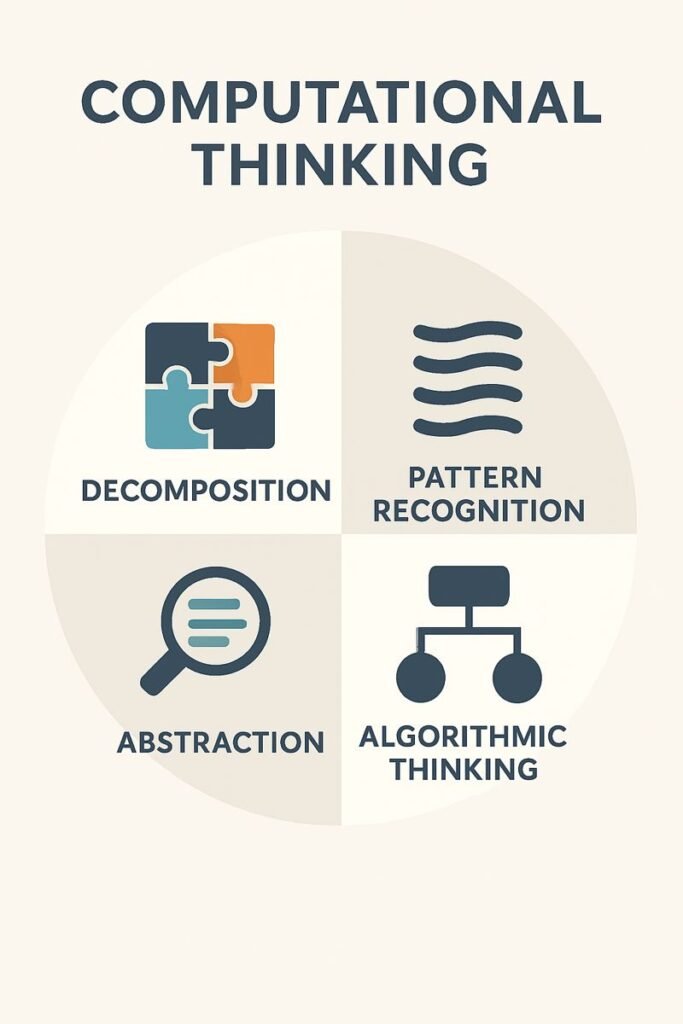
The support of Computational Thinking to a debugging
Computational thinking (CT) is a way of thinking that would assist you in decomposing the complex issues. There are four important elements of it:
- Decomposition
- Pattern Recognition
- Abstraction
- Algorithmic Thinking
These concepts can be transferred to the process of debugging whereby you can analyze errors in a logical and objective way.
Decomposition: The Problem into Pieces
Decomposition refers to breaking down a big problem into tiny easy to handle parts. This is very useful when there is a need to debug. You do not go through the whole program, trying to find the error.
For example:
In case your program gives wrong output you can separate the tasks:
- Is the input correct?
- Is data being processed in a proper manner?
- Is the output function the problem?
Decomposition minimizes the confusion and assists you in focusing on the precise part of the bug where it is
Pattern Recognition: The identification of known errors
You also notice a trend that you make over time concerning some of the mistakes you make. To start with, there are the typical types of bugs:
- A missing bracket
- An off-by-one error
- Incorrect variable names
- Misplaced indentation
Pattern recognition will allow you to determine the cause fast due to the fact that you have observed a similar problem in the past. It also makes you not repeat the errors in the future code.
Abstraction: Elimination of unwarranted information
Abstraction allows you to discard irrelevant information and concentrate on the important things.
To illustrate this point, when a program you are writing crashes at a certain line then abstraction will assist you concentrate on that line instead of worrying about the rest of your code. This limits the stress and makes debugging more specific.
Algorithmic Thinking: Applying a reasoning process
Algorithms thinking refers to the process of debugging as a procedure:
- Observe the error
- Reproduce the error
- Locate the source
- Test possible causes
- Apply a fix
- Test again
This transforms the process of debugging into a logical one and not an act of guesswork. The higher is your practice, the quicker is the process.
The Process of Debugging: Stepwise Guide
To have an in-depth idea of debugging, we will look at a simple and straightforward workflow that every programmer employs.
Step 1: Understand the Problem
On the first occasion that an error message comes, you would not start repairing it first. Instead:
- Read the error message
- Partake the meaning of what it is saying.
- Look at the line number
- Monitor the program behavior.
Lots of beginners do not go through this step as it appears to be too complicated by error messages. But screw ups are your friends–they can usually tell you precisely what has gone wrong.
Step 2: Reproduce the Error
Attempt to repeat the mistake repeatedly. This helps confirm:
- When the error occurs
- What inputs cause it
- Whether it occurs each time or it is only in special circumstances.
You cannot easily reproduce an error, and hence you cannot reliably fix it.
Step 3: Isolate the Source
It is here that decomposition comes in handy. Isolation implies reduction of the potential reason. You can do this by:
- Commenting out code blocks
- Adding print statements
- Using debugging tools
- One at a time small parts should be tested.
Once you have the specific line or block of the problem, then most of the work is done.
Step 4: Identify the Cause
The causes are of two types:
Syntax Errors
These violate the programming language. Examples include:
- Missing colon
- Wrong indentation
- Spelling prnitn in place of print.
These errors are normally accompanied with straightforward error messages.
Logical Errors
These arise when the program is executed but it yields the wrong results. They are less visible and in many cases, they demand a thorough tracing.
As soon as you locate the cause, you will be in a position to make the right choice.
Step 5: Apply the Fix
In applying a fix, ensure that you:
- Change it, but one thing at a time.
- Test the fix immediately
- Ensure that the repair does not cause the breaking of other things.
In debugging, small and controlled changes are necessary.
Step 6: Test Thoroughly
Once the bug has been fixed, restart the program. Test:
- Different types of input
- Edge cases
- Expected behavior
A debug fix must be able to withstand various conditions.
Step 7: Recording what you learned
Professional programmers tend to make notes on:
- What caused the bug
- How they solved it
- How to avoid it in the future
This develops long term debugging capabilities and confidence.
Essential Starting Bugs and Bug-Fixing.
Novices are likely to experience similar kind of bugs in any language. These are the common issues that are understood making it much easier to debug.
Syntax Errors
The following are the commonest novice errors. Examples:
Missing brackets: if (x > 10 {
Indent error (python in particular)
Missing quotation marks
Misusing operators
How to fix:
Reading error messages. The majority of syntax errors indicate to the line that is faulty.
Wrong Variable Names
Beginners often:
Misspell variable names
Use inconsistent naming
Use identical names by mistake.
How to fix:
Look at typos and descriptive names of variables. Errors can be prevented by autocomplete in editors.
Incorrect Data Types
Examples:
Adding a string to a number
When using integers that are to be used, use lists.
Sending the wrong forms to functions.
How to fix:
Check type checking Use type checking, convert data types where needed and print variables to check their types.
Infinite Loops
This occurs when the loop condition does not become false.
Example:
while x < 10:(x)
Assuming that x does not change, the loop is infinite.
How to fix:
Make sure your loop changes the variable that it will exit on.
Off-By-One Errors
Common in loops and indexing. Example:
foriinrange(1,10):
Novices would think this would go to 10, however, it only goes to 9.
How to fix:
Learn the mechanism of indexing. Test with small data sets.
Misplaced Code Blocks
Indentation errors of Python make logic change unwillingly especially in Python.
How to fix:
Check spacing and structure. Use an editor with guides of indentation.
The Best Debugging Techniques when You are a Newcomer
These are some of the strategies that are easily accessible to beginners and can help in making debugging easier and more efficient.
Use Print Statements
Print debugging is easy yet effective. It helps you inspect:
Variable values
Execution flow
And at what point the program ceases to work.
Test With Small Inputs
Large inputs hide bugs. They are evident in small tests.
Example: Do not test a sorting algorithm with a thousand numbers, test it with three.
Trace Code Manually
Test your code in, line by line. Ask:
What should happen here?
What is actually happening?
This approach develops good logics.
Use an Integrated Debugger
Most IDEs have tools for:
Setting breakpoints
Watching variables
Stepping through code
These tools are ignored by beginners yet they are extremely fast in debugging.
Ask the Right Questions
Good debugging questions are those of the form:
What did I expect to happen?
What actually happened?
In what ways do these behaviors differ?
These questions enhance your thought.
Re-examine Problem Requirements.
It is not always your code that contains the bug, but your conception of the task. Get used to reading the instructions over and over again.
Take a Short Break
Being too fascinated with a bug, you get stuck in your mind. A break will also reopen your mind and will show you what you have missed.
The reason why debugging instills confidence
Fixing bugs is not only a quality of learning to debug, but it is also a strong state of mind. When you solve a bug:
- You demonstrate your skills in solving problems.
- You become skilled in your code.
- You get habits that assist you in resolving future problems.
- You get to know the internal behavior of programs.
The more bugs you fix the more confident a programmer you become. A frustrating situation is changed into growth through debugging.

Conclusion
The art of debugging is not a secret that is only available to professionals. It is a rational, systematic process that is driven by a think process. With the help of decomposition, pattern recognition, abstraction, and algorithmic reasoning, you can find and correct errors with high efficiency.
As more and more time passes, debugging is one of the most rewarding aspects of programming. This will make you not fear bugs but learn how to embrace them as a chance to be creative in thinking, sharpen your thinking, and know your programs better.
The debugging process is a process— and each error is one step.